1. Entwodiksyon
Thank you for choosing the GOBOULT Soniq AirBass Over-Ear Bluetooth Headphones. This manual provides essential information for setting up, operating, and maintaining your headphones to ensure optimal performance and longevity. Please read this manual thoroughly before use.
2. Ki sa ki nan bwat la
- GOBOULT Soniq AirBass Over-Ear Headphones
- Kalite-C chaje kab
- Manyèl itilizatè
- Kat Garanti
- Ear Cushions (pre-installed)
3. Pwodwi souview
Familiarize yourself with the components and controls of your GOBOULT Soniq AirBass headphones.

Imaj: Devan view of the GOBOULT Soniq AirBass Over-Ear Bluetooth Headphones, showcasing konsepsyon nwa elegant yo ak ekoutè konfòtab yo.
Kontwòl ak pò

Image: Close-up of the tactile button controls on the headphone earcup, indicating volume up/down and play/pause functions.
- Bouton pouvwa: Sitiye sou ekoutè a, yo itilize li pou limen/etenn epi pou konekte zòrèy la.
- Bouton Volim (+/-): Ajiste volim odyo a.
- Bouton milti-fonksyon: Controls play/pause, track skipping, and call management.
- EQ Mode Button: Cycles through various equalizer presets.
- Kalite-C chaje pò: Pou chaje kas ekoutè yo.
- Pò AUX 3.5mm: Pou koneksyon odyo ak fil.
- Zen™ ENC Microphone: Integrated microphone for clear calls.

Image: Illustration highlighting the adjustable headband, foldable design, and movable earcups for enhanced comfort and portability.
4. Enstalasyon
4.1 Chaje kas ekoutè yo
Before first use, fully charge your headphones. Use the provided Type-C charging cable.
- Connect the Type-C end of the charging cable to the headphone's charging port.
- Konekte bout USB-A a nan yon adaptè kouran USB konpatib (pa enkli) oubyen nan yon pò USB òdinatè.
- Endikatè LED la ap montre eta chaj la (pa egzanp, wouj pou chaj, ble/etenn pou chaj konplè).

Image: The GOBOULT Soniq AirBass headphones connected to a Type-C charging cable, illustrating the fast charging capability.
A 10-minute charge provides approximately 8 hours of playtime. A full charge offers up to 70 hours of playtime.
4.2 Limen/Etenyen
- Pouvwa sou: Press and hold the Power button for 3-5 seconds until the LED indicator flashes.
- Pouvwa Off: Peze epi kenbe bouton Power la pandan 3-5 segonn jiskaske endikatè LED la etenn.
4.3 Bluetooth Pairing
The headphones support Bluetooth 5.4 for fast and stable connections.
- Asire w ke kas ekoutè yo etenn.
- Peze epi kenbe bouton Pouvwa a pou apeprè 5-7 segonn jiskaske endikatè LED la flache wouj ak ble altènativman, sa ki endike mòd koneksyon.
- Sou aparèy ou an (telefòn entelijan, tablèt, òdinatè pòtab), aktive Bluetooth epi chèche aparèy ki disponib yo.
- Select "GOBOULT AirBass" from the list of devices.
- Yon fwa konekte, endikatè LED la ap flache ble dousman oswa li ap vin ble fiks.

Image: Visual representation of the Bluetooth 5.4 Blink & Pair feature, emphasizing fast pairing and stable connection.
4.4 Koneksyon Doub Aparèy
The headphones can connect to two devices simultaneously.
- Konekte kas ekoutè yo ak premye aparèy la jan sa dekri nan seksyon 4.3 la.
- Dezaktive Bluetooth sou premye aparèy la. Kas ekoutè a ap antre nan mòd koneksyon ankò.
- Koup kas ekoutè yo ak dezyèm aparèy la.
- Reaktive Bluetooth sou premye aparèy la. Kas ekoutè a ta dwe konekte otomatikman ak tou de aparèy yo.
- You can now switch audio playback between the two connected devices.
4.5 Koneksyon filaire (AUX)
For a wired connection, use a 3.5mm audio cable (not included).
- Konekte yon bout kab odyo 3.5mm lan nan pò AUX ki sou kas ekoutè a.
- Konekte lòt bout la nan priz odyo 3.5mm aparèy ou an.
- The headphones will function in passive mode, even if powered off.

Image: The headphones illustrating the flexibility of use in both wireless Bluetooth mode and optional wired mode via a 3.5mm AUX cable.
5. Operasyon Enstriksyon
5.1 Kontwòl Odyo Debaz yo
- Jwe/Poz: Peze bouton Multi-fonksyon an yon fwa.
- Volim moute: Peze bouton '+' la.
- Volim desann: Peze bouton '-' la.
- Pwochen Track: Peze epi kenbe bouton '+' la.
- Track Previous: Peze epi kenbe bouton '-' la.
5.2 Jesyon Apèl
The integrated Zen™ ENC Mic ensures clear communication by reducing environmental noise.

Image: Close-up of the Zen™ ENC Microphone, highlighting its features for ambient noise isolation and enhanced call clarity.
- Reponn/Fen Apèl: Peze bouton Multi-fonksyon an yon fwa.
- Rejte apèl: Peze epi kenbe bouton Multi-fonksyon an pou 2 segonn.
- Recomposition Dènye Nimewo: Doub peze bouton Multi-fonksyon an.
5.3 mòd EQ
Customize your audio experience with multiple EQ modes.
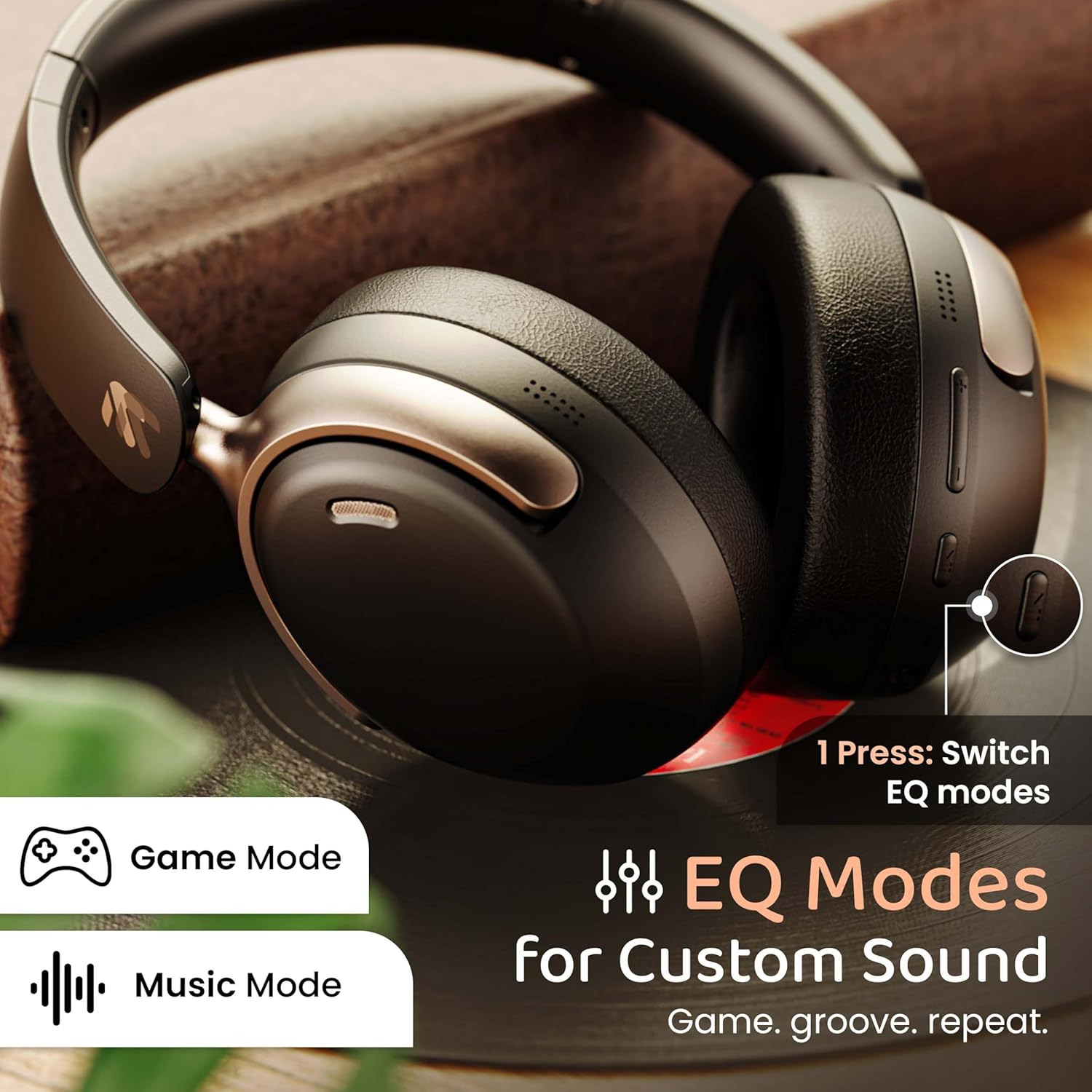
Image: The headphones with an overlay indicating different EQ modes like Game Mode and Music Mode, accessible via a single button press.
- Press the EQ Mode button to cycle through available sound profiles (e.g., Bass Boost, Balanced, Vocal, Gaming).
5.4 Asistan Vwa
Activate your device's voice assistant (Siri, Google Assistant).
- Triple-press the Multi-function button to activate the voice assistant.
6. Antretyen
6.1 Netwayaj
- Siye kas ekoutè yo ak yon twal mou epi sèk.
- Pa sèvi ak pwodwi chimik piman bouk oswa materyèl abrazif.
- Clean ear cushions gently to remove any buildup.
6.2 Depo
- Sere kas ekoutè yo nan yon kote ki fre epi sèk, lwen limyè solèy dirèk ak tanperati ekstrèm.
- Utilize the foldable design for compact storage when not in use.
6.3 Rezistans dlo
The headphones are IPX5 water resistant, meaning they are protected against low-pressure water jets from any direction. This includes splash, rain, and sweat resistance.
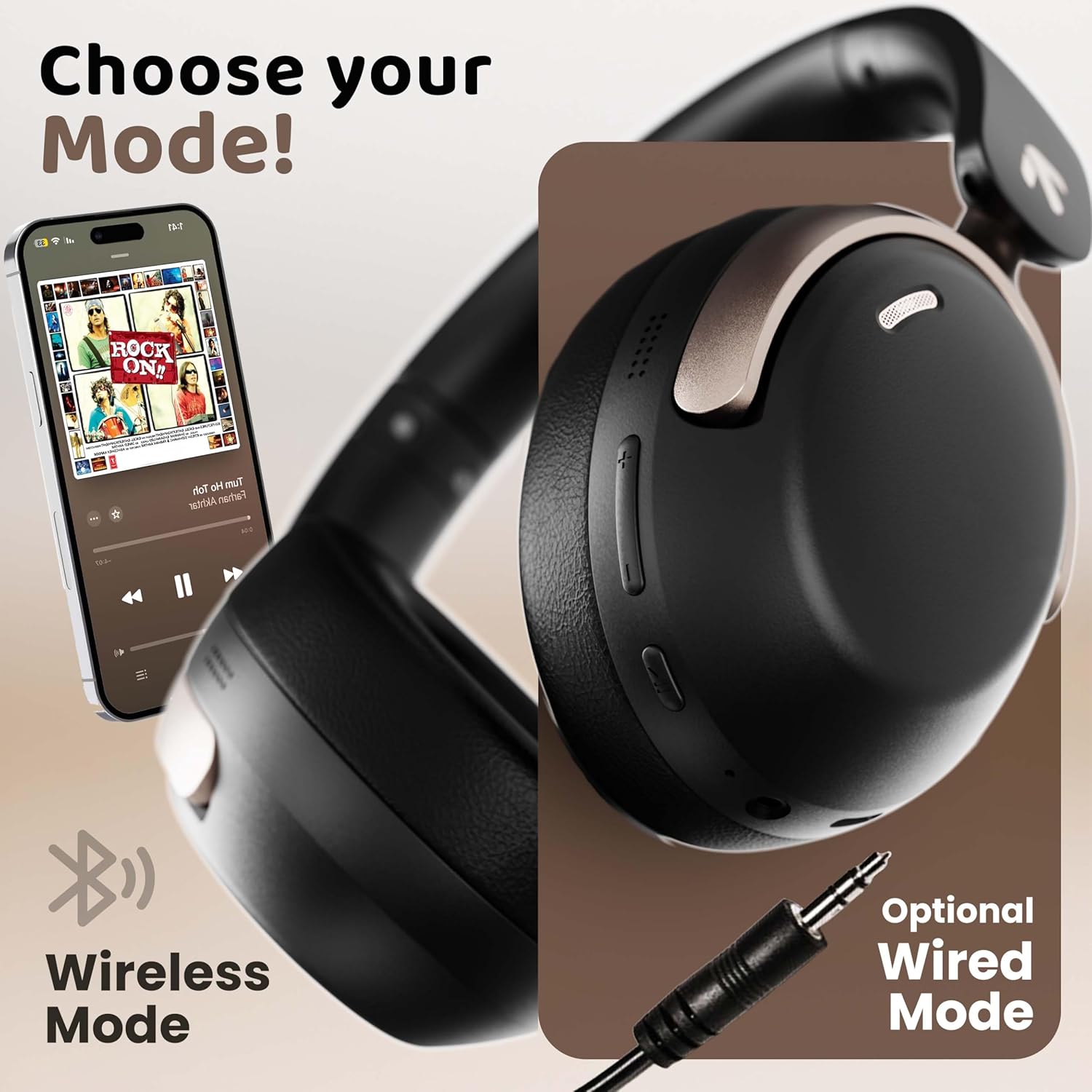
Image: The headphones displayed with icons indicating IPX5 water resistance, signifying splash, rain, and sweat proof capabilities.
Do not submerge the headphones in water or expose them to high-pressure water streams.
NAN. Depanaj
| Pwoblèm | Kòz posib | Solisyon |
|---|---|---|
| Kas ekoutè yo pa limen | Batri ki ba | Chaje kas ekoutè yo konplètman. |
| Pa ka konekte ak aparèy la | Headphones not in pairing mode; Bluetooth off on device; device too far | Asire w ke kas ekoutè yo an mòd koneksyon (liy wouj/ble k ap flache). Aktive Bluetooth sou aparèy ou an. Pi pre kas ekoutè yo (nan yon distans 10 mèt). |
| Pa gen son oswa volim ki ba | Volume too low; incorrect audio output; headphones not connected | Increase headphone and device volume. Check Bluetooth connection. Ensure correct audio output is selected on your device. |
| Kalite apèl pòv | Microphone obstructed; environmental noise; weak signal | Ensure microphone is clear. Move to a quieter environment. Check Bluetooth connection stability. |
| Koneksyon tanzantan | Entèferans; aparèy twò lwen; batri fèb | Move away from sources of interference (Wi-Fi routers, other Bluetooth devices). Keep device within 10 meters. Charge headphones. |
8. Espesifikasyon
| Karakteristik | Detay |
|---|---|
| Non modèl | AirBass |
| Koneksyon Teknoloji | Bluetooth, Filaire (AUX) |
| Teknoloji kominikasyon san fil | Bluetooth 5.4 |
| Gamme Bluetooth | 10 mèt |
| Gwosè Chofè Audio | 40 Milimèt |
| Kalite chofè odyo | Chofè dinamik |
| Latansi Audio | 60 Milisegond (Mòd Jwèt) |
| Kontwòl bri | Anilasyon bri anviwònman an (ENC) |
| Lavi batri | Jiska 70 èdtan |
| Port chaje | Kalite-C vit chaje |
| Nivo rezistans dlo | IPX5 |
| Fòm ekoutè | Sou Zòrèy |
| Materyèl | Memory Foam, Plastic |
| Pwa atik | 227 gram |
| Dimansyon pwodwi | 17 x 5.5 x 19 cm |
| Karakteristik espesyal | Multipoint Pairing, Customizable EQ Modes, Voice Assistant Support |
9. Garanti ak sipò
9.1 Garanti manifakti
The GOBOULT Soniq AirBass Over-Ear Bluetooth Headphones come with a 1-ane garanti manifakti from the date of purchase. This warranty covers manufacturing defects and ensures the reliability of your product.
Tanpri kenbe prèv ou achte pou reklamasyon garanti.
9.2 Sipò pou Kliyan
For any queries, technical assistance, or warranty claims, please contact GOBOULT customer support through the official websit la oswa enfòmasyon kontak ki sou kat garanti ou a.
You may also refer to the official GOBOULT store on Amazon for additional product information and support resources: GOBOULT Store


