Entwodiksyon
This manual provides comprehensive instructions for the setup, operation, and maintenance of your Lepro OE1 AI Smart RGBICW LED Corner Floor LampTanpri li manyèl sa a avèk atansyon anvan ou itilize li pou asire bon fonksyonalite ak sekirite.
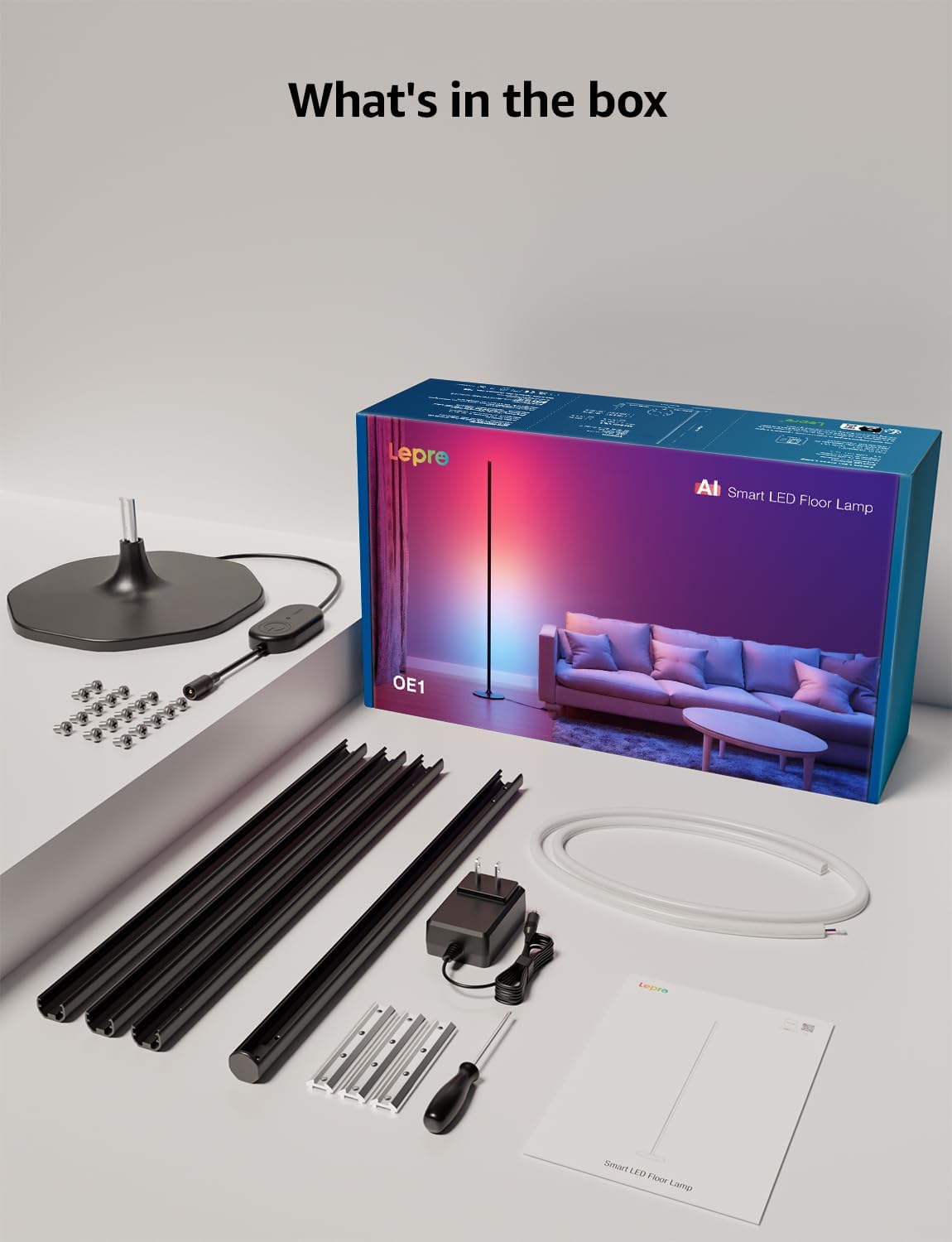
Kontni pake
Verifye ke tout konpozan yo prezan nan pake a:
- Lamp Baz
- Metal Poles (multiple sections)
- Metal Connecting Pieces
- Limyè teren dirije
- Vis & tournevis
- Adaptè pouvwa
- Manyèl itilizatè
Enstalasyon ak Asanble
Follow these steps to assemble and set up your Lepro OE1 floor lamp:
- Assemble the Metal Poles: Align the metal slots of the pole sections with the connecting pieces. Use the provided screws and screwdriver to tighten them securely. Continue this process until all pole sections are connected to form the main lamp kò.
- Tache ak baz la: Secure the assembled metal pole to the lamp base using the designated screws.
- Insert LED Strip: Carefully insert the LED strip light into the channel of the assembled metal pole. Ensure the strip's bottom connector aligns with the wire from the base.
- Konekte fil elektrik: Connect the wire from the LED strip to the wire extending from the lamp baz.
- Position the LED Strip: Gently press and adjust the LED strip from the middle outwards to ensure it sits flush and evenly within the pole's channel. Do not cut the strip lights, as this will cause damage.
- Koneksyon pouvwa: Konekte adaptè pouvwa a ak lamp and then plug it into a standard electrical outlet.

Telechaje Aplikasyon ak Koneksyon
The Lepro OE1 lamp is controlled via the Lepro app. It is compatible with 2.4GHz WiFi networks only. Ensure your phone's Bluetooth is enabled during the pairing process.
- Download the "Lepro" app from your device's app store. (Note: Not compatible with "Lepro Lampux" or "Smart Life" apps).
- Anrejistre yon nouvo kont oswa konekte.
- Ensure your phone's Bluetooth is on and connected to a 2.4GHz WiFi network.
- In the app, select "Add Device" and follow the on-screen instructions to pair your OE1 lamp.
Video 1: Step-by-step guide on how to assemble the Lepro OE1 AI floor lamp.
Video 2: Instructions on how to connect the OE1 AI floor lamp to the Lepro app.
Enstriksyon Operasyon
The Lepro OE1 lamp offers various control methods and lighting features:
1. Lepro App Control
The Lepro app provides full control over your lamp's functions:
- LightGPM 4 - Personalized AI Lighting Designer: Use voice or text prompts to describe your desired mood or scene. The AI will generate lighting effects tailored to your preferences. The more you use it, the more it adapts.
- Ekleraj brikoleur: Customize your ambiance with over 16 million RGB colors and various effects. Adjust colors, brightness, and speed. Save your custom settings and explore community ideas within the app.
- Mizik senkronize: The RGB+ICW color-changing floor lamp reacts to music beats, creating dynamic lighting effects.
- Photo-to-Vibe: Upload a photo of your room, a movie poster, or a game character, and LightGPM will generate a lighting design to match the image's theme.
- Ekleraj blan cho: For daily use, the lamp provides 1000 lumens of warm white light at 2700K, adjustable from 1% to 100% brightness.
- Jesyon Remote: Kontwole l ouamp remotely via the Lepro App, even when away from home.
- Orè: Set automatic on/off timers for convenience.


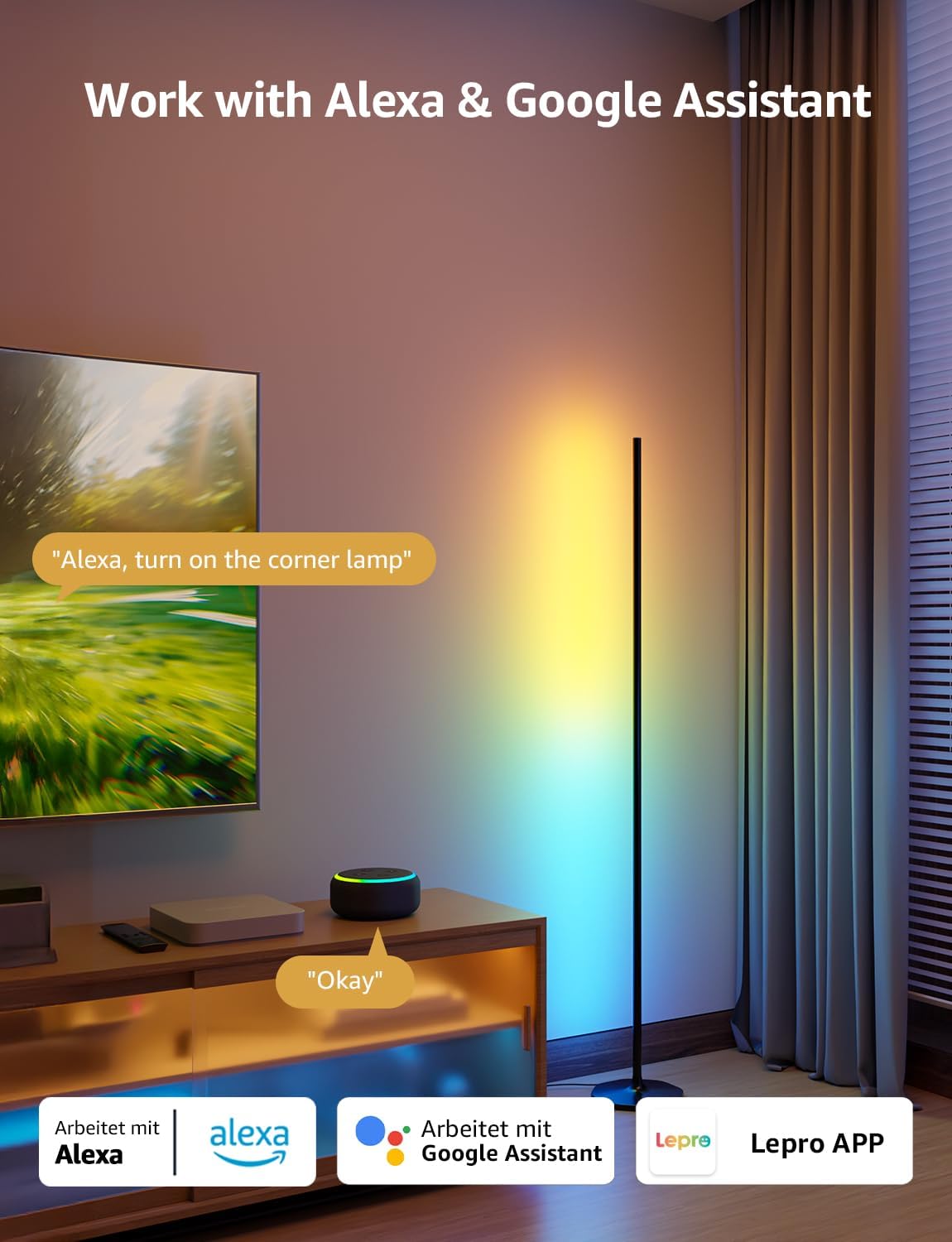
2. Kontwòl Vwa (Alexa ak Asistan Google)
The OE1 lamp supports effortless voice control through Amazon Alexa and Google Assistant. Link your Lepro account with Alexa or Google Assistant in their respective apps to enable voice commands.
- Example commands: "Alexa, turn on the corner lamp," "Hey Google, set the floor lamp to blue," "Alexa, dim the floor lamp a 50%."
3. Gwoup Kontwòl
For multiple Lepro AI devices, simultaneous group control is supported through the Lepro app, allowing you to manage all your smart lights together.
Antretyen
To ensure the longevity and optimal performance of your Lepro OE1 floor lamp:
- Netwayaj: Siye lamp with a soft, dry cloth. Avoid using abrasive cleaners or solvents that may damage the finish or LED strip.
- Plasman: Mete l laamp on a stable, flat surface. Avoid areas with excessive moisture or direct exposure to sunlight, which can affect the LED lifespan.
- Pouvwa: Toujou dekonekte adaptè kouran an anvan ou netwaye oswa fè nenpòt antretyen.
Depanaj
If you encounter issues with your Lepro OE1 floor lamp, gade solisyon komen sa yo:
- Lamp pa limen:
- Asire w ke adaptè kouran an byen branche nan tou de pò yo.amp ak yon priz elektrik ki fonksyone.
- Tcheke si priz kouran an ap fonksyone lè w branche yon lòt aparèy ladan l.
- Unable to connect to the Lepro app:
- Verify your smartphone's Bluetooth is enabled.
- Confirm your WiFi network is 2.4GHz. The lamp does not support 5GHz WiFi.
- Ensure your phone is connected to the same 2.4GHz WiFi network as the lamp pandan premye konfigirasyon an.
- Eseye reset lamp (see "Resetting the Lamp" below).
- Kontwòl vwa a pa fonksyone:
- Ensure your Lepro account is correctly linked with your Alexa or Google Assistant app.
- Check your internet connection for both the lamp and your voice assistant device.
Reyajiste Lamp
If you experience persistent issues or need to re-pair your lamp, perform a factory reset:
- Locate the control button on the power cable.
- Peze epi kenbe bouton an pou 5 segonn.
- A flashing blue light on the lamp indicates a successful reset. The lamp is now ready for re-pairing with the Lepro app.
Video 3: Visual demonstration of how to reset the Lepro OE1 AI floor lamp.
Espesifikasyon
| Karakteristik | Detay |
|---|---|
| Mak | Lepro |
| Nimewo Modèl | OE1 |
| Dimansyon pwodwi | 7.87"D x 7.87"W x 55.11"H |
| Pwa atik | 2.86 liv |
| Kalite sous limyè | dirije |
| Klète | 1000 Lumen |
| Tanperati Koulè | 2700 Kelvin (Blan Cho) |
| Koulè limyè | RGB, blan cho |
| Wattage | 20 wat |
| Voltage | 120 Vòlt (AC) |
| Metòd kontwòl | Voice, App (Lepro App) |
| Koneksyon | Bluetooth, 2.4G WiFi (5GHz not supported) |
| Mwayèn lavi | 20000 èdtan |
| Materyèl | Aliminyòm |
| Fini Kalite | Mat |
| Itilizasyon Andedan kay la / Deyò | Andedan kay la |
| Asanble obligatwa | Wi |
| UPC | 810168791135 |
Garanti ak sipò
For warranty information or technical support, please refer to the official Lepro websit la oubyen kontakte sèvis kliyan yo dirèkteman. Kenbe resi acha ou a pou nenpòt reklamasyon garanti.
Optional protection plans may be available for purchase separately. Please check with your retailer for details.


