1. Entwodiksyon
The MCHOSE K7 Ultra is an advanced wireless gaming mouse designed for optimal performance and comfort. It features an ultra-lightweight design, high-precision sensor, and versatile connectivity options to enhance your gaming and productivity experience.
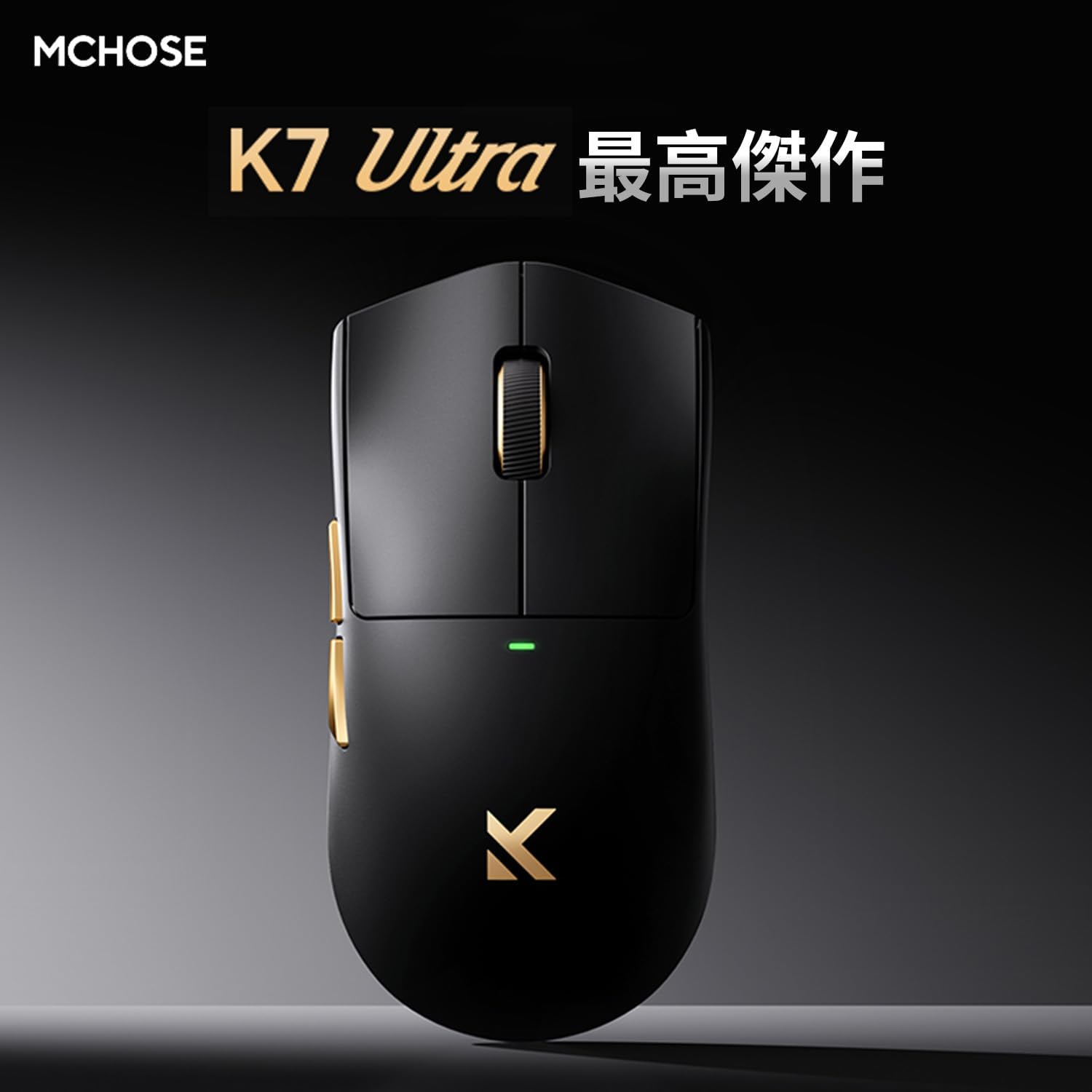
Image: MCHOSE K7 Ultra Gaming Mouse in black, highlighting its optimal performance.
2. Pake kontni
Tanpri verifye ke tout atik yo prezan nan pakè ou a:
- MCHOSE K7 Ultra Gaming Mouse
- 8K Dongle & Magnetic Wireless Charging Dock (Integrated)
- 1K NANO Receiver
- Paracord USB Cable
- Tep priz anti-glise
- Kat Fonksyon
- Kat Garanti
- Dedicated Mouse Storage Pouch
- "Burn" Mouse Pad (First Edition Standard Accessory)
- e-Sports Grade Glass Skates (First Edition Standard Accessory)
3. Pwodwi souview
The MCHOSE K7 Ultra mouse is designed for right-handed users with a symmetrical shape, offering comfort during extended use. It features a lightweight construction and high-quality components.

Imaj: Anlè ak sou kote view of the MCHOSE K7 Ultra Gaming Mouse in white, showcasing konsepsyon ergonomik li yo.
Karakteristik kle:
- Ultra-lejè: Approximately 59g for effortless movement.
- High-Precision Sensor: Pixart PAW3950 sensor with up to 42,000 DPI.
- Koneksyon versatile: 2.4GHz Wireless, Bluetooth, and USB-C Wired modes.
- Switch dirab: Omron optical micro switches for reliable clicks.
- Batri ki dire lontan: 500mAh kapasite batri.
- Advanced Polling Rate: Supports 8K polling rate in both wired and wireless modes.

Image: Visual representation of key features including 59g weight, Super Glide glass coating, Omron optical switches, TTC Gold scroll wheel, and 500mAh battery.

Imaj: Eksploze view illustrating the internal components and construction of the MCHOSE K7 Ultra mouse, including the gold-plated PCB, Omron switches, and magnetic charging coil.
4. Enstalasyon
4.1 Chaje Sourit la
Before first use, fully charge the mouse. Connect the USB-C cable to the charging dock and a power source, then place the mouse onto the magnetic charging dock. The RGB lighting on the dock will indicate charging status.
4.2 Konekte Sourit la
The MCHOSE K7 Ultra supports three connection modes: 2.4GHz Wireless, Bluetooth, and Wired USB-C.
2.4GHz Wireless Koneksyon:
- Insert the 8K dongle into an available USB port on your computer.
- Limen sourit la avèk bouton ki anba a.
- The mouse should automatically connect to the dongle. The indicator light on the mouse will confirm connection.
Koneksyon Bluetooth:
- Turn on the mouse and switch it to Bluetooth mode (refer to the function card for specific switch position).
- Sou òdinatè w la oswa aparèy ou an, ale nan paramèt Bluetooth yo epi chèche nouvo aparèy.
- Select "MCHOSE K7 Ultra" from the list of available devices to pair.
Koneksyon USB-C ak fil:
- Connect the paracord USB cable to the mouse and an available USB port on your computer.
- Sourit la ap chanje otomatikman nan mòd filaire epi li pral kòmanse chaje.

Image: The MCHOSE K7 Ultra mouse on its 8K dongle and magnetic wireless charging dock, illustrating the charging process and RGB lighting.
5. Operasyon Enstriksyon
5.1 DPI Ajisteman
The mouse features a dedicated DPI button (usually located on the bottom or top of the mouse, refer to the function card for exact placement) to cycle through preset DPI levels. The indicator light color will change to reflect the current DPI setting.
5.2 Bouton pwogramasyon
The MCHOSE K7 Ultra has programmable buttons. You can customize button functions, macros, and RGB lighting effects using the M HUB software. Download the M HUB software from the official MCHOSE websit.
5.3 Ajisteman To Sondaj
The polling rate can be adjusted via the M HUB software. The mouse supports up to 8K polling rate for ultra-responsive tracking.
6. Antretyen
6.1 Netwayaj
Pou netwaye sourit la, sèvi ak yon twal mou epi sèk. Pou pousyè tè ki difisil pou netwaye, sèvi ak yon ti twal mouye.amp Ou ka itilize yon twal ki gen savon dou, pou asire pa gen likid ki antre nan sourit la. Evite pwodui netwayaj abrazif oswa solvan.
6.2 Swen Batri
To prolong battery life, avoid fully discharging the mouse frequently. Charge it regularly. If storing the mouse for an extended period, charge it to approximately 50% and store it in a cool, dry place.
NAN. Depanaj
7.1 Mouse Not Responding:
- Asire w sourit la mache.
- Tcheke nivo batri a epi chaje l si sa nesesè.
- For wireless connection, ensure the dongle is properly inserted and within range. Try a different USB port.
- For Bluetooth, ensure Bluetooth is enabled on your device and the mouse is paired.
- Eseye konekte a atravè yon kab USB-C pou elimine pwoblèm san fil.
7.2 Cursor Movement is Erratic:
- Netwaye captè sourit la ak yon twal mou.
- Asire w ke w ap itilize sourit la sou yon sifas ki apwopriye (pa egzanp, yon tapi sourit).
- Check for any obstructions around the sensor.
7.3 M HUB Software Not Detecting Mouse:
- Ensure the mouse is connected to the computer (preferably wired or via 2.4GHz dongle).
- Restart the M HUB software and your computer.
- Check for software updates for M HUB.
8. Espesifikasyon
Detailed technical specifications for the MCHOSE K7 Ultra Gaming Mouse:

Image: Table detailing the MCHOSE K7 Ultra product specifications.
| Karakteristik | Spesifikasyon |
|---|---|
| Modèl | K7 Ultra |
| Gwosè (L x W x H) | Apeprè. 127.3 x 63.8 x 39.9 mm |
| Chip | Realtek Flagship Chip |
| Teknoloji transmisyon | MCHOSE TOPSPEED Wireless Technology |
| Sifas fini | Super Glide Glass Coating |
| Pwosesis Espesyal | Gold-plated PCB, Side Button Electroplating, Aluminum Alloy Wheel Anodized Gloss Finish |
| Pwa | Apeprè. 59g |
| Chofè | Fully self-developed M HUB (Web Driver/Client Driver) |
| Mikwo switch | Omron Optical Switch |
| Scroll wou | TTC lò |
| Batri | 500mAh |
| Dongle/Charging | 8K Dongle & Magnetic Wireless Charging Dock (Integrated) |
| Pousantaj biwo vòt | Wired 8K + Wireless 8K |
| Metòd Koneksyon | Filaire/2.4G/Bluetooth |
9. Garanti ak sipò
The MCHOSE K7 Ultra Gaming Mouse comes with a limited warranty. Please refer to the included Warranty Card for detailed terms and conditions, including warranty period and coverage.
For technical support, driver downloads, or further assistance, please visit the official MCHOSE website or contact customer service through the information provided on your warranty card or product packaging.


