1. Entwodiksyon
Thank you for choosing the AULA S99 Pro Wireless Keyboard. This manual provides detailed instructions to help you set up, operate, and maintain your keyboard, ensuring an optimal user experience. The AULA S99 Pro is a versatile gaming keyboard designed for multi-device compatibility and customizable features.
2. Karakteristik kle
- Dedicated Knob & Display Screen: Supports volume and light adjustments, allowing seamless switching between dynamic RGB-backlit gaming mode and silent typing office mode. The LED screen provides real-time monitoring of battery level, connection status, and system compatibility.
- Koneksyon Multi-Aparèy: Offers three connectivity modes: Bluetooth 5.0, 2.4GHz wireless, and USB wired mode. Connects up to 5 devices simultaneously with easy switching via FN+ key combinations.
- Custom Keyboard: All keys support macro customization for programming complex actions. Equipped with a dual-mode rotary knob for easy adjustment of volume, audio, and lighting effects.
- Cool RGB Backlit Keyboard: Features 16.8 million RGB light colors with 16 pre-set lighting effects. Lighting brightness and speed are adjustable via the knob or FN+key combinations. Macro software allows for unique lighting setups.
- 99 Keys Membrane Keyboard: Compatible with Windows, Mac, Android, iOS, Xbox, PS4, and PS5 devices. Two-stage brackets adjust keyboard height for ergonomic and stable typing.
3. Pake kontni
Asire w tout atik yo la lè w ap debale bwat la:
- AULA S99 Pro Wireless Keyboard
- USB kab
- Manyèl itilizatè
- 1 pil AA (pre-enstale)
4. Enstalasyon
4.1. Mòd Koneksyon
The AULA S99 Pro supports three connection methods:
- 2.4GHz Wireless Mode: Insert the USB dongle (located in the keyboard's back compartment) into your device's USB port. Switch the keyboard to 2.4G mode using the dedicated switch or FN+ key combination.
- Mòd Bluetooth 5.0: Activate Bluetooth on your device. On the keyboard, press FN+1, FN+2, or FN+3 to select a Bluetooth channel. The display screen will show BT1, BT2, or BT3. Chèche pou "AULA-S99" on your device's Bluetooth settings and pair.
- USB fil mòd: Connect the provided USB-C cable to the keyboard's Type-C port and the other end to your device's USB port. The keyboard will automatically switch to wired mode.

Figi 1: Opsyon Koneksyon Tri-Mòd
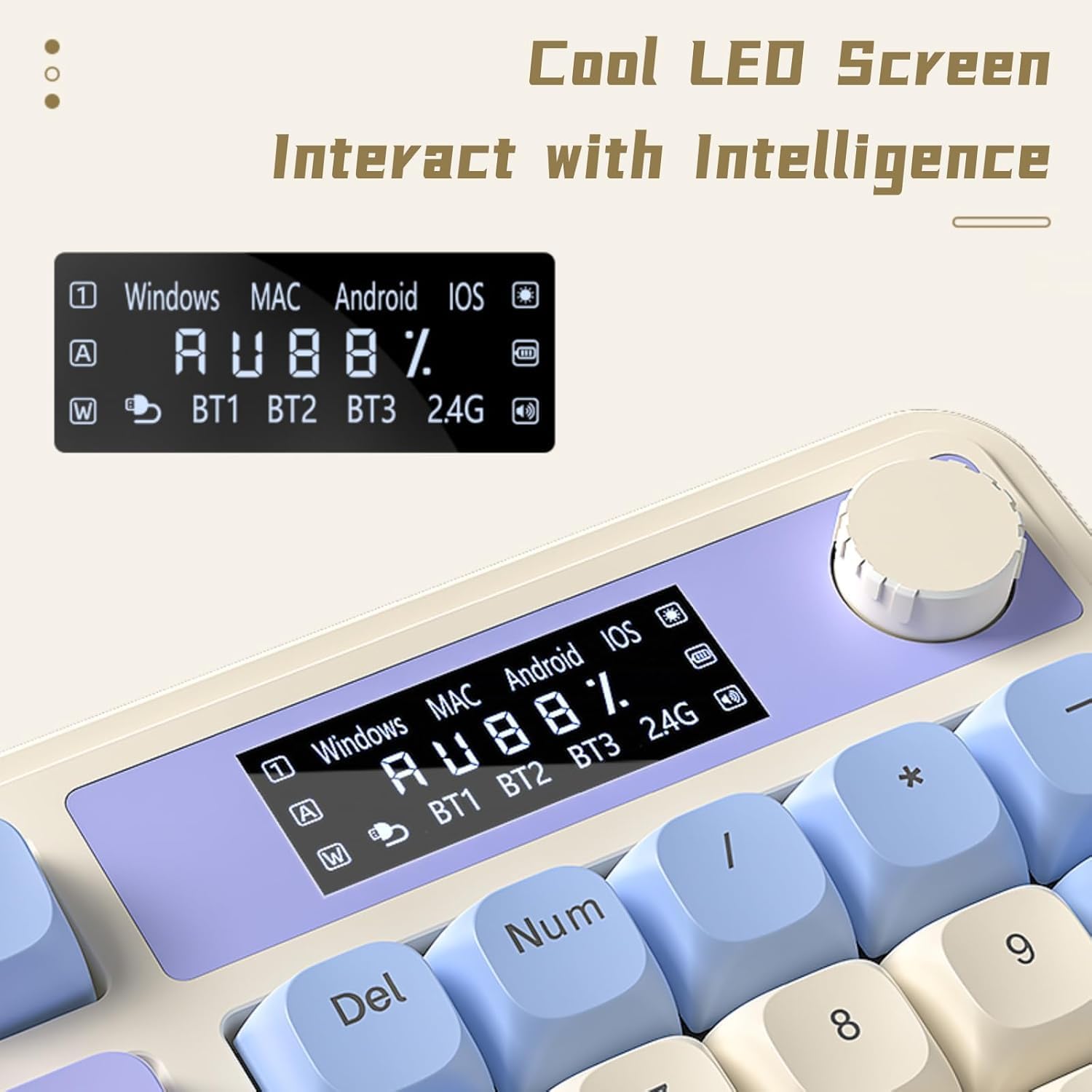
Figure 2: Connectivity Ports and Dongle Storage
4.2. Mèt reglabl
The keyboard features two-stage adjustable feet on the underside. Flip them out to adjust the typing angle according to your ergonomic preference for comfortable and stable use.

Figi 3: Pye klavye reglabl
5. Operasyon Enstriksyon
5.1. Dedicated Knob & Display Screen
The multi-functional knob and LED display screen provide quick access to various settings:
- Vire bouton an: Adjusts volume or lighting brightness/speed depending on the active mode.
- Peze bouton an: Toggles lighting effects or sound on/off.
- Long Press Knob: Switches between Gaming Mode (dynamic RGB) and Office Mode (silent typing).
- Ekspozisyon ekran: Shows real-time battery level, connection status (BT1/BT2/BT3/2.4G), and system compatibility (Windows/MAC/Android/iOS).

Figure 4: Multi-function Digital Dial

Figure 5: Cool LED Screen Interface
5.2. Kontwòl ekleraj dèyè RGB
The keyboard features 16.8 million RGB colors and 16 pre-set lighting effects. Use the FN+ key combinations or the dedicated knob to customize:
- Change Lighting Effects: Press FN + Page Up/Page Down to cycle through different lighting modes.
- Ajiste klète: Rotate the knob or use FN + Up/Down arrow keys.
- Ajiste vitès: Use FN + Left/Right arrow keys to change the speed of dynamic lighting effects.
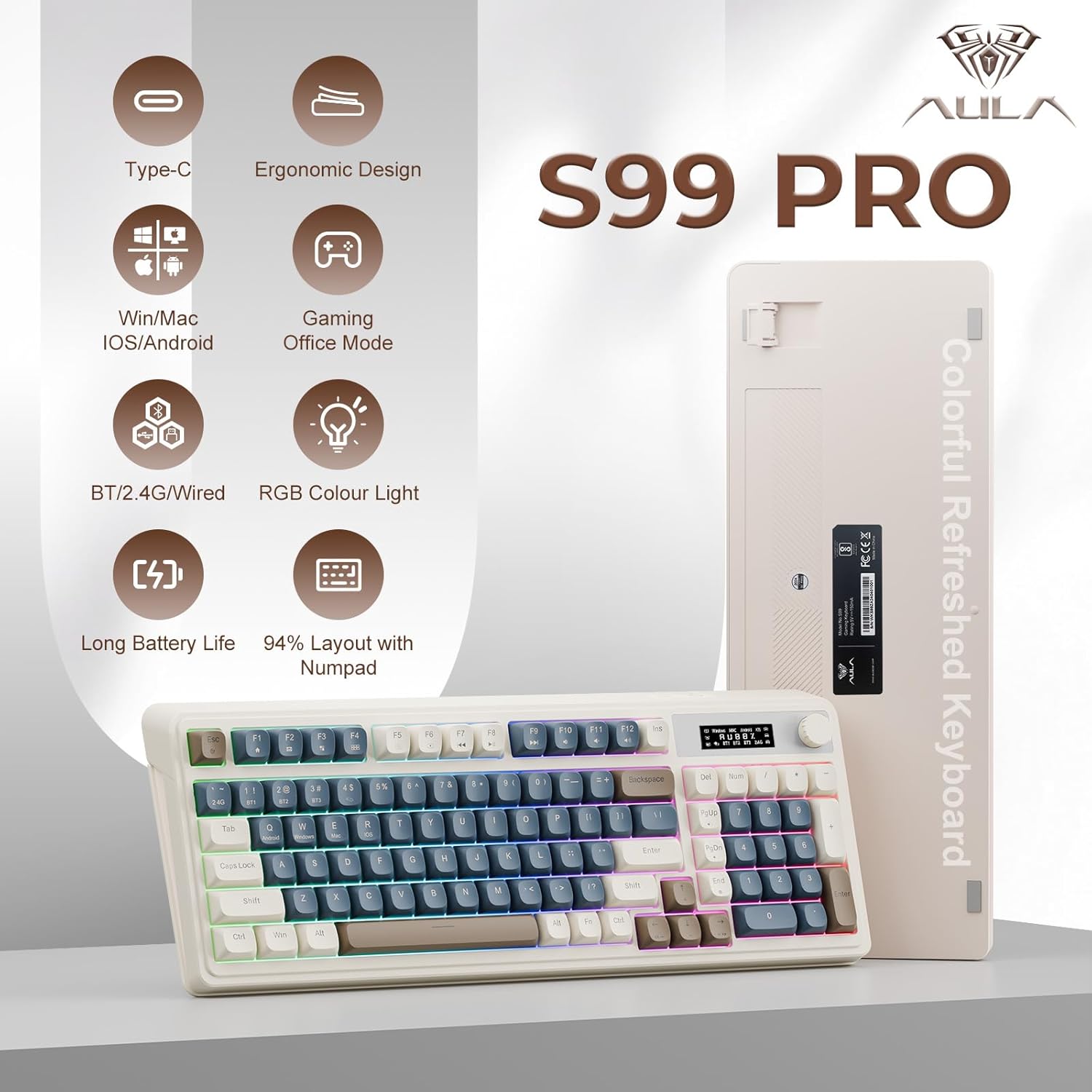
Figure 6: 16.8 Million RGB Backlight
5.3. Macro Customization
All keys on the AULA S99 Pro support macro customization. Use the accompanying software (downloadable from aulastar.com) to record and edit macros, programming complex actions into a single key. This is particularly useful for gaming and specific productivity tasks. Ensure the keyboard is in wired mode when running the driver for customization.

Figure 7: Unique Settings and Macro Customization Software
5.4. Sistèm konpatibilite
Klavye a fèt pou yon konpatibilite laj:
- Windows: Full functionality.
- Mac: Full functionality.
- Android: Full functionality.
- iOS: Full functionality.
- Gaming Consoles (Xbox, PS4, PS5): Compatible for seamless use.
Switch between operating systems using FN+Q (Android), FN+W (Windows), FN+E (Mac), FN+R (iOS).
6. Antretyen
To ensure the longevity and optimal performance of your AULA S99 Pro keyboard, follow these maintenance guidelines:
- Netwayaj: Sèvi ak yon ti moso twal mou, ki san pèl dampRense avèk dlo oswa yon solisyon netwayaj dou pou siye kouvèti kle yo ak sifas klavye a. Evite imidite twòp.
- Retire pousyè: Sèvi ak lè konprese pou retire pousyè ak debri ki ant bouchon kle yo.
- Depo: Sere klavye a nan yon kote ki fre epi sèk, lwen limyè solèy dirèk ak tanperati ekstrèm.
- Evite devèsman: Kenbe likid lwen klavye a pou anpeche domaj nan konpozan entèn yo.
NAN. Depanaj
Si ou rankontre pwoblèm ak klavye ou a, gade solisyon komen sa yo:
- Klavye a pa reponn: Ensure the keyboard is charged. Check the connection mode (wired, 2.4GHz, Bluetooth) and ensure it matches your device. Try reconnecting or re-pairing.
- Kle yo pa anrejistre: Clean the affected keys. Ensure the keyboard is not in sleep mode (press any key to wake).
- Pwoblèm koneksyon Bluetooth: Ensure your device's Bluetooth is on and the keyboard is in pairing mode. Remove previous pairings and try again. Ensure no other devices are interfering.
- 2.4GHz wireless issues: Ensure the USB dongle is securely inserted. Try a different USB port.
- Ekleraj RGB a pa fonksyone: Check brightness settings via the knob or FN+key combinations. Ensure the keyboard is not in office mode (long press knob to switch).
- Antre ki ralanti oubyen ki pran reta: Ensure the keyboard is fully charged. For wireless modes, ensure you are within range of your device. Try switching to wired mode to rule out wireless interference.
8. Espesifikasyon
| Karakteristik | Detay |
|---|---|
| Dimansyon pwodwi | 16.23 x 7.28 x 2.03 pous |
| Pwa atik | 2.38 liv |
| Manifakti | AULA |
| Nimewo Modèl Atik | S99Pro |
| Batri | 1 batri AA obligatwa (enkli) |
| Aparèy konpatib | Konsole jwèt, Laptop, PC, Smartphone, Tablèt |
| Koneksyon Teknoloji | Bluetooth, USB-C, Wi-Fi (2.4GHz) |
| Deskripsyon klavye | Manbràn |
| Karakteristik espesyal | Backlit, Ergonomic, Rechargeable, Silent, Quiet |
| Sipò pou koulè ekleraj klavye | RGB (16.8 milyon koulè) |
| Style | Retro |
9. Garanti ak sipò
For warranty information, technical support, or further assistance, please refer to the official AULA website or contact AULA customer service. Keep your purchase receipt for warranty claims.
10. Videyo pwodwi ofisyèl yo
AULA 99 Keys RGB Gaming Keyboard with Media Knob
Videyo sa a bay yon souview of the AULA 99 Keys RGB Gaming Keyboard, highlighting its RGB lighting features and the functionality of the media knob. It demonstrates the keyboard's design and key features in action.


