1. Pwodwi souview
The LAUNCH Creader Elite V3.0 is an advanced bi-directional scan tool designed for GM vehicles, including Buick, Chevrolet, Cadillac, and GMC models. This upgraded version features enhanced hardware and software for faster and smarter diagnostic capabilities. It offers comprehensive OE-level full system diagnostics, a wide range of maintenance service resets, powerful bi-directional control (active tests), and full OBD2 modes for all vehicle brands after 1996.
Key features include a dismountable USB cable, larger 2GB+16GB extended memory, Android 8.1 OS, a 3000mAh battery with power button, and lifetime free updates. The device supports AutoVIN for quick vehicle identification and a 4-in-1 live data graph for intuitive analysis.
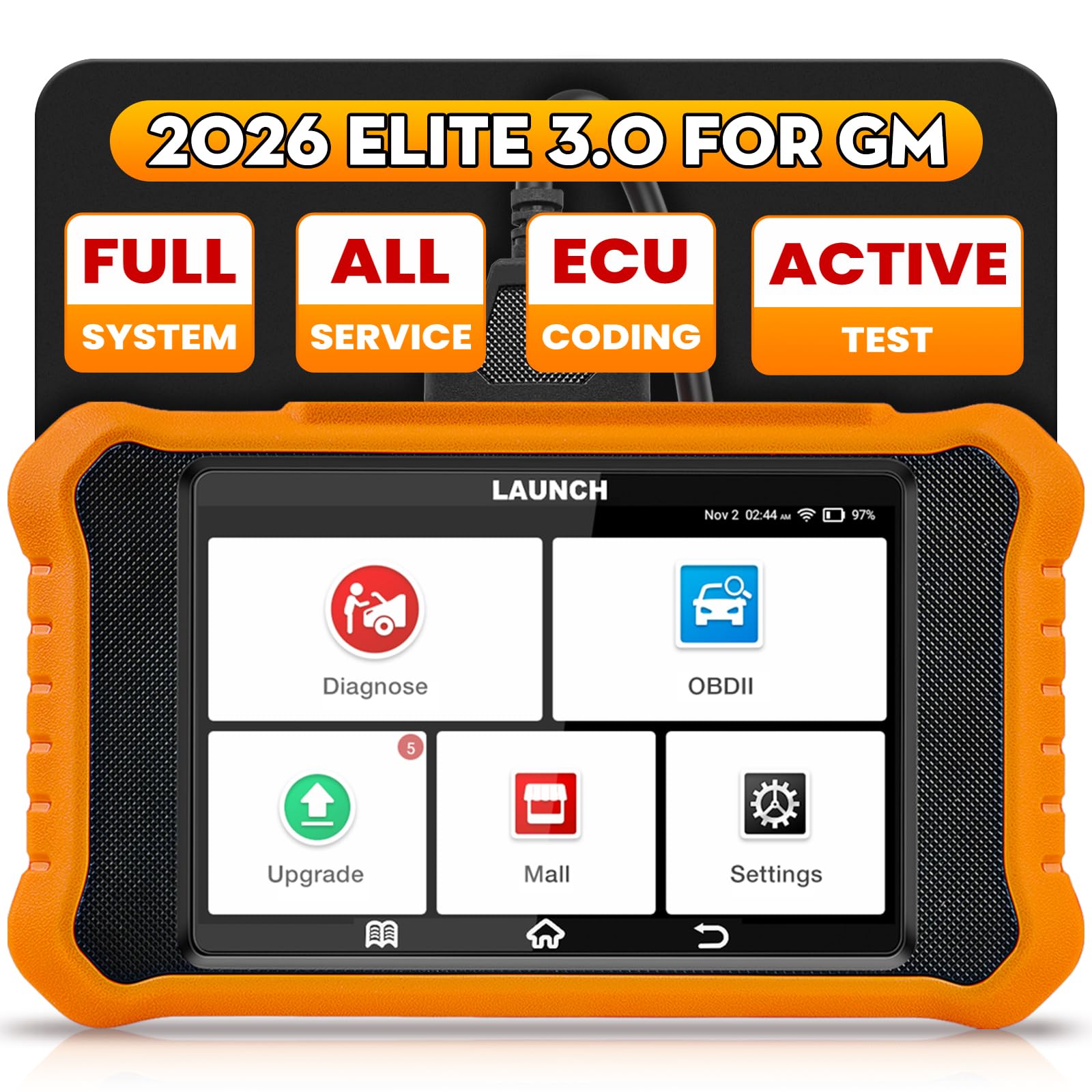
Image 1: LAUNCH Creader Elite V3.0 Scan Tool, showing its compact design and user interface.
2. Enstalasyon ak Koneksyon Inisyal
- Pouvwa sou: Ensure the device is charged or connected to the vehicle's OBD2 port. Press the power button to turn on the device.
- Jwenn pò OBD2 a: Identify your vehicle's 16-pin OBD2 diagnostic port, typically located under the dashboard on the driver's side.
- Konekte aparèy: Plug the device's diagnostic cable securely into the vehicle's OBD2 port. Ensure the connection is firm.
- Ignisyon machin: Turn the vehicle's ignition to the 'ON' position (engine off) or start the engine as prompted by the device for specific functions.
- Automatic Detection (AutoVIN): The device supports AutoVIN for 2006+ GM cars, automatically accessing car information and scanning vehicle systems. For other vehicles or if AutoVIN fails, manual selection of vehicle make, model, and year may be required.
- Koneksyon Wi-Fi: Connect the device to a stable Wi-Fi network for software updates, online diagnostic feedback, and sharing diagnostic reports via email.
Video 1: Demonstrates connecting an OBD2 scanner to a GM vehicle and initiating a scan. This video is provided by a seller and is relevant to the product's setup.
3. Operasyon Enstriksyon
3.1 Dyagnostik Sistèm Konplè
The Creader Elite V3.0 provides OE-level diagnostics for all available vehicle modules, including ECM, BCM, SAS, ABS, TCM, and more. This allows you to:
- Li epi efase kòd pwoblèm dyagnostik (DTC).
- View live data streams in text or graph format (4-in-1 display).
- Retrieve module information.
- Perform actuation tests.
- View freeze-frame data.
- Turn off warning lights.
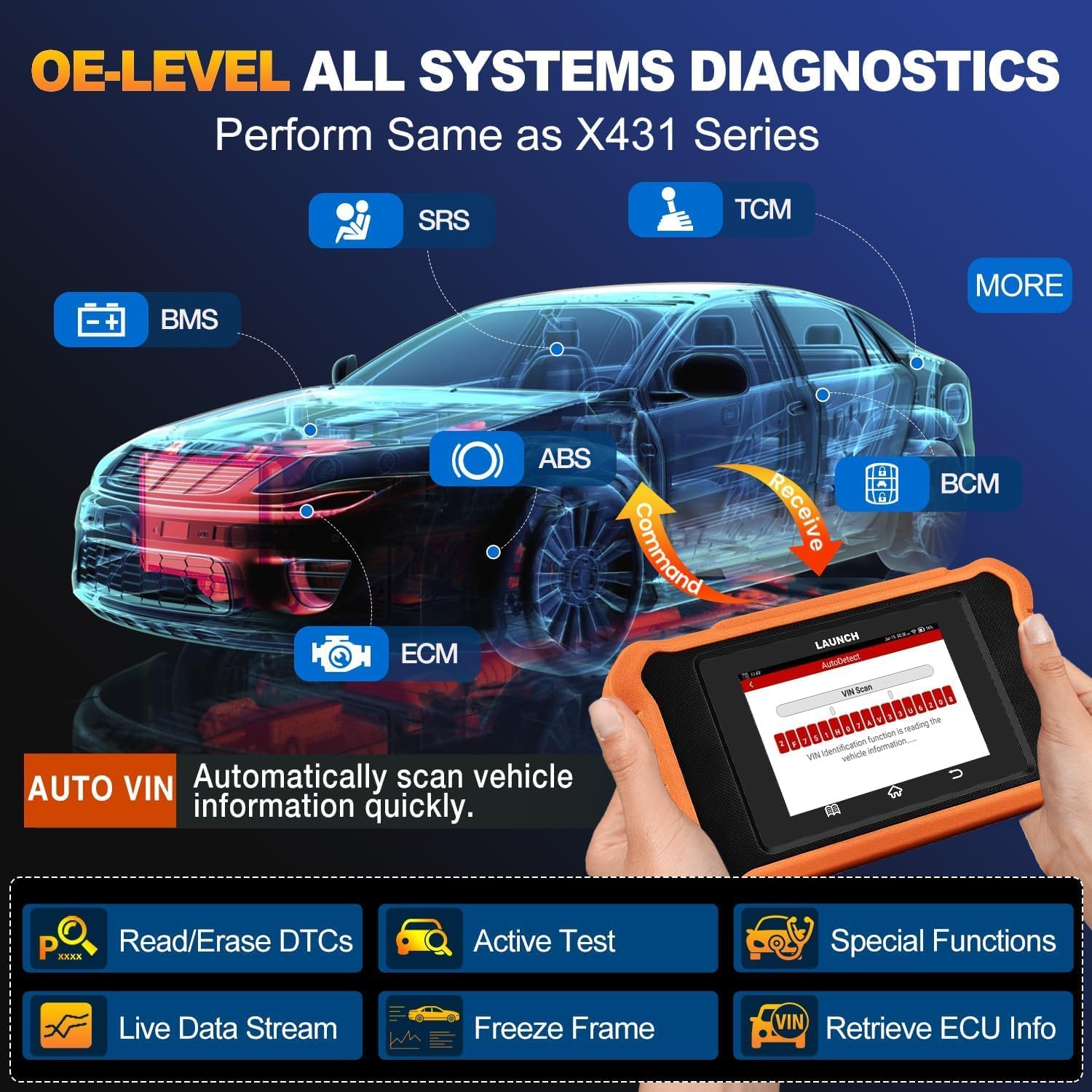
Image 2: Illustrates the OE-level all systems diagnostic capabilities, showing various modules like SRS, TCM, BMS, ABS, BCM, and ECM being scanned.
3.2 Kontwòl Bi-direksyonèl (Tès Aktif)
This function allows the scanner to send commands directly to the vehicle's ECU to perform active tests on specific components. This helps in confirming the normal operation of parts and identifying potential issues. Examples yo enkli:
- Doors, Windows, Mirrors, Lights, Headlamps, Wipers, Sunroofs.
- Air Pump Relay Test, Fuel Pump Relay Test.
- Spark Advance Test, Fan Speed Desired Test, Cooling Fan Test.
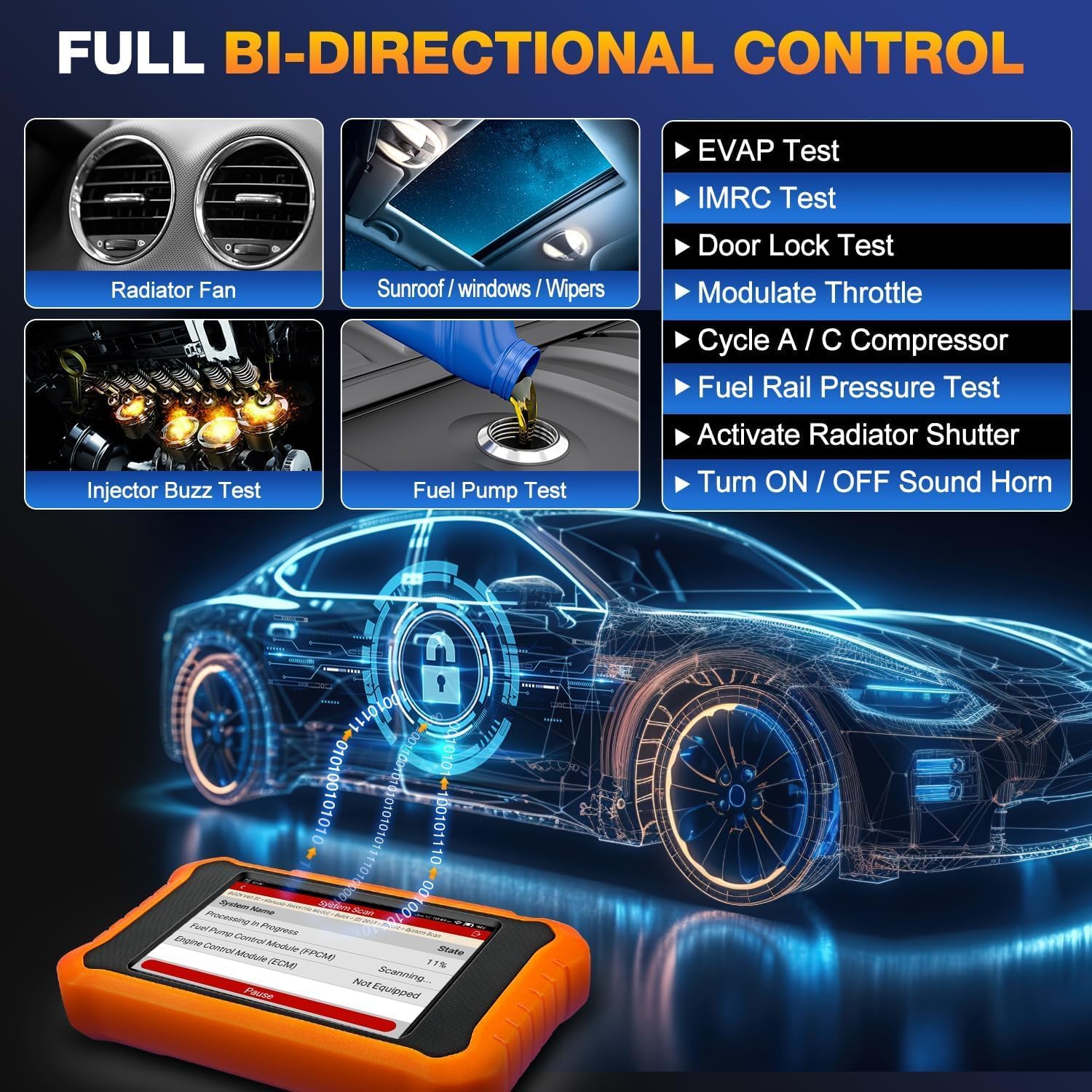
Image 3: Shows the full bi-directional control feature, with examples of components that can be actively tested, such as radiator fan, sunroof, wipers, injector buzz test, and fuel pump test.
3.3 Maintenance Service Resets
The device offers a comprehensive suite of maintenance and reset functions for GM vehicles. These include:
- Oil Light Reset, EPB (Electronic Parking Brake) Reset, SAS (Steering Angle Sensor) Reset.
- Throttle Relearn, DPF (Diesel Particulate Filter) Regeneration.
- ABS Bleeding, Injector Coding, CVT (Continuously Variable Transmission) Reset.
- Air Suspension, Crankshaft Relearn, Gear Learning, Battery Registration.
Note: The availability of specific functions depends on the vehicle's make, model, and year.

Image 4: Displays various maintenance reset functions available for GM vehicles, including Oil Reset, Brake Reset, SAS Calibration, Fuel/Air Reset, Battery Reset, Injector Coding, DPF Regeneration, and Crankshaft Relearn.
3.4 Full OBD2 Modes for All Brands
For all vehicle brands manufactured after 1996, the device supports all 10 OBD2 test modes, including:
- I/M Readiness.
- O2 Monitor Test.
- EVAP Test (Mode 8).
- On-board Monitor Test (Mode 6).
- Read/Clear Codes, Live Data, Freeze Frame, Vehicle Information.
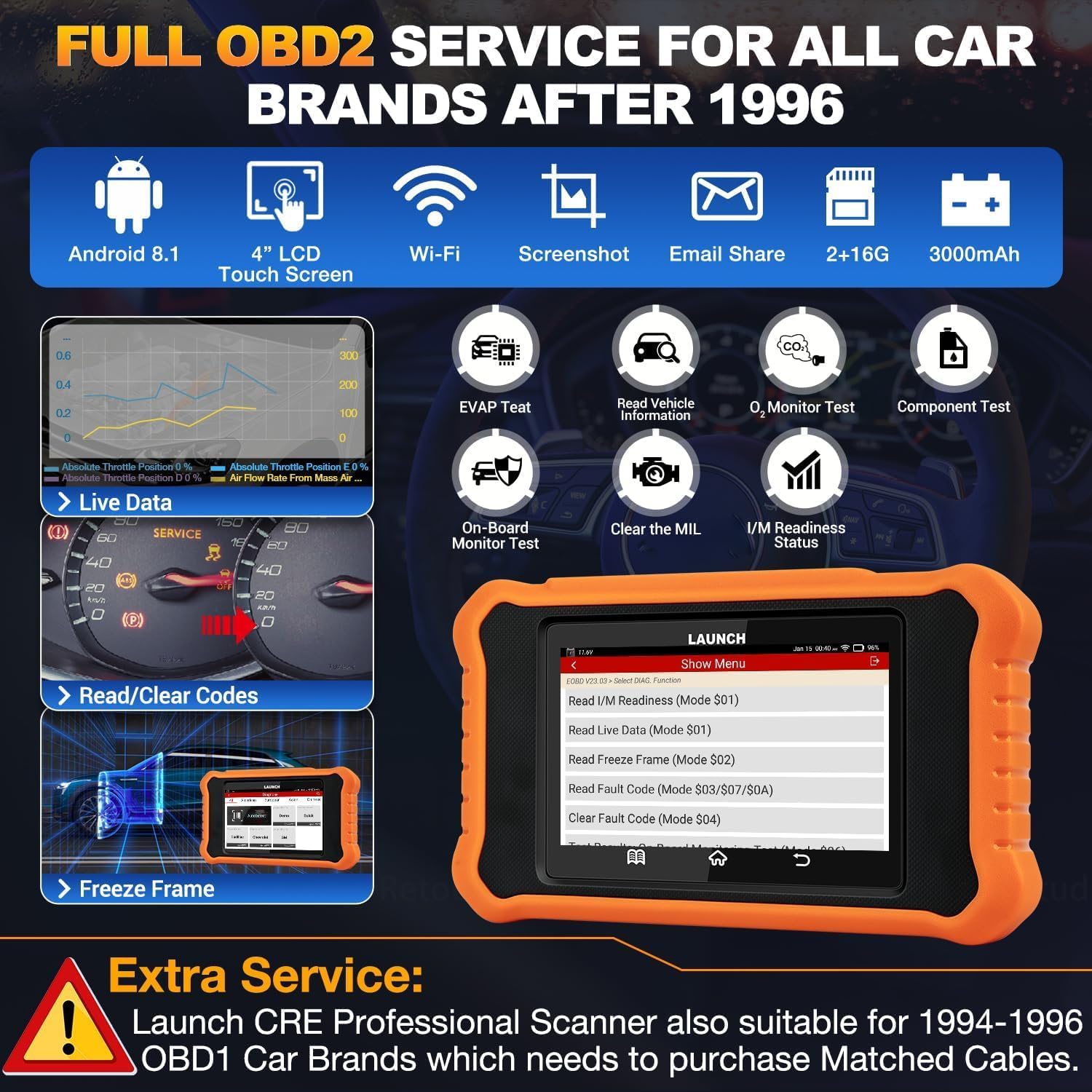
Image 5: Highlights the full OBD2 service for all car brands after 1996, showing various test modes and device features like Android 8.1, 4" LCD Touch Screen, Wi-Fi, Screenshot, Email Share, 2+16G memory, and 3000mAh battery.
3.5 Fonksyon adisyonèl
- Chèche DTC: Quickly search for definitions of diagnostic trouble codes.
- Manual VIN Scan: Manually input VIN for vehicles not supported by AutoVIN.
- Batri Voltage Display: Kontwole volim batri an tan reyèltage.
- Ekran: Capture screen images for documentation.
- Manyèl itilizatè: Access the digital user manual on the device.
- Kòmantè Dyagnostik Sou Entènèt: Submit diagnostic problems to LAUNCH for analysis and troubleshooting.
- Rapò Jenerasyon: Generate and share/print vehicle health reports via email.

Image 6: Displays additional advanced functions such as email share & print diagnostic report, firmware fix, online diagnostic feedback, 4-in-1 live data graph, and Google online code search.
4. Antretyen
To ensure optimal performance and longevity of your LAUNCH Creader Elite V3.0, regular maintenance is recommended:
- Mizajou lojisyèl: The device offers lifetime free updates. Connect to Wi-Fi and regularly check for new software versions to ensure compatibility with the latest vehicle models and features.
- Netwayaj: Sèvi ak yon mou, damp cloth to clean the device's screen and body. Avoid abrasive cleaners or solvents.
- Depo: Sere aparèy la nan yon kote ki fre epi sèk, lwen limyè solèy dirèk ak tanperati ekstrèm.
- Swen kab: Inspect the diagnostic cable regularly for any signs of wear or damage. Replace if necessary to ensure reliable connection.

Image 7: Illustrates the lifetime free update feature, emphasizing hardware configuration upgrades, support for more new cars, and high update frequency.
NAN. Depanaj
If you encounter issues with your LAUNCH Creader Elite V3.0, consider the following:
- Aparèy pa limen: Ensure the device battery is charged or it is properly connected to the vehicle's OBD2 port.
- Erè Kominikasyon: Verify that the diagnostic cable is securely connected to both the device and the vehicle's OBD2 port. Ensure the vehicle's ignition is in the correct position.
- Pwoblèm lojisyèl: Perform a software update via Wi-Fi. If the issue persists, utilize the Online Diagnostic Feedback function to report the problem to LAUNCH technical support.
- Pwotokòl CANFD: For some 2021 and newer vehicles, a CANFD adapter may be required as the scanner might not support CANFD protocols directly.
6. Espesifikasyon
| Karakteristik | Detay |
|---|---|
| Modèl | Creader Elite V3.0 |
| Sistèm operasyon | Android 8.1 |
| Gwosè ekran | 4 Inches LCD Touch Screen |
| memwa | 2GB RAM + 16GB Extended Memory |
| Batri | 3000mAh Lityòm Ion (enkli) |
| Koneksyon | Wi-Fi (2.4GHz ak 5GHz) |
| Lang | 11 (English, French, Spanish, German, etc.) |
| Pwa | 670 g |
| Nimewo Pati Manifakti | Creader Elite 2.0-G |
| UPC | 884508005978 |

Imaj 8: Dèyè view of the LAUNCH Creader Elite V3.0, showing product labels and serial number 960744068673.
7. Garanti ak sipò
- Garanti: The LAUNCH Creader Elite V3.0 comes with a 5-year warranty.
- Retounen: A 60-day refund and replacement policy is available.
- Mizajou lojisyèl: Enjoy lifetime free software updates to keep your device current with new vehicle models and diagnostic features.
- Sipò teknik: Lifetime free technical support is provided by LAUNCH. For online assistance, use the "Online Diagnostic Feedback" option on the device.


