1. Entwodiksyon ak souview
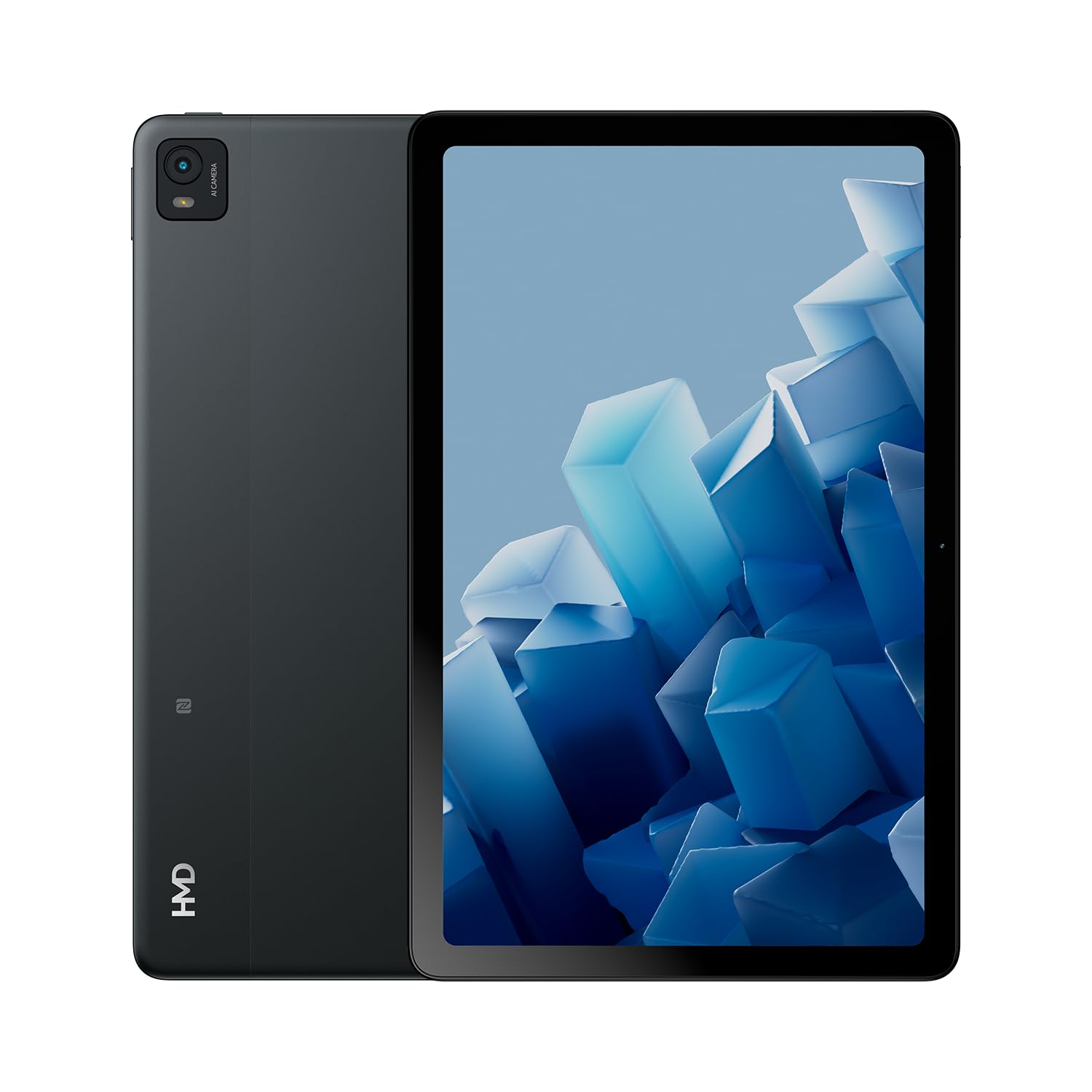
The HMD T21 tablet is designed for entertainment and productivity, featuring a clear 10.36-inch HD display and immersive audio. It supports an active pen for creative tasks and offers extended screen real estate for computer integration. Enjoy long-lasting battery performance with monthly security updates until summer 2027.
- Fortress of Security: Bank, surf, and shop online fearlessly with monthly security updates until the summer of 2027.
- Divètisman Imersif: Dive deep into entertainment on the clear 10.36-inch cover glass display with immersive audio.
- Pwolonje lavi batri: Stay powered up with an 8200 mAh battery, offering up to 3 days of usage and 18W fast charge support with 800 full charging cycles.
- Creative and Productive: Unleash your creativity with active pen support and enhance productivity by using the tablet as additional screen real estate for your computer.
- Crystal Clear Audio-Visuals: Enjoy HD video for calls and streaming, complemented by stereo speakers with OZO playback.

2. Ki sa ki nan bwat la
Your HMD T21 package includes the following items:
- HMD T21 Tablet
- USB kab
- Adaptè pouvwa
- Sim PIN
- Gid itilizatè
- Gid Quick Start
- Ti liv Sekirite Sosyal

3. Enstalasyon
3.1 Premye pouvwa sou
- Press and hold the Power button (located on the side) until the HMD logo appears on the screen.
- Swiv enstriksyon yo sou ekran an pou chwazi lang ou, konekte ak yon rezo Wi-Fi, epi konfigire kont Google ou.
3.2 Chaje Aparèy la
Before first use, it is recommended to fully charge your HMD T21 tablet.
- Connect the USB cable to the tablet's USB-C port.
- Konekte lòt bout kab USB a ak adaptè pouvwa a.
- Ploge adaptè pouvwa a nan yon priz miray.
- The battery icon on the screen will indicate charging status. The tablet supports 18W fast charging.
3.3 Inserting a SIM Card (if applicable)
If your model supports cellular connectivity, follow these steps:
- Jwenn plato kat SIM lan sou bò tablèt la.
- Insert the provided SIM pin into the small hole on the tray to eject it.
- Mete kat Nano-SIM ou yo ak/oswa kat microSD ou yo nan plato a ak kontak lò yo anba.
- Remete plato a nan tablèt la avèk prekosyon.
4. Operasyon Enstriksyon
4.1 Navigasyon ekran
The HMD T21 features a 10.36-inch HD display. Navigate the interface using touch gestures:
- Tape: Chwazi yon atik oubyen louvri yon aplikasyon.
- Glise: Defile nan ekran yo oswa lis yo.
- Zoom-pou-Zoom: Agrandi oswa diminye foto yo epi web paj.
- Long Press: Jwenn aksè nan meni kontèks yo oubyen deplase ikòn aplikasyon yo.

4.2 Itilizasyon Kamera
The tablet is equipped with an 8MP rear camera and an 8MP front camera for photos and video calls.
- Louvri aplikasyon Kamera a nan ekran prensipal la.
- Tape bouton deklanchè a pou pran yon foto.
- Chanje ant kamera devan ak dèyè a lè w sèvi ak ikòn aktive/dezaktive kamera a.
- Chwazi mòd videyo pou anrejistre videyo.
4.3 Odyo ak Konektivite
Enjoy clear audio through the stereo speakers with OZO playback. Connect to the internet via Wi-Fi (802.11a/b/g/n/ac) or cellular data (if supported by your model).
- Wi-Fi: Ale nan Anviwònman > Rezo ak entènèt > Wi-Fi pou konekte ak rezo ki disponib yo.
- Bluetooth: Ale nan Anviwònman > Aparèy konekte > Bluetooth pou konekte ak akseswa Bluetooth yo.
- Kas ekoutè Jack: Use the 3.5mm audio jack for wired headphones.
5. Antretyen
5.1 Swen Batri
Pou maksimize dire lavi ak lonjevite batri a:
- Evite tanperati ekstrèm.
- Sèvi ak plato ki vini ak li a pou yon chajman optimal.
- Detanzantan, kite batri a dechaje anba 20% anvan ou rechaje li.
5.2 Mizajou lojisyèl
HMD provides monthly security updates until summer 2027 to keep your device secure and up-to-date.
- Go to Settings > System > System update to check for and install available updates.
5.3 Netwaye aparèy ou an
Sèvi ak yon twal mou ki pa gen pousyè pou netwaye ekran an ak kò tablèt la. Evite pwodui chimik ki agresif oswa materyèl abrazif.
NAN. Depanaj
If you encounter issues with your HMD T21, try the following basic troubleshooting steps:
- Rekòmanse aparèy la: Peze epi kenbe bouton Pouvwa a, epi klike Rekòmanse.
- Tcheke pou mizajou lojisyèl: Asire w aparèy ou an ap itilize dènye vèsyon lojisyèl la.
- Efase kach aplikasyon an: If an app is misbehaving, go to Settings > Apps > [App Name] > Storage & cache > Clear cache.
- Factory reset (last resort): If problems persist, you may need to perform a factory reset. Back up your data first. Go to Settings > System > Reset options > Erase all data (factory reset).
7. Espesifikasyon
| Karakteristik | Spesifikasyon |
|---|---|
| Non modèl | T21 (TA-1597) |
| Sistèm operasyon | Android 13 |
| Gwosè ekran | 10.36 pous |
| Rezolisyon ekran | 2000x1200 piksèl |
| Processeur | 1.8 GHz Unisoc |
| memwa (RAM) | 4 GB |
| Kapasite Depo | 64 GB (ou ka elaji li atravè yon kat microSD) |
| Dèyè WebCam Rezolisyon | 8 MP |
| Rezolisyon kamera devan | 8 MP |
| Dire Batri (Mwayèn) | 24 Hours (up to 3 days with typical usage) |
| Fast Charge Support | 18W |
| Kalite san fil | 802.11a, 802.11ac, 802.11b, 802.11g, 802.11n |
| Pwa atik | 1.04 liv |
| Dimansyon pwodwi | 6.19 x 9.75 x 0.3 pous |
| Koulè | Nwa Steel |

8. Garanti ak sipò
Your HMD T21 tablet comes with a manufacturer's warranty. Please refer to the warranty card included in your package for specific terms and conditions.
For technical support, troubleshooting assistance, or warranty claims, please visit the official HMD support website or contact customer service through the details provided in your product documentation.


