1. Entwodiksyon
This manual provides detailed instructions for the installation, operation, and maintenance of your Bkiyougo Self-Powered Wireless Light Switch and Receiver Kit. This system offers a convenient, battery-free, and wireless solution for controlling various lighting fixtures and appliances.
1.1 Kontni pake a
- 1 x Entèriptè Limyè San Fil ki Alimante Pa Limyè
- 1 x Twous Reseptè
- Mounting accessories (e.g., double-sided adhesive, screws)
- Manyèl itilizatè
2. Enfòmasyon enpòtan sou sekirite
Tanpri li tout enstriksyon sekirite yo ak anpil atansyon anvan enstalasyon ak itilizasyon. Si ou pa swiv enstriksyon sa yo, ou ka pran chòk elektrik, pran dife oswa pran lòt danje.
- Sekirite elektrik: Always disconnect power at the circuit breaker before performing any electrical work. If you are unsure about electrical wiring, consult a qualified electrician.
- Voltage: Ensure the receiver's operating voltage (AC 110-230V) matches your electrical supply.
- Rating aktyèl: Pa depase maksimòm kouran nominal 10 la. Amps for the receiver.
- Anviwònman: While the switch is IP44 rated for wet environments, ensure the receiver is installed in a dry, protected location.
- Timoun: Kenbe pwodwi a soti nan atenn timoun yo.
3. Pwodwi souview
The Bkiyougo Wireless Light Switch system consists of two main components: the self-powered wireless switch and the compact receiver module.

The wireless switch generates its own power through kinetic energy when pressed, eliminating the need for batteries. The receiver connects to your lighting fixture and responds to signals from the switch.
4. Enstalasyon ak Enstalasyon
4.1 Fil elektrik pou reseptè a
The receiver must be wired between the power source and the lighting fixture. Ensure power is OFF at the circuit breaker before proceeding.
- Turn off the main power supply to the circuit at the breaker.
- Connect the Live (L) and Neutral (N) wires from your power supply to the 'INPUT' terminals on the receiver.
- Connect the Live (L) and Neutral (N) wires of your lighting fixture to the 'OUTPUT' terminals on the receiver.
- Asire w ke tout koneksyon an sekirite.

4.2 Mounting the Wireless Switch
The wireless switch can be mounted on various surfaces using the provided double-sided adhesive or screws. No in-wall wiring is required for the switch.
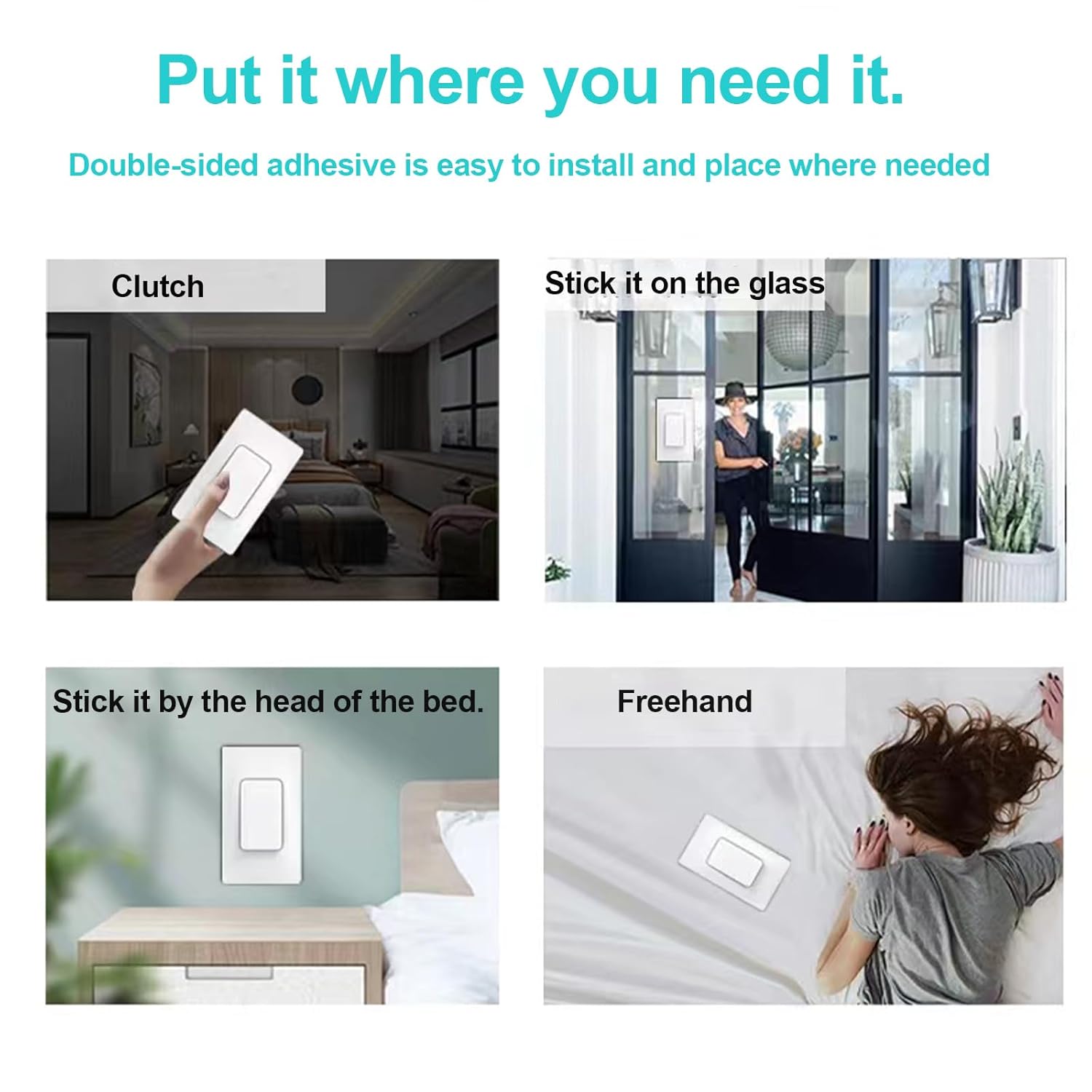
- Clean the desired mounting surface thoroughly.
- Apply the double-sided adhesive to the back of the switch or use screws to secure it to a wall.
- Ensure the switch is firmly attached.
5. Operasyon Enstriksyon
5.1 Pairing the Switch and Receiver
After wiring the receiver and restoring power, you need to pair the wireless switch with the receiver.

- Ensure the receiver is safely connected to the power supply.
- Press and hold the pairing button on the receiver for approximately 3 seconds. The code indicator light on the receiver will turn on.
- Within 10 seconds, press the wireless switch button once. The code indicator light on the receiver will flash once, indicating successful pairing.
5.2 Clearing the Signal (Unpairing)
To clear all paired switches from a receiver:
- Press and hold the pairing button on the receiver.
- Continue holding until the code indicator light flashes 3 times. This indicates that all previously paired switches have been cleared.
5.3 Metòd kontwòl
The system supports flexible control configurations:
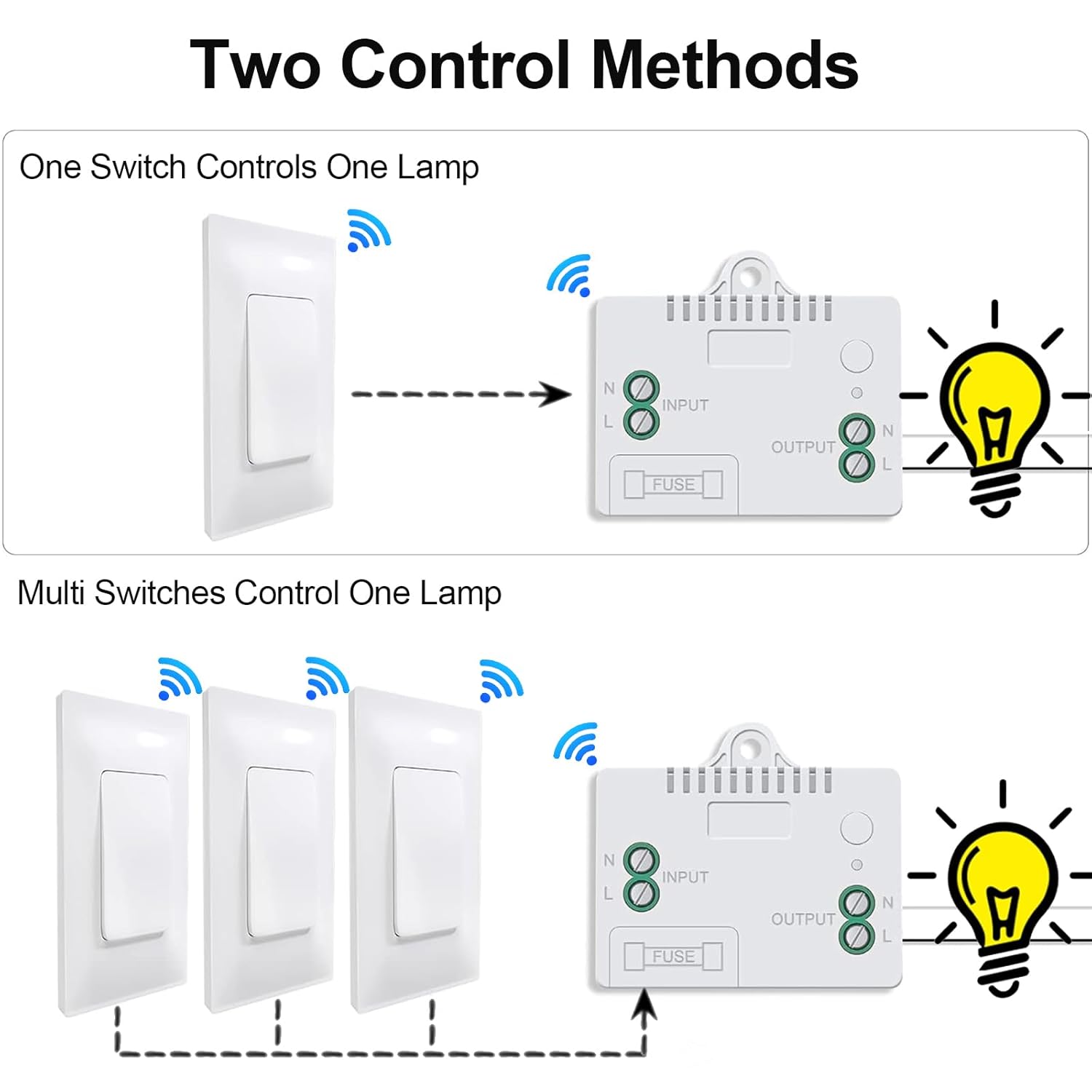
- One Switch Controls One Lamp: A single wireless switch can be paired with one receiver to control a single lighting fixture.
- Multiple Switches Control One Lamp: Up to 15 wireless switches can be paired with a single receiver to create a multi-way switching system for one lighting fixture.
- One Switch Controls Multiple Lamps: A single wireless switch can be paired with multiple receivers to control several lighting fixtures simultaneously.
6. Karakteristik kle
The Bkiyougo Wireless Light Switch and Receiver Kit offers several advantages:

- Oto-pouvwa: The switch generates its own power kinetically, requiring no batteries or external power source.
- Operasyon san fil: Eliminates the need for new wiring, simplifying installation and allowing flexible placement.
- IP44 Rated Waterproof Switch: The wireless switch is designed to operate reliably in wet environments, such as bathrooms or courtyards, without risk of electric leakage.

- Strong RF Signal: The system utilizes a robust RF signal that can penetrate walls and doors.
- Ranje pwolonje: Offers an indoor control distance of up to 100 feet and an outdoor control distance of up to 330 feet in open areas.

NAN. Depanaj
If you encounter issues with your Bkiyougo Wireless Light Switch and Receiver Kit, refer to the following table for common problems and solutions.
| Pwoblèm | Kòz posib | Solisyon |
|---|---|---|
| Limyè a pa limen/etenn. | No power to receiver; Receiver not paired with switch; Faulty wiring; Out of range. | Check power supply to receiver; Re-pair switch and receiver (Section 5.1); Verify wiring connections; Reduce distance between switch and receiver. |
| Light turns on/off unexpectedly. | Interference; Receiver picking up unintended signals. | Clear the signal from the receiver (Section 5.2) and re-pair only the desired switches. Ensure no other RF devices are causing interference. |
| Switch feels stiff or unresponsive. | Mechanical issue; Debris under switch. | Ensure the switch is clean and free of obstructions. If the issue persists, contact customer support. |
| Reduced control range. | Obstructions (thick walls, metal objects); Environmental interference. | Relocate the switch or receiver to minimize obstructions. Avoid placing near large metal objects or other strong RF sources. |
8. Espesifikasyon teknik
- Nimewo Modèl: Self-power switch-01
- Dimansyon pwodwi: 2.36 x 1.57 x 0.79 inches (Switch); 2.36 x 1.57 x 0.79 inches (Receiver)
- Pwa: 5.29 ons (pakè total)
- Opere Voltage: AC 110-230 Volts
- Rating aktyèl: 10 Amps
- Mòd operasyon: ON-OFF-ON
- Kalite kontak: Nòmalman Louvri
- Kalite konektè: Tèminal plimen
- Kalite sikwi: Milti-fason
- Kalite actuator: Pouse bouton
- Indoor Control Range: Jiska 100 pye (apeprè 30 mèt)
- Outdoor Control Range: Up to 330 feet (approx. 100 meters) in open areas
- Switch Waterproof Rating: IP44
9. Swen ak Antretyen
To ensure the longevity and optimal performance of your Bkiyougo Wireless Light Switch and Receiver Kit:
- Clean the switch and receiver with a soft, dry cloth. Do not use abrasive cleaners or solvents.
- Avoid exposing the receiver to excessive moisture or extreme temperatures.
- Do not attempt to disassemble or repair the unit yourself. This may void the warranty and pose safety risks.
10. Garanti ak sipò
10.1 Enfòmasyon sou Garanti
Bkiyougo products are covered by a limited warranty against defects in materials and workmanship. Please refer to the product packaging or contact customer support for specific warranty terms and conditions.
10.2 Sipò pou Kliyan
For technical assistance, troubleshooting, or warranty claims, please contact Bkiyougo customer support through the retailer where the product was purchased or visit the official Bkiyougo websit pou enfòmasyon kontak.


