Entwodiksyon
This manual provides detailed instructions for the safe and efficient operation of your Kuephom PM24 Portable CD Player with Speakers. Please read this manual thoroughly before using the device and retain it for future reference.
The Kuephom PM24 is a versatile audio device offering multiple playback options including CD, Bluetooth, FM Radio, USB, and TF card. It features built-in stereo speakers, a rechargeable battery for portability, and a remote control for convenient operation.

Image: The Kuephom PM24 Portable CD Player, showcasing its design with an open CD lid, remote control, and an indicator for its rechargeable battery.
Kontni pake
Verifye ke tout atik yo prezan nan pakè a:
- Kuephom PM24 Portable CD Player with Speakers x 1
- Chaje kab x 1
- Remote Kontwòl x 1
- Manyèl itilizatè x 1
Pwodwi souview
The PM24 offers a range of features for diverse audio playback. Familiarize yourself with the device's components and capabilities.

Image: A visual representation of the PM24's key features, including CD/MP3 playback, Bluetooth connectivity, USB and TF card support, FM radio, audio input, headphone jack, remote control, rechargeable battery, and sleep timer.
Karakteristik kle:
- CD/MP3 Playback: Supports standard audio CDs and MP3 files from CD-R/RW discs.
- Koneksyon Bluetooth: Difizyon odyo san fil soti nan aparèy konpatib.
- USB & TF Card Support: Play MP3/WMA audio files directly from USB flash drives or TF cards (up to 32GB).
- Radyo FM: Built-in FM tuner with retractable antenna and programmable presets.
- Antre oksilyè: Konekte sous odyo ekstèn yo atravè yon kab odyo 3.5mm.
- Kas ekoutè Jack: Pou koute prive.
- Kontwòl Remote: Full function remote for convenient operation.
- Batri rechargeable: Provides portable power for extended use.
- Revèy dòmi: Automatically turns off the device after a set period.
- Oratè Stereo: Integrated speakers for clear audio output.
Enstalasyon
1. Chaje Aparèy la
Before first use, fully charge the PM24. Connect the provided charging cable to the DC 5V input port on the device and the other end to a standard USB power adapter (not included) or a computer USB port.
- Limyè endikatè chaj la ap limen pandan chaj la.
- Yon chaj konplè pran apeprè 4 èdtan anjeneral.
- The device provides approximately 5-8 hours of playback on a full charge, depending on volume and mode.

Image: Visual representation of the PM24's rechargeable nature, highlighting its play time and charge time.
2. Power On/Off
Peze epi kenbe la POUVWA button on the device or remote control to turn the unit on or off.
3. Remote kontwòl batri enstalasyon
The remote control requires 2 AAA batteries (not included). Open the battery compartment on the back of the remote and insert the batteries, observing the correct polarity (+/-).
Enstriksyon Operasyon
1. Sèvi ak kontwòl remote la
The remote control allows for convenient operation of all functions from a distance.

Image: A user interacting with the PM24 using the remote control, illustrating various functions accessible from the remote.
- Bouton pouvwa: Limen oswa etenn aparèy la.
- bouton mòd: Switches between CD, Bluetooth, FM, USB, TF, and AUX modes.
- Bouton jwe/poz: Kòmanse oswa poz lèktur.
- Bouton Track Previous/Next: Sote nan track/estasyon anvan an oswa pwochen an.
- Bouton Volim +/-: Ajiste nivo volim.
- Repeat/Shuffle Button: Changes playback repeat modes (e.g., repeat one, repeat all, shuffle).
- Bouton dòmi: Activates and sets the sleep timer.
2. Lektur CD
- Louvri kouvèti konpatiman CD a.
- Carefully place a CD (audio CD or MP3 CD) onto the spindle with the label side facing up.
- Fèmen kouvèti lòj CD a.
- Peze a MÒD bouton an jiskaske ou chwazi mòd "CD".
- CD a ap kòmanse jwe otomatikman. Si se pa sa, peze bouton an JWE/POZ bouton.

Image: Icons illustrating various CD playback options such as sequential play, random play, repeating a single track, repeating all tracks, and the play memory function.
3. Bluetooth mòd
- Peze a MÒD button until "BT" (Bluetooth) mode is selected. The display will show "bt" and flash, indicating it's in pairing mode.
- Sou aparèy ou ki gen Bluetooth la (telefòn entelijan, tablèt, elatriye), aktive Bluetooth epi chèche aparèy ki disponib yo.
- Select "PM24" from the list of devices.
- Once paired, the "bt" indicator will stop flashing, and you can stream audio wirelessly to the PM24.

Image: A smartphone screen showing a successful Bluetooth connection to the PM24, with the player's display confirming 'bt' mode.
4. FM Radio Mode
- Extend the telescopic antenna on the back of the unit for optimal reception.
- Peze a MÒD bouton an jiskaske ou chwazi mòd "FM".
- Peze epi kenbe la JWE/POZ button to initiate an automatic station scan. The radio will scan and save available stations.
- Sèvi ak la TRACK ANVAN/PROCHÈ bouton navige nan estasyon sove.

Image: A user enjoying FM radio on the PM24, with visual cues indicating different radio frequencies.
5. Lekti Kat USB/TF
- Insert a USB flash drive into the USB port or a TF card into the TF card slot. Ensure the card is inserted correctly.
- Peze a MÒD button until "USB" or "TF" mode is selected.
- The device will automatically detect and begin playing MP3/WMA audio files from the inserted storage.
- Sèvi ak la TRACK ANVAN/PROCHÈ buttons to navigate between files.

Imaj: Gwo plan view of the USB and TF card slots on the PM24, indicating their function for playing media from external storage.
6. Antre oksilyè (AUX)
- Connect one end of a 3.5mm audio cable (not included) to the AUX IN port on the PM24.
- Connect the other end to the headphone jack or audio output of an external audio device (e.g., smartphone, MP3 player).
- Peze a MÒD button until "AUX" mode is selected.
- Kontwole lekti ak volim nan apati aparèy odyo ekstèn ou an.
7. Fonksyon revèy pou dòmi
Minitè dòmi an pèmèt aparèy la etenn otomatikman apre yon peryòd defini.
- While the device is playing, press the DOMÒM bouton sou kontwòl remote la.
- Plizyè fwa peze la DOMÒM button to cycle through available timer settings (e.g., 10, 20, 30, 60, 90 minutes).
- The selected time will be displayed. The device will automatically power off once the timer expires.

Image: A visual demonstration of the sleep timer function, showing the PM24 on a nightstand while a person sleeps.
8. Sèvi ak kas ekoutè
For private listening, connect 3.5mm headphones (not included) to the TÈT JAK on the device. The built-in speakers will automatically mute when headphones are connected.
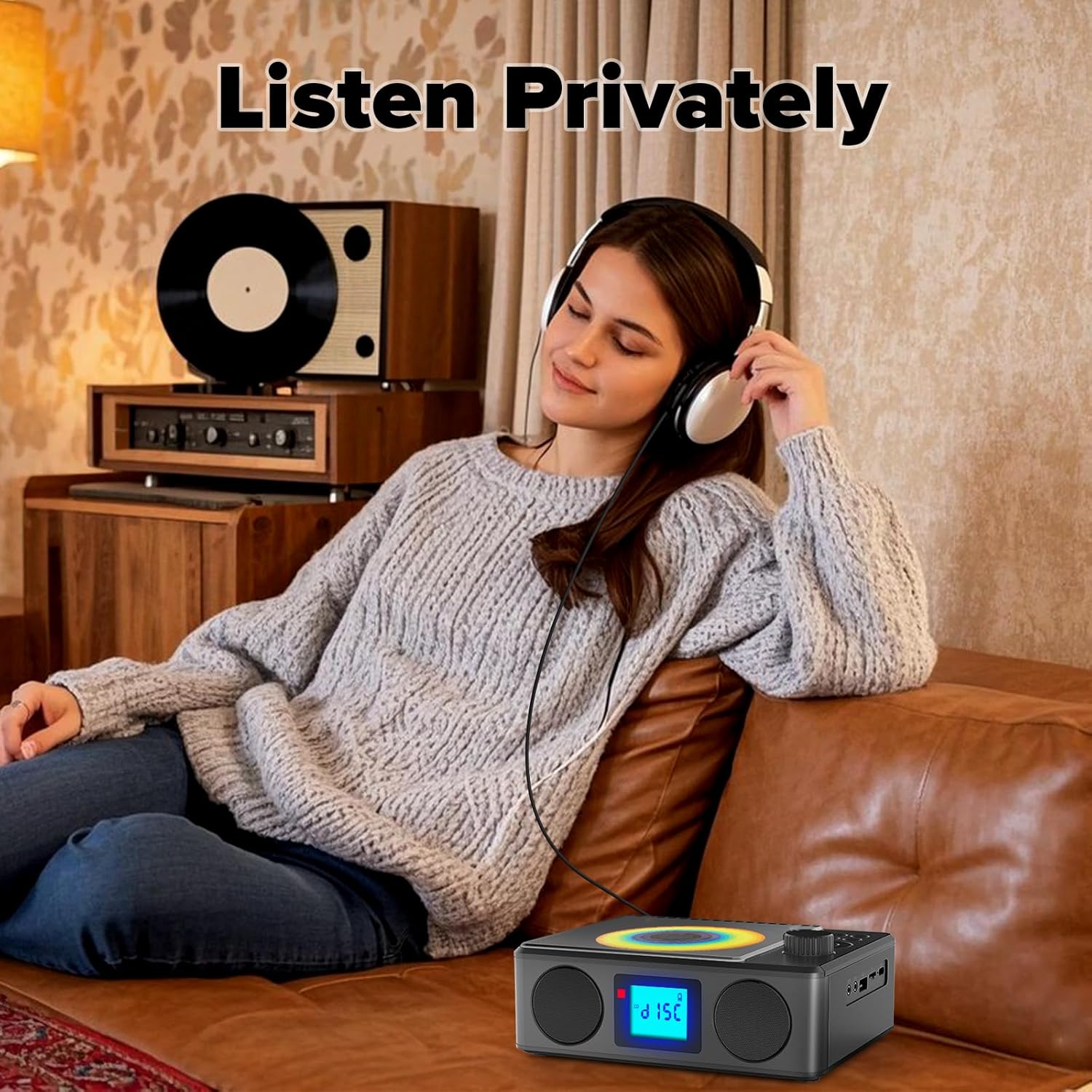
Image: A user enjoying private audio through headphones connected to the PM24.
Antretyen
- Netwayaj: Sèvi ak yon twal mou epi sèk pou netwaye deyò aparèy la. Pa sèvi ak pwodui netwayaj abrazif oswa solvan.
- Swen CD: Manyen CD yo nan kwen yo. Netwaye CD sal yo ak yon twal mou ki pa gen pousyè, siye soti nan sant la pou ale deyò.
- Depo: Lè w pa itilize aparèy la pou yon bon bout tan, sere l nan yon kote ki fre epi sèk, lwen limyè solèy dirèk ak tanperati ekstrèm.
- Batri: Pou pwolonje lavi batri a, evite dechaje batri a nèt souvan. Chaje aparèy la regilyèman, menm si w pa ap itilize l.
Depanaj
| Pwoblèm | Kòz posib | Solisyon |
|---|---|---|
| Aparèy pa limen. | Batri ap vide. | Connect the charging cable and allow the device to charge. |
| Pa gen son ki soti nan moun kap pale. | Volim nan twò ba oswa li twò ba. Kas ekoutè yo konekte. | Increase volume. Disconnect headphones. |
| CD a sote oswa li pa jwe. | CD a sal, grate, oswa li pa byen mete. | Clean the CD. Ensure it is placed correctly. Try another CD. |
| Bluetooth appariement echwe. | Device is too far, not in pairing mode, or already paired. | Ensure PM24 is in BT mode and flashing. Move devices closer. Disconnect from other devices. |
| Resepsyon radyo FM ki fèb. | Antèn nan pa lonje oswa siyal la pa bon. | Fully extend the telescopic antenna. Reposition the device for better signal. |
| Remote kontwòl pa travay. | Batteries are depleted or inserted incorrectly. Obstruction between remote and device. | Replace batteries, check polarity. Remove obstructions. Ensure remote is pointed at the device. |
Espesifikasyon
- Modèl: PM24
- Mak: Kuephom
- Dimansyon pwodwi: 7.5 x 6.3 x 2.5 pous (19.05 x 16.00 x 6.35 cm)
- Pwa atik: 1.96 liv (0.89 kg)
- Koneksyon Teknoloji: Oksilyè, Bluetooth, USB
- Koulè: Nwa
- Kalite oratè: Stereo
- Batri: 1 Pil ki pa estanda (enkli)
- Tan jwe: 5-8 èdtan (apeprè)
- Tan chaj: 4 èdtan (approx.)
Garanti ak sipò
Kuephom products are designed for reliability and performance. For warranty information or technical support, please refer to the contact details provided on the product packaging or visit the official Kuephom websit.
Tanpri kenbe prèv ou achte pou reklamasyon garanti.


