1. Entwodiksyon
The IPTV H96 Max TV Stick transforms any compatible television into a smart entertainment hub. Featuring Android 14, 4K UHD streaming, Chromecast Built-in, and Google Voice Assistant compatibility, this device offers a comprehensive media experience. This manual provides essential information for setup, operation, and maintenance.

Image 1: IPTV H96 Max TV Stick and its remote control.
2. Ki sa ki nan bwat la
- IPTV H96 Max TV Stick
- Remote Control with Google Assistant
- Power Cable (USB)
- Adaptè pouvwa
- Kab Ekstansyon HDMI
- Manyèl itilizatè

Image 2: The complete package contents, including the TV stick, remote, cables, and manual.
3. Gid Enstalasyon
Follow these steps to set up your IPTV H96 Max TV Stick:
- Connect the TV Stick: Plug the H96 Max TV Stick directly into an available HDMI port on your television. If space is limited, use the provided HDMI extension cable.
- Konekte pouvwa: Connect the power cable to the TV Stick and then to the power adapter. Plug the adapter into a power outlet.
- Chwazi Antre HDMI: Limen televizyon ou epi chwazi sous antre HDMI ki kòrèk la avèk telekòmand televizyon ou an.
- Pè kontwòl Remote: Follow the on-screen instructions to pair your remote control. Typically, this involves pressing and holding specific buttons (e.g., 'OK' and 'Volume Down') simultaneously until the indicator light flashes.
- Konekte ak Wi-Fi: Once the remote is paired, navigate through the on-screen setup to connect your TV Stick to your home Wi-Fi network. Enter your Wi-Fi password when prompted.
- Koneksyon kont Google: Sign in with your Google account to access the Google Play Store and personalize your experience.
Video 1: This video demonstrates the physical installation process of a TV stick, including connecting it to the TV and power.
Video 2: This video provides an unboxing and initial setup guide for a TV stick, showing the components and basic connection steps.
4. Operasyon Enstriksyon
The H96 Max TV Stick runs on Android 14, offering a user-friendly interface.
4.1 Navigasyon
Use the directional pad and 'OK' button on your remote to navigate through menus and select items. The 'Home' button returns you to the main Android TV interface.
4.2 Voice Control (Google Assistant)
Press the dedicated Google Assistant button on your remote to activate voice commands. You can search for content, open applications, control playback, and get information by speaking into the remote.

Image 3: A hand holding the remote control, demonstrating the use of Google Assistant for voice commands.
4.3 Aplikasyon pou difizyon an dirèk
Access a wide range of pre-installed and downloadable streaming applications such as Netflix, YouTube, Prime Video, Disney+, and more. Simply select the app icon from the home screen or app drawer.

Image 4: The Android TV home screen displaying popular streaming services like Netflix, YouTube, Disney+, and Prime Video.
4.4 Chromecast entegre
The device includes Chromecast Built-in, allowing you to cast content (videos, photos, music) from your smartphone, tablet, or computer directly to your television screen.

Image 5: A visual representation of the Chromecast Built-in feature, showing content being cast from a mobile device to the TV.
5. Karakteristik ak Espesifikasyon
5.1 Karakteristik kle
- Sistèm operasyon: Android 14 (latest version for enhanced privacy management).
- Rezolisyon: Supports 4K Ultra HD streaming for crystal-clear visuals.
- Kontwòl vwa: Integrated Google Assistant for easy content search and device control.
- Distribisyon: Chromecast Built-in for seamless content sharing from mobile devices.
- memwa: 2GB RAM + 16GB ROM for smooth operation and ample app storage.
- Koneksyon: Wi-Fi 6 for faster speeds and reduced network congestion.

Image 6: An illustration highlighting the Android 14.0 operating system and its advantages over previous versions.
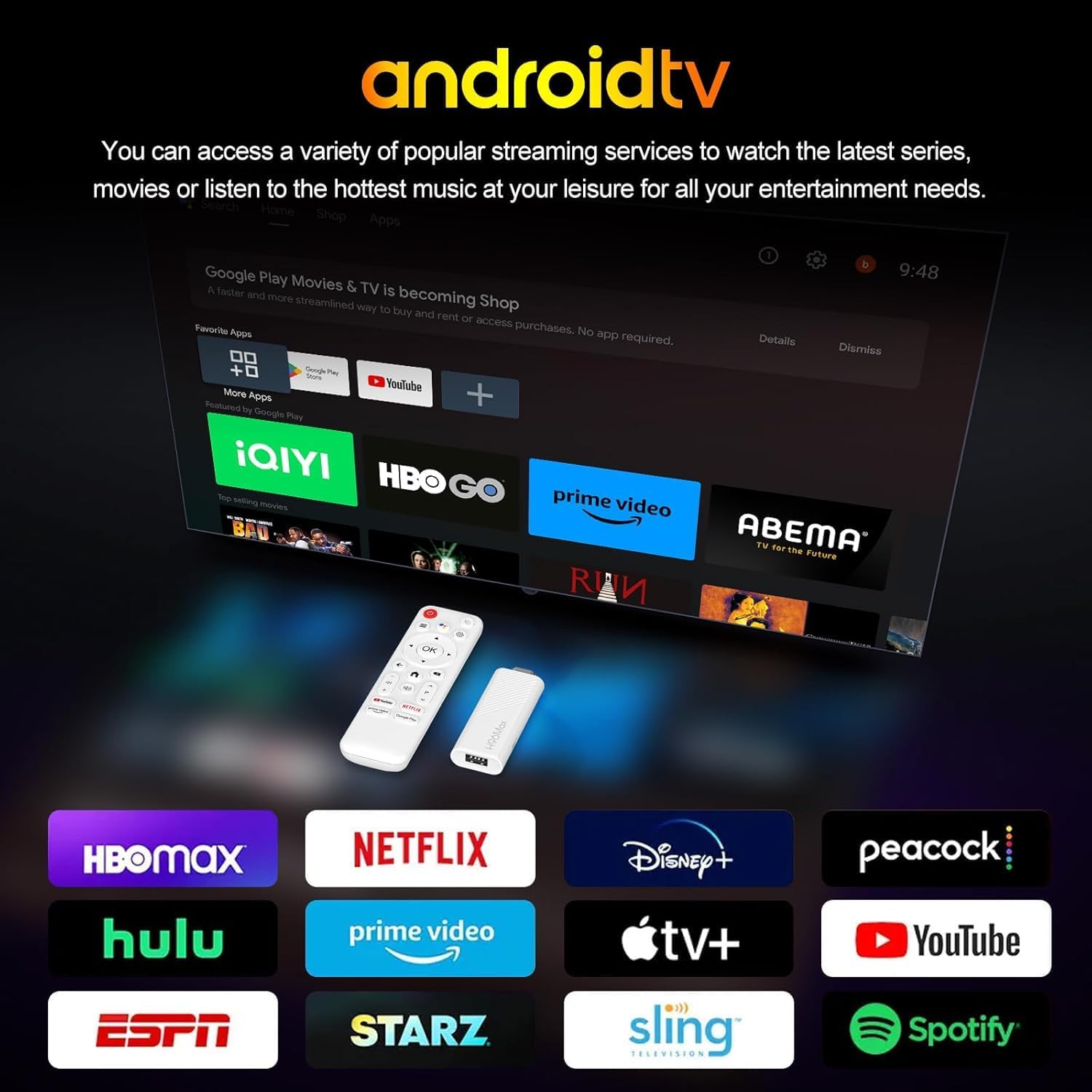
Image 7: A television screen displaying vibrant 4K Ultra HD content, emphasizing the visual quality.

Image 8: A comparison graphic illustrating the faster speeds and improved performance of Wi-Fi 6 compared to Wi-Fi 5.
5.2 Espesifikasyon teknik
| Atribi | Valè |
|---|---|
| Mak | IPTV |
| Non modèl | H96 MAX |
| Kalite pwodwi | TV Decoder / Media Streamer |
| Sistèm operasyon | Android 14 |
| Rezolisyon | 3840 x 2160 piksèl (4K UHD) |
| RAM | 2 GB |
| ROM | 16 GB |
| Koneksyon Teknoloji | HDMI, Wi-Fi (Wi-Fi 6) |
| Karakteristik espesyal | Android 14, Chromecast Built-in, Netflix, Google Voice Assistant |
| Aparèy konpatib | Smart Television |
| Kalite kontwolè | Kontwòl Remote |
| Pwa | 1 gram |
6. Antretyen
To ensure optimal performance and longevity of your H96 Max TV Stick, consider the following maintenance tips:
- Kenbe pwòp: Gently wipe the device and remote with a soft, dry cloth. Avoid liquid cleaners.
- Evite obstak: Ensure the TV Stick has adequate ventilation and is not covered, to prevent overheating.
- Mizajou lojisyèl: Regularly check for and install system updates to benefit from new features, performance improvements, and security patches. You can usually find this option in the 'Settings' menu under 'Device Preferences' or 'About'.
- Sik pouvwa: If the device becomes unresponsive, disconnect it from the power source for a few seconds, then plug it back in.
NAN. Depanaj
If you encounter issues with your H96 Max TV Stick, refer to the following common solutions:
- Pa gen kouran/Pa gen ekspozisyon:
- Ensure the power cable is securely connected to both the TV Stick and the power adapter, and the adapter is plugged into a working outlet.
- Verify that the TV Stick is fully inserted into the HDMI port on your television.
- Tcheke si televizyon ou an byen branche sou bon sous antre HDMI a.
- Kontwòl Remote pa reponn:
- Ensure the batteries in the remote are correctly inserted and have sufficient charge.
- Try re-pairing the remote control by following the setup instructions (Section 3.4).
- Pwoblèm koneksyon Wi-Fi:
- Rekòmanse routeur Wi-Fi ou a ak modèm ou a.
- Go to 'Settings' > 'Network & Internet' on the TV Stick to check available networks and reconnect.
- Ensure the TV Stick is within range of your Wi-Fi router.
- App Freezing or Slow Performance:
- Fèmen epi relouvri aplikasyon an.
- Clear the cache of the problematic app via 'Settings' > 'Apps'.
- Restart the TV Stick.
8. Garanti ak sipò
The IPTV H96 Max TV Stick comes with a Garanti manifakti 2 zan. For any technical assistance, product inquiries, or warranty claims, please contact our customer service. Our support team is available 7 jou pa semèn pou ede w.
Please refer to your purchase documentation for specific contact details or visit the official IPTV support websit.


