1. Entwodiksyon
The Mesqool Solar Radio Emergency Hand Crank 12000mAh is a versatile and reliable device designed to keep you connected and informed during emergencies, outdoor activities, or power outages. It features multiple power sources, including solar, hand crank, and a large capacity internal battery, along with AM/FM/NOAA radio reception, a powerful flashlight, a reading lamp, and a mobile phone charging function.
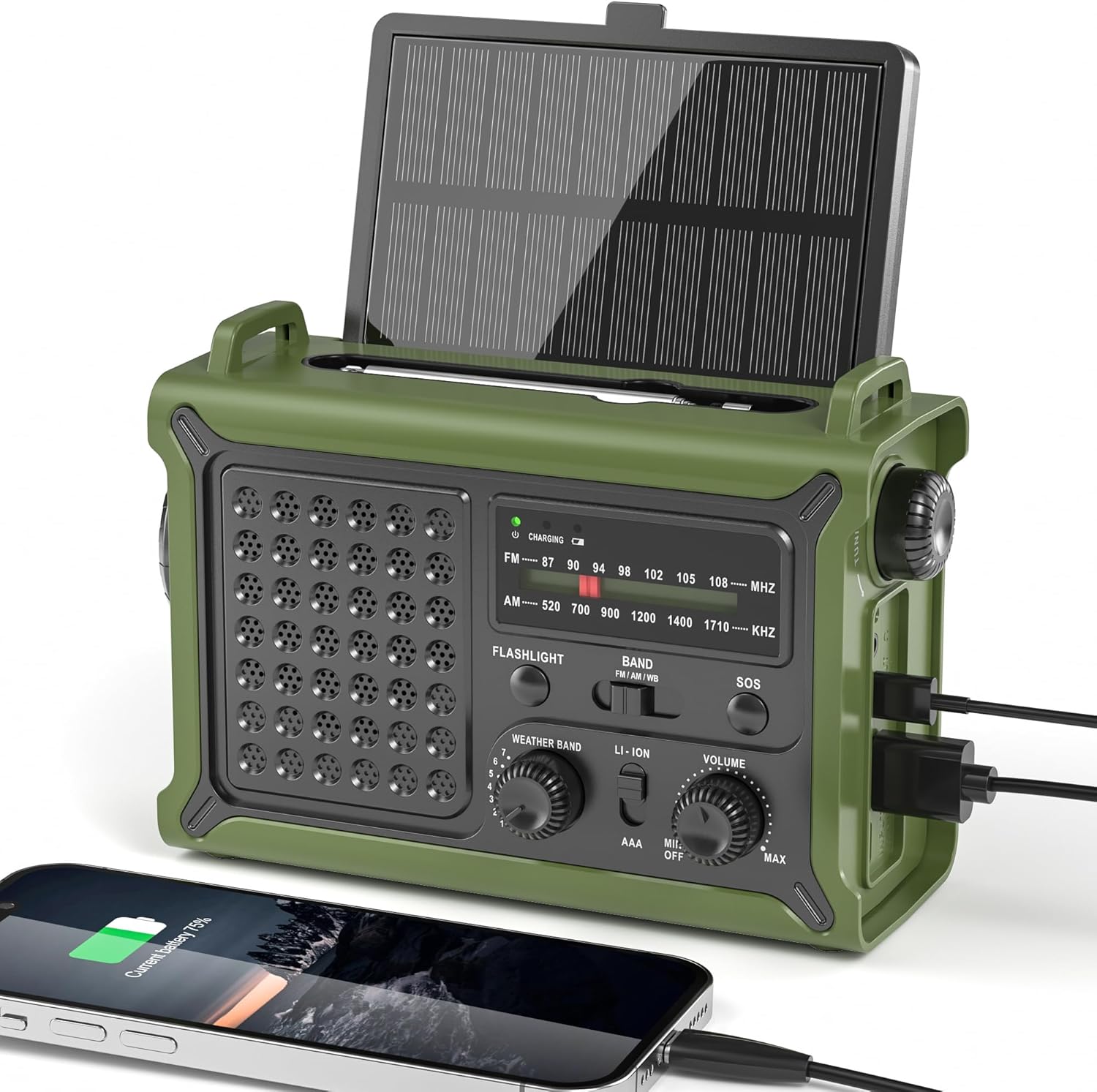
Figure 1.1: Mesqool Solar Radio, showing its compact design and charging capabilities.
2. Pwodwi Features
- Reliable NOAA/AM/FM Reception: Equipped with a high-sensitivity signal chip and noise-reduction circuitry for clear and stable reception across all bands.
- High-Efficiency Solar Charging: Features an extra-large 8500mm² monocrystalline solar panel for faster charging, even in low-light conditions.
- High-Torque Hand Crank Power: Upgraded internal generator with a larger copper coil and reinforced magnet provides efficient manual charging.
- True 12000mAh Power Capacity: A genuine 12000mAh lithium battery ensures long-lasting power for the radio, lights, and external device charging.
- Versatile Emergency Lighting: Includes a powerful LED flashlight with a 260-foot beam distance and a soft, eye-friendly reading lamp, both with two brightness levels.
- Konsepsyon ergonomique: Shaped for comfortable grip and easy operation with a large tuning knob, responsive buttons, and clear labels.
- Multiple Power Outputs: Dual USB-A and USB-C outputs for charging various mobile devices.
- Fonksyon Alam SOS: Activates a loud siren and flashing red light for emergency signaling.
- Jack ekoutè 3.5mm: Pou koute prive.
- IPX6 ki reziste dlo: Provides protection against strong jets of water, suitable for outdoor use.

Figi 2.1: Plis paseview of the radio's key features, including multi-band reception, solar panel, hand crank, battery capacity, light modes, and dual outputs.
3. Pake kontni
Tanpri verifye sa ki nan pake a lè w ap debale l pou asire w tout bagay yo la:
- Mesqool Emergency Weather Radio
- USB-C Charging Cable (Power Cord)
- Pote senti
- Manyèl Pwopriyetè a (dokiman sa a)

Figure 3.1: The radio, charging cable, carrying strap, and owner's manual as included in the package.
4. Dyagram pwodwi ak konpozan
Familiarize yourself with the various parts of your Mesqool Emergency Radio:
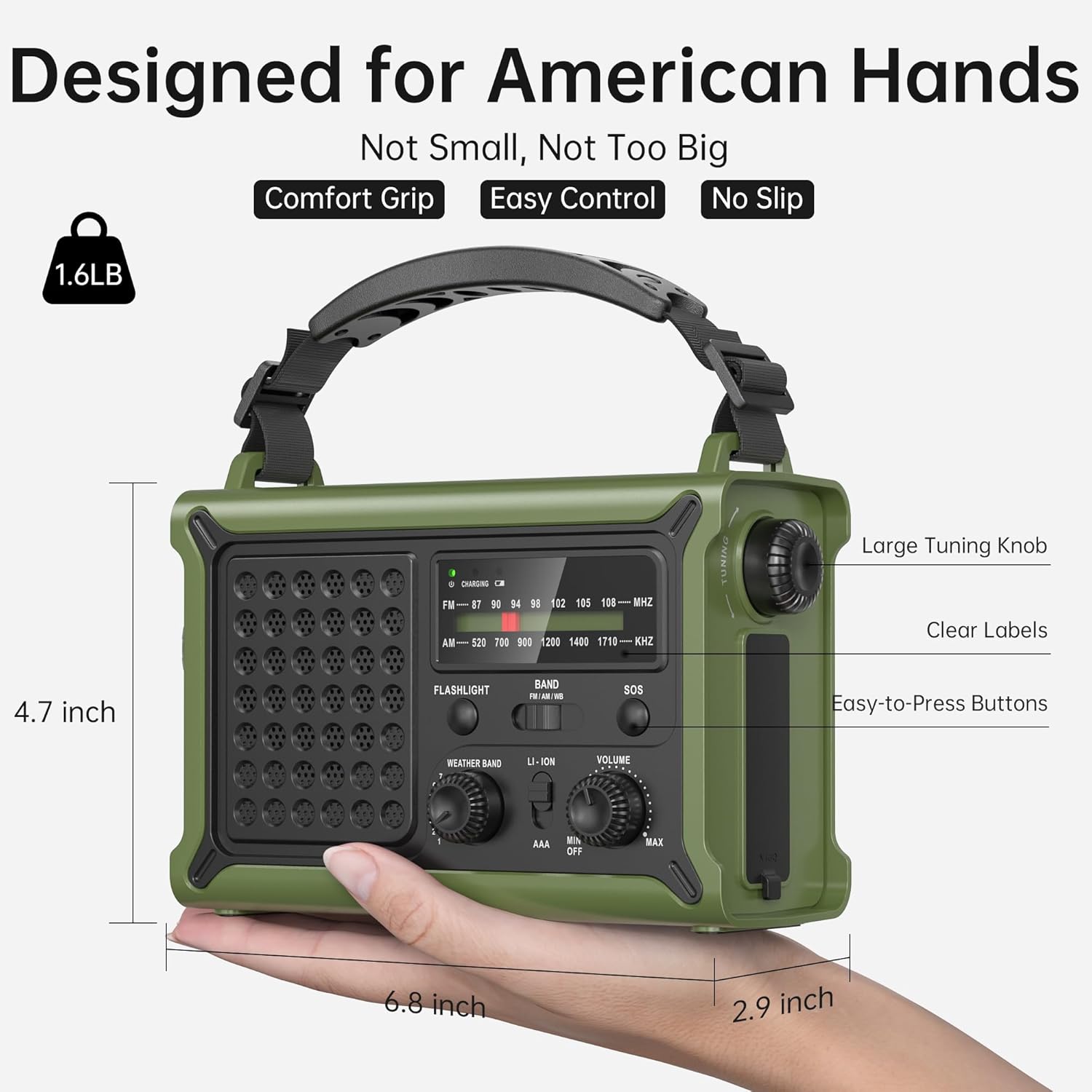
Figi 4.1: Devan ak bò view of the radio highlighting key controls and ports such as the large tuning knob, easy-to-press buttons, clear labels, flashlight, and USB ports.
- Panèl solè: Located on top, can be angled for optimal sunlight.
- Antèn teleskopik: Ralonje l pou yon pi bon resepsyon radyo.
- Flach: Front-facing LED light.
- Lekti Lamp: Located on the underside of the solar panel.
- Bouton akor: For selecting AM/FM frequencies.
- Selektè Gwoup Mizik: Switch between AM, FM, and NOAA Weather Band.
- Selektè Gwoup Meteo: Dedicated knob for NOAA channels.
- Volim bouton: Ajiste pwodiksyon odyo a.
- Bouton SOS: Activates emergency alarm.
- USB-A Sòti Port: Pou chaje aparèy ekstèn yo.
- Pò Antre/Sòti USB-C: For charging the radio or external devices.
- Manivèl men: Foldable crank for manual power generation.
- AAA Battery Compartment: Located behind the solar panel (AAA batteries not included).
- Jack ekoutè 3.5mm: Pou konekte kas ekoutè.
5. Enstalasyon
5.1 Premye chaj
Before first use, it is recommended to fully charge the internal 12000mAh lithium battery using the USB-C charging cable. Connect the USB-C cable to the radio's USB-C port and the other end to a standard USB power adapter (not included) or a computer USB port. The charging indicator light will illuminate.
5.2 AAA Battery Installation (Optional)
For an additional power backup, you can install 3 AAA batteries (not included) into the compartment located behind the solar panel. Ensure correct polarity. The radio can operate directly from AAA batteries when selected via the power source switch.

Figure 5.1: Location of the AAA battery compartment, requiring 3 AAA batteries (not included).
6. Operasyon Enstriksyon
6.1 Pouvwa Limen/Etenn ak Volim
Vire a Volim bouton clockwise to turn the radio on and increase the volume. Rotate counter-clockwise to decrease volume and turn off.
6.2 Radio Tuning (AM/FM/NOAA)
- Pwolonje a Telescopic Antèn pou resepsyon optimal.
- Sèvi ak la Selektè Gwoup Mizik switch to choose between FM, AM, or Weather Band (WB).
- For FM/AM: Rotate the large Akor Knob to find your desired station.
- For NOAA Weather Band: Switch the Band Selector to WB. Then, use the dedicated Seleksyon Band move tan knob to cycle through the 7 NOAA channels (162.400, 162.425, 162.450, 162.475, 162.500, 162.525, 162.550 MHz) to find the strongest signal in your area.

Figure 6.1: The radio's ability to receive stable signals across NOAA, FM, and AM bands, indicating the telescopic antenna for improved reception.
6.3 Itilizasyon kas ekoutè
Insert a 3.5mm headphone jack into the designated port for private listening. The speaker will automatically mute when headphones are connected.

Figure 6.2: A user enjoying private listening with headphones connected to the radio, ideal for quiet environments or not disturbing others.
7. Chaje Metòd
The Mesqool Emergency Radio offers five ways to charge its internal 12000mAh battery:

Figure 7.1: Visual representation of the five charging methods: Solar Panel, Type-C Charging, 3 Pcs AAA Battery (Not Included), Rechargeable Battery (internal), and Hand Crank.
7.1 USB-C chaje
Connect the provided USB-C cable to the radio's USB-C input port and a 5V/2A power source. This is the fastest method for a full charge.
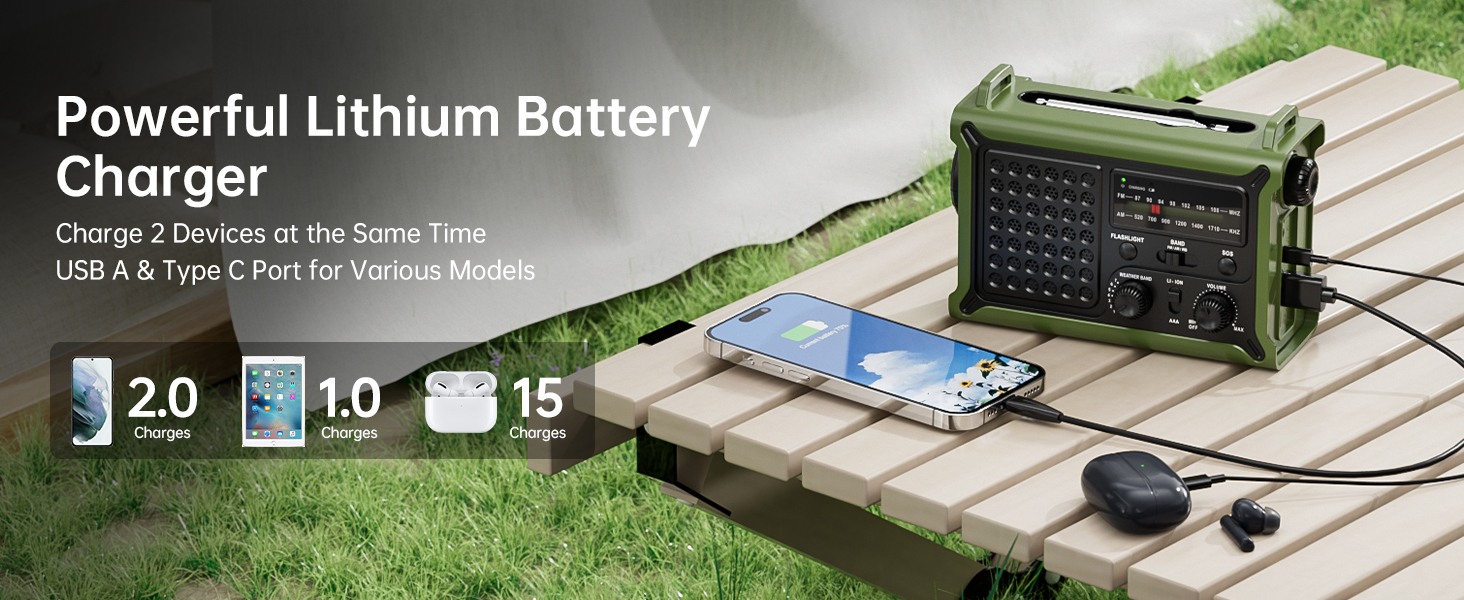
Figure 7.2: The USB-C port on the side of the radio, illustrating its fast charging capability.
7.2 Solè chaje
Place the radio in direct sunlight with the solar panel facing upwards. For best results, angle the solar panel towards the sun. This method is ideal for maintaining charge or slow charging in outdoor environments.
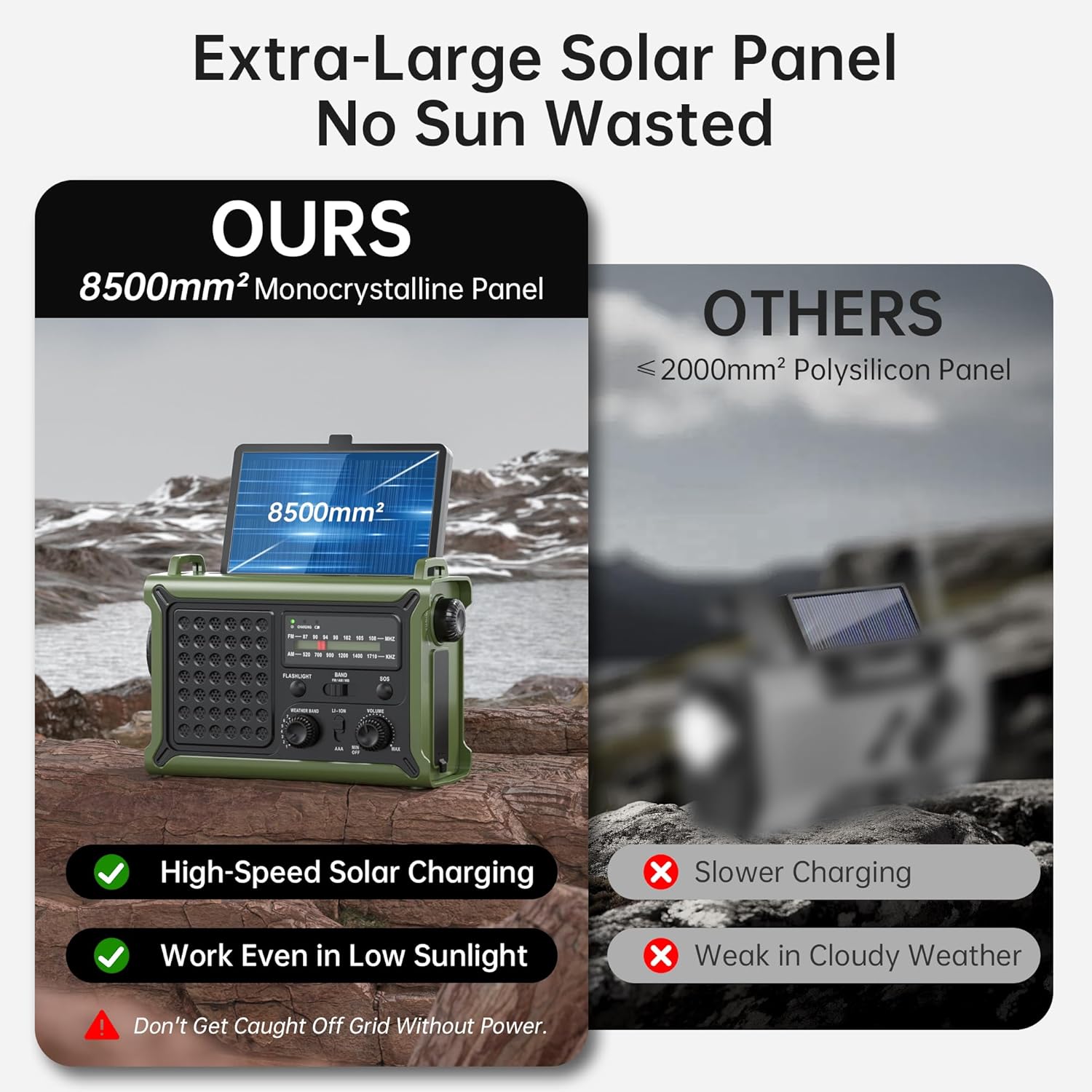
Figure 7.3: The large 8500mm² monocrystalline solar panel on the radio, designed for efficient charging even in low sunlight.
7.3 Chaje ak manivèl
Unfold the hand crank located on the bottom of the radio. Rotate the crank clockwise or counter-clockwise at a steady pace (approximately 130-150 RPM) to generate power. A few minutes of cranking can provide enough power for short-term radio use or a quick phone charge.
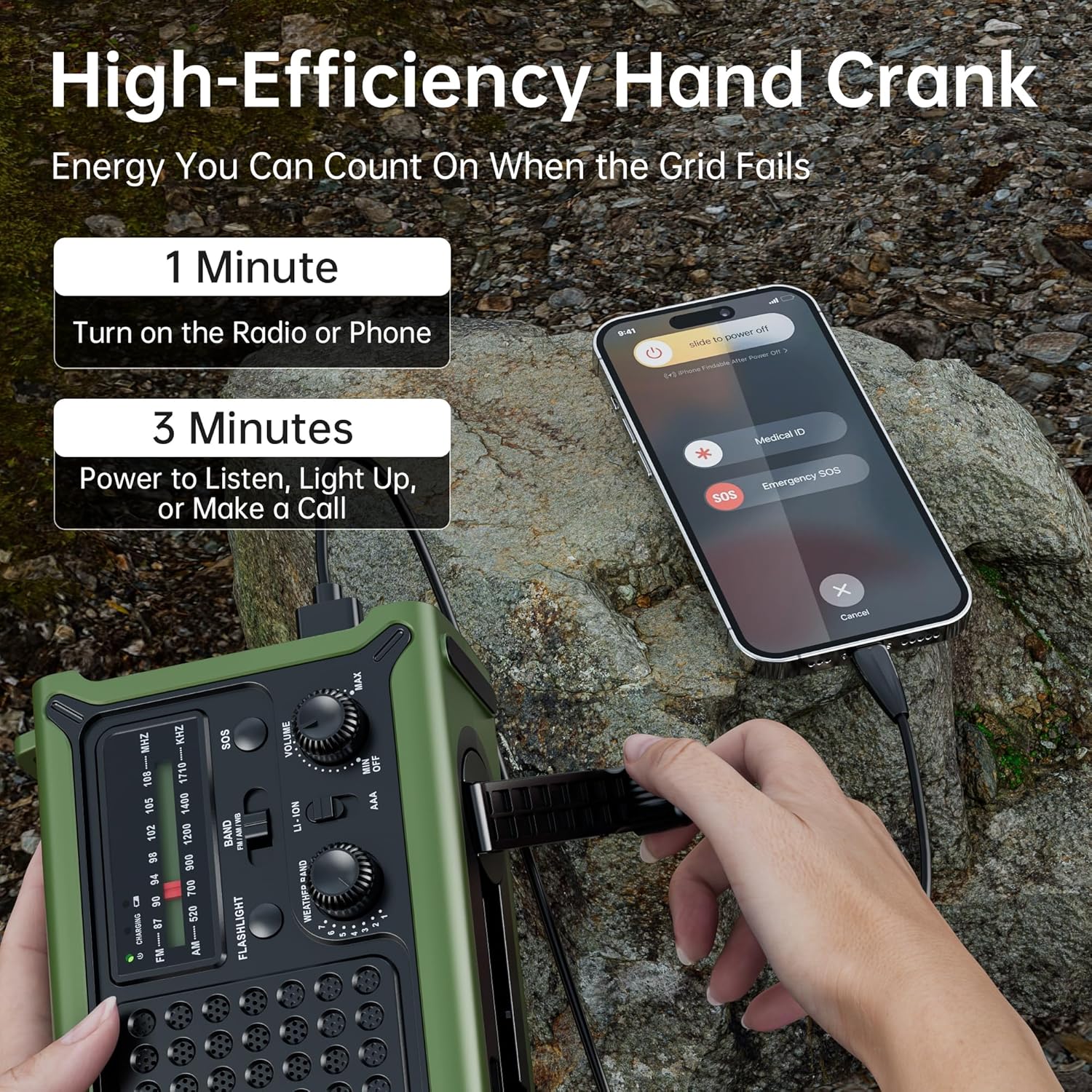
Figure 7.4: A user operating the high-efficiency hand crank to charge the radio and a connected smartphone, demonstrating quick power generation.

Figure 7.5: Internal diagram illustrating the upgraded crank generator with enhanced magnet core, large copper coil, and lengthened crank arm for efficient power generation.
7.4 batri AAA
As mentioned in Section 5.2, 3 AAA batteries can be installed for an alternative power source. Ensure the power source switch is set to AAA when using this option.
8. Flashlight and Reading Light Operation
8.1 Flach
Peze a Bouton flach once for low brightness, a second time for high brightness, and a third time to turn it off. The flashlight provides a focused beam up to 260 feet.

Figure 8.1: The powerful flashlight illuminating a path, demonstrating its 260ft beam distance and utility in dark environments.
8.2 Limyè Lekti
Flip up the solar panel to reveal the reading lamp. Press the dedicated Reading Light Button once for low brightness, a second time for high brightness, and a third time to turn it off. The frosted diffuser provides a soft, warm glow.

Figure 8.2: The reading light providing a gentle, eye-friendly illumination, perfect for reading in low-light conditions.
9. SOS Alarm Function
Nan yon ijans, peze epi kenbe bouton an SOS bouton for 3 seconds to activate the loud 115dB siren and flashing red light. This feature is designed to attract attention for rescue. Press the button again to deactivate the alarm.

Figure 9.1: A person activating the SOS mode on the radio, which triggers a loud alarm and flashing red light for emergency signaling.
10. Fonksyon Bank Pouvwa
The Mesqool Emergency Radio can be used as a power bank to charge your mobile devices. Connect your device's charging cable to either the USB-A output port or the USB-C output port on the side of the radio. The radio's 12000mAh battery provides ample pouvwa pou chaj miltip.

Figure 10.1: The radio charging a smartphone, illustrating its long-lasting 12000mAh battery capacity and runtime for various functions.
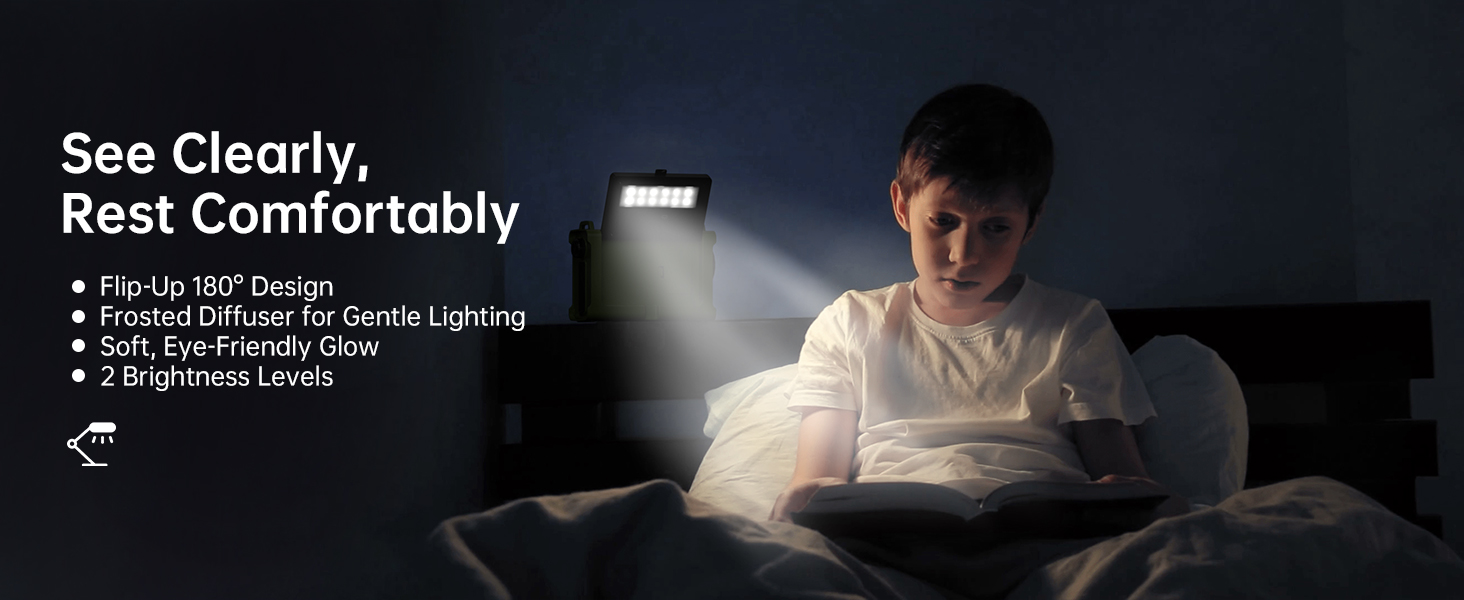
Figure 10.2: The radio's capability to charge two devices simultaneously using its USB-A and Type-C output ports, suitable for various models.
11. Antretyen
- Netwayaj: Siye radyo a ak yon mou, damp twal. Pa sèvi ak pwodui chimik piman bouk oswa pwodui netwayaj abrazif.
- Depo: Store the radio in a cool, dry place away from direct sunlight and extreme temperatures. If storing for extended periods, ensure the battery is charged to at least 50% every 3-6 months to preserve battery life.
- Rezistans dlo: While the radio is IPX6 water resistant, it is not submersible. Avoid prolonged exposure to heavy rain or submersion in water. Ensure all port covers are securely closed when exposed to moisture.
- Swen antèn: Manyen antèn teleskopik la avèk prekosyon pou anpeche li pliye oswa kraze.

Figure 11.1: The radio demonstrating its IPX6 water resistance, suitable for use in rainy conditions but not for submersion.
NAN. Depanaj
| Pwoblèm | Kòz posib | Solisyon |
|---|---|---|
| Radyo a pa limen. | Batri ap vide. | Charge the radio using USB-C, solar, or hand crank. Ensure the power source switch is set to LI-ION or AAA if using AAA batteries. |
| Resepsyon radyo pòv. | Antèn pa pwolonje; zòn siyal fèb; entèferans. | Fully extend the telescopic antenna. Try repositioning the radio. For NOAA, cycle through all 7 channels to find the strongest signal. |
| Manivèl la rèd oswa li pa chaje. | Crank mechanism needs lubrication; internal issue. | Ensure the crank arm rotates freely. If persistent, contact customer support. |
| Flashlight/Reading light not working. | Battery depleted; light button not pressed correctly. | Charge the radio. Press the respective light button multiple times to cycle through modes. |
| Cannot charge external devices. | Radio battery too low; incorrect cable; device not compatible. | Ensure the radio's battery has sufficient charge. Use the correct charging cable for your device. Some high-power devices may not be fully supported. |
13. Espesifikasyon
| Karakteristik | Detay |
|---|---|
| Nimewo Modèl | CR1030 |
| Dimansyon (L x W x H) | 6.8 x 4.7 x 2.9 pous |
| Pwa atik | 1.59 liv |
| Kalite batri | 12000mAh Lithium Battery (included), 3 x AAA Batteries (not included) |
| Bann Radyo Sipòte | NOAA Weather Band (7 channels), FM (87-108 MHz), AM (520-1710 KHz) |
| Gwosè Panèl Solè | 8500mm² Monocrystalline |
| Flashlight Beam Distance | Jiska 260 pye |
| Rezistans dlo | IPX6 |
| Koneksyon | USB-A Output, USB-C Input/Output, 3.5mm Headphone Jack |
| Manifakti | Mesqool E-commerce Co.,Ltd |
| Peyi orijin | Lachin |
14. Enfòmasyon sou Sekirite
- Do not expose the radio to extreme temperatures, direct flame, or prolonged direct sunlight beyond charging needs.
- Do not disassemble or modify the radio. This will void the warranty and may cause damage or injury.
- Kenbe soti nan atenn timoun yo.
- Do not immerse the radio in water, despite its water resistance rating.
- Use only specified charging cables and power adapters.
- Jete pil yo yon fason responsab dapre règleman lokal yo.
15. Garanti ak sipò
Mesqool products are designed for reliability and performance. For warranty information, technical support, or any inquiries regarding your Mesqool Emergency Radio, please visit the official Mesqool website or contact their customer service directly. Please retain your purchase receipt for warranty claims.
Ou ka jwenn plis enfòmasyon ak sipò nan Magazen Mesqool sou Amazon.


