1. Enfòmasyon sou Sekirite
Tanpri li tout enstriksyon sekirite yo ak anpil atansyon anvan ou itilize pwodui sa a. Kenbe manyèl sa a pou referans pita.
- Pa ekspoze ba son an nan lapli, imidite, oswa tanperati ekstrèm.
- Pa bloke okenn ouvèti vantilasyon.
- Sèvi ak sèlman atachman/akseswa manifakti a espesifye.
- Unplug the soundbar during lightning storms or when unused for long periods.
- Refere tout sèvis yo bay pèsonèl sèvis kalifye.
2. Pake kontni
Verifye ke tout atik yo prezan nan pakè a:
- THOMSON B210 Bluetooth Soundbar
- Kontwòl Remote
- Adaptè pouvwa
- Manyèl itilizatè
- Audio Cables (e.g., Optical, AUX - specific cables may vary)
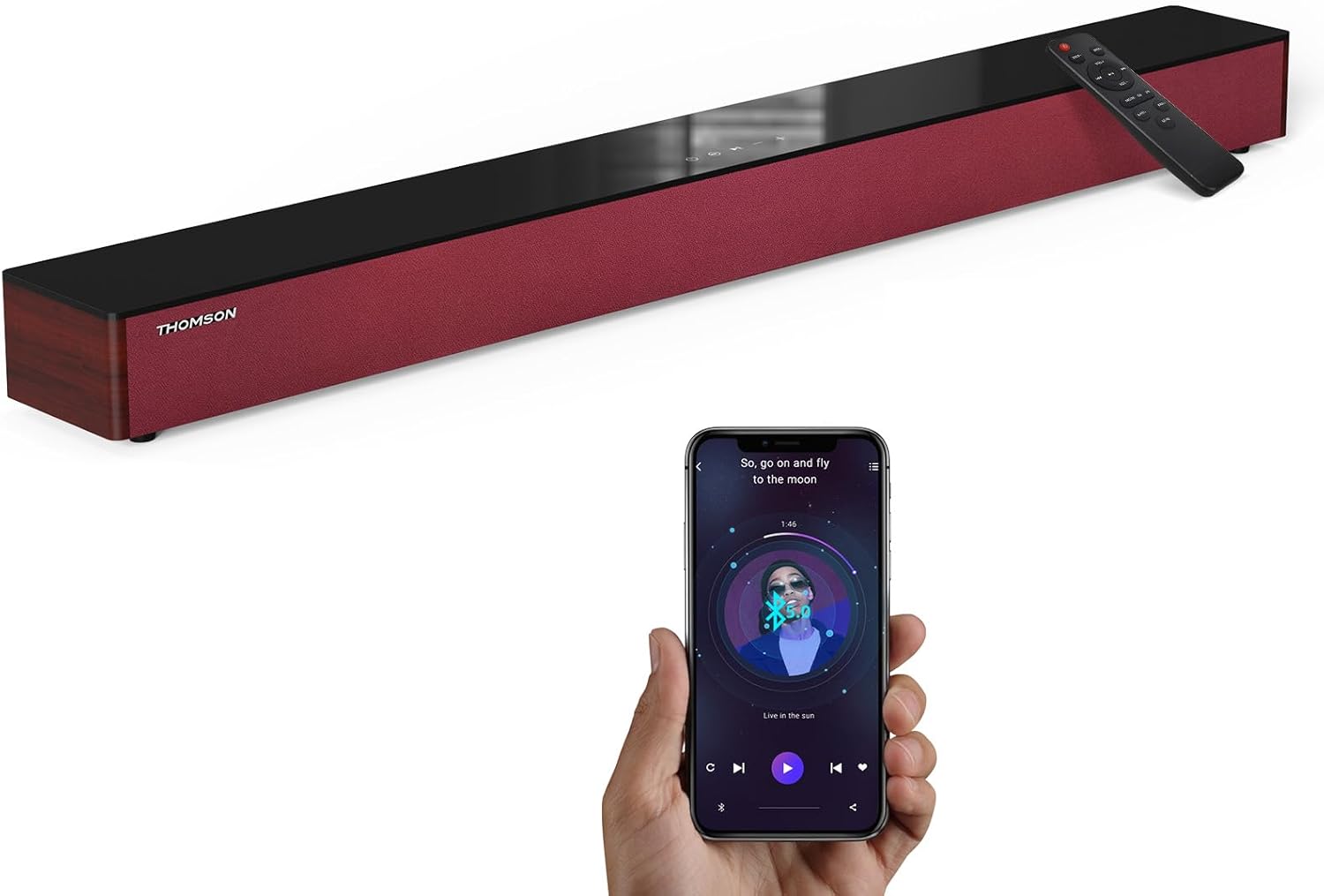
Image: The THOMSON B210 Soundbar, its remote control, and a smartphone demonstrating Bluetooth connectivity.
3. Pwodwi souview
3.1 Panèl Devan ak Anlè
The soundbar features intuitive controls on its top panel for easy access.
3.2 Koneksyon Panèl Dèyè
The rear panel provides various input ports for connecting to different audio sources.

Imaj: Detaye view of the soundbar's rear connection ports, including AUX IN, COAXIAL, OPTICAL, HDMI ARC, USB, and DC IN.
3.3 Kontwòl Remote
The included remote control allows for convenient operation of all soundbar functions.

Image: A hand operating the soundbar with its remote control, demonstrating wireless command over the device.
4. Enstalasyon
4.1 Plasman
Place the soundbar on a stable, flat surface directly in front of your television for optimal sound dispersion. Ensure there is adequate space around the soundbar for ventilation.
4.2 Koneksyon pouvwa
- Connect the power adapter to the DC IN port on the rear of the soundbar.
- Ploge lòt bout adaptè pouvwa a nan yon priz miray.
5. Operasyon Enstriksyon
5.1 Power On/Off
Press the Power button on the soundbar's top panel or the remote control to turn the unit on or off.
5.2 Kontwòl Volim
Use the Volume Up (+) and Volume Down (-) buttons on the soundbar or remote control to adjust the audio level.
5.3 Seleksyon Antre
Press the 'MODE' button on the soundbar or remote control to cycle through available input sources: ARC, Optical, AUX, USB, and Bluetooth.
5.4 Mòd Egalizè
The soundbar offers three distinct equalizer modes to optimize audio for different content types:
- Mòd Mizik: Enhances musical clarity and bass.
- Mode fim: Provides a more immersive cinematic experience.
- Mòd nouvèl: Optimizes dialogue for clear speech.
Press the corresponding EQ button on the remote control to select your desired mode.

Image: Visual representation of the soundbar's optimized audio modes for Music, Movie, and News content.
6. Koneksyon
The THOMSON B210 Soundbar supports multiple connection types for versatility.

Image: The soundbar demonstrating its compatibility with multiple devices such as projectors, PCs, game consoles, and smartphones.
Koneksyon HDMI ARC 6.1
For the best audio quality and control, connect your TV to the soundbar using an HDMI cable via the ARC port.
- Connect one end of an HDMI cable to the HDMI ARC port on your TV.
- Connect the other end to the HDMI ARC port on the soundbar.
- Select 'ARC' as the input source on the soundbar.
6.2 Koneksyon Optik
Use an optical cable for a high-quality digital audio connection.
- Connect one end of an optical cable to the Optical OUT port on your TV or audio device.
- Connect the other end to the OPTICAL port on the soundbar.
- Select 'Optical' as the input source on the soundbar.
6.3 AUX Koneksyon
For analog audio devices, use an AUX cable.
- Connect one end of a 3.5mm audio cable to the headphone jack or AUX OUT port on your device.
- Connect the other end to the AUX IN port on the soundbar.
- Select 'AUX' as the input source on the soundbar.
6.4 USB Koneksyon
Jwe odyo files ki sòti dirèkteman nan yon aparèy depo USB.
- Insert a USB drive into the USB port on the soundbar.
- Select 'USB' as the input source on the soundbar.
- The soundbar will automatically begin playing compatible audio files.
6.5 Bluetooth Pairing
Connect your smartphone, tablet, or other Bluetooth-enabled device wirelessly.
- Turn on the soundbar and select 'Bluetooth' mode using the 'MODE' button. The Bluetooth indicator will flash.
- Pèmèt Bluetooth sou aparèy ou an epi chèche aparèy ki disponib.
- Select 'THOMSON B210' from the list.
- Yon fwa li konekte, endikatè Bluetooth la ap sispann flache epi li ap rete fiks.

Image: A family enjoying entertainment with the soundbar, illustrating seamless Bluetooth connectivity from a smartphone.
7. Antretyen
Pou asire lonjevite ak pèfòmans optimal soundbar ou a, swiv gid antretyen sa yo:
- Netwayaj: Sèvi ak yon twal mou epi sèk pou netwaye sifas ba son an. Pa sèvi ak pwodui netwayaj likid oswa materyèl abrazif.
- Depo: Si w ap sere soundbar la pou yon bon bout tan, debranche l nan priz kouran an epi sere l nan yon kote ki fre epi sèk.
- Vantilasyon: Asire w ke ouvèti vantilasyon yo pa bouche pou anpeche surchof.
NAN. Depanaj
If you encounter issues with your THOMSON B210 Soundbar, refer to the following common problems and solutions:
| Pwoblèm | Kòz posib | Solisyon |
|---|---|---|
| Pa gen pouvwa | Kab kouran an pa konekte; Priz kouran an pa aktif | Asire w ke kab kouran an byen konekte; Eseye yon lòt priz kouran |
| Pa gen son | Incorrect input source; Volume too low; Mute activated; Cable connection issue | Select correct input source; Increase volume; Deactivate mute; Check audio cable connections |
| Aparèy Bluetooth echwe | Soundbar not in pairing mode; Device Bluetooth off; Device too far | Ensure soundbar is in Bluetooth mode (flashing indicator); Enable Bluetooth on device; Move device closer to soundbar |
| Remote kontwòl pa travay | Pil yo fin itilize; Gen yon obstak ant telekòmand lan ak ba son an | Ranplase pil kontwòl remote la; Retire tout obstak; Asire w ke kontwòl remote la pwente nan direksyon detèktè ba son an. |
9. Espesifikasyon
Detailed technical specifications for the THOMSON B210 Soundbar:
- Modèl: B210
- Mak: THOMSON
- Dimansyon pwodwi: 36.5"P x 4.7"L x 2.9"H (92.7 cm x 11.8 cm x 7.3 cm)
- Pwa atik: 11 liv (apeprè 5 kg)
- Oratè maksimòm pwodiksyon pouvwa: 50 Watts
- Kalite montaj: Tabletop mòn
- Bluetooth vèsyon: 5.3
- Siyal-a-bri Bri: 70dB
- Oratè: 4 Full Range Speakers, 2 Woofers (Advanced Bass Diaphragms)
- Koneksyon Antre: ARC (HDMI), Optical, AUX, USB, Bluetooth

Image: Physical dimensions of the soundbar, showing length, width, and height in centimeters, along with a view of the rear ports.

Image: Internal component diagram of the soundbar, detailing its 4 high-performance drivers and 2 advanced bass diaphragms for enhanced audio.
10. Garanti ak sipò
THOMSON products are manufactured to high-quality standards. For warranty information and technical support, please refer to the warranty card included with your product or visit the official THOMSON support websit.
For further assistance, please contact THOMSON customer service.


