Entwodiksyon
This manual provides essential information for setting up, operating, maintaining, and troubleshooting your HP 250 G9 Laptop. Please read this guide thoroughly to ensure proper use and to maximize the lifespan of your device.
Ki sa ki nan bwat la
Verifye ke tout atik yo prezan nan anbalaj la:
- HP 250 G9 Laptop
- Adaptè pouvwa
- Dokimantasyon (Gid Demaraj Rapid, Enfòmasyon sou Sekirite)
Enstalasyon
1. Premye Limen
- Konekte adaptè pouvwa a: Plug the power adapter into the laptop's AC power port and then into a wall outlet.
- Louvri òdinatè pòtab la: Louvri kouvèti laptop la avèk prekosyon.
- Pouvwa sou: Press the power button, usually located on the keyboard deck, to turn on the laptop.
- Swiv Enstriksyon ki sou Ekran yo: The laptop will guide you through the initial Windows 11 Pro setup process, including language selection, network connection, and user account creation.
2. Konekte periferik
Your HP 250 G9 Laptop offers various ports for connecting external devices:
- USB Kalite-C: For data transfer and connecting compatible devices.
- USB Kalite-A: Pou konekte aparèy USB tankou sourit, klavye, oswa disk ekstèn.
- HDMI: Pou konekte ak ekran ekstèn oswa pwojektè.
- Jack konbine pou kas ekoutè/mikwofòn: Pou antre/soti odyo.
- RJ-45 (Etènèt): Pou koneksyon rezo filaire.

Imaj: Plis paseview of the HP 250 G9 Laptop's connectivity ports. This image illustrates the location and type of ports available on the laptop, including USB Type-C, HDMI, USB Type-A, headphone jack, DC-in for power, and an Ethernet port for wired network connections.
Enstriksyon Operasyon
1. Operasyon debaz
- Limen/Etenyen: Press the power button to turn on. To shut down, click the Start button, then Power, and select "Shut down."
- Ekspozisyon: The 15.6-inch Full HD anti-glare display provides clear visuals. Adjust brightness using the function keys (Fn + Fx keys, specific to model).
- Klavye ak Touchpad: Use the full-size keyboard for typing and the integrated touchpad for navigation. External mice can be connected via USB.
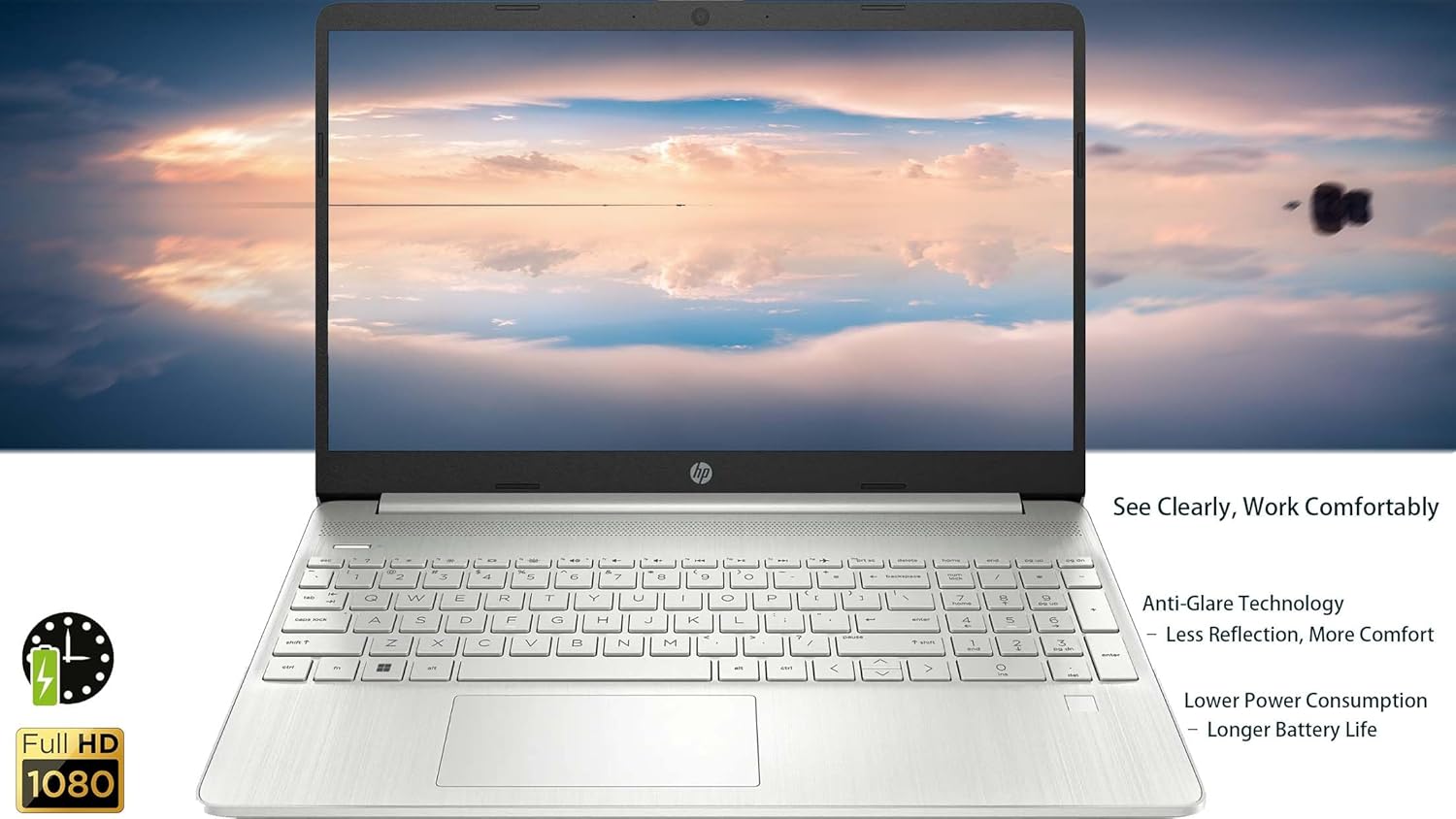
Imaj: The HP 250 G9 Laptop in an open position, displaying its 15.6-inch screen and full-size keyboard. This image highlights the anti-glare display and the overall design of the laptop for comfortable use.
2. Koneksyon
- Wi-Fi: Connect to wireless networks via the Realtek Wi-Fi 5 card. Access Wi-Fi settings through the Windows taskbar network icon.
- Bluetooth: Pair Bluetooth devices like headphones or speakers using the integrated Bluetooth 5.0. Manage Bluetooth settings in Windows Settings > Devices.
- Ethernet: For a stable wired internet connection, plug an Ethernet cable into the RJ-45 port.
3. Webkamera ak odyo
- WebCam: The 720p HD camera is suitable for video calls. Ensure proper lighting for best results.
- Mikwofòn: Dual-array microphones provide clear audio input.
- Oratè: Dual stereo speakers deliver audio output. Adjust volume using function keys or Windows sound settings.
4. Jesyon batri
- The 3-cell, 41Wh Li-ion battery provides power for extended use.
- For optimal battery life, avoid extreme temperatures and fully discharge/recharge periodically.
- Monitor battery status via the Windows taskbar icon.
Antretyen
1. Netwayaj
- Ekran: Sèvi ak yon moso twal mou, ki san pèl dampLave avèk dlo oswa yon pwodui netwayaj ekran. Pa flite likid dirèkteman sou ekran an.
- Klavye ak chasi: Sèvi ak yon twal mou pou siye sifas yo. Pou pousyè tè ki difisil pou retire, siye yon ti kras.amp cloth is acceptable. Avoid harsh chemicals.
- Pò: Keep ports free of dust and debris. Use compressed air if necessary, but sparingly.
2. Mizajou lojisyèl
- Tcheke epi enstale mizajou Windows yo regilyèman pou asire estabilite ak sekirite sistèm nan. Ale nan Anviwònman > Mizajou Windows.
- Keep device drivers updated. HP Support Assistant can help manage driver updates.
Depanaj
Pwoblèm komen ak solisyon:
- Laptop la pa limen:
- Asire w adaptè kouran an byen konekte ak laptop la ak yon priz kouran ki fonksyone.
- Eseye yon priz kouran diferan.
- Si batri a fin dechaje nèt, li ka pran kèk minit pou l chaje anvan laptop la ka limen.
- Pa gen koneksyon Wi-Fi:
- Tcheke si Wi-Fi a aktive nan paramèt Windows yo.
- Rekòmanse routeur ou ak modèm ou.
- Ensure you are within range of a Wi-Fi network.
- Ekran an vid oswa li ap tranble:
- Adjust screen brightness using function keys.
- Connect an external monitor to check if the issue is with the laptop's display or graphics driver.
- Rekòmanse laptop la.
- Pèfòmans ralanti:
- Fèmen aplikasyon ki pa nesesè k ap fonksyone nan background nan.
- Check for and install Windows updates.
- Run a disk cleanup and defragmentation (for HDD, SSDs do not need defragmentation).
- Fè eskanè pou viris oswa malveyan.
Espesifikasyon
| Karakteristik | Detay |
|---|---|
| Modèl | HP 250 G9 |
| Processeur | Intel Celeron N4500 (2 Cores, up to 2.8 GHz) |
| Ekspozisyon | 15.6-inch Full HD (1920 x 1080), Anti-glare |
| Grafik | Grafik Intel UHD entegre |
| RAM | 32GB DDR4 |
| Depo | SSD 2TB PCIe NVMe M.2 |
| Sistèm operasyon | Windows 11 Pro |
| Koneksyon san fil | Realtek Wi-Fi 5, Bluetooth 5.0 |
| Pò | 1x USB Type-C, 2x USB Type-A, 1x HDMI 1.4b, 1x Headphone/Mic Combo, 1x RJ-45, 1x AC Power |
| Webkam | 720p HD camera with dual-array microphones |
| Odyo | Doub Oratè Stereo |
| Batri | 3-cell, 41Wh Li-ion |
| Dimansyon (LxWxH) | 14.09 x 9.53 x 0.78 pous |
| Pwa | 3.83 liv |
| Koulè | Asteroid Silver |

Imaj: Physical dimensions and weight of the HP 250 G9 Laptop. This image provides a visual representation of the laptop's size, including its screen diagonal, height, depth, width, and overall weight, emphasizing its portability.
Garanti ak sipò
Your HP 250 G9 Laptop comes with a 1-Year Warranty from the Seller. For warranty claims or technical support, please contact the seller directly or visit the official HP support website for additional resources and driver downloads.
Sipò HP Websit: support.hp.com