1. Entwodiksyon
Thank you for choosing the LEFFOT M1 Plus Android 14.0 TV Box. This device is designed to transform your television into a smart entertainment hub, offering stunning 4K UHD visuals, powerful performance, and a wide range of connectivity options. This manual provides detailed instructions for setting up, operating, and maintaining your TV box to ensure an optimal user experience.
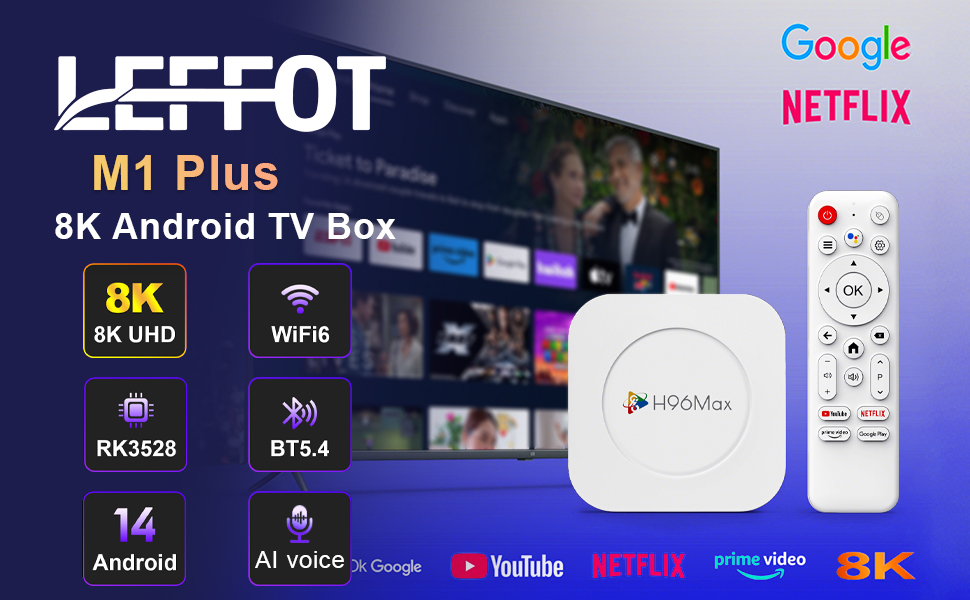
Imaj 1.1: Plis paseview of the LEFFOT M1 Plus Android TV Box highlighting its core features like 8K UHD, WiFi 6, BT 5.4, Android 14, and AI voice control.
2. Enfòmasyon sou Sekirite
Please read all safety instructions carefully before using the device. Failure to follow these instructions may result in electric shock, fire, or damage to the device.
- Itilize sèlman adaptè pouvwa yo bay la.
- Pa ekspoze aparèy la nan dlo, imidite, oswa tanperati ekstrèm.
- Asire bon vantilasyon alantou aparèy la pou anpeche surchof.
- Pa eseye demonte oswa repare aparèy la tèt ou. Kontakte pèsonèl sèvis kalifye.
- Kenbe aparèy la lwen limyè solèy la dirèk ak sous chalè.
3. Pake kontni
Verifye ke tout atik yo prezan nan pakè a:
- LEFFOT M1 Plus Android TV Box
- Kontwòl Remote
- HDMI kab
- Adaptè pouvwa
- Manyèl Itilizatè (dokiman sa a)
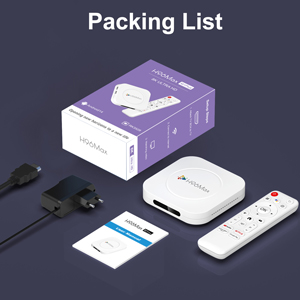
Image 3.1: The package contents including the TV box, remote control, power adapter, and HDMI cable.
4. Pwodwi souview
Familiarize yourself with the components and ports of your LEFFOT M1 Plus TV Box.
4.1. Device and Remote

Image 4.1: The LEFFOT M1 Plus TV Box (left) and its accompanying remote control (right).
4.2. pò ak entèfas
The TV box features various ports for connectivity:
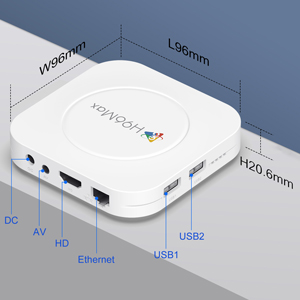
Imaj 4.2: Detaye view of the TV box's ports: DC (power), AV (audio/video out), HD (HDMI), Ethernet, USB1, and USB2.
- DC: Pò D 'pouvwa.
- DE: Analog audio/video output (for older TVs).
- HD: HDMI output for connecting to your TV.
- Ethernet: RJ-45 port for wired network connection.
- USB1 & USB2: USB ports for connecting external devices like USB drives, keyboards, or mice.
5. Enstalasyon
Follow these steps to set up your LEFFOT M1 Plus TV Box:
- Konekte ak televizyon an: Connect one end of the provided HDMI cable to the "HD" port on the TV box and the other end to an HDMI input port on your television. Note the HDMI input number (e.g., HDMI 1, HDMI 2) on your TV.
- Konekte pouvwa: Plug the power adapter into the "DC" port on the TV box, then plug the adapter into a wall outlet.
- Pouvwa sou: The TV box should automatically power on. If not, press the power button on the remote control.
- Chwazi Antre Televizyon: On your TV, use the remote control to select the corresponding HDMI input source you connected the TV box to.
- Inisyal Enstalasyon Sòsye: Swiv enstriksyon ki sou ekran an pou w konplete konfigirasyon inisyal la, tankou seleksyon lang, zòn tan, ak koneksyon rezo a.
6. Operasyon Enstriksyon
Navigate and use your TV box effectively.
6.1. Navigasyon debaz
- Sèvi ak direksyon an (Anwo, Anba, Agoch, Adwat) buttons on the remote to move between menu items and applications.
- Peze a OK bouton pou chwazi yon atik oubyen konfime yon aksyon.
- Peze a Retounen bouton pou retounen nan ekran anvan an.
- Peze a Lakay button to return to the main home screen.
6.2. Aksè nan Aplikasyon yo
From the home screen, you can access pre-installed applications or download new ones from the Google Play Store. Navigate to the desired app icon and press OK pou lanse li.

Image 6.1: The Android 14.0 TV Box home screen displaying popular streaming applications.
6.3. Kontwòl vwa
The LEFFOT M1 Plus supports voice control via Google Assistant. To use this feature:
- Ensure your remote control is paired and has working batteries.
- Peze a Asistan vwa button (often a microphone icon) on your remote.
- Speak clearly into the remote's microphone. You can ask to open apps, search for content, or control playback.

Image 6.2: Demonstrating the convenient voice control feature using the remote and Google Assistant.
6.4. Media Playback and Display Features
Enjoy high-quality media with advanced features:
- 8K UHD: The device supports up to 8K*4K@23fps and 4Kx2K@60fps resolution with HDR10 for vibrant and detailed visuals.
- Airplay, DLNA, WiFidisplay: Easily cast content from your mobile devices to your TV screen.

Image 6.3: Experience crystal-clear 8K resolution with the LEFFOT M1 Plus.

Image 6.4: The TV box supports various connectivity options and display technologies like Airplay, DLNA, and WiFidisplay.
6.5. Senaryo Itilizasyon
The LEFFOT M1 Plus TV Box is versatile for various uses:
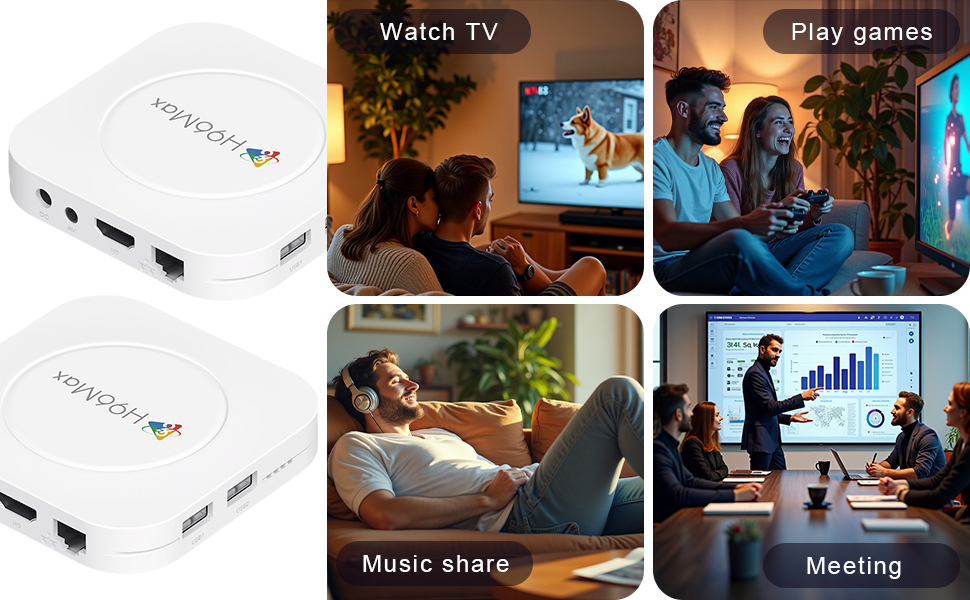
Image 6.5: The TV box can be used for watching TV, playing games, sharing music, and even for business presentations.
7. Koneksyon
7.1. Koneksyon Wi-Fi
The device supports 2.4G & 5G dual-band Wi-Fi 6 for fast and stable wireless internet.
- Ale nan Anviwònman > Rezo & Entènèt.
- Limen Wi-Fi.
- Chwazi rezo Wi-Fi ou nan lis la.
- Enter the password if prompted and select Konekte.

Image 7.1: The TV box features advanced Wi-Fi 6 technology for faster and more reliable connections.
7.2. Ethernet Koneksyon
For a wired connection, plug an Ethernet cable into the "Ethernet" port on the TV box and the other end into your router/modem.
7.3. Bluetooth Koneksyon
The device supports Bluetooth 5.4 for connecting peripherals like headphones, game controllers, or speakers.
- Ale nan Anviwònman > Aparèy ki konekte > Pè nouvo aparèy.
- Mete aparèy Bluetooth ou a nan mòd appariement.
- Select your device from the list and follow the on-screen prompts to pair.
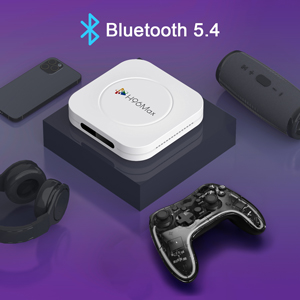
Image 7.2: The TV box supports Bluetooth 5.4 for seamless connection with various external devices.
NAN. Depanaj
Gade seksyon sa a pou pwoblèm komen ak solisyon yo.
| Pwoblèm | Kòz posib | Solisyon |
|---|---|---|
| Pa gen pouvwa | Adaptè kouran an pa konekte oswa li gen pwoblèm. | Asire w adaptè kouran an byen konekte ak aparèy la epi li nan yon priz kouran ki fonksyone. Eseye yon lòt priz. |
| Pa gen siyal sou televizyon | Incorrect HDMI input selected on TV; HDMI cable loose or faulty. | Verify TV input matches the HDMI port used. Check HDMI cable connections. Try a different HDMI cable or port. |
| Pwoblèm koneksyon Wi-Fi | Incorrect password; router too far; interference. | Re-enter Wi-Fi password. Move device closer to router. Restart router and TV box. |
| Remote kontwòl pa reponn | Pil yo fèb; telekòmand lan pa konekte. | Replace batteries. Re-pair the remote control if it's a Bluetooth remote (refer to device settings). |
| Aplikasyon yo ap plante oswa pèfòmans yo ralanti | Twòp aplikasyon k ap kouri; espas depo ki ba; pwoblèm lojisyèl. | Close background apps. Clear app caches. Restart the TV box. Consider a factory reset if issues persist (data will be lost). |
9. Espesifikasyon
Key technical specifications of the LEFFOT M1 Plus Android TV Box:
- Sistèm operasyon: Android 14.0
- CPU: RK3528 Quad Core ARM Cortex-A53
- GPU: Mali-450 MP2
- RAM: 4GB
- ROM: 32GB
- Sòti videyo: Supports 4Kx2K@60fps, 8K*4K@23fps, HDR10
- Wi-Fi: 2.4G & 5G Dual-band Wi-Fi 6
- Ethernet: 100M
- Bluetooth: BT 5.4
- Pò: HDMI, USB (x2), DC, AV, Ethernet
- Karakteristik espesyal: Airplay, DLNA, WiFidisplay, Voice Control
- Dimansyon: 3.78 x 3.78 x 0.81 pous (96 x 96 x 20.6 mm)
- Pwa: 4.3 ons (apeprè 122g)
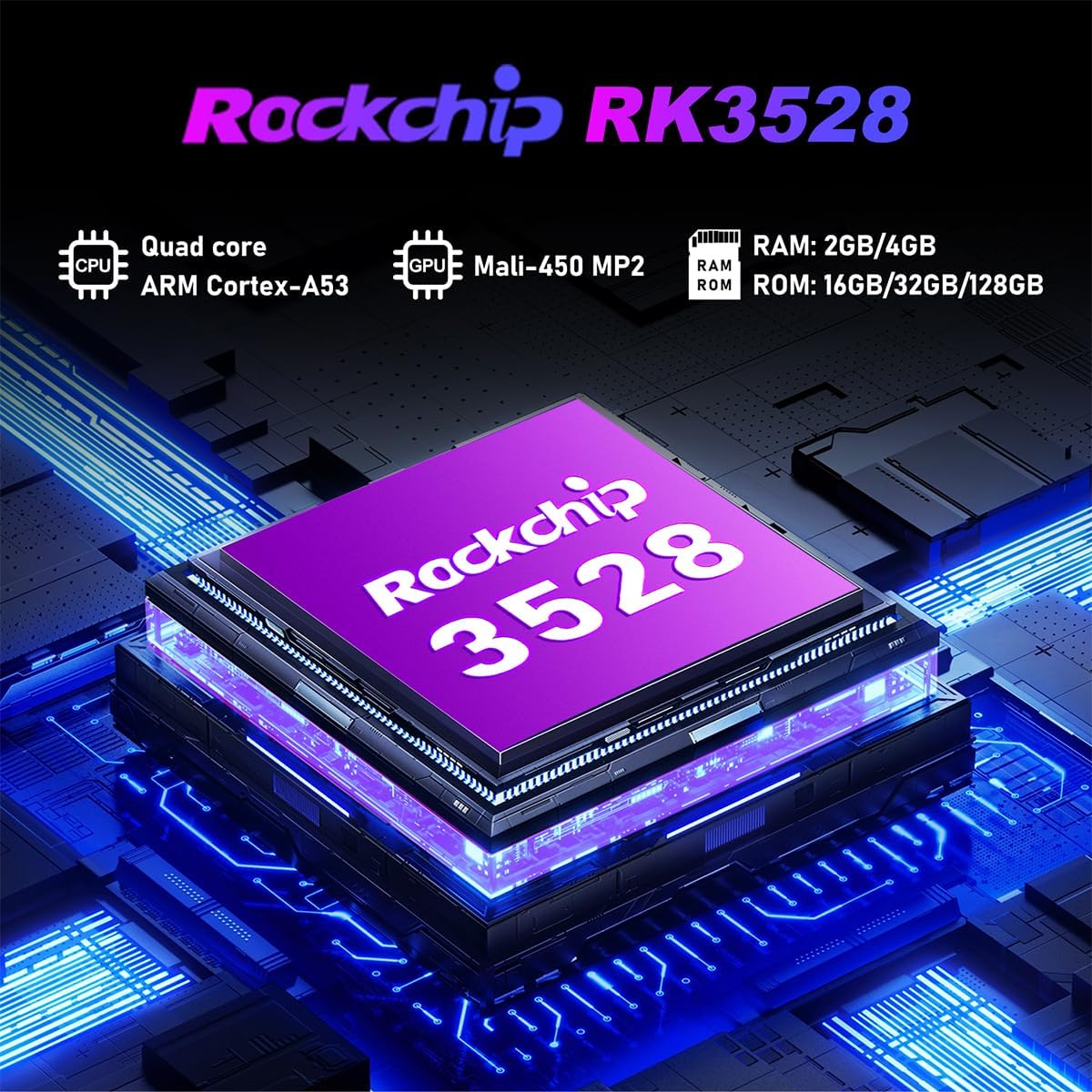
Imaj 9.1: Detaye view of the Rockchip RK3528 processor, highlighting its quad-core CPU, Mali-450 MP2 GPU, and memory configurations.
10. Antretyen
To ensure the longevity and optimal performance of your TV box:
- Netwayaj: Sèvi ak yon twal mou epi sèk pou netwaye deyò aparèy la. Pa sèvi ak pwodui netwayaj likid oswa ayewosòl.
- Vantilasyon: Ensure the ventilation holes are not blocked. Do not place the device on soft surfaces that may obstruct airflow.
- Depo: Lè w pa itilize aparèy la pou yon bon bout tan, dekonekte adaptè kouran an epi sere l nan yon kote ki fre epi sèk.
11. Garanti ak sipò
LEFFOT products are designed for reliability and performance. This product comes with a standard manufacturer's warranty. Please refer to the warranty card included in your package for specific terms and conditions.
For technical support, troubleshooting assistance, or warranty claims, please contact LEFFOT customer service through the retailer where you purchased the product or visit the official LEFFOT websit pou enfòmasyon kontak.
Tanpri konsève prèv acha ou a pou rezon garanti.


