1. Entwodiksyon
This manual provides comprehensive instructions for the setup, operation, and maintenance of your WEILAILIFE 3MP Wireless PTZ Security Camera (Model CS-F16QW3MP08-W). Please read this guide thoroughly before using the product to ensure optimal performance and safety.

Image: The WEILAILIFE 3MP Wireless PTZ Security Camera, showcasing its design and a smartphone screen with a live view of the camera's feed.
2. Sa ki enkli
Verifye ke tout atik yo prezan nan pakè a:
- Wireless PTZ Security Camera x 1
- Screw Bag x 1 (for mounting)
- Manyèl itilizatè x 1
3. Enstalasyon
3.1. Limen
Connect the camera to a power source using the provided charging cable. The camera will perform a self-test and you will hear a voice prompt indicating it's ready for Wi-Fi connection.
Video: This video demonstrates the unboxing and initial power-on sequence of the 3MP Wireless PTZ Camera, showing how to connect the power cable and the camera's self-test.
3.2. Enstalasyon aplikasyon an
Download the free "HonestView" app from your smartphone's App Store (iOS) or Google Play Store (Android). Register an account and log in.
Video: This video guides users through the process of installing the companion app and setting up the Wi-Fi connection for the security camera.
3.3. Konekte ak Wi-Fi
Follow the in-app instructions to add your camera. The camera supports both 2.4GHz and 5GHz dual-band Wi-Fi for stable connections. If the camera does not provide a voice prompt, press the reset button for 4 seconds until you hear "reset succeeded."

Image: The security camera with visual indicators for 5GHz (higher speed) and 2.4GHz (wider coverage) Wi-Fi bands.
3.4. Monte Kamera a
Use the provided screw bag to mount the camera securely. It can be wall-mounted for optimal outdoor or indoor surveillance. Ensure the camera is positioned to cover the desired area.
4. Operasyon Enstriksyon
4.1. Viv View & Lèktur
Access live video streams and recorded footage directly through the "HonestView" app on your smartphone, PC, or tablet. The camera offers 24/7 continuous recording with flexible storage options.
4.2. Kontwòl PTZ (Pan, Panche, Zoom)
Control the camera's movement remotely via the app. It features 360° pan and 90° tilt capabilities, allowing for comprehensive coverage without blind spots. Digital zoom is also available.

Image: The security camera illustrating its 360° pan and 90° tilt functionality, providing wide coverage of a property.
4.3. Odyo Bidireksyonèl
Utilize the built-in microphone and speaker for real-time two-way communication. Interact with visitors or deter intruders directly through the app.
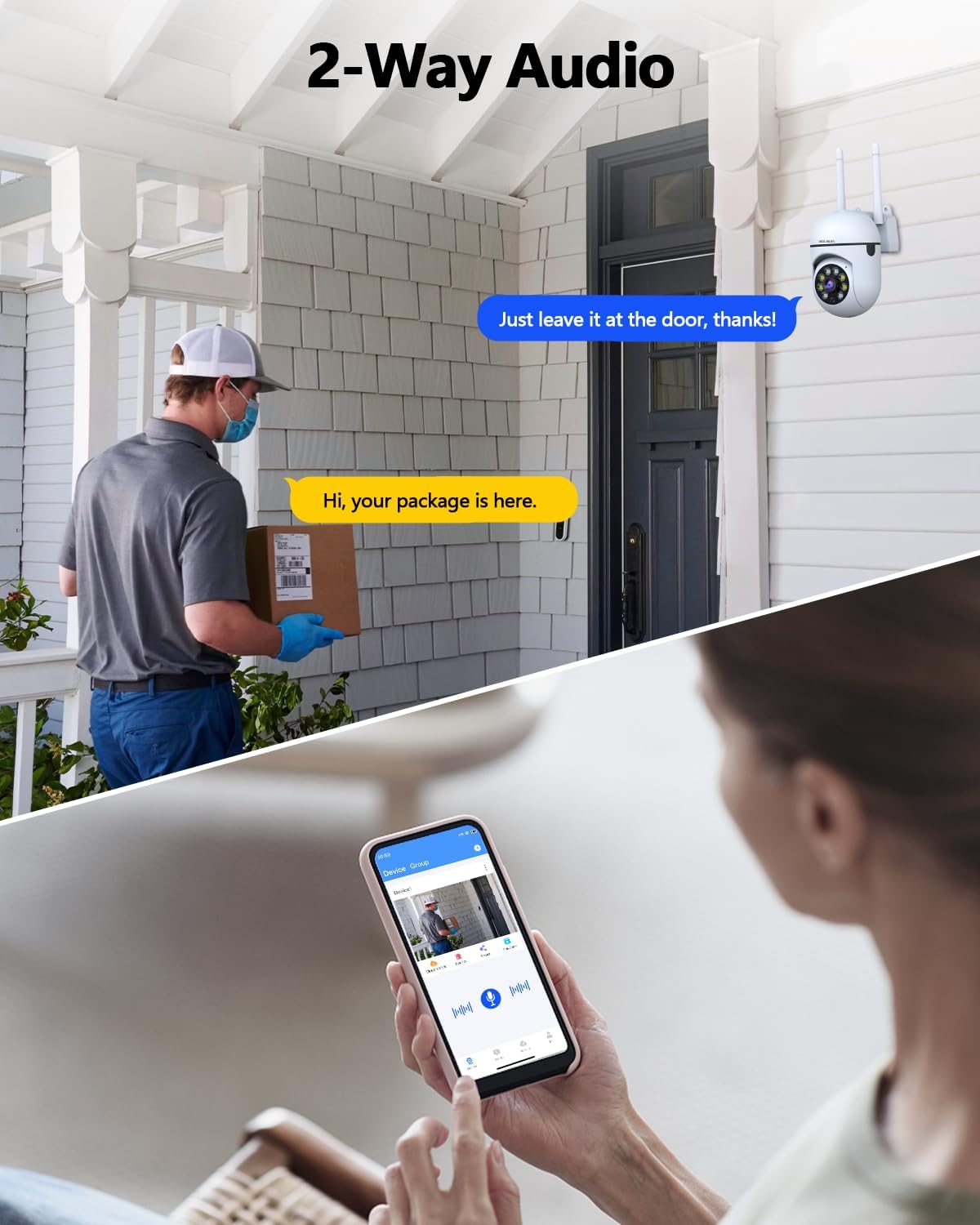
Image: A visual representation of the camera's two-way audio feature, showing a user communicating with a delivery person via the mobile app.
4.4. Deteksyon Mouvman ak Suivi Otomatik
The camera features human detection and auto-tracking capabilities. It will automatically follow moving targets within its 360° view and send real-time alerts to your phone.

Image: The security camera actively tracking a moving person, highlighting its auto-tracking feature.
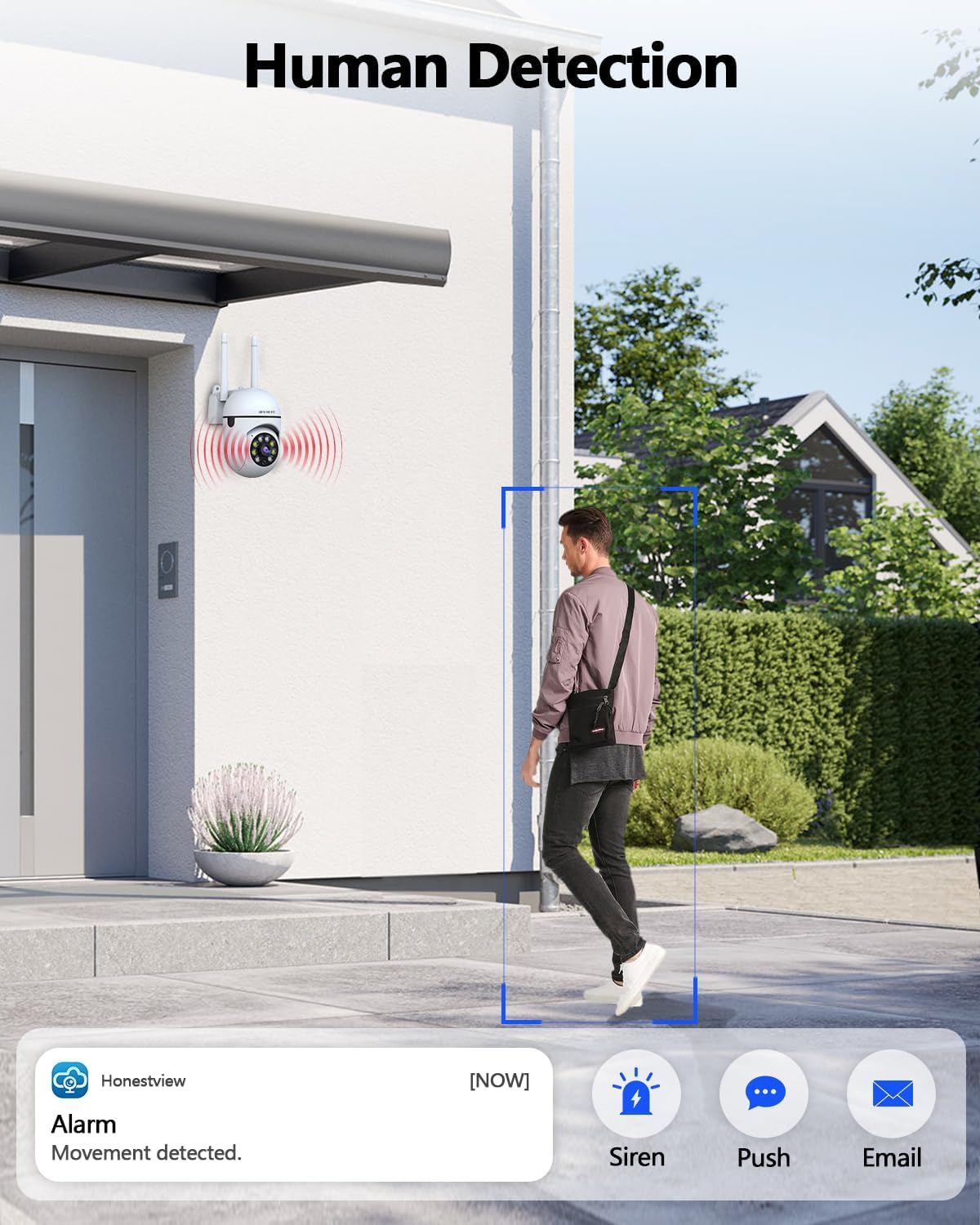
Image: The camera detecting human movement and sending an alarm notification to a smartphone, illustrating its human detection feature.
4.5. Vizyon lannwit
Benefit from full-color night vision with dual light sources (infrared + white light), providing clear, vivid images up to 65 ft in the dark. Black-and-white infrared night vision is also available.

Image: A comparison of the camera's full-color night vision (Color + IR) and standard infrared-only night vision (IR Only) modes.
4.6. Opsyon Depo
The camera supports local storage via a TF card (up to 256GB, not included) and cloud storage options for continuous 24/7 recording and playback.

Image: The camera highlighting its support for TF card storage (up to 256GB) and cloud storage for video recordings.
4.7. WDR (Wide Dynamic Range)
The WDR feature automatically adjusts exposure to capture clear, balanced images in scenes with both bright and dark areas.

Image: A comparison showing the effect of WDR (Wide Dynamic Range) on image quality, with the 'ON' setting providing a more balanced exposure in varied lighting conditions.
4.8. Pataje Aparèy
The "HonestView" app allows for easy device sharing with multiple users, ensuring everyone connected can monitor the security feed.
5. Antretyen
5.1. Netwayaj
Regularly clean the camera lens with a soft, dry cloth to ensure clear image quality. Avoid using harsh chemicals or abrasive materials.
5.2. Mizajou Firmware
Check the "HonestView" app periodically for firmware updates. Keeping your camera's firmware up-to-date ensures optimal performance, security, and access to new features.
NAN. Depanaj
- Kamera a pa konekte ak Wi-Fi a: Ensure your Wi-Fi password is correct and the camera is within range of your router. The camera supports both 2.4GHz and 5GHz networks. If issues persist, try resetting the camera by pressing the reset button for 4 seconds.
- Move kalite imaj: Check the camera lens for dirt or obstructions. Ensure adequate lighting for optimal night vision performance.
- Pa gen alèt deteksyon mouvman: Verify that motion detection is enabled in the app settings and that notification permissions are granted for the "HonestView" app on your smartphone.
- Pwoblèm odyo bidireksyonèl: Ensure your smartphone's microphone and speaker are functioning correctly and that the app has permission to access them. Check the camera's microphone and speaker for obstructions.
7. Espesifikasyon
| Karakteristik | Detay |
|---|---|
| Non modèl | CS-F16QW3MP08-W |
| Rezolisyon Capture Videyo | 2304*1296p, 3MP |
| Rezolisyon toujou efikas | 3 MP |
| Koneksyon Teknoloji | IEEE802.11 1/n/f, WiFi, Wireless |
| Gwoup Gwoup Frekans | Dual-Band (2.4GHz/5GHz) |
| Viewing Ang | 360 Degre (PTZ) |
| Vizyon lannwit Range | 65 pye |
| Karakteristik espesyal | 2-Way Audio, Auto Tracking, Night Vision, No Monthly Fees for the APP, PTZ 360° View |
| Itilizasyon Andedan kay la / Deyò | Andedan kay la, deyò |
| Sous pouvwa | AC/DC (110 Volts, 10 watts) |
| Kalite Depo | Mikwo SD (jiska 256 GB), Depo nan nwaj la |
| Materyèl | Akrilonitrile butadien stirèn (ABS) |
| Pwa atik | 9.9 ons |
| Dimansyon pwodwi | 5 x 4 x 6 pous |
8. Garanti ak sipò
For warranty information or technical support, please refer to the contact details provided in the included User Manual or visit the official WEILAILIFE website. Ensure you have your model number (CS-F16QW3MP08-W) ready when contacting support.


