Entwodiksyon
Thank you for choosing the Codnida Baby Monitor with Camera. This device is designed to provide reliable and intelligent monitoring of your baby, ensuring their safety and your peace of mind. This manual will guide you through the setup, operation, and maintenance of your new baby monitor.
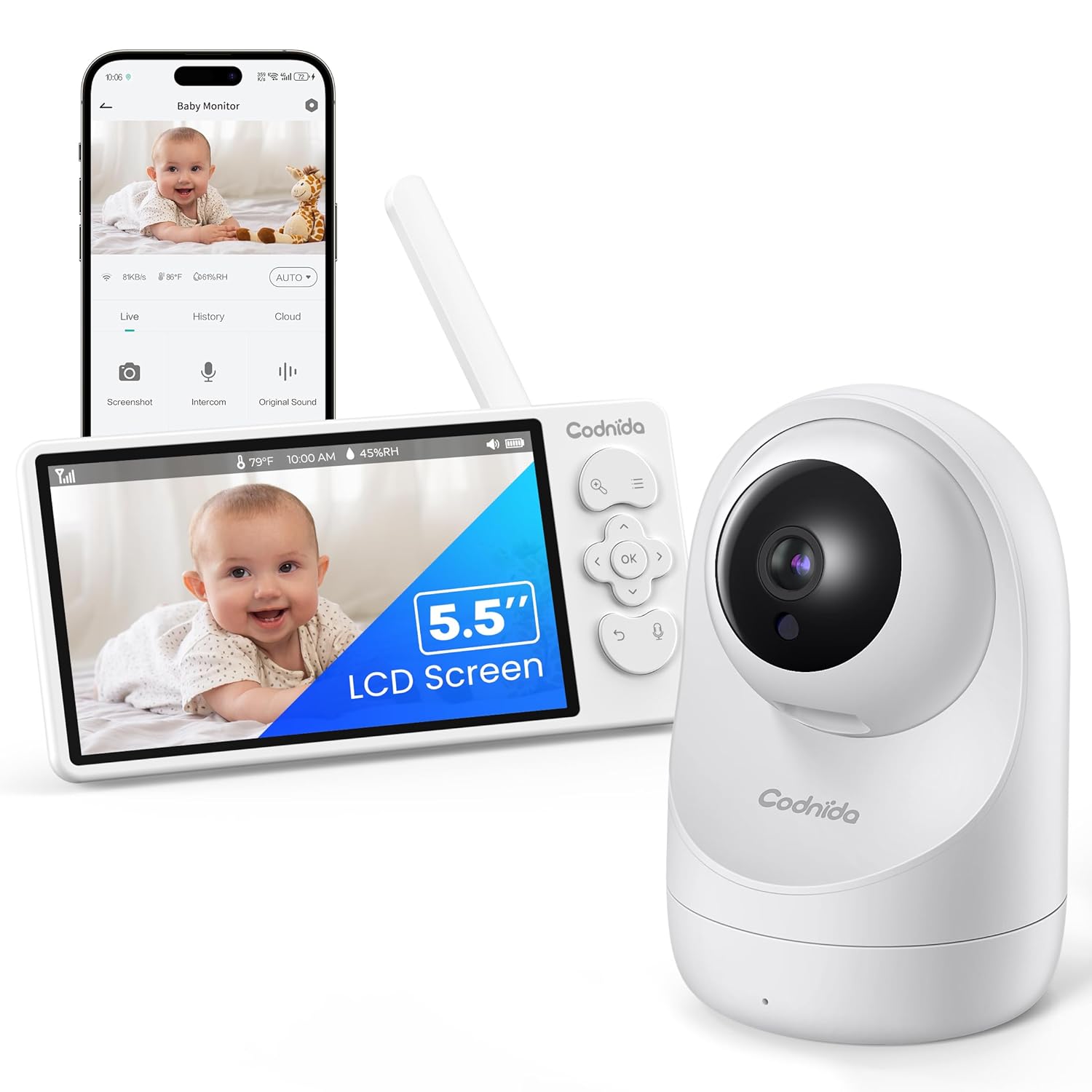
Image: The Codnida Baby Monitor system, showing the camera unit and the 5.5-inch LCD display unit.
Enfòmasyon sou Sekirite
- Keep the camera unit and monitor unit out of reach of children.
- Ensure all cables are securely placed and not accessible to the baby to prevent strangulation hazards.
- Do not place the camera or monitor near water or heat sources.
- Sèvi ak adaptè kouran yo bay la sèlman.
- Pa eseye ouvri oswa repare aparèy la tèt ou. Kontakte sèvis kliyan pou jwenn asistans.
- Pwodwi sa a fèt pou itilize andedan kay la sèlman.
Kontni pake
Tanpri verifye sa ki nan pake a lè w ap debale l:
- 1x Kamera Inite
- 1x Display Unit (5.5" LCD)
- 2x Charging Adapters
- 2x Charging Cables
- 1x Screw Bag (for mounting)
- 1x Reset Pin
- 1x manyèl itilizatè

Image: All components included in the Codnida Baby Monitor package, neatly arranged.
Pwodwi souview
The Codnida Baby Monitor system consists of two main components: the Camera Unit and the Display Unit.
Inite kamera
The camera unit captures video and audio from your baby's room. It features a 3MP 2K HD sensor, infrared LEDs for night vision, and a microphone for two-way audio communication. The camera also supports Pan, Tilt, and Zoom (PTZ) functions for comprehensive room coverage.
Display Inite
The display unit features a 5.5-inch LCD screen for clear video monitoring. It includes controls for camera movement, volume, VOX mode, lullabies, and access to settings. The display unit has a built-in 4000mAH battery for portable use.

Imaj: Yon gwo plan view of the Codnida Baby Monitor camera and display units, highlighting their design.
Gid Enstalasyon
1. Chaje Inite yo
Before first use, fully charge both the camera and display units using the provided charging adapters and cables. The display unit has a 4000mAH battery, offering up to 14 hours of live view or 28 hours in VOX mode on a full charge.

Image: The display unit connected to its charging cable, illustrating the charging process and battery life indicators.
2. Mete Inite Kamera a
Place the camera unit on a flat, stable surface such as a dresser or shelf, or mount it to a wall using the included screw bag. Ensure the camera has a clear, unobstructed view of the baby's crib or play area. Keep the camera at least 3 feet (1 meter) away from the baby to prevent entanglement with cables.
3. Limen
Connect both the camera and display units to power outlets. Press and hold the power button on each unit until the indicator lights turn on. The units should automatically pair. If they do not pair, refer to the troubleshooting section.
4. Connecting to the Tuya App (Optional)
For remote monitoring and additional features, download the "Tuya" app on your smartphone. Follow the in-app instructions to connect your camera unit to your home Wi-Fi network. This allows you to view the live feed and control the camera from your smartphone, whether you are at home or away.

Image: Illustrates the flexibility of monitoring, showing both the dedicated display unit and a smartphone running the companion app.
Enstriksyon Operasyon
Viv View ak Ekspozisyon
Once powered on and paired, the 5.5-inch LCD display unit will show a live 2K HD video feed from the camera. The display provides clear images with remarkable detail.
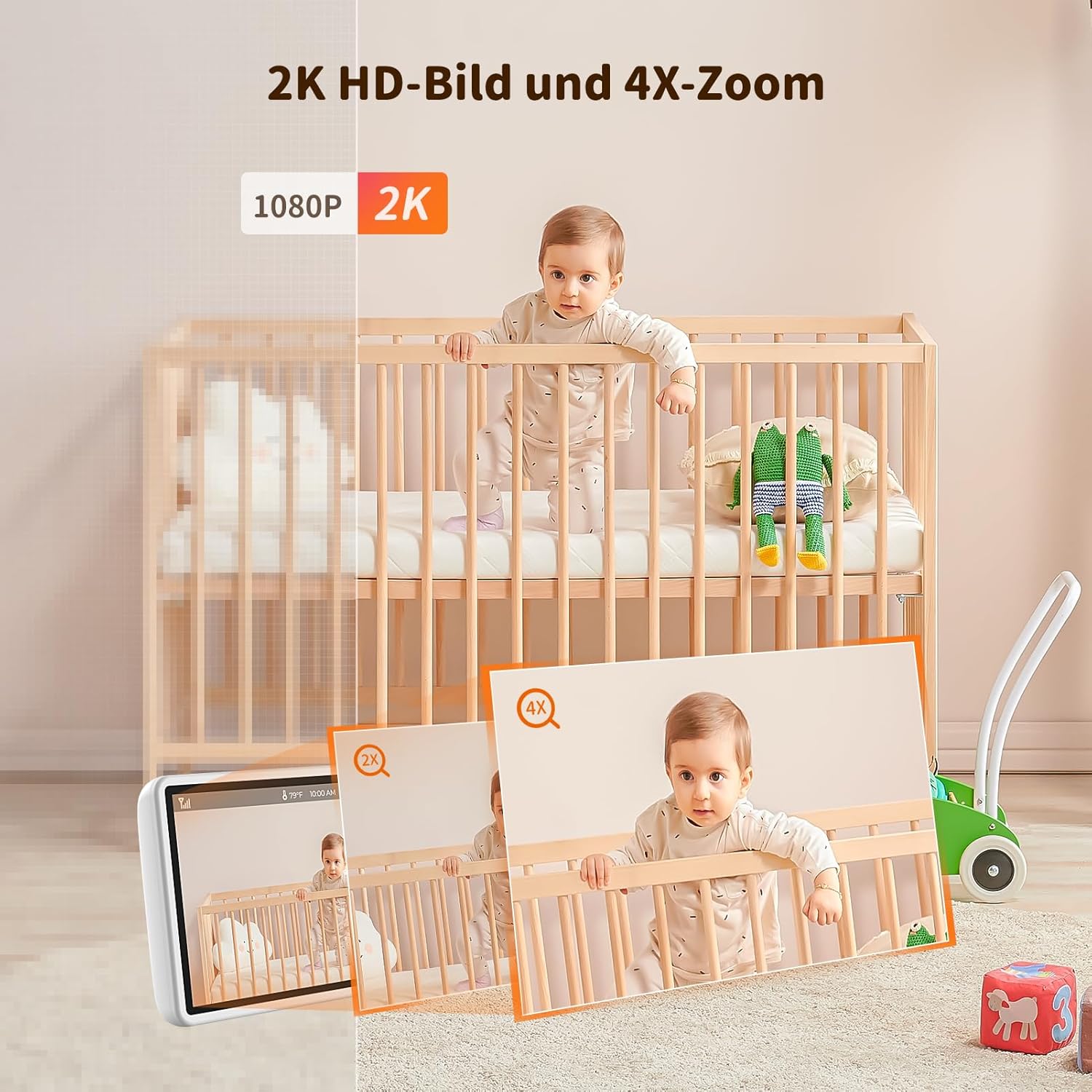
Image: Demonstrates the 2K HD video quality and the 4X digital zoom capability of the baby monitor.
Pan, Tilt, and Zoom (PTZ) Control
Use the directional buttons on the display unit to remotely control the camera's pan (horizontal), tilt (vertical), and 4X digital zoom functions. This allows you to adjust the viewing angle and zoom in on your baby without entering the room.

Image: Illustrates the camera's ability to pan 350 degrees horizontally and tilt 90 degrees vertically, providing wide coverage.
Vizyon lannwit enfrawouj
The camera automatically switches to infrared night vision in low-light conditions, providing a clear black-and-white view of your baby without disturbing their sleep. The invisible infrared LEDs ensure discreet monitoring.

Image: Shows a side-by-side comparison of the camera's view in daylight and its clear infrared night vision in darkness.
De-fason odyo
Press and hold the microphone button on the display unit to speak to your baby through the camera's speaker. This feature allows you to soothe your baby with your voice from another room.

Image: Illustrates the two-way audio feature, showing a parent speaking into their phone (app) and the baby hearing it through the camera.
VOX Mode (Voice Operated Exchange)
Activate VOX mode to conserve battery life. In this mode, the display unit's screen will turn off, but the audio monitoring remains active. The screen will automatically light up and display the video feed when the camera detects sound above a certain threshold (e.g., baby crying).

Image: Compares the display unit in VOX mode (screen off) and when activated by sound (screen on, showing crying baby).
Siveyans Tanperati ak Imidite
The display unit shows the real-time temperature and humidity of the baby's room, detected by the camera unit. This helps ensure a comfortable environment for your baby. Alarms can be set for out-of-range temperatures.

Image: The display unit showing the current room temperature and humidity, with a baby in the background.
Lullabies
Select from a variety of pre-programmed lullabies to help soothe your baby to sleep. This feature can be activated from the display unit.

Image: A baby sleeping peacefully in a crib, with musical notes indicating lullabies playing from the baby monitor.
Rapèl pou manje
Set feeding reminders on the display unit to help maintain a consistent feeding schedule for your baby. An alarm will sound at the set intervals.

Image: A mother feeding her baby, with an overlay showing the feeding reminder icon on the baby monitor display.
Depo kat SD
The Codnida Baby Monitor supports FAT32 Micro SD cards up to 256GB (not included) for video recording. You can record videos directly from the LCD screen or through the "Tuya" app.
Transmisyon Range
The monitor offers a transmission range of up to 700 feet (approximately 213 meters) in open areas, providing stable video transmission with low latency.

Image: A diagram showing a house layout with the baby monitor camera and display, illustrating the effective wireless transmission range.
Antretyen
Netwayaj
Wipe the camera and display units with a soft, dry cloth. Do not use abrasive cleaners or solvents. Ensure the devices are unplugged before cleaning.
Depo
When not in use for extended periods, store the baby monitor in a cool, dry place, away from direct sunlight and extreme temperatures. Ensure the battery is partially charged before storage to prolong its lifespan.
Depanaj
| Pwoblèm | Kòz posib | Solisyon |
|---|---|---|
| No image on display unit. | Camera or display unit not powered on; out of range; not paired. | Ensure both units are powered on and charged. Move units closer. Re-pair units (refer to manual for pairing steps if needed, usually a button on camera and menu option on display). |
| Bon kalite imaj pòv yo. | Low light conditions (night vision active); camera lens dirty; interference. | Ensure adequate lighting if not using night vision. Clean camera lens gently. Move away from other electronic devices. |
| Pa gen son oswa son defòme. | Volume too low; microphone blocked; out of range. | Increase volume on display unit. Ensure camera microphone is not covered. Move units closer. |
| Mòd VOX la pa aktive. | Sensitivity setting too low. | Adjust VOX sensitivity in the display unit's settings. |
| Pwoblèm koneksyon aplikasyon an. | Incorrect Wi-Fi password; weak Wi-Fi signal; camera not in pairing mode. | Verify Wi-Fi password. Ensure camera is within Wi-Fi range. Follow app's pairing instructions carefully, including resetting the camera if necessary. |
Espesifikasyon
| Karakteristik | Detay |
|---|---|
| Nimewo Modèl | YM-MWM553+MWZ553C-New |
| Gwosè ekspozisyon | 5.5 pous LCD |
| Rezolisyon videyo | 2K (3MP, 1296p/1440 effective) |
| Zoom dijital | 4X |
| Vizyon lannwit Range | Jiska 5 mèt |
| Battery Capacity (Display) | 4000mAH |
| Battery Life (Live View) | Jiska 14 èdtan |
| Battery Life (VOX Mode) | Jiska 28 èdtan |
| Transmisyon Range | Up to 700 feet (approx. 213 meters) in open areas |
| Koneksyon | Wireless (Wi-Fi for App) |
| Depo | Supports FAT32 Micro SD card up to 256GB |
| Materyèl | Plastik |
| Dimansyon (L x W x H) | 10 x 5 x 10 cm |
| Pwa | 850 gram |
| Sous pouvwa | Wired (5V, 3.8W) |
| Kalite Alam | Odyo ak Mouvman |
Garanti ak sipò
Codnida offers a 1-ane garanti ak yon politik retounen 30 jou for this product. If you have any questions or encounter issues with your baby monitor, please contact Codnida customer service.
To contact customer support, navigate to 'Your Account - Your Order - Ask a Question' on the Amazon platform where you purchased the product.


