1. Entwodiksyon
The Futaba T6PV is an ultra-modern 6-channel remote control system designed for both hobbyists and professional drivers. New for 2025, this system boasts advanced technology and versatile functions. Its F-4G system delivers exceptionally fast response times and high precision, elevating the driving experience. Key features include a user-friendly high-resolution color screen and extensive customization options, allowing for individual adjustment of your driving behavior.
The T6PV utilizes the F-4G system, offering response speeds comparable to high-end models like the T10PX. This system provides exceptional stability and directivity during control, crucial for drivers demanding maximum precision.
2. Karakteristik kle
- Konpatibilite plizyè mòd: The T6PV transmitter is compatible with F-4G, T-FHSS, S-FHSS, and MINIZ modes, including MINI-Z EVO, MINI-Z EVO2, and MINI-Z FHSS.
- Reseptè konpatibilite: The included R404SBS receiver is compatible with the F-4G system.
- High-Speed Communication: F-4G mode enables high-speed communication for precise control.
- Sensitive Servo Control: UR mode allows for sensitive control of servos and receivers.
- Crawler Settings: Equipped with dedicated parameters for crawler vehicles.
- Entwisyon entèfas: Features a clear wide-angle color LCD screen and a Jog button for easy configuration and navigation.
- Done telemetrik: Access the telemetry menu to monitor real-time data from your model (e.g., battery voltage, temperature, RPM) if your receiver and sensors support it.
- Response/Feeling Adjustment: Customize driving behavior by attenuating or intensifying control sensitivity.
- Mikwo SD kat plas: For data storage and updates.
3. Pake kontni
Tanpri verifye ke tout atik yo prezan epi yo an bon kondisyon lè w ap ouvri pakè a.
- Futaba T6PV 6-Channel RC Transmitter
- Futaba R404SBS F-4G Receiver
- Manyèl Enstriksyon (dokiman sa a)
- (Other accessories may vary by region or specific combo)
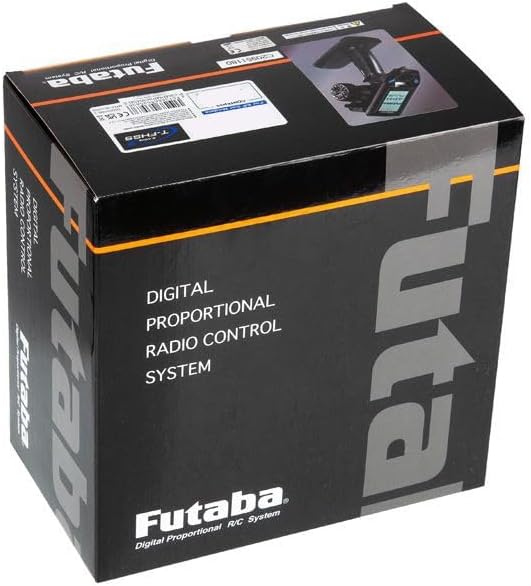
Figi 3.1: The Futaba T6PV product packaging. This image shows the black box with "Futaba Digital Proportional Radio Control System" printed on it, indicating the product's branding and type.
4. Gid Sekirite
Always operate your RC equipment responsibly and safely. Failure to follow these guidelines may result in injury or damage to property.
- Li Manyèl la: Thoroughly read and understand this entire manual before operating the system.
- Sekirite batri: Use only recommended batteries and chargers. Follow all battery charging and handling instructions to prevent fire or explosion.
- Anviwònman Fonksyònman: Do not operate your RC model in public areas, near people, or in adverse weather conditions. Avoid areas with strong electromagnetic interference.
- Pre-Flight/Run Checks: Always perform a range check and verify all control surfaces/functions are operating correctly before each use.
- Power On/Off Sekans: Always turn on the transmitter first, then the receiver. When turning off, turn off the receiver first, then the transmitter.
- Timoun: This product is not a toy. Adult supervision is required for users under 14 years of age.
5. Inisyal Enstalasyon
5.1. Enstalasyon batri transmetè
The T6PV transmitter requires batteries for operation. Refer to the battery compartment markings for correct polarity.
- Louvri kouvèti pil la ki dèyè transmetè a.
- Insert the recommended batteries, ensuring correct polarity (+/-).
- Fèmen kouvèti batri a byen.
5.2. Receiver Installation and Connection (R404SBS)
Install the R404SBS receiver in your RC model according to the model's instructions. Ensure it is securely mounted and protected from vibrations and moisture.
- Connect the servos and ESC (Electronic Speed Controller) to the appropriate channels on the R404SBS receiver. Refer to the receiver's port labels (e.g., CH1, CH2, etc.).
- Ensure the receiver's antenna is positioned correctly for optimal signal reception, away from metal parts and other electronics.
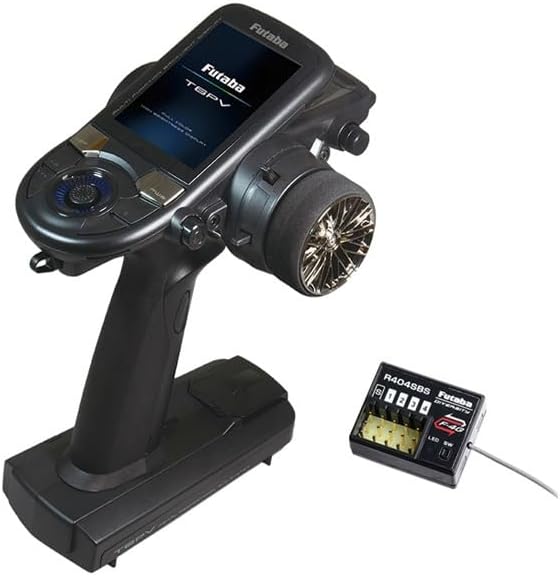
Figi 5.1: The Futaba T6PV transmitter and the R404SBS receiver. This image displays the primary components of the RC system, showing the ergonomic design of the transmitter and the compact size of the receiver with its channel ports.
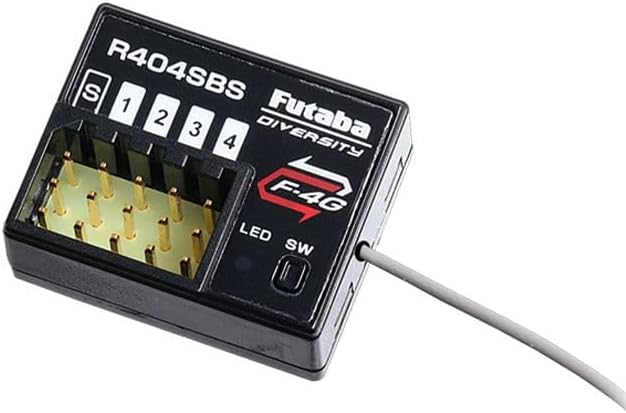
Figi 5.2: Yon detaye view of the Futaba R404SBS receiver. This image highlights the channel ports (S, 1, 2, 3, 4), the F-4G logo, and the LED/SW indicators, crucial for proper wiring and binding.
5.3. Konekte Transmetè ak Reseptè a
Binding establishes a secure communication link between your T6PV transmitter and the R404SBS receiver.
- Limen transmetè a.
- Power on the receiver. The receiver's LED will indicate its status (e.g., blinking for waiting to bind).
- Access the binding function on the T6PV transmitter's menu (refer to Section 6.1 for menu navigation).
- Follow the on-screen prompts to initiate the binding process.
- Once bound, the receiver's LED should indicate a solid connection.
6. Operating the T6PV System
6.1. Menu Navigation and Display
The T6PV features a high-resolution color LCD screen and a Jog switch for intuitive menu navigation and parameter adjustment.
- Sèvi ak la Jog switch (rotary dial) to scroll through menu options.
- Peze a Jog switch pou chwazi yon opsyon oubyen konfime yon paramèt.
- Dedicated buttons (e.g., DSP, PWR, +/-) provide quick access to common functions or adjustments.

Figi 6.1: The T6PV transmitter's screen displaying the main System menu. This image shows options like Display, Information, Buzzer, Battery, Total time, LED setting, and Calibration, indicating the range of configurable parameters.
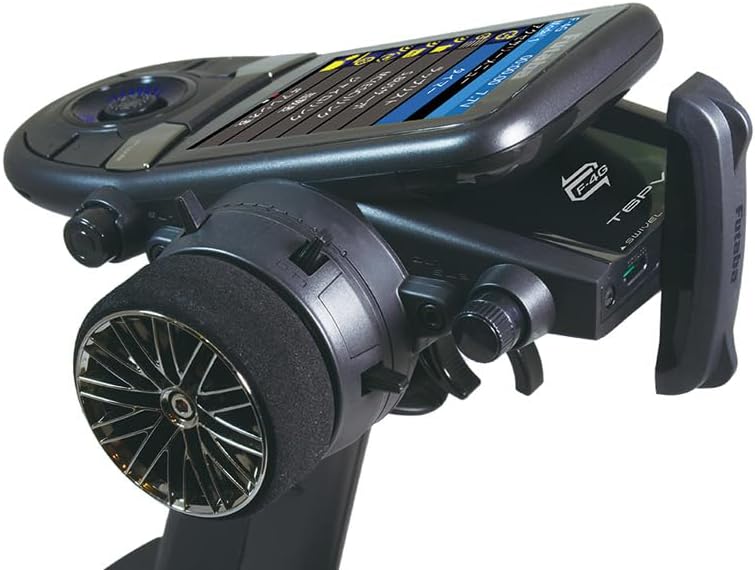
Figi 6.2: Yon bò view of the Futaba T6PV transmitter, highlighting the angled screen for better visibility during operation. This perspective also shows the ergonomic grip and the steering wheel.
6.2. Chwazi Mòd Operasyon yo
The T6PV supports multiple communication modes to ensure compatibility with various Futaba receivers and models.
- Navigate to the "System" menu on the transmitter.
- Select "Receiver System" or a similar option.
- Choose the desired mode: F-4G, T-FHSS, S-FHSS, or MINI-Z (EVO, EVO2, FHSS).
- Ensure the selected mode matches your receiver's capabilities.
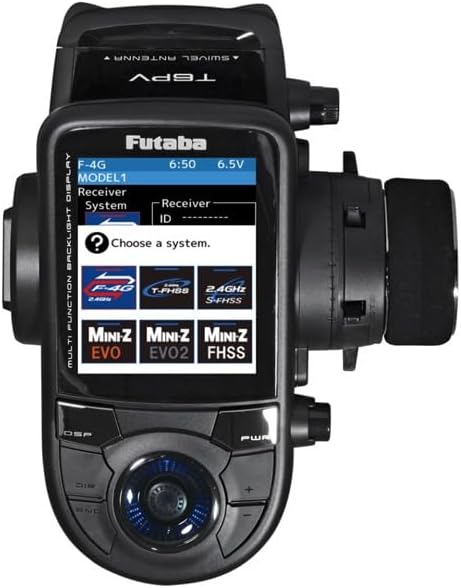
Figi 6.3: The T6PV transmitter's screen displaying the receiver system selection menu. This image clearly shows the selectable modes: F-4G, T-FHSS, S-FHSS, MINI-Z EVO, MINI-Z EVO2, and MINI-Z FHSS, allowing users to match their receiver type.
6.3. Advanced Settings (Telemetry, Response/Feeling, Crawler)
The T6PV offers advanced settings for fine-tuning your RC experience.
- Done telemetrik: Access the telemetry menu to monitor real-time data from your model (e.g., battery voltage, temperature, RPM) if your receiver and sensors support it.
- Response / Feeling Adjustment: This feature allows you to customize the sensitivity of the controls. Adjust this setting to make the steering and throttle response more aggressive or smoother, depending on your driving style and track conditions.
- Crawler Settings: Dedicated settings are available for crawler models, optimizing control for low-speed precision and torque.

Figi 6.4: The T6PV transmitter's screen displaying a "Racing menu" with "Drag Racing" selected. This indicates the specialized settings available for different racing disciplines, allowing for optimized performance.
7. Antretyen
Proper maintenance ensures the longevity and reliable performance of your Futaba T6PV system.
- Netwayaj: Wipe the transmitter and receiver with a soft, dry cloth. Do not use solvents or abrasive cleaners.
- Depo: Store the system in a cool, dry place, away from direct sunlight and extreme temperatures. Remove batteries if storing for extended periods.
- Swen batri: Follow the battery manufacturer's guidelines for charging, discharging, and storage.
- Mizajou mikrolojisyèl: Check the official Futaba website periodically for firmware updates for your T6PV transmitter. Use the micro SD card slot for updates as per instructions.
NAN. Depanaj
Seksyon sa a adrese pwoblèm komen ou ka rankontre.
| Pwoblèm | Kòz posib | Solisyon |
|---|---|---|
| Transmitter does not power on. | Pil ki mouri oswa ki mal enstale. | Tcheke polarite pil yo. Ranplase yo ak pil nèf. |
| No response from model. | Receiver not bound, incorrect mode, or power issue to receiver/servos. | Ensure transmitter and receiver are bound (Section 5.3). Verify selected operating mode (Section 6.2). Check power supply to receiver and connections. |
| Erratic control or short range. | Interference, damaged antenna, or low battery. | Operate in an open area away from interference. Check transmitter and receiver antennas for damage. Ensure batteries are fully charged. |
| Ekran an vid oswa li bloke. | Glitch lojisyèl oswa batri ki ba. | Try restarting the transmitter. Ensure batteries are fully charged. If issue persists, contact support. |
9. Espesifikasyon
| Karakteristik | Detay |
|---|---|
| Nimewo Modèl | T6PV |
| Chanèl | 6 chanèl |
| Compatible Modes | F-4G, T-FHSS, S-FHSS, MINI-Z (EVO, EVO2, FHSS) |
| Receiver Included | R404SBS (F-4G compatible) |
| Ekspozisyon | High-resolution Color LCD |
| Navigasyon | Jog switch |
| memwa | Mikwo SD plas kat |
| ASIN | B0F2W6YRBM |
| Disponibilite pyès rezèv | Enfòmasyon pa disponib |
| Date Listed on Amazon.com.be | 26 mas 2025 |
10. Garanti ak sipò
For warranty information and technical support, please refer to the official Futaba website or contact your local Futaba distributor. Keep your proof of purchase for warranty claims.
Resous sou entènèt:
- Official Futaba Websit: www.futabarc.com (Tanpri verifye pou rejyonal la) websit)
- Product Support Pages: Look for the T6PV model on the support section of the Futaba websit pou FAQ, mizajou firmwèr, ak lòt resous.


