1. Pwodwi souview
The ATTACK SHARK X98 is a versatile mechanical keyboard designed for various uses, including gaming, office work, and programming. It features tri-mode connectivity, hot-swappable switches, a gasket mount design, PBT keycaps, and customizable RGB backlighting.
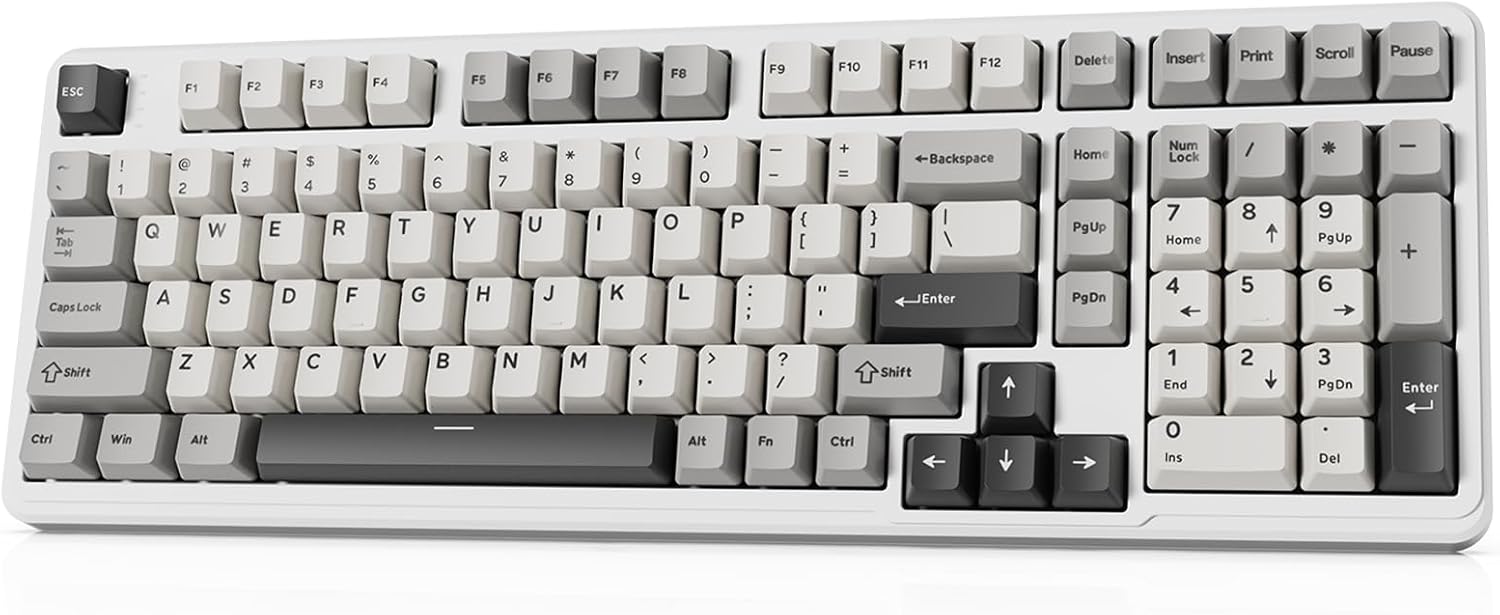
Image 1.1: The ATTACK SHARK X98 Wireless Mechanical Keyboard in Starlight White.
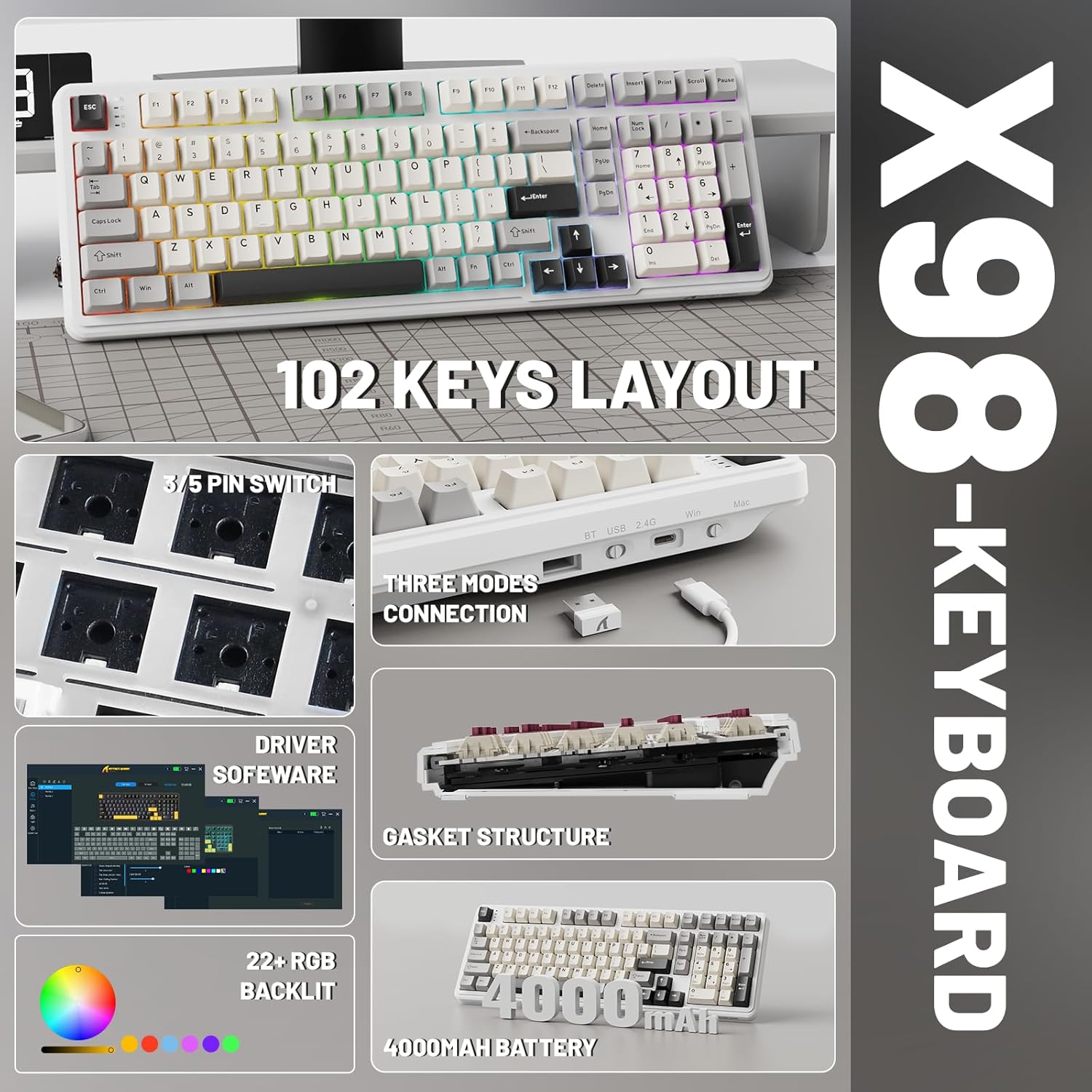
Imaj 1.2: Plis paseview of key features including 102-key layout, 3/5 pin switch support, three modes connection, driver software, gasket structure, 22+ RGB backlight, and 4000mAh battery.
2. Pake kontni
Tanpri verifye ke tout atik yo prezan nan pakè a:
- ATTACK SHARK X98 Wireless Mechanical Keyboard
- USB-C kab
- Keycap Puller
- Extra Switches (typically 2)
- Manyèl Itilizatè (dokiman sa a)
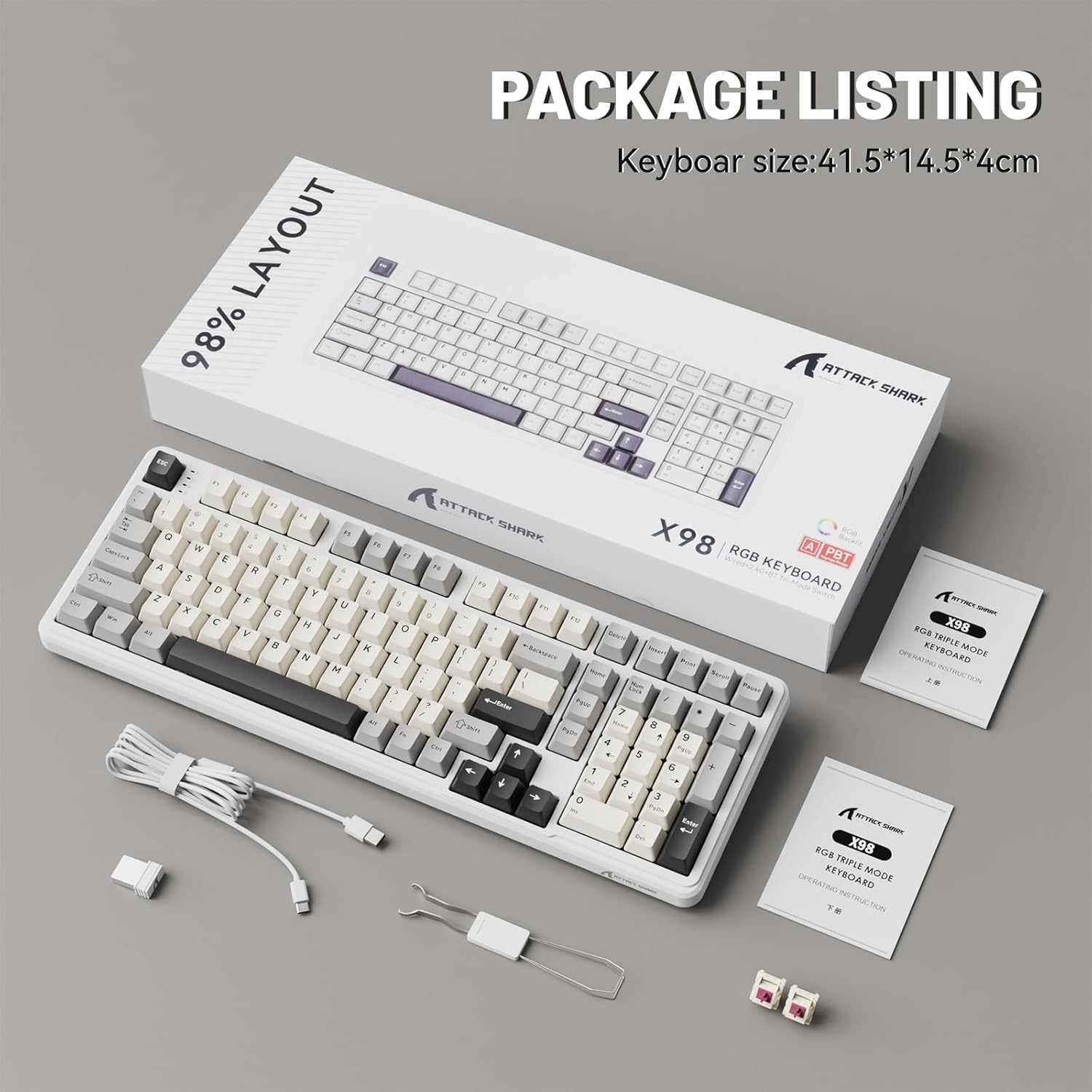
Image 2.1: Contents of the ATTACK SHARK X98 keyboard package, including the keyboard, USB-C cable, keycap puller, and extra switches.
3. Karakteristik kle
- Koneksyon Tri-Mòd: Supports Bluetooth 5.0, 2.4GHz wireless, and USB-C wired connections for versatile use across various devices.
- Switch ki ka ranplase a cho: Equipped with sockets compatible with both 3-pin and 5-pin mechanical switches, allowing for easy customization and replacement of switches without soldering. Features pre-lubed linear switches for a smooth and quiet typing experience.
- Gasket Mount Design: Incorporates a 5-layer sound-absorbing foam structure (PORON Foam, IXPE Switch Pad, PET Noise Cancellation Pad, EPDM Dampening Pad, Silicone Pad) to reduce cavity sound and provide a pure, thocky sound profile.
- Ekleraj RGB vibran: Offers 16.8 million RGB colors with 21 lighting effects and 7 single-color options, enhancing the aesthetic of your setup. Full Anti-Ghosting N-key rollover ensures accurate input during intense gaming sessions.
- Kle PBT dirab: Features doubleshot PBT keycaps that resist shine and fading, ensuring long-lasting durability and a premium feel.
- Batri ki dire lontan: Built-in 4000mAh battery provides extended wireless usage, capable of continuous operation for up to 7 days on a single charge.

Image 3.1: Diagram illustrating the 5-layer gasket structure for sound absorption and improved typing feel.
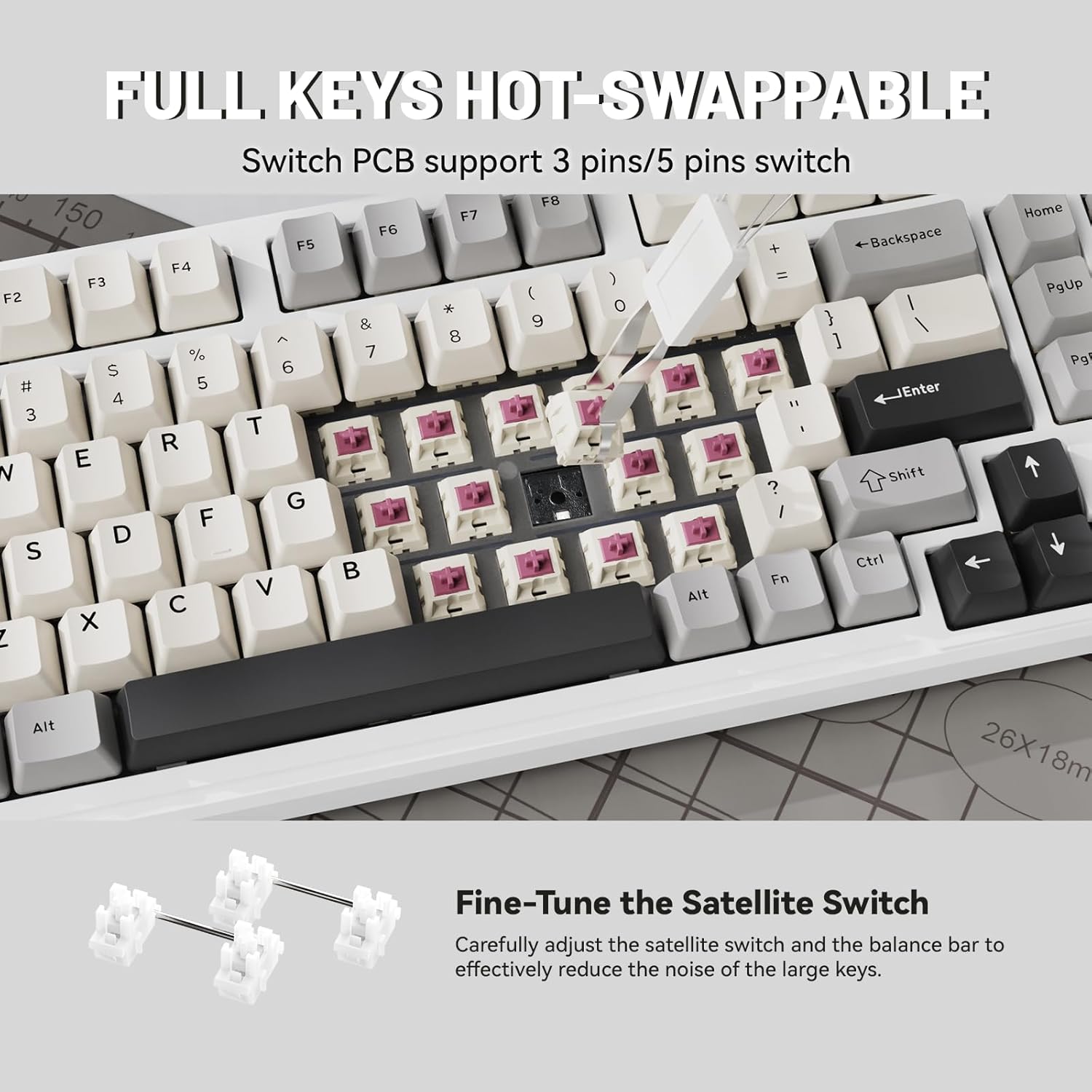
Imaj 3.2: Gwo plan view demonstrating the hot-swappable switch sockets, supporting both 3-pin and 5-pin switches.
4. Enstalasyon ak Koneksyon
4.1. Koneksyon filaire (USB-C)
- Konekte kab USB-C ki vini ak li a nan pò USB-C klavye a.
- Connect the other end of the USB-C cable to an available USB port on your computer or device.
- The keyboard will automatically be recognized and ready for use. The keyboard will also charge in this mode.
4.2. Koneksyon san fil 2.4GHz
- Locate the 2.4G wireless receiver (USB dongle), typically stored in a magnetic compartment on the keyboard.
- Plug the 2.4G receiver into an available USB port on your computer or device.
- On the keyboard, locate the connectivity switch (usually on the top edge or bottom) and slide it to the "2.4G" position.
- The keyboard should automatically connect. If not, refer to the troubleshooting section.
4.3. Koneksyon Bluetooth 5.0
- On the keyboard, locate the connectivity switch and slide it to the "BT" position.
- The keyboard will enter pairing mode. The indicator light may flash.
- On your device (PC, tablet, smartphone), open Bluetooth settings.
- Chèche pou new devices and select "ATTACK SHARK X98" (or similar name) from the list.
- Swiv nenpòt enstriksyon ki parèt sou ekran an pou konplete pwosesis koneksyon an. Limyè endikatè ki sou klavye a ap vin fiks yon fwa konekte.

Image 4.1: The ATTACK SHARK X98 keyboard demonstrating its three connection modes: 2.4GHz Wireless, Bluetooth Wireless, and Type-C Wired.
Video 4.2: An official product video demonstrating the features and connectivity options of the ATTACK SHARK X98 Wireless Mechanical Keyboard. This video highlights the keyboard's design, hot-swappable switches, RGB lighting, and tri-mode connectivity.
5. Operasyon Enstriksyon
5.1. Chanjman Sistèm (Windows/Mac)
The keyboard features a dedicated switch to toggle between Windows and Mac layouts. Locate the "WIN/MAC" switch on the keyboard and slide it to the appropriate operating system for optimal key mapping.
5.2. Kontwòl ekleraj RGB
The ATTACK SHARK X98 offers various RGB lighting effects. Use the following key combinations to control the backlighting:
- Fn + [Kle]: Specific key combinations (refer to keyboard legends or software) control lighting modes, brightness, and speed.
- Lojisyèl pèsonalizasyon: For advanced customization of RGB lighting and key functions, download and install the official driver software. The driver link is typically provided in the product packaging or on the manufacturer's websit.
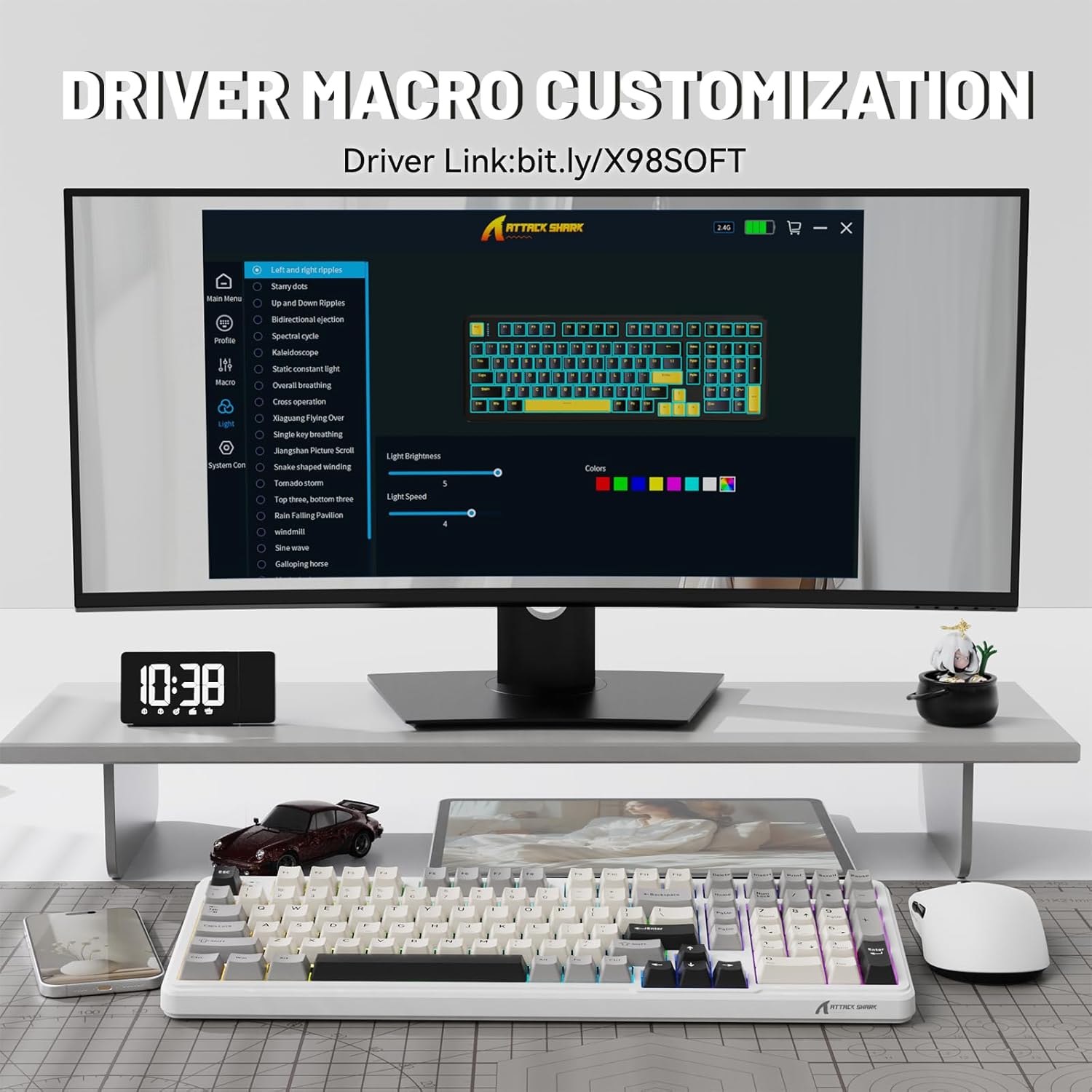
Image 5.1: Screenshot of the driver software interface, showing options for macro customization and RGB lighting control.
5.3. Tcheke Nivo Batri
To check the battery level in wireless mode, press and hold Fn + Backspace. The indicator lights on the keyboard will illuminate to show the approximate battery percentage:
- Limyè wouj: 20% or less battery remaining.
- Limyè jòn: 50% batri ki rete.
- Limyè vèt: 60% batri ki rete.
- Full Green Lights: 100% batri ki rete.

Image 5.2: Visual guide for checking the battery level using Fn + Backspace, showing different light indicators for battery percentage.
6. Antretyen
- Netwayaj kle yo: Use the provided keycap puller to carefully remove keycaps. Clean them with a soft, damp cloth and mild soap if necessary. Ensure keycaps are completely dry before reattaching.
- Netwayaj kò klavye a: Use a soft, lint-free cloth to wipe down the keyboard body. For stubborn dirt, a slightly damp Ou ka itilize twal. Evite twòp imidite.
- Antretyen Chanjman: The hot-swappable design allows for easy switch replacement. If a switch malfunctions, use the keycap puller and switch puller (if included, or a small tool) to remove the faulty switch and insert a new one.
- Depo: Lè w pa itilize klavye a pou yon bon bout tan, sere l nan yon kote ki sèk e san pousyè.
NAN. Depanaj
| Pwoblèm | Kòz posib | Solisyon |
|---|---|---|
| Klavye a pa reponn (ak fil) | Koneksyon kab ki lach; pò USB ki gen pwoblèm; pwoblèm chofè. | Ensure USB-C cable is securely connected. Try a different USB port. Restart your computer. |
| Keyboard not connecting (2.4GHz wireless) | Receiver not plugged in; keyboard not in 2.4G mode; low battery. | Ensure 2.4G receiver is plugged in. Slide switch to "2.4G". Charge the keyboard. |
| Klavye a pa konekte (Bluetooth) | Keyboard not in BT mode/pairing mode; device Bluetooth off; interference. | Slide switch to "BT" and ensure it's in pairing mode. Enable Bluetooth on your device. Move closer to the device. Remove other Bluetooth devices. |
| RGB lights not working/customizing | Software not installed/running; incorrect key combination; low battery. | Install/run the driver software. Refer to operating instructions for key combinations. Charge the keyboard. |
| Keys not registering/double-typing | Faulty switch; debris under keycap. | Retire kouvèti kle a epi netwaye li. Si pwoblèm nan pèsiste, ranplase switch la avèk fonksyon ranplasman rapid la. |
8. Espesifikasyon
| Nimewo Modèl | X98 |
| Mak | ATAK REKEN |
| Koneksyon Teknoloji | Bluetooth 5.0, 2.4G Wireless, USB-C |
| Kantite kle | 102 |
| Klavye ekleraj | RGB (16.8 milyon koulè, 21 efè) |
| Materyèl Keycap | Doubleshot PBT |
| Chanje Kalite | Pre-lubed Linear Switches (Hot-swappable 3/5-pin) |
| Mounting Style | Joint mòn |
| Kapasite batri | 4000mAh |
| Dimansyon pwodwi | 16 x 5.6 x 1.5 pous |
| Pwa atik | 2.71 liv |
| Aparèy konpatib | Laptop, Konsole jwèt, PC, Tablèt, Telefòn entelijan |
9. Garanti ak sipò
The ATTACK SHARK X98 Wireless Mechanical Keyboard comes with a standard manufacturer's warranty. Please refer to the warranty card included in your package for specific terms and conditions, including warranty duration and coverage details.
For technical support, troubleshooting assistance, or warranty claims, please contact ATTACK SHARK customer service through their official websit la oswa enfòmasyon kontak yo bay nan dokimantasyon pwodwi ou a.
Ofisyèl website for driver software and further support: cn.attackshark.pro


