1. Entwodiksyon
This manual provides comprehensive instructions for the installation, operation, and maintenance of your Techage CG6E Solar Security Camera. Designed for outdoor use, this wireless camera system offers 2K high-definition video, AI motion detection, color night vision, two-way audio communication, and is built with an IP66 waterproof rating for reliable performance in various weather conditions. The integrated solar panel ensures continuous power, reducing the need for frequent battery recharges.
2. Pake kontni
Verifye ke tout atik yo prezan nan pakè ou a:
- Techage Solar Security Camera (2 units)
- Panèl Solè (2 inite)
- Sipò ak vis pou monte
- USB Chaje Kab
- Manyèl Itilizatè (dokiman sa a)

Image: Two Techage CG6E solar security cameras and two solar panels, illustrating the complete product package.
3. Pwodwi souview
The Techage CG6E camera system is engineered for robust outdoor surveillance. Key features include:
- 2K Ultra HD Rezolisyon: Kaptire videyo klètage with 1.5 times the clarity of standard 1080P cameras.
- Efikasite ki mache ak solè: Equipped with an external solar panel for continuous battery charging, ensuring uninterrupted operation.
- Deteksyon Mouvman IA: Advanced algorithms identify human movement, reducing false alerts and sending instant notifications.
- Vizyon lannwit koulè: Dual LED spotlights enable full-color video recording even in low-light conditions.
- De-fason Audio: Built-in microphone and speaker allow for real-time communication through the camera.
- IP66 Rezistan a move tan: Designed to withstand rain, snow, and extreme temperatures for year-round outdoor use.
- Depo fleksib: Supports local storage via a Micro SD card (up to 128GB, not included) and cloud storage options.

Imaj: Yon plis paseview of the Techage CG6E camera highlighting its main features: long-lasting battery, free 3-day cloud storage, AI motion detection, and full-color night vision.
4. Enstalasyon
4.1 Enstalasyon App
The Techage CG6E camera operates with the Vicohome app. Download the app from your device's app store:
- For iOS devices, search for "Vicohome" in the Apple App Store.
- For Android devices, search for "Vicohome" in the Google Play Store.
Follow the on-screen instructions to create an account and log in.

Image: A smartphone displaying the Vicohome app interface, indicating where to download the application.
4.2 Koneksyon Kamera
- Asire w ke telefòn entelijan ou an konekte ak yon rezo Wi-Fi 2.4GHz. Kamera a pa sipòte Wi-Fi 5GHz.
- Open the Vicohome app and tap the "Add Device" or "+" icon.
- Power on the camera. The camera will enter pairing mode, indicated by a specific LED light pattern or voice prompt.
- Follow the app's instructions to scan the QR code on the camera or manually select the device.
- Antre modpas rezo Wi-Fi ou a lè yo mande w.
- Once connected, the camera will confirm successful pairing, and you can name your device within the app.
4.3 Enstalasyon Fizik
The camera and solar panel are designed for wall mounting.
- Chwazi yon kote: Chwazi yon kote deyò ki bay sa ou vle a viewang lan epi li resevwa ample direct sunlight for the solar panel. Ensure the camera is within range of your 2.4GHz Wi-Fi network.
- Monte kamera a: Use the provided mounting bracket and screws to securely attach the camera to a wall or other stable surface. Adjust the camera angle for optimal coverage.
- Monte panèl solè a: Position the solar panel in a location that maximizes sun exposure throughout the day. Connect the solar panel cable to the camera's charging port.
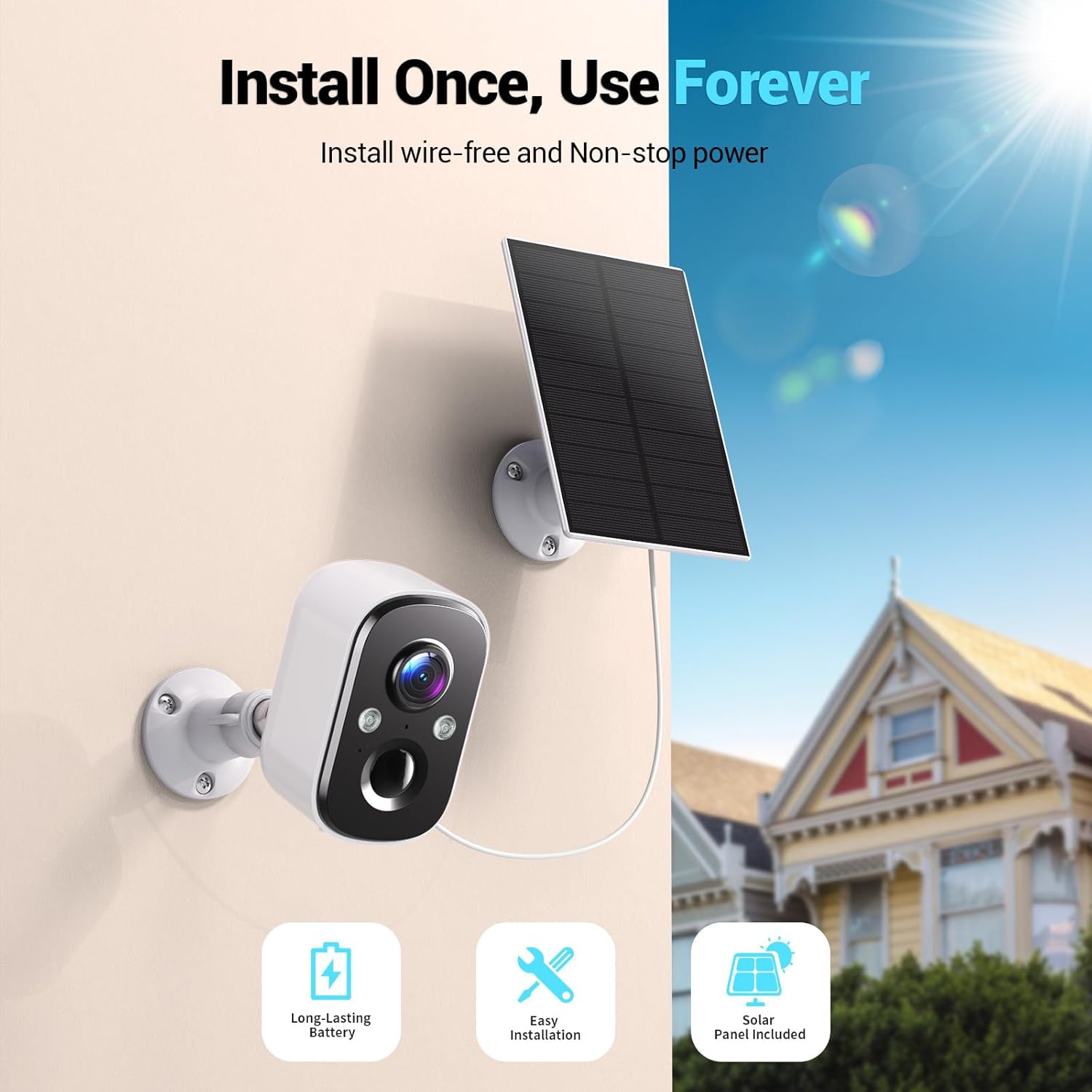
Image: A Techage CG6E camera and its solar panel are shown mounted on an outdoor wall, illustrating a typical installation scenario.
5. Operasyon Enstriksyon
5.1 Viv View
Access real-time video feed from your camera through the Vicohome app. Simply select the desired camera from your device list to view its live stream.
5.2 Anviwònman Deteksyon Mouvman
The camera features advanced AI motion detection. You can customize settings within the Vicohome app:
- Sansiblite: Adjust the detection sensitivity to minimize false alerts.
- Zòn Aktivite: Defini zòn espesifik nan kamera a view where motion detection should be active, ignoring other areas.
- AI Recognition: The camera can differentiate between people, vehicles, packages, and pets, providing more relevant alerts.
- Avètisman: Configure push notifications to your smartphone when motion is detected.

Image: A visual representation of the camera detecting motion near a doorway, triggering a spotlight, siren, and sending a notification to the Vicohome app.
5.3 Odyo De-fason
Utilize the two-way audio feature to communicate with individuals near the camera. Tap the microphone icon in the live view interface of the Vicohome app to speak, and the camera's speaker will broadcast your voice. You can also hear audio from the camera's location.

Image: A person inside a house communicating via the camera with another person outside, demonstrating the two-way audio function.
5.4 Mòd Vizyon Lannwit
Kamera a ofri de mòd vizyon lannwit:
- Vizyon lannwit koulè: When the built-in spotlights are activated (either manually or by motion detection), the camera captures full-color video in dark environments.
- Vizyon lannwit enfrawouj: With spotlights off, the camera uses infrared LEDs to provide clear black-and-white video in darkness.

Image: A comparison showing the difference between color night vision (spotlight on) and infrared night vision (spotlight off) in a dark setting.
5.5 Opsyon Depo
Your camera supports two storage methods:
- Kat mikwo SD: Mete yon kat Micro SD (jiska 128GB, pa enkli) nan fant ki fèt pou sa sou kamera a pou anrejistreman lokal.
- Depo nwaj: The Vicohome app offers a free 3-day rolling event recording cloud storage. Optional premium cloud plans are available for extended storage and advanced features.
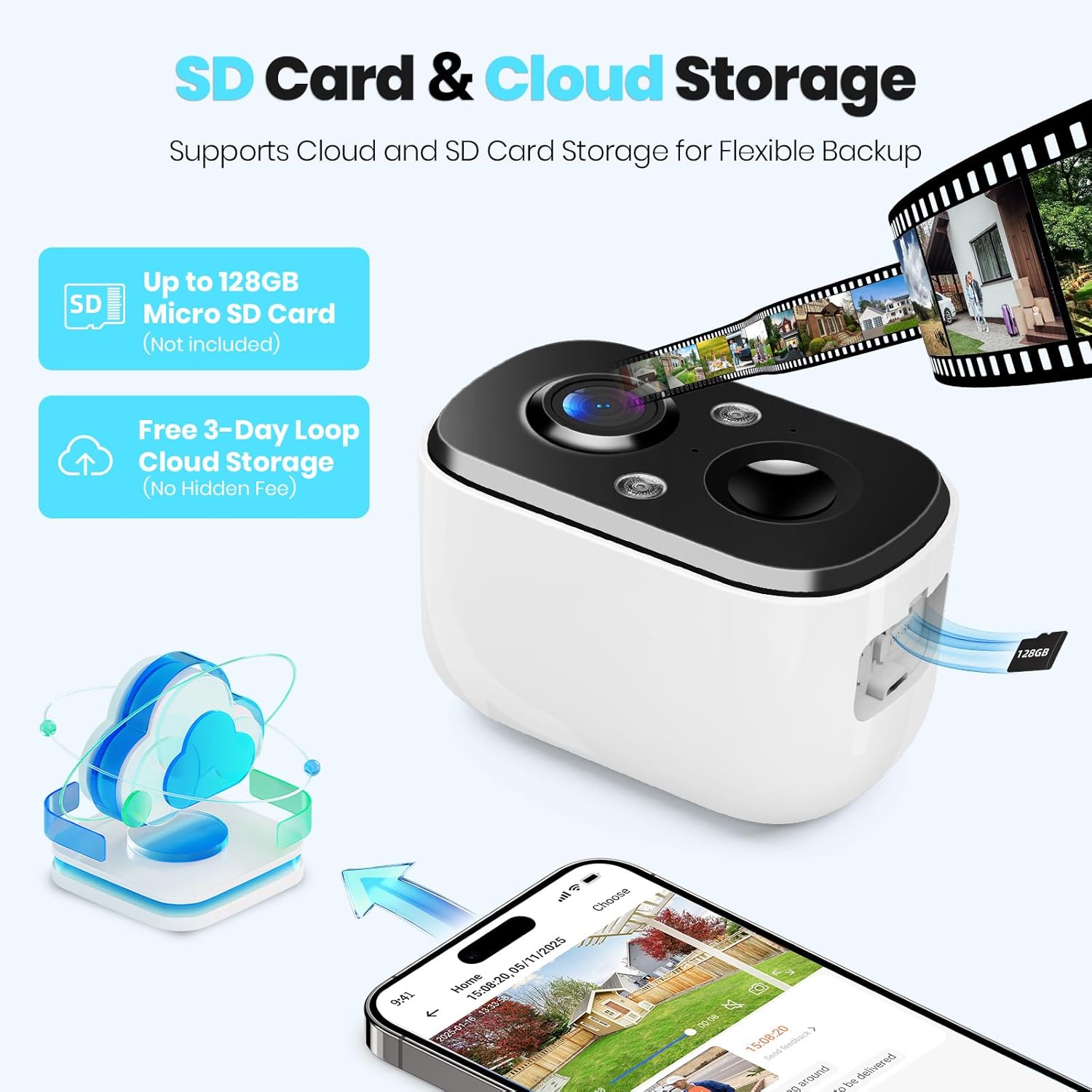
Image: A close-up of the camera highlighting the Micro SD card slot and illustrating cloud storage functionality.
5.6 Pataje Aksè
You can share camera access with family members or trusted individuals through the Vicohome app. This allows multiple users to view ap viv ak resevwa alèt.
6. Antretyen
6.1 Battery Charging and Solar Panel Placement
The solar panel is designed to keep the camera battery charged. Ensure the solar panel is positioned to receive maximum direct sunlight daily. If the camera's battery level drops significantly due to prolonged cloudy weather or insufficient sunlight, you may need to temporarily charge the camera using the provided USB cable.
6.2 Netwayaj
Periodically clean the camera lens and the surface of the solar panel with a soft, damp twal pou asire pi bon pèfòmans. Evite itilize pwodui chimik ki agresif oswa materyèl abrazif.
6.3 Mizajou Firmware
The Vicohome app will notify you of available firmware updates. It is recommended to keep your camera's firmware updated to ensure the latest features, security enhancements, and bug fixes.
NAN. Depanaj
- Kamera a pa konekte ak Wi-Fi a: Asire w ke rezo Wi-Fi ou a se 2.4GHz. Tcheke fòs siyal Wi-Fi a kote kamera a ye a. Rekòmanse routeur ou a ak kamera a.
- Frequent false alerts: Adjust motion detection sensitivity and configure activity zones within the Vicohome app to focus on relevant areas.
- Vizyon lannwit ki fèb: Ensure the camera lens is clean. Check if the spotlights are enabled for color night vision.
- Batri pa chaje: Verify the solar panel is connected correctly and receives sufficient direct sunlight. Clean the solar panel surface.
- No cloud recording: Confirm your cloud storage subscription status. The free plan offers 3-day rolling event recording.
For further assistance, refer to the in-app help section or contact customer support.
8. Espesifikasyon
| Karakteristik | Spesifikasyon |
|---|---|
| Non modèl | CG6E |
| Itilizasyon Andedan kay la / Deyò | Deyò |
| Sous pouvwa | Solè Powered |
| Koneksyon Teknoloji | San fil (Wi-Fi 2.4GHz sèlman) |
| Rezolisyon Capture Videyo | 2K (1440p) |
| Vizyon lannwit Range | 33 pye |
| Nivo rezistans dlo | IP66 ki enpèmeyab |
| De-fason odyo | Wi |
| Opsyon Depo | Kat Micro SD (jiska 128GB), Depo nan nwaj la |
| Aparèy konpatib | Telefòn entelijan (via aplikasyon Vicohome) |
| Dimansyon pwodwi | 6 x 3.49 x 7.5 pous |
| Pwa atik | 2.09 liv |
9. Garanti ak sipò
Techage provides free technical support for its products. For warranty information or to contact support, please refer to the contact details provided within the Vicohome app or visit the official Techage websit.

Image: A customer support representative, symbolizing the availability of technical assistance.


