1. Entwodiksyon
The LAUNCH SmartLink C HD Elite is a high-performance diagnostic module designed to expand the capabilities of your existing 8-inch LAUNCH X-431 PROS V+, V PRO, or PRO Dyno series diagnostic tablet. This module enables comprehensive full-system OBDII diagnostics for heavy-duty trucks and commercial vehicles, supporting advanced protocols such as CANFD and DOIP. It offers compatibility with over 1,200 global vehicle systems, including major brands like Cummins and Bosch, transforming your tablet into a versatile diagnostic tool for commercial fleets and repair shops.
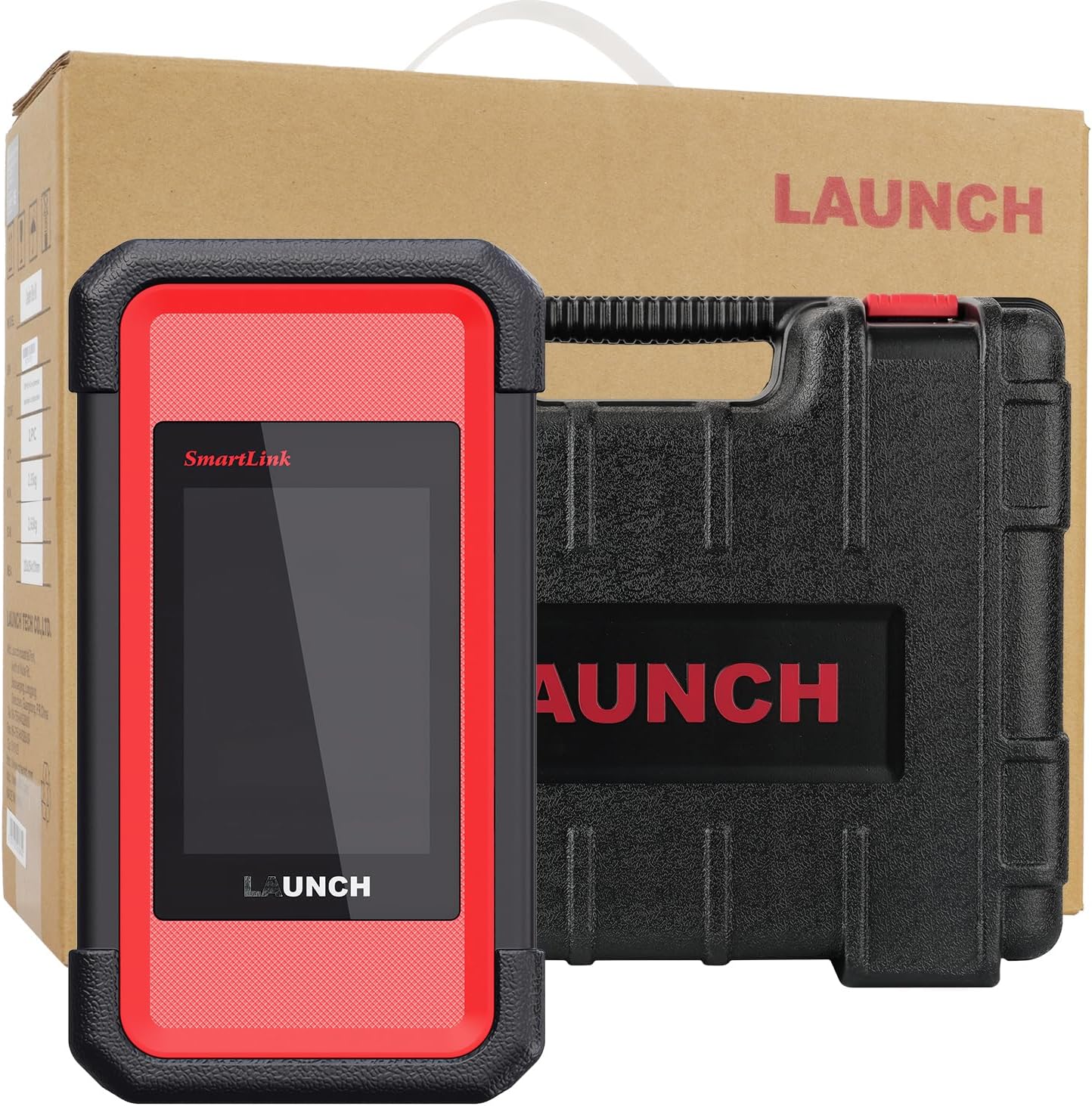
Image 1.1: The LAUNCH SmartLink C HD Elite Scanner module and its protective carrying case.
2. Ki sa ki nan bwat la
Lè w ap debale l, tanpri verifye si tout konpozan yo la:
- SmartLink C HD Elite Main Unit
- Ka Pwoteksyon Pote
- Diagnostic Cables (various OBD16/6/9-pin adapters)
- USB-C kab
3. Enstalasyon ak Konpatibilite
The SmartLink C HD Elite module is specifically designed for integration with the LAUNCH X-431 8-inch wireless diagnostic tablets. Ensure your tablet model is one of the following for compatibility:
- X-431 PROS V+
- X-431 V PRO
- X-431 PRO Dyno series
If you are uncertain about your device's compatibility, please contact LAUNCH support for confirmation before proceeding.
3.1 Koneksyon Inisyal
- Pouvwa sou: Ensure your LAUNCH X-431 tablet is powered on and fully charged.
- Connect SmartLink C HD Elite: Connect the SmartLink C HD Elite module to your vehicle's diagnostic port using the appropriate OBD16, 6-pin, or 9-pin adapter cable.
- Peyaj: Establish a connection between the SmartLink C HD Elite module and your X-431 tablet via Bluetooth or Wi-Fi. Refer to your X-431 tablet's manual for specific pairing instructions. A USB-C connection can also be used for direct linking.
- Rekonesans lojisyèl: Once connected, the X-431 tablet's diagnostic software should recognize the SmartLink C HD Elite module, enabling heavy-duty diagnostic functions.

Image 3.1: The SmartLink C HD Elite module connected to an X-431 tablet, illustrating the expansion of diagnostic capabilities.
4. Operasyon Enstriksyon
The SmartLink C HD Elite module, in conjunction with your LAUNCH X-431 tablet, provides extensive diagnostic and maintenance functionalities for commercial vehicles.
4.1 General Diagnostic Functions
Access the following standard OBDII/EOBD functions through your X-431 tablet's interface:
- Li Kòd: Retrieve Diagnostic Trouble Codes (DTCs) from the vehicle's ECU.
- Efase kòd: Efase DTC yo apre reparasyon yo fini.
- Enfòmasyon sou machin: Display vehicle identification number (VIN), calibration ID (CALID), and calibration verification number (CVN).
- Done kouran: View live sensor data in text or graph format.
- Chèche DTC: Provides definitions for retrieved trouble codes.
- View Glase ankadreman: Capture a snapshot of vehicle operating conditions at the time a fault code was set.
- Tès Sistèm EVAP: Initiate a test of the Evaporative Emission System.
- Preparasyon I/M: Check the status of emission-related monitors.
- Tès monitè abò: Jwenn aksè a rezilta tès siveyans dyagnostik abò pou konpozan/sistèm espesifik.
- Tès Capteur O2: Rekipere rezilta tès siveyans detèktè O2 a.

Imaj 4.1: Plis paseview of universal HD OBD/OBDII/EOBD diagnostic functions available through the SmartLink C HD Elite.
4.2 Advanced Diagnostic Functions
The SmartLink C HD Elite supports advanced functions for in-depth vehicle analysis:
- Kodaj ECU: Modify vehicle parameters, activate hidden features, or match new components.
- Active Test / Bi-Directional Control: Perform specific component tests (e.g., injector cutoff, ABS bleeding) to verify system integrity.
- J2534 Pass-thru: Utilize the module as a pass-thru device for OEM software diagnostics.
- CANFD & DOIP Support: Compatible with modern vehicle communication protocols for faster data transfer and broader vehicle coverage.
- Diagnostik adistans: Allows technicians to remotely connect to a vehicle for diagnostic purposes.

Image 4.2: Illustration of the SmartLink C HD Elite's comprehensive system diagnostic capabilities for heavy-duty trucks.
4.3 Specialized Maintenance Functions
The module provides access to over 40 critical maintenance and reset functions:
- DPF Regeneration Cycles
- Injector Calibration
- SCR System Cleaning
- Reyajiste plak fren
- Turbocharger Adaptation
- DEF Urea System Diagnostics
- Speed Limiter Adjustment
- Reyajiste ang volan
- Transmission Matching Functions
- Lwil Reyajiste
- PRV Valve Test
- Broken Cylinder Test
- Clear Spec DTC

Imaj 4.3: Egzanpamples of multi-system OE reset and calibration functions supported by the SmartLink C HD Elite.
5. Antretyen
5.1 Mizajou lojisyèl
The SmartLink C HD Elite includes 1-year of free software updates. After the initial year, perpetual access to the DTC database is maintained. Regular software updates ensure compatibility with new vehicle models and improved diagnostic capabilities. Connect your X-431 tablet to the internet and follow the on-screen prompts within the LAUNCH diagnostic application to download and install updates.
5.2 Netwayaj ak Depo
Pou asire lonjevite aparèy ou an:
- Clean the exterior of the module with a soft, damp twal. Evite pwodui netwayaj abrazif oswa solvan.
- Keep the diagnostic ports free from dust and debris.
- Store the module in its protective carrying case when not in use, in a cool, dry environment away from direct sunlight and extreme temperatures.
NAN. Depanaj
If you encounter issues with the SmartLink C HD Elite module, consider the following:
- Pwoblèm Koneksyon: Ensure all cables are securely connected and that the Bluetooth/Wi-Fi pairing between the module and your X-431 tablet is active.
- Konpatibilite: Double-check that your X-431 tablet is one of the compatible 8-inch wireless models (X-431 PROS V+, V PRO, PRO Dyno series).
- Rekonesans lojisyèl: If the tablet does not recognize the module, try restarting both devices and re-establishing the connection. Ensure your diagnostic software is up to date.
- Registration/Activation: For issues related to product registration or activation, please contact LAUNCH technical support directly. You may be asked to provide the product's serial number.
7. Espesifikasyon
| Karakteristik | Spesifikasyon |
|---|---|
| Mak | LAnse |
| Modèl | M-SmartLinkCElite |
| Sistèm operasyon | Linux |
| Lang | angle |
| Kalite anfòm otomobil | Vehicle Specific Fit (Heavy-Duty Trucks, Commercial Vehicles) |
| UPC | 199284237957 |
| Pwa atik | 9.55 liv |
| Dimansyon pwodwi | 4.72 x 3.15 x 5.91 pous |
| Koneksyon | Bluetooth, Wi-Fi, USB-C, OBD16/6/9-pin adapters |
| Pwotokòl sipòte | OBDII, CANFD, DOIP |
| Depo Entèn | 8GB |
| Montre koòdone | 320x480 HD (via connected X-431 tablet) |

Imaj 7.1: Detaye view of the SmartLink VCI Module's physical features and connectivity options.
8. Garanti ak sipò
The LAUNCH SmartLink C HD Elite module includes 1-year of free software updates and perpetual access to the DTC database. For technical support, compatibility inquiries, or assistance with registration and activation, please contact LAUNCH directly via Amazon Messaging. When contacting support for registration or activation issues, please provide the product's serial number for prompt assistance.


