Entwodiksyon
This manual provides detailed instructions for the installation, operation, and maintenance of your ICY BOX 40Gbps M.2 NVMe SSD Enclosure, model IB-1920M-C42. This enclosure is designed for high-speed data transfer and reliable storage solutions, compatible with various M.2 NVMe SSD sizes and modern connectivity standards.
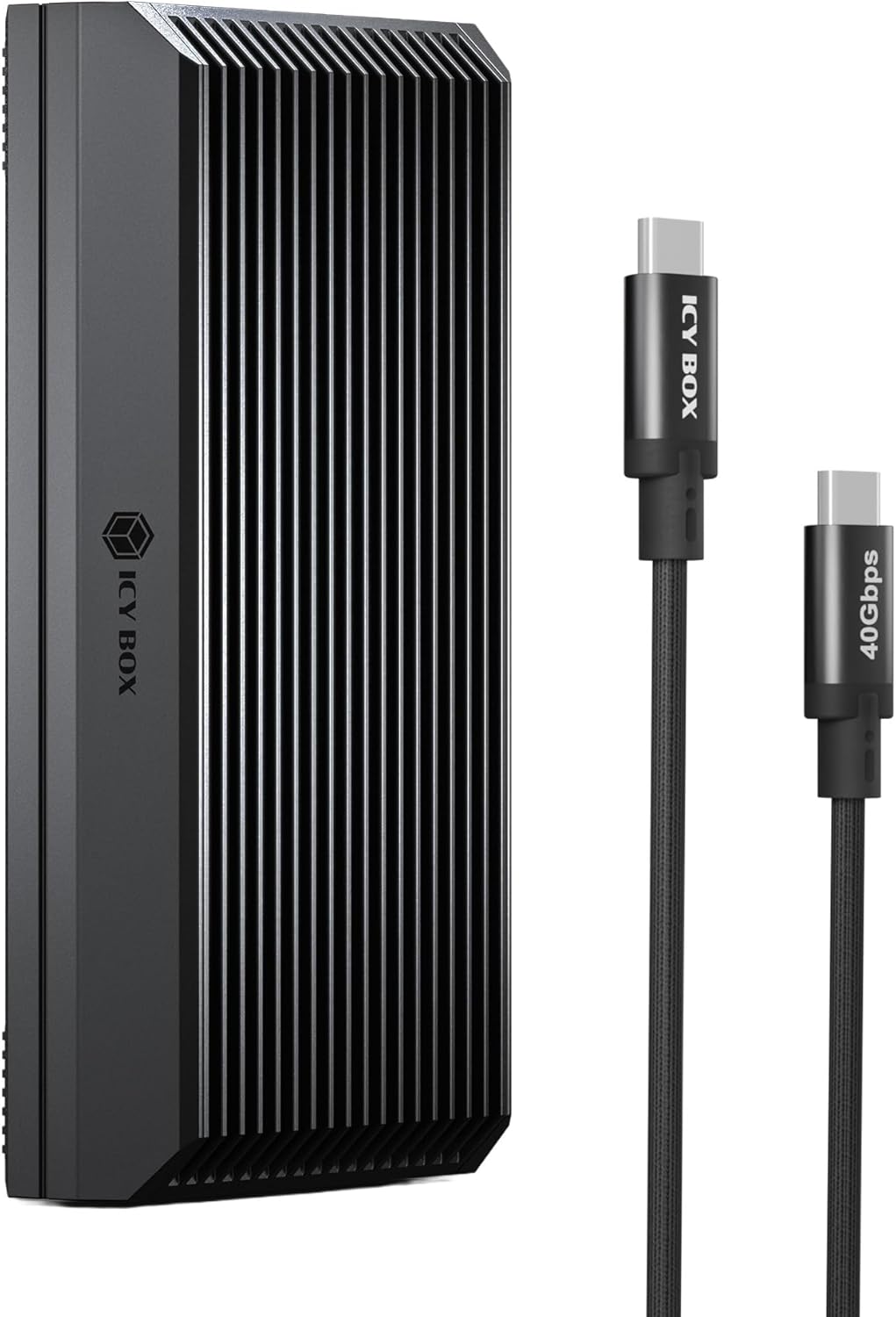
Image: The ICY BOX 40Gbps M.2 NVMe SSD Enclosure, a sleek black device with a ribbed aluminum casing, shown alongside its accompanying USB-C to USB-C cable.
Enstalasyon
1. SSD Installation (Tool-Free)
- Gently slide open the enclosure case. The design allows for easy access without tools.
- Insert your M.2 NVMe SSD (M-Key or B+M-Key) into the slot. Ensure it is properly seated. The enclosure supports SSD sizes 2230, 2242, 2260, and 2280.
- Secure the SSD using the provided rubber fixation.
- Place the thermal pad onto the SSD to facilitate heat transfer to the enclosure's aluminum body.
- Align the top cover with the enclosure, ensuring the "USB" marking on the cover aligns with the side containing the USB port. Slide the cover closed until it clicks securely.

Image: A hand demonstrating the tool-free installation process, showing the top cover being lifted to reveal the internal slot for an M.2 NVMe SSD.

Image: A diagram illustrating the compatibility of the enclosure with various M.2 NVMe SSD sizes (2280, 2260, 2242, 2230) and M-key/B+M-key types.
Enstriksyon Operasyon
1. Konekte ak yon Aparèy Lame
Connect the enclosure to your computer or compatible device using the provided USB-C cable. The enclosure supports a wide range of interfaces:
- USB4 / Thunderbolt 4: For optimal 40Gbps transfer speeds.
- Thunderbolt 3 / USB 3.2 Gen 2x2: Speeds up to 20Gbps.
- USB 3.2 Jen 2: Speeds up to 10Gbps.
- USB 3.2 Gen 1 / USB 3.0: Speeds up to 5Gbps.
- USB 2.0: Speeds up to 480Mbps.
To achieve the maximum 40Gbps transfer speeds, your host device must support USB4 or Thunderbolt 4, and you must use a compatible USB4-certified cable and port. Actual performance may vary based on the SSD's read/write speed and your device's hardware configuration.

Image: A graphic illustrating the ultra-fast transfer speed of 40 Gbit/s, showing a 1GB file transfer in 0.3 seconds, significantly faster than USB 3.2 Gen 2.
2. Konpatibilite Sistèm Operasyon an
The ICY BOX IB-1920M-C42 is plug-and-play compatible with a variety of operating systems:
- macOS
- Windows
- Linux
- Chrome OS

Image: A visual representation of the enclosure's compatibility, showing it connected to a laptop, tablet, mobile phone, PC, gaming console, and camera, and supported by macOS, Windows, Linux, and Chrome OS.
3. Pwodwi souview Videyo
Video: An official product video from ICY BOX US showcasing the features and ease of use of the 40Gbps M.2 NVMe SSD Enclosure.
Antretyen
1. Dissipation chalè
The enclosure features a heatsink-style aluminum body and includes a thermal pad to efficiently transfer heat away from the SSD. This fanless design ensures silent operation while maintaining optimal temperatures for stable performance, even during intensive data transfers.

Image: A visual breakdown of the enclosure's heat dissipation system, highlighting the unibody aluminum construction, fin structure, and silicon thermal pad for stable operation.
2. Durabilité
Constructed from a single piece of 4mm aluminum alloy, the enclosure provides high mechanical strength and superior resistance to deformation. This robust design ensures the safety and longevity of your SSD.

Imaj: Yon gwo plan view emphasizing the 4mm shell thickness and premium aluminum casing, showcasing the durable all-metal housing designed to keep the SSD safe and secure.
Depanaj
- Top Cover Difficult to Close: Ensure the "USB" marking on the top cover is aligned with the side that has the USB port. Incorrect alignment can prevent proper closure.
- Not Achieving 40Gbps Speed: To reach 40Gbps, your host device must support USB4 or Thunderbolt 4, and you must use a compatible USB4-certified cable and port. Older ports (e.g., USB 3.2, Thunderbolt 3) will limit speeds. The SSD's read/write speed and your system's hardware configuration also affect performance.
- Konpatibilite bak: The enclosure is backward compatible with USB 3.2 Gen 2/Gen 1 and USB 2.0, but transfer speeds will be limited to the maximum supported by those ports.
- SSD Not Included: This product does not include an NVMe SSD. You need to purchase and install an SSD separately.
Espesifikasyon
| Karakteristik | Detay |
|---|---|
| Nimewo Modèl | IB-1920M-C42 |
| Materyèl | Aliminyòm, Plastik |
| Pwa atik | 2.85 ons (0.08 kilogram) |
| Pousantaj Transfè Done | 40 Gigabit pou chak segonn |
| Dimansyon pwodwi | 4.33 x 1.57 x 0.55 pous |
| Entèfas Materyèl | Thunderbolt 4 |
| Koulè | Nwa |
| Platfòm pyès ki nan konpitè | Game console, PC, Phone |
| Manifakti | TECHDRIP COMPANY LIMITED |
Garanti ak sipò
The ICY BOX 40Gbps M.2 NVMe SSD Enclosure comes with a 24-mwa garanti. Additionally, ICY BOX provides lifetime expert support pou pwodwi li yo.
For further assistance or to contact support, please visit the official ICY BOX websit la oubyen gade enfòmasyon kontak ki vini ak anbalaj pwodwi a.


