Entwodiksyon
Thank you for choosing the HOUSBAY Sunrise Alarm Clock. This device is designed to enhance your morning routine with a natural wake-up experience, combining light and sound. It also features an FM radio, Bluetooth speaker, and a dimmable night light. Please read this manual thoroughly to understand all functions and ensure proper use.
Karakteristik kle
- Simulation solèy leve: Gradually brightens to simulate a natural sunrise, easing you awake.
- Natural Sound Alarms: Wake up to gentle sounds instead of jarring alarms.
- Radyo FM: Konekte sou estasyon radyo ou pi renmen yo.
- Bluetooth Oratè: Connect your device wirelessly to play audio.
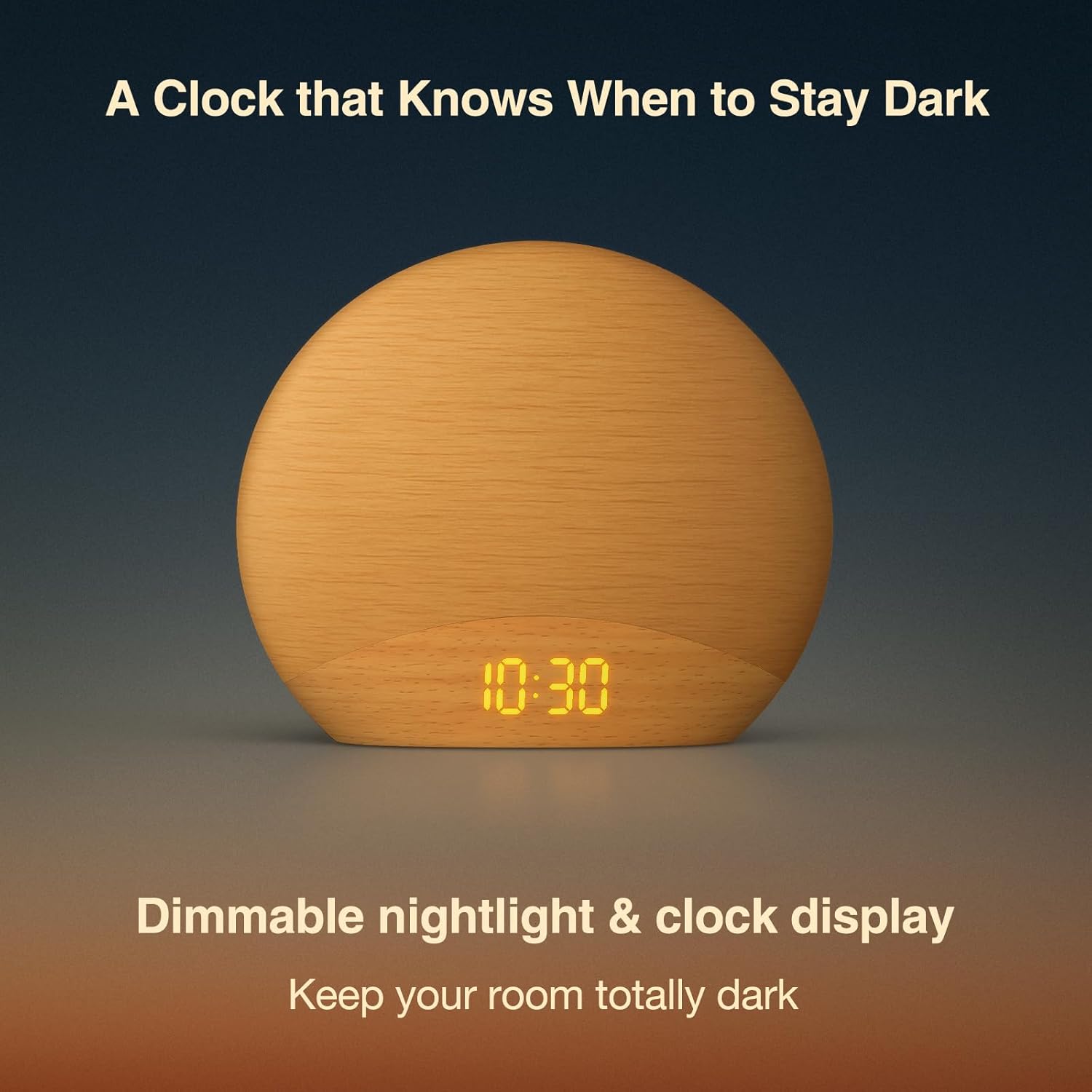
- Limyè lannwit dimmable: Adjustable light intensity for reading or ambient lighting.
- Wood-Inspired Design: Estetikman bèlasing design that complements bedroom decor.
Kontni pake
- HOUSBAY Sunrise Alarm Clock (Model RS7B2)
- Adaptè pouvwa
- Manyèl itilizatè
Gid Enstalasyon
- Koneksyon pouvwa: Connect the provided power adapter to the DC port on the back of the alarm clock and plug it into a wall outlet. The display will light up.
- Anviwònman Tan Inisyal: Upon first power-up, the clock display will show a default time. Refer to the "Setting Time" section under Operating Instructions to set the correct time.
- Plasman: Place the alarm clock on a stable surface, such as a bedside table, ensuring it is within reach and the light can illuminate your sleeping area effectively.
Enstriksyon Operasyon
1. Tan pou fikse
Pou fikse lè aktyèl la:
- Peze epi kenbe la Tan Mete button (usually indicated by a clock icon) for 3 seconds. The hour display will start flashing.
- Sèvi ak la +/- buttons to adjust the hour. Press the Tan Mete Peze bouton an ankò pou konfime epi ale nan minit yo.
- Sèvi ak la +/- buttons to adjust the minutes. Press the Tan Mete Peze bouton an ankò pou konfime epi sòti nan mòd reglaj tan an.
- You can switch between 12-hour and 24-hour format by pressing the Tan Mete button briefly during the hour setting.
2. Mete Alam
The alarm clock supports multiple alarms. To set an alarm:
- Peze a Alam Mete button (usually indicated by an alarm clock icon). The alarm time will flash.
- Sèvi ak la +/- buttons to adjust the alarm hour. Press Alam Mete pou konfime epi ale nan minit yo.
- Sèvi ak la +/- buttons to adjust the alarm minutes. Press Alam Mete pou konfime.
- Next, select the alarm sound (e.g., birdsong, FM radio, or a melody) using the +/- bouton. Peze Alam Mete pou konfime.
- Adjust the alarm volume using the +/- bouton. Peze Alam Mete pou konfime.
- Finally, set the sunrise simulation duration (e.g., 10-60 minutes) using the +/- bouton. Peze Alam Mete to save and activate the alarm.
To turn off a sounding alarm, press any button except the snooze button. To disable an alarm completely, press the Alam Mete bouton an plizyè fwa jiskaske ikòn alam lan disparèt sou ekran an.
3. Similasyon Solèy Leve
The sunrise simulation feature gradually increases light intensity before your set alarm time. This helps to gently prepare your body for waking. The duration of this simulation can be customized during alarm setup.

4. FM Radyo
Pou itilize fonksyon radyo FM la:
- Peze a Radyo FM button (often indicated by a radio icon) to turn on the radio.
- Peze epi kenbe la Radyo FM button again to automatically scan and save available stations.
- Sèvi ak la +/- bouton pou chanje ant estasyon ki anrejistre yo.
- To adjust volume, use the dedicated volume buttons or the +/- buttons when not in station selection mode.

5. Bluetooth Oratè
Pou konekte aparèy ou an atravè Bluetooth:
- Peze a Bluetooth button (indicated by a Bluetooth icon). The display will show "BT" and start flashing, indicating pairing mode.
- On your smartphone or other Bluetooth-enabled device, search for "HOUSBAY RS7B2" (or similar name) in the Bluetooth settings and select it to pair.
- Once paired, the "BT" icon will stop flashing, and you can play audio through the alarm clock's speaker.
- Adjust volume from your connected device or using the alarm clock's volume controls.
6. Night Light & Dimmable Display
The alarm clock features a dimmable night light and display:
- Limyè lannwit: Tap the top surface of the clock to cycle through different light colors and brightness levels. Hold to turn off the light.
- Ekspozisyon klète: Use the dedicated "Display Dimmer" dial or buttons (located on the back or side) to adjust the brightness of the time display.
- Dimmer limyè: Use the "Light Dimmer" dial or buttons to adjust the brightness of the main light.
Antretyen
- Netwayaj: Use a soft, dry cloth to clean the surface of the alarm clock. Do not use liquid cleaners or abrasive materials.
- Depo: If storing the device for an extended period, disconnect it from power and keep it in a cool, dry place.
- Evite dlo: Kenbe aparèy la lwen dlo ak imidite ki wo pou anpeche li domaje.
Depanaj
| Pwoblèm | Solisyon posib |
|---|---|
| Clock display is off/blank. | Ensure the power adapter is securely connected to both the clock and a working power outlet. Check if the display brightness is set to the lowest level. |
| Alam lan pa sonnen. | Verify that the alarm is activated (alarm icon visible on display) and the alarm volume is not set to zero. Check if the alarm time is correctly set. |
| Radyo FM estatik oswa resepsyon an fèb. | Extend the FM antenna fully. Try repositioning the clock to improve signal reception. Perform an auto-scan for stations again. |
| Pa ka konekte via Bluetooth. | Ensure the alarm clock is in Bluetooth pairing mode (flashing "BT"). Make sure your device's Bluetooth is on and it's within range. Disconnect from other Bluetooth devices if necessary. |
| Light not working or dim. | Check the light dimmer setting. Ensure the clock is receiving adequate power. |
Espesifikasyon
| Karakteristik | Detay |
|---|---|
| Mak | HOUSBAY |
| Nimewo Modèl | RS7B2 |
| Koulè | An bwa |
| Kalite ekspozisyon | Digital |
| Dimansyon pwodwi | 6.7" lajè x 5.9" wotè |
| Sous pouvwa | Fil elektrik |
| Materyèl | Bwa |
| Pwa atik | 0.56 kilogram (1.23 liv) |
| Mòd operasyon | Manyèl |
Garanti ak sipò
HOUSBAY products are designed for reliability and performance. For warranty information, technical support, or customer service inquiries, please refer to the contact information provided on the product packaging or visit the official HOUSBAY websit.
Tanpri kenbe prèv ou achte pou reklamasyon garanti.
Videyo pwodwi
HOUSBAY Sunrise Alarm Clock with FM Radio Overview
Videyo sa a bay yon souview of the HOUSBAY Sunrise Alarm Clock, demonstrating its key features including the sunrise simulation, FM radio, and overall design. It highlights how the clock functions as a natural awakening assistant.


