Entwodiksyon
This manual provides essential information for the safe and efficient operation of your BE COOL BCPSN2L01 Pedestal Fan. Please read these instructions carefully before use and retain them for future reference. The BCPSN2L01 combines powerful airflow with an integrated mist function and ambient lighting to enhance your indoor environment.
Enstriksyon Sekirite Enpòtan
Toujou swiv prekosyon sekirite debaz yo lè w ap itilize aparèy elektrik pou diminye risk dife, chòk elektrik, ak blesi.
- Asire ekipman pou pouvwa a voltage koresponn ak etikèt klasman ki sou aparèy la.
- Pa plonje vantilatè a, kòd kouran an, oswa ploge a nan dlo oswa lòt likid.
- Unplug the fan from the outlet when not in use, before cleaning, or before moving.
- Kenbe fanatik la lwen timoun ak bèt kay.
- Pa opere fanatik la ak yon kòd oswa ploge ki domaje.
- Avoid placing the fan near curtains or other objects that could be drawn into the fan blades.
- Do not insert fingers or other objects through the grille when the fan is operating.
- Use the fan only on a stable, level surface.
- Pa bloke ouvèti lè yo.
- Only use clean, distilled water in the water tank for the mist function.
Pwodwi souview
The BE COOL BCPSN2L01 is a versatile pedestal fan designed to provide efficient cooling and air circulation with an integrated mist function and ambient lighting.
Eleman
- Fan Head with Grille and Blades
- Kanpe reglabl
- Baz
- Tank dlo (kapasite 2 lit)
- Control Panel (Touch-sensitive)
- Kontwòl Remote
- Kòd pouvwa
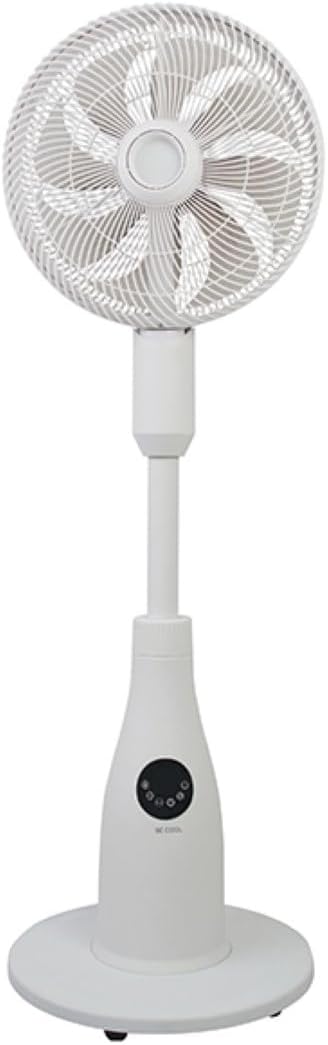
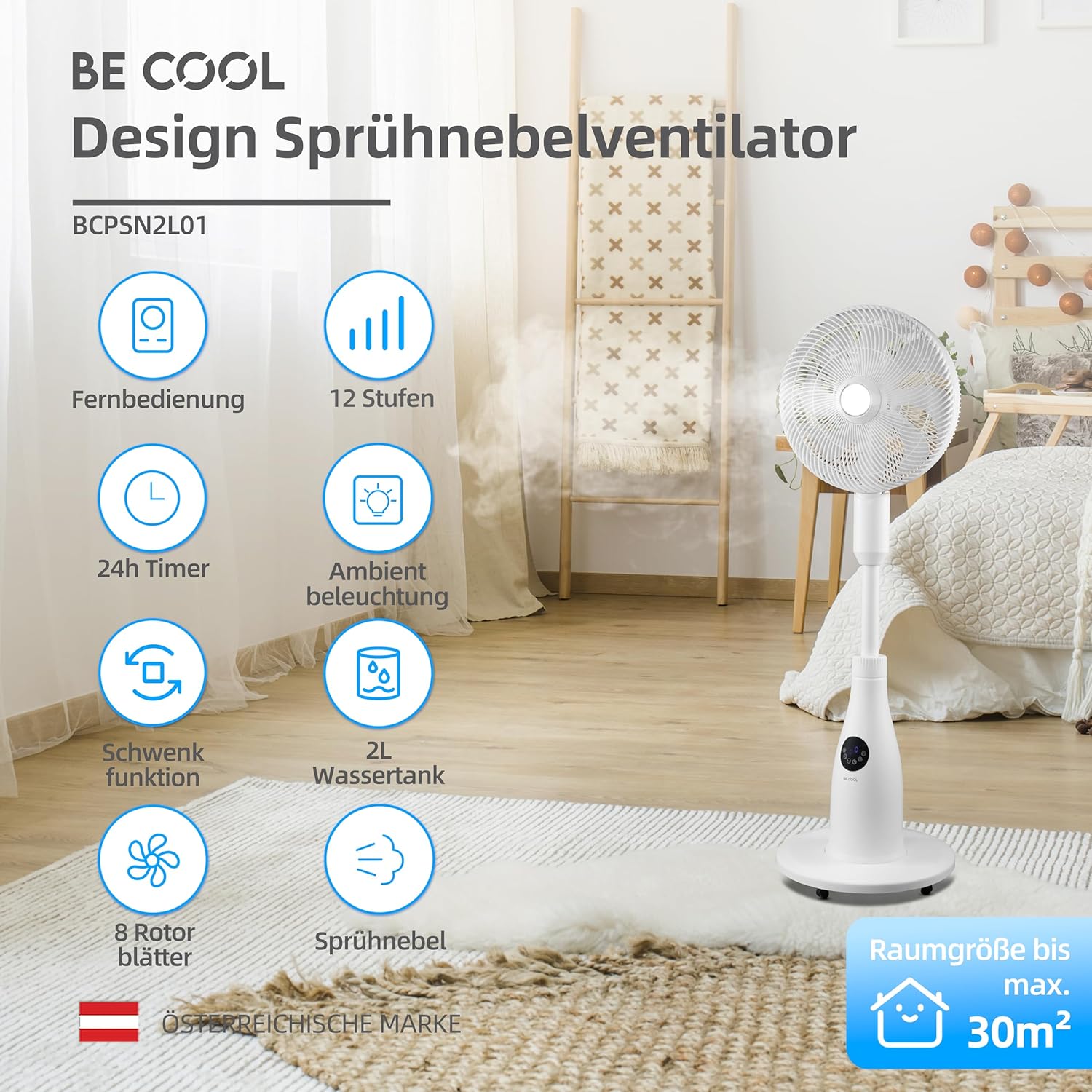
Kontwòl Panel ak Remote Control
The fan can be operated using the touch-sensitive control panel on the unit or the included remote control.
Fonksyon panèl kontwòl:
- Bouton pouvwa: Limen oswa etenn fanatik la.
- Bouton vitès: Ajiste vitès vantilatè a (12 nivo).
- bouton mòd: Cycles through Normal, Nature, and Sleep modes.
- Bouton vapè dlo: Activates or deactivates the mist function.
- Bouton osilasyon: Toggles the oscillation feature.
- Bouton revèy: Li fikse revèy pou etenn otomatikman an (jiska 24 èdtan).
- Limyè bouton: Controls the ambient lighting.


Enstriksyon Enstalasyon
Asanble
- Ak anpil atansyon depale tout eleman nan anbalaj la.
- Assemble the fan head, stand, and base according to the diagrams in the quick start guide (if provided separately). Ensure all connections are secure.
- Mete vantilatè a sou yon sifas ki plat e ki solid.
Konble tank dlo a
- Locate the water tank at the rear of the fan's base.
- Rale tank dlo a dousman.
- Fill the tank with clean, distilled water. Do not exceed the maximum fill line.
- Carefully reinsert the water tank into its position until it clicks securely.
- Ensure the water tank is properly seated before operating the mist function.

Enstriksyon Operasyon
Ploge fil elektrik la nan yon priz elektrik apwopriye.
Power On/Off
Peze a Bouton pouvwa on the control panel or remote control to turn the fan on or off.
Ajiste vitès fanatik la
Peze a Bouton vitès repeatedly to cycle through the 12 available fan speed levels.
Chwazi Mode Operasyon
Peze a Bouton Mode to switch between the following modes:
- Mòd nòmal: Bay yon koule lè konstan nan vitès ki chwazi a.
- Mòd nati: Simulates natural breezes by varying fan speed intermittently.
- Mòd dòmi: Operates at a lower, quieter speed with reduced display brightness for undisturbed rest.

Activating Mist Function
Ensure the water tank is filled. Press the Bouton vapè dlo to activate or deactivate the refreshing mist function.
Using Oscillation
Peze a Bouton osilasyon to start or stop the fan's oscillation, which distributes air across a wider area.

Mete revèy la
Peze a Bouton revèy repeatedly to set the desired auto-off time, from 1 to 24 hours. The fan will automatically turn off after the set duration.
Anbyen ekleraj
Peze a Limyè bouton to turn the ambient lighting on or off. This feature provides a soft glow, particularly useful in Sleep Mode.
Antretyen ak netwayaj
Regular cleaning helps maintain the fan's performance and extends its lifespan. Always unplug the fan before cleaning.
Netwaye Eksteryè a
Siye sifas ekstèn vantilatè a ak yon twal mou, damp twal. Pa sèvi ak pwodui netwayaj abrazif oswa solvang.
Netwaye tank dlo a
- Retire tank dlo a nan inite a.
- Vide tout dlo ki rete a.
- Rinse the tank thoroughly with clean water. For deeper cleaning, use a mild detergent and a soft brush, then rinse completely.
- Allow the tank to air dry before refilling and reinserting.
Cleaning Fan Blades and Grille
Periodically, dust may accumulate on the fan blades and inside the grille. Refer to the product's specific instructions for safely removing the front grille to clean the blades. Use a soft cloth or vacuum cleaner with a brush attachment to remove dust.
Depanaj
Si ou rankontre pwoblèm ak vantilatè ou a, tanpri al gade pwoblèm ak solisyon komen sa yo:
- Fanatik pa limen:
- Asire w ke kòd kouran an byen branche nan yon priz elektrik ki fonksyone.
- Tcheke si yo te peze bouton pouvwa a.
- Verify there is no power outage nan zòn ou an.
- Mist function is not working:
- Check if the water tank is filled with water.
- Ensure the water tank is correctly seated in the unit.
- Clean the mist nozzle if it appears blocked.
- Fanatik fè bwi:
- Asire w ke vantilatè a mete sou yon sifas ki estab e ki plat.
- Check for any obstructions around the fan blades or grille.
- Dust accumulation on blades can cause imbalance; clean the blades if necessary.
- Kontwòl remote la pa reponn:
- Check and replace the battery (1 CR2 battery included).
- Asire w pa gen okenn obstak ant telekòmand lan ak reseptè vantilatè a.
Espesifikasyon
| Karakteristik | Spesifikasyon |
|---|---|
| Mak | Se pou ou fre |
| Nimewo Modèl | BCPSN2L01 |
| Pouvwa | 80 Watts |
| Voltage | 230 Vòlt (AC) |
| Kapasite Airflow | 1500 m³/h |
| Kapasite tank dlo | 2 lit |
| Pousantaj evaporasyon | 0.25 L/h (approx.) |
| Kantite vitès | 12 |
| Osilasyon | Wi |
| Revèy | Jiska 24 èdtan |
| Kontwòl Remote | Wi (1 batri CR2 enkli) |
| Dimansyon pwodwi (D x W x H) | 42.9 x 42.9 x 114.5 cm |
| Pwa atik | 6.9 Kilogram |
| Gwosè chanm rekòmande | Jiska 30 m² |

Garanti ak sipò
For warranty information, please refer to the documentation provided at the time of purchase or contact your retailer. For technical support or service inquiries, please contact the manufacturer's customer service department.
Manifakti: ÊTRE COOL


