Entwodiksyon
This manual provides detailed instructions for the setup, operation, and maintenance of your ATTACK SHARK X68PRO HE Rapid Trigger Wireless Keyboard. Designed for high-performance gaming, this keyboard features magnetic switches, adjustable actuation, and multi-mode connectivity.
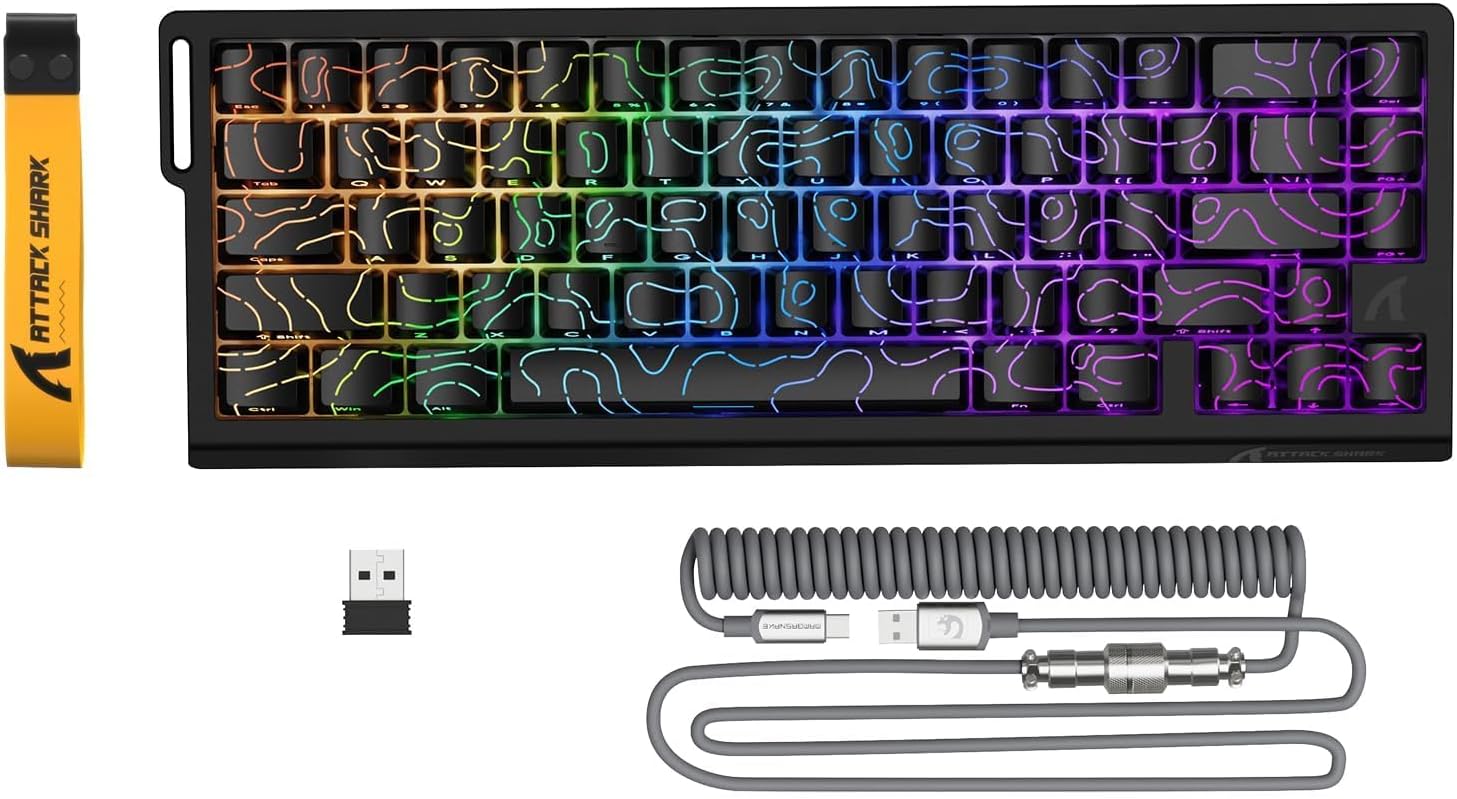
Image: The ATTACK SHARK X68PRO HE keyboard, showing its compact layout, along with the USB receiver and coiled USB-C cable.
Kontni pake
- ATTACK SHARK X68PRO HE Keyboard
- USB-C Coiled Cable
- 2.4GHz Wireless Reseptè
- Keycap Puller
- Manyèl Itilizatè (dokiman sa a)
Enstalasyon
Opsyon Koneksyon
The X68PRO HE keyboard supports three connectivity modes: 2.4GHz wireless, Bluetooth, and USB-C wired.

Image: The keyboard connected to a laptop via USB-C, with icons indicating 2.4G wireless and Bluetooth connectivity options.
1. Koneksyon filaire USB-C
- Connect the provided USB-C coiled cable to the keyboard's USB-C port.
- Konekte lòt bout kab la nan yon pò USB ki disponib sou òdinatè w la.
- The keyboard will automatically be detected and ready for use. This mode supports an 8000Hz polling rate.
2. Koneksyon san fil 2.4GHz
- Locate the 2.4GHz wireless receiver (dongle) included in the package.
- Ploge reseptè a nan yon pò USB ki disponib sou òdinatè w lan.
- On the keyboard, switch to 2.4G wireless mode using the side button or by pressing FN + R.
- The keyboard will connect automatically. This mode supports a 1000Hz polling rate.
3. Bluetooth Koneksyon
- On the keyboard, switch to Bluetooth mode by pressing FN+Q, FN + W, oswa FN + E to select one of three available Bluetooth channels.
- The keyboard's indicator light will flash, indicating it is in pairing mode.
- On your device (computer, tablet, etc.), open Bluetooth settings and search for "ATTACK SHARK X68PRO HE".
- Select the keyboard to pair. Once paired, the indicator light will become solid.
- Ou ka chanje ant aparèy Bluetooth ki asosye yo lè w sèvi ak FN + Q/W/E. This mode supports a 1000Hz polling rate.
Enstriksyon Operasyon
Rapid Trigger and Adjustable Actuation
The X68PRO HE features Hall Effect magnetic switches with 0.01mm trigger accuracy and adjustable actuation from 0.1mm to 3.4mm. This allows for precise control and rapid key presses, ideal for gaming.

Image: A visual comparison illustrating the difference between a regular switch and a rapid trigger switch, highlighting the instant reset capability of the latter for improved accuracy in games.

Imaj: Yon imaj detaye view of the adjustable magnetic switch, showing its linear type, 100 million click lifespan, 0.1-3.4mm actuation range, and support for N-pole-down magnetic switches.
Adjustments for Rapid Trigger sensitivity, Dynamic Keystrokes (DKS), Mod-Tap (MT), and Toggle Key (TGL) can be made via the dedicated QMK web driver. Refer to the "Driver Customization" section for more details.
Polling Rate and Latency
The keyboard offers an 8000Hz polling rate in wired mode and 1000Hz in wireless modes, ensuring ultra-low latency of 0.125ms for quick response times.

Image: The keyboard with a graphic illustrating the 8000Hz polling rate and 0.125ms response time, emphasizing its speed.
Kontwòl ekleraj Rgb
The X68PRO HE features south-facing RGB lighting with 16.8 million color options and over 20 dynamic effects. You can customize these effects using the following key combinations:
- FN + \|: Switch Light Mode
- FN + Backspace: Light on/off
- FN + -/=: Backlit Speed +/-
- FN + Antre: Switch Light Color
- FN + Tab: White Light
- FN + ↑/↓: Backlit Brightness +/-

Image: The keyboard displaying its dynamic RGB lighting effects, with a diagram showing the key combinations for controlling light modes, colors, speed, and brightness.
Driver Customization (QMK Web Chofè)
The keyboard supports customization via a QMK web driver, allowing you to adjust key functions, macros, RGB effects, and more without software downloads. The hot-swappable PCB also allows for changing magnetic switches.
To access the driver, visit: bit.ly/X68HESOFT

Image: Screenshots of the QMK web driver interface, demonstrating options for key settings, stroke settings, shaft settings, macros, and RGB lighting customization.
Antretyen
- Netwayaj: Use a soft, dry cloth to wipe down the keyboard. For deeper cleaning, use a keycap puller to remove keycaps and compressed air to clear debris.
- Depo: Sere klavye a nan yon kote ki fre epi sèk, lwen limyè solèy dirèk ak tanperati ekstrèm.
- Swen batri: The keyboard is powered by a 3000mAh battery. For optimal battery life, avoid fully discharging the battery frequently. Charge it regularly using the provided USB-C cable.
- Ranplasman switch: The keyboard is hot-swappable. If a switch needs replacement, gently pull it out using a switch puller and insert a new compatible magnetic switch.
Depanaj
| Pwoblèm | Kòz posib | Solisyon |
|---|---|---|
| Klavye a pa reponn (ak fil) | Loose cable connection; Faulty USB port; Driver issue. | Ensure USB-C cable is securely connected. Try a different USB port. Restart your computer. |
| Klavye a pa reponn (san fil) | Low battery; Receiver not plugged in; Incorrect mode selected; Pairing issue. | Charge the keyboard. Ensure 2.4GHz receiver is plugged in or Bluetooth is paired. Switch to the correct mode (FN+R for 2.4G, FN+Q/W/E for Bluetooth). Re-pair if necessary. |
| Ekleraj RGB pa travay | Lighting turned off; Software conflict. | Peze FN + Backspace to toggle lighting. Check driver settings for RGB customization. |
| Kle yo pa anrejistre oswa yo tape de fwa | Debris under keycap; Faulty switch; Software calibration issue. | Clean under the keycap. If hot-swappable, try replacing the switch. Recalibrate actuation points via the QMK web chofè. |
| Poor wireless range/connection | Interference; Distance from receiver. | Move closer to the receiver. Remove obstacles between keyboard and receiver. Avoid placing near other wireless devices. |
Espesifikasyon

Image: The back of the product packaging, displaying key specifications and manufacturer information.
| Karakteristik | Detay |
|---|---|
| Modèl | X68PRO HE |
| Layout | 60% ANSI, 66 Keys |
| Chanje Kalite | Hall Effect Amber Magnetic Switches |
| Actuation Range | 0.1mm - 3.4mm (Adjustable) |
| Trigger Accuracy | 0.01mm |
| To Sondaj (Filaire) | 8000Hz |
| To Sondaj (San Fil) | 1000Hz (2.4GHz & Bluetooth) |
| Latansi | 0.125 ms |
| Koneksyon | USB-C Wired, 2.4GHz Wireless, Bluetooth |
| Kapasite batri | 3000mAh |
| Ekleraj | RGB (16.8 million colors, 20+ effects) |
| Keycaps | Dye-sub PBT |
| Dimansyon | 32.5 x 11.8 x 4 cm |
| Pwa | 1.12 kg |
| OS konpatib | Windows, macOS |
Garanti ak sipò
ATTACK SHARK products come with a standard manufacturer's warranty. For specific warranty terms and conditions, please refer to the warranty card included with your product or visit the official ATTACK SHARK websit.
For technical support, troubleshooting assistance, or warranty claims, please contact ATTACK SHARK customer service through their official channels. You can find contact information on the product packaging or their websit.
Manufacturer: ATTACK SHARK
Item Model Number: X68HE
ASIN: B0DZSY3HW4


