1. Entwodiksyon
This manual provides detailed instructions for the Taiahiro BK820 Typewriter Mechanical Gaming Keyboard and Mouse Combo. Designed for both gaming and daily computing, this combo offers a unique retro aesthetic combined with modern mechanical performance and customizable RGB lighting. Please read this manual thoroughly to ensure proper setup, operation, and maintenance of your new device.
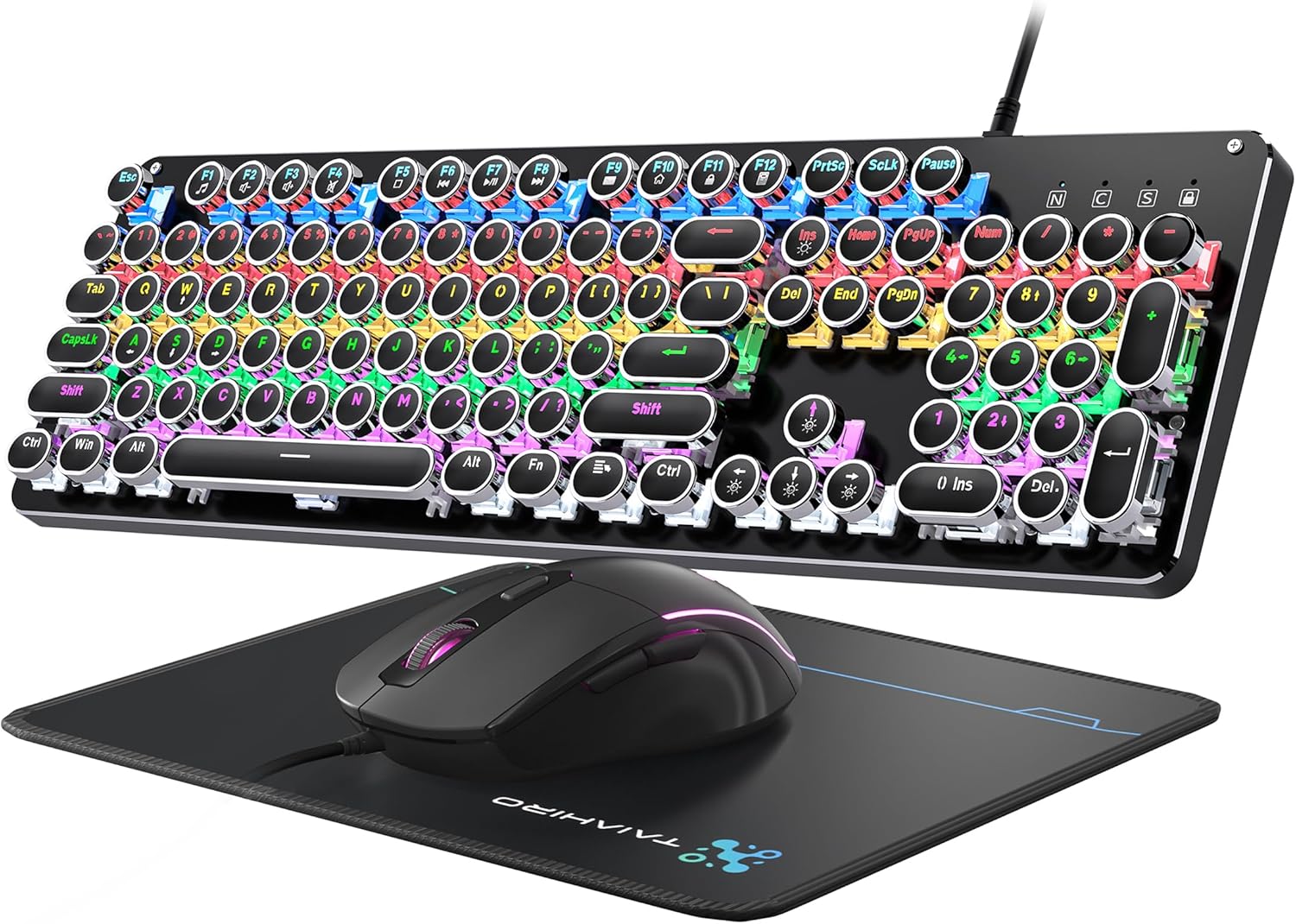
Figure 1: Taiahiro BK820 Typewriter Mechanical Gaming Keyboard and Mouse Combo.
2. Pake kontni
The Taiahiro BK820 combo includes the following items:
- Klavye Mechanical Typewriter
- Sourit Gaming filaire
- Sourit Pad
3. Pwodwi Features
The Taiahiro BK820 combo is equipped with several features to enhance your user experience:
- Typewriter Mechanical Keyboard and Mouse Set: Features mechanical blue switches, durable round keycaps, and an adjustable DPI optical mouse. Offers speed, accuracy, and comfort with a crisp click sound and precise tactile feedback.
- Metal Panel & Top Quality: The mechanical gaming keyboard is constructed from top-grade aluminum alloy with a matte finish. Double-shot-molded ABS keycaps are wear-resistant, non-fading, and removable for easy cleaning.
- 7 Colors Breathing RGB Gaming Mouse: Wired gaming mouse with a high-precision optical sensor and super-fast game engine. Features 4 Adjustable DPI Levels (800/1600/2400/3200), RGB backlighting, an anti-skid scroll wheel, and 7-color lighting with breathing and cycling effects.
- 104-Key Anti-Ghost Ergonomic Keyboard: 104 anti-ghosting keys for fast response. Full-size keyboard includes 12 multimedia keys and a number pad. Ergonomically designed with a high-low key layout, suspended round keys, and adjustable double kickstand feet to reduce hand fatigue.
- 11 Modes RGB Backlighting: Keyboard features 4-color RGB backlighting with 11 different lighting modes. Double-shot injection molded keycaps ensure clear backlight and extreme durability. Brightness and breathing speed are adjustable.
- Wide Compatible: USB 2.0 plug-and-play connection. Compatible with PC, laptop, Mac, and other devices, supporting Windows, Linux, and Mac OS systems.
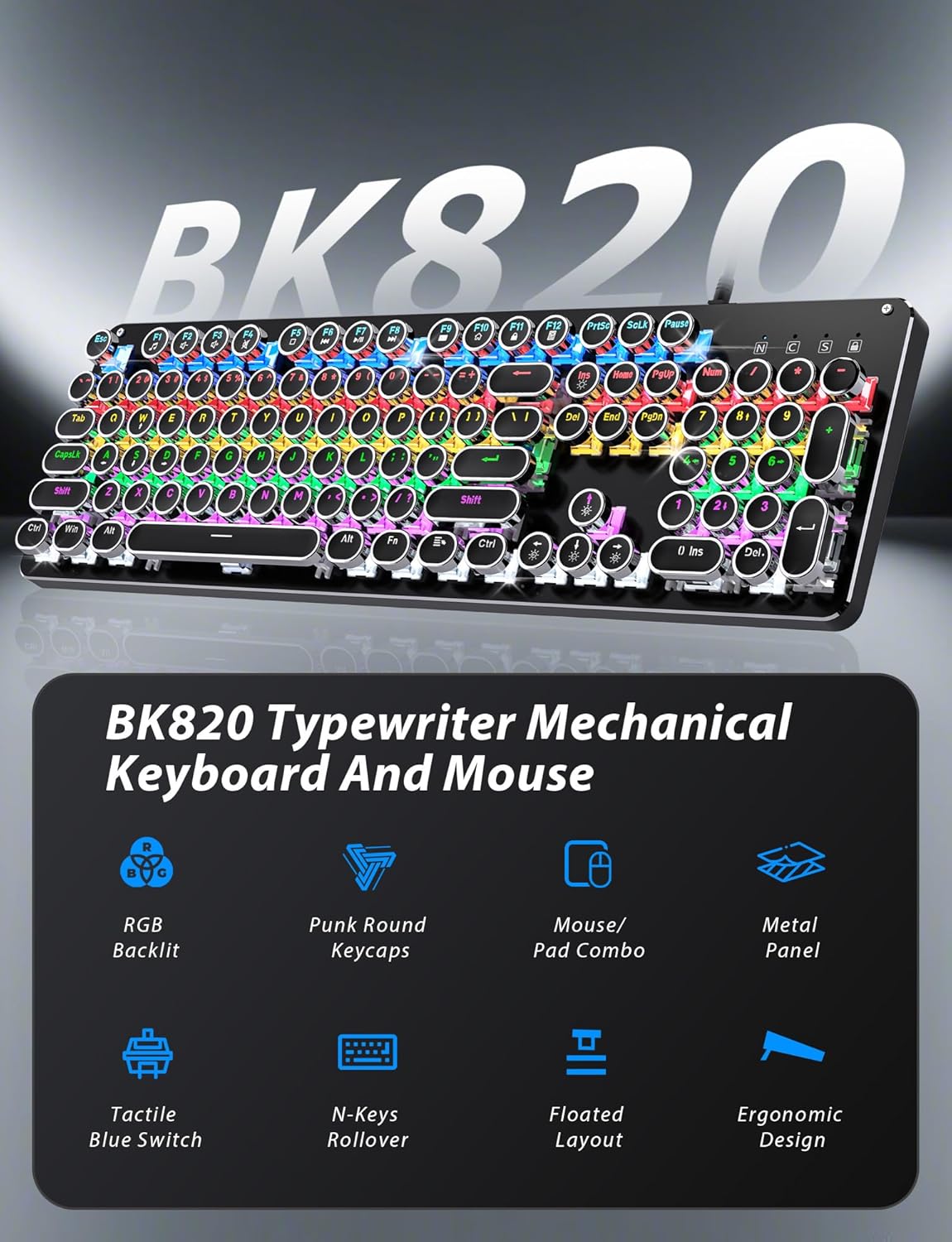
Figure 2: Key features of the Taiahiro BK820 combo.
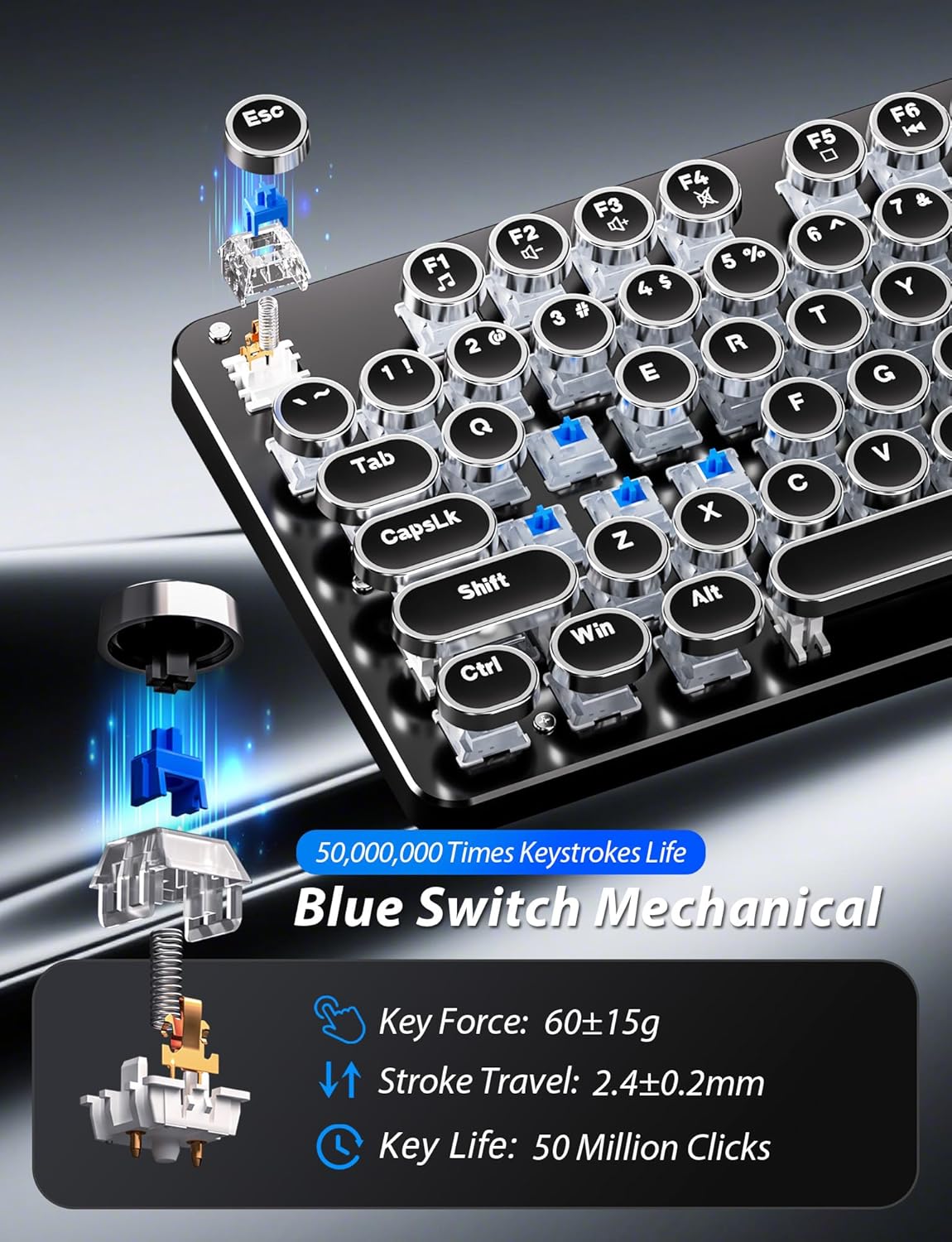
Figi 3: Detaye view of the mechanical blue switches.
4. Enstriksyon Enstalasyon
- Konekte klavye a: Plug the keyboard's USB cable into an available USB 2.0 port on your computer. The keyboard is plug-and-play and should be recognized automatically by your operating system.
- Konekte sourit la: Plug the mouse's USB cable into another available USB 2.0 port on your computer. The mouse is also plug-and-play.
- Ajiste Ang Klavye a: Flip the keyboard over. Extend the adjustable double kickstand feet located on the underside of the keyboard to achieve your preferred typing angle.
- Attach Wrist Rest (Optional): The keyboard features a magnetic wrist rest. Align the wrist rest with the front edge of the keyboard until it snaps into place.
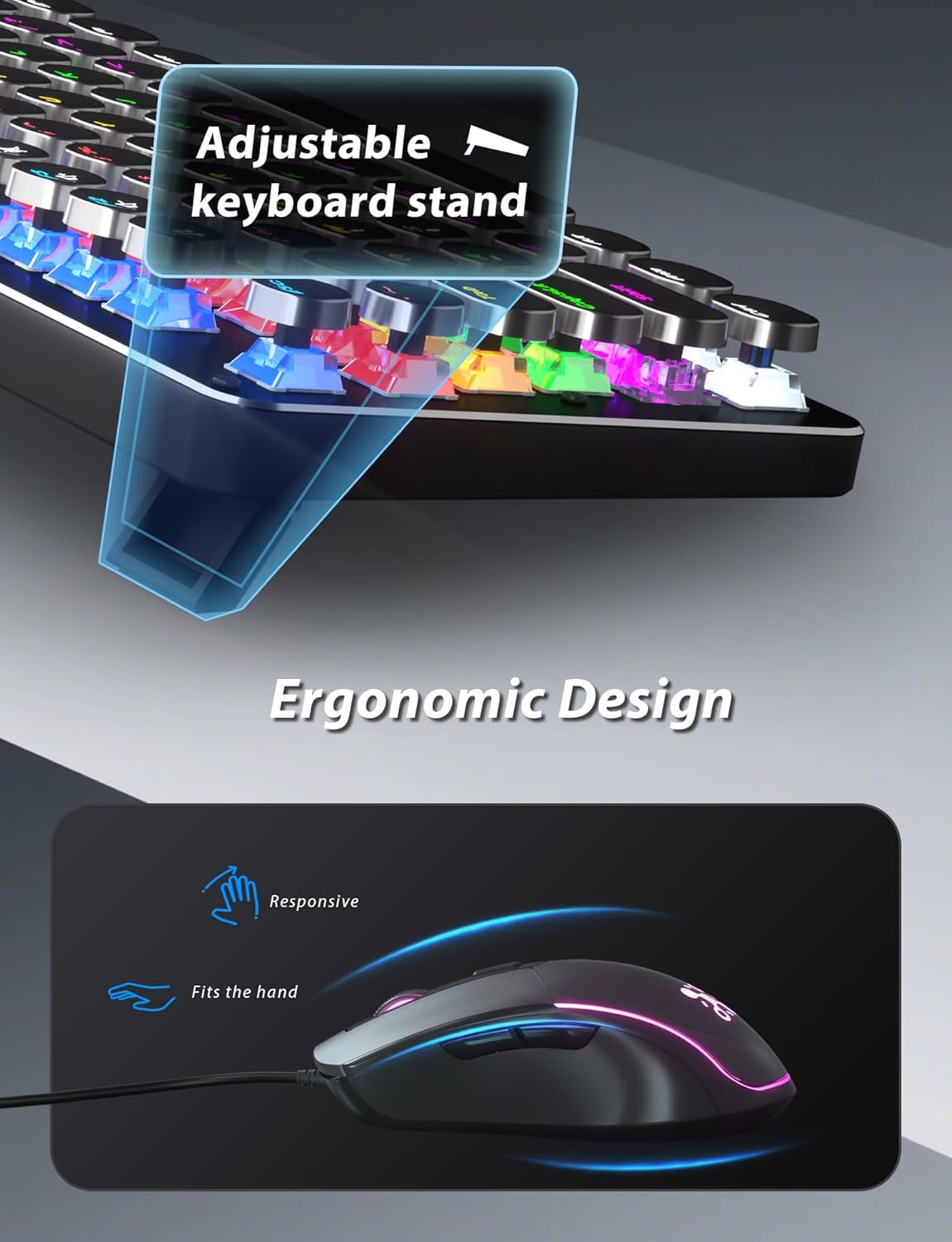
Figure 4: Adjustable keyboard stand for ergonomic comfort.
5. Operasyon Enstriksyon
5.1 Fonksyon klavye
- RGB Backlight Modes: Peze Fn + INS to cycle through 11 different RGB backlight modes.
- Ajiste Klate ekleraj: Peze Fn + ↑ (Up Arrow) to increase brightness or Fn + ↓ (Down Arrow) diminye klète.
- Ajiste Vitès ekleraj: Peze Fn + ← (Left Arrow) to decrease animation speed or Fn + → (Right Arrow) to increase animation speed for dynamic lighting modes.
- Mòd Gaming: The keyboard offers 6 preset gaming modes. Press Fn + F1 atravè Fn + F6 to activate specific key lighting for different game types.
- Kle miltimedya: Sèvi ak la Fn kle nan konbinezon ak la F1-F12 keys for various multimedia controls (e.g., volume, play/pause, calculator).
- Windows Key Lock: Peze Fn + genyen pou bloke oswa debloke kle Windows la, pou anpeche li peze aksidantèlman pandan w ap jwe.

Figure 5: Keyboard RGB backlight controls.
5.2 Fonksyon Sourit
- Ajisteman DPI: Press the DPI button located on the top of the mouse to cycle through 4 adjustable DPI levels (800/1600/2400/3200).
- Ekleraj RGB: The mouse features 7-color breathing and cycling RGB lighting that changes automatically.
- Bouton Avanse/Aryè: Sèvi ak bouton bò yo pou navigasyon rapid nan web navigatè oswa lòt aplikasyon.

Figure 6: Taiahiro BK820 Gaming Mouse with RGB lighting and DPI button.
5.3 Videyo pwodwi ofisyèl yo
Videyo 1: Videyo sa a bay yon plis paseview of the 104-Key Retro Typewriter Mechanical Gaming Keyboard and Mouse combo, showcasing konsepsyon ak karakteristik li yo.
Video 2: This video demonstrates the unboxing experience of the BK820 Typewriter Mechanical Keyboard and Mouse, showing the contents as they are removed from the packaging.
Video 3: This video introduces the Typewriter Mechanical Keyboard and Mouse Combo, highlighting its design and functionality.
6. Antretyen
To ensure the longevity and optimal performance of your keyboard and mouse:
- Netwayaj kle yo: The double-shot-molded ABS keycaps are removable. Gently pull them off to clean any dust or debris underneath. Use a soft, damp cloth to wipe the keycaps and the keyboard surface. Ensure all parts are dry before reattaching keycaps.
- Mouse Cleaning: Use a soft, dry cloth to clean the mouse surface. Avoid using harsh chemicals or abrasive materials.
NAN. Depanaj
- Klavye a oswa sourit la pa reponn: Ensure both the keyboard and mouse USB cables are securely plugged into your computer's USB ports. Try plugging them into different USB ports.
- Backlight Not Working/Adjusting: Verify that the keyboard is powered on. Use Fn + INS to cycle through modes. Adjust brightness with Fn + ↑/↓ and speed with Fn + ←/→.
- Windows Key Disabled: If the Windows key is not functioning, it might be locked. Press Fn + genyen to toggle its lock status.
- DPI sourit la pa chanje: Press the dedicated DPI button on the mouse to cycle through the available sensitivity settings.
8. Espesifikasyon
| Mak | Taiahiro |
| Nimewo Modèl | BK820 |
| Koulè | Nwa |
| Koneksyon Teknoloji | USB |
| Karakteristik espesyal | Retroeklere |
| Aparèy konpatib | PC, Laptop, Mac |
| Pwa atik | 2.51 liv |
| Dimansyon pake | 17.8 x 6.42 x 3.03 pous |
9. Garanti ak sipò
For warranty information, technical support, or any inquiries regarding your Taiahiro BK820 Typewriter Mechanical Gaming Keyboard and Mouse Combo, please refer to the manufacturer's official websit la oubyen kontakte sèvis kliyan yo dirèkteman. Kenbe resi acha w la pou reklamasyon garanti.


