Entwodiksyon
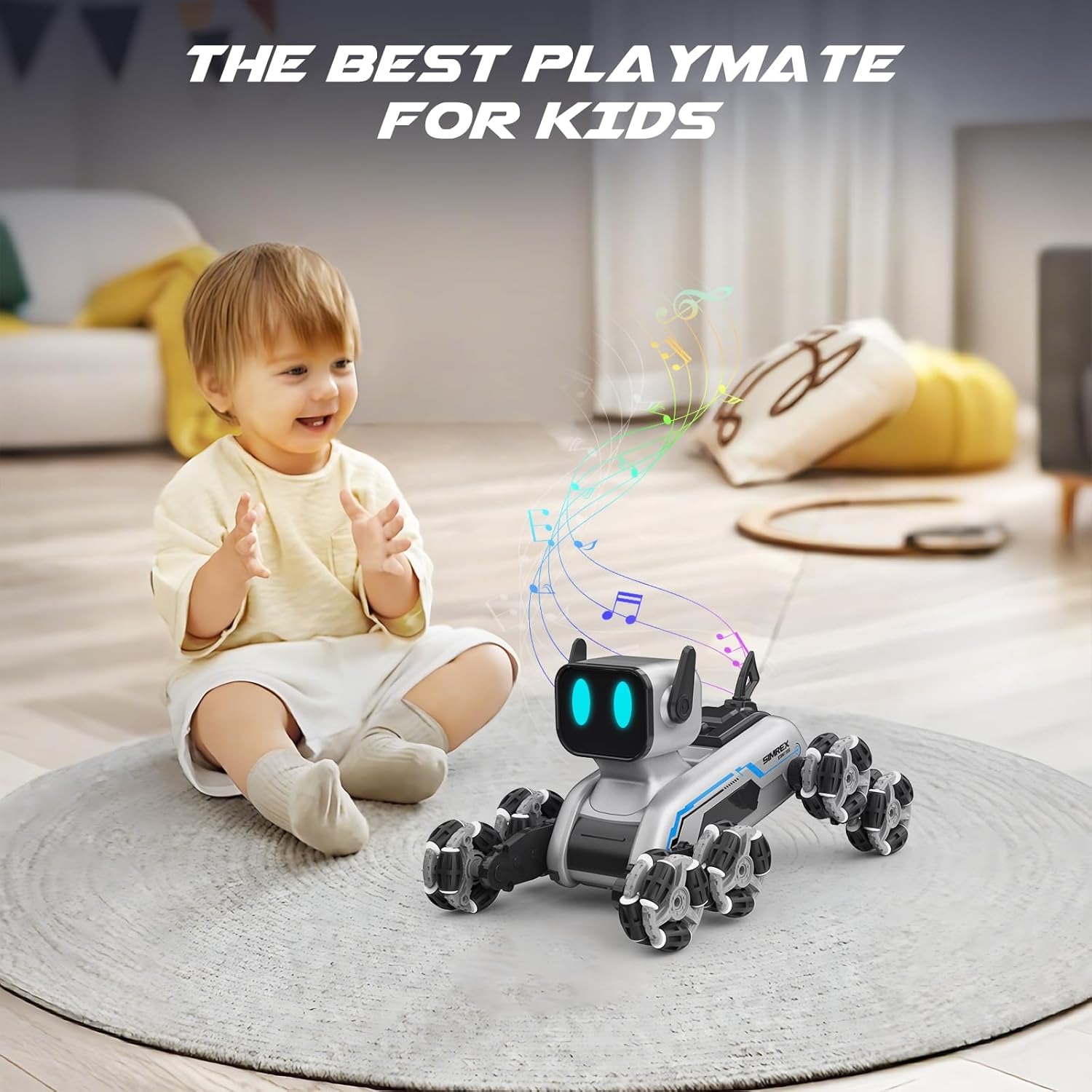
The SIMREX Robot Dog RC Stunt Car is an advanced robotic companion designed for dynamic play. Featuring an innovative 8-wheel Mecanum system, RGB LED eyes, and dual control options, this toy offers unparalleled mobility and interactive experiences. It is suitable for ages 6 and up.

Karakteristik kle:
- Dynamic 8-wheel Mecanum system for 360° mobility.
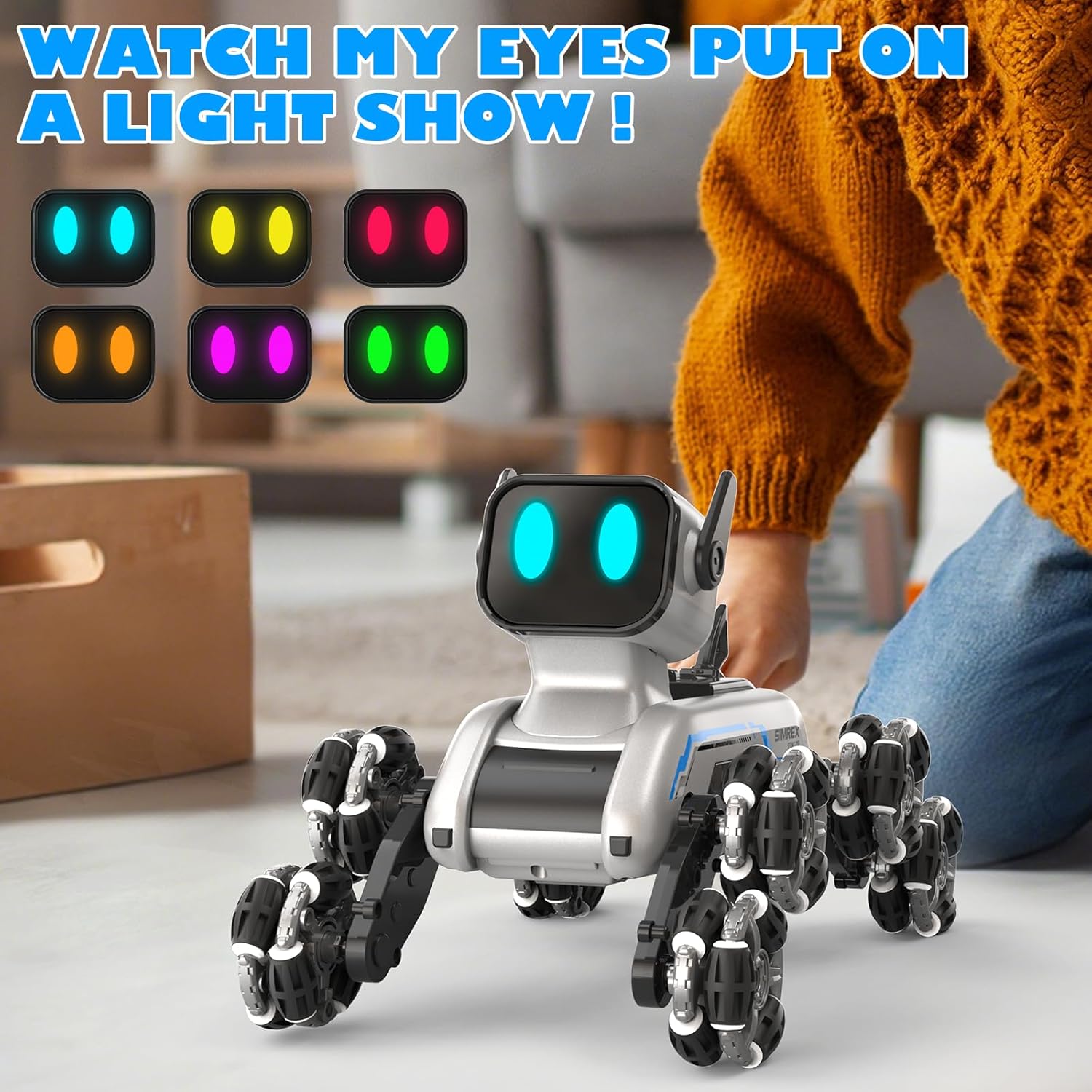
- Auto-changing RGB LED eyes for expressive interaction.
- Dual control system: ergonomic 2.4GHz remote controller and gesture-sensing wristband.
- 8 dynamic action modes with three interactive sound effects.
- One-touch demo button for impressive stunt sequences.
- Premium durability with industrial-grade Mecanum wheels and high-traction rubber treads.
- Dual 500mAh Li-ion batteries for extended runtime and quick USB recharging.
Enfòmasyon sou Sekirite
WARNING: Small Parts. Not for children under 3 years.
- Toujou sipèvize timoun yo pandan y ap jwe.
- Pa opere toupre dlo oswa nan kondisyon mouye.
- Avoid operating in crowded areas to prevent collisions.
- Pa demonte oswa modifye pwodwi a.
- Asire w ke pil yo mete ak polarite ki kòrèk la.
- Remove batteries from the toy and remote control when not in use for extended periods.
Ki sa ki nan bwat la
Your SIMREX Robot Dog RC Stunt Car package includes the following components:
- 1 x Eight-Wheel Robot Dog
- 1 x 2.4GHz Kontwòl Remote
- 2 x 3.7V 800mAh Li-ion Batteries
- 1 x Remote Control Switch (Gesture-sensing wristband)
- 1 x Operation Guide (User Manual)
- 1 x tournevis
- 1 x USB Chaje Kab
Gid Enstalasyon
1. Enstalasyon batri
Robot Dog: Use the included screwdriver to open the battery compartment on the robot dog. Insert one of the 3.7V 800mAh Li-ion batteries, ensuring correct polarity. Close the compartment securely.
Kontwòl Remote: Open the battery compartment on the back of the 2.4GHz remote control. Insert 2 x AA batteries (not included), observing polarity. Close the compartment.
Gesture-Sensing Wristband: The wristband typically has a built-in rechargeable battery. Refer to the charging instructions below.

2. Charging the Robot Dog Battery
Connect the 3.7V 800mAh Li-ion battery to the USB charging cable. Plug the USB cable into a standard USB power adapter (e.g., computer USB port, wall adapter). The indicator light on the USB cable will show charging status. Charging typically takes approximately 60-90 minutes for a full charge. Do not overcharge.
3. Pouvwa sou ak pè
Turn on the robot dog using the power switch. Turn on your preferred controller (remote control or gesture-sensing wristband). The robot dog and controller will automatically pair via 2.4GHz wireless technology. A successful connection is usually indicated by a steady light on both devices.
Enstriksyon Operasyon
1. Remote Kontwòl Operasyon
The ergonomic remote control allows for precise movements. Use the joysticks and buttons to control the robot dog's direction, speed, and special functions. Refer to the diagram below for button functions.
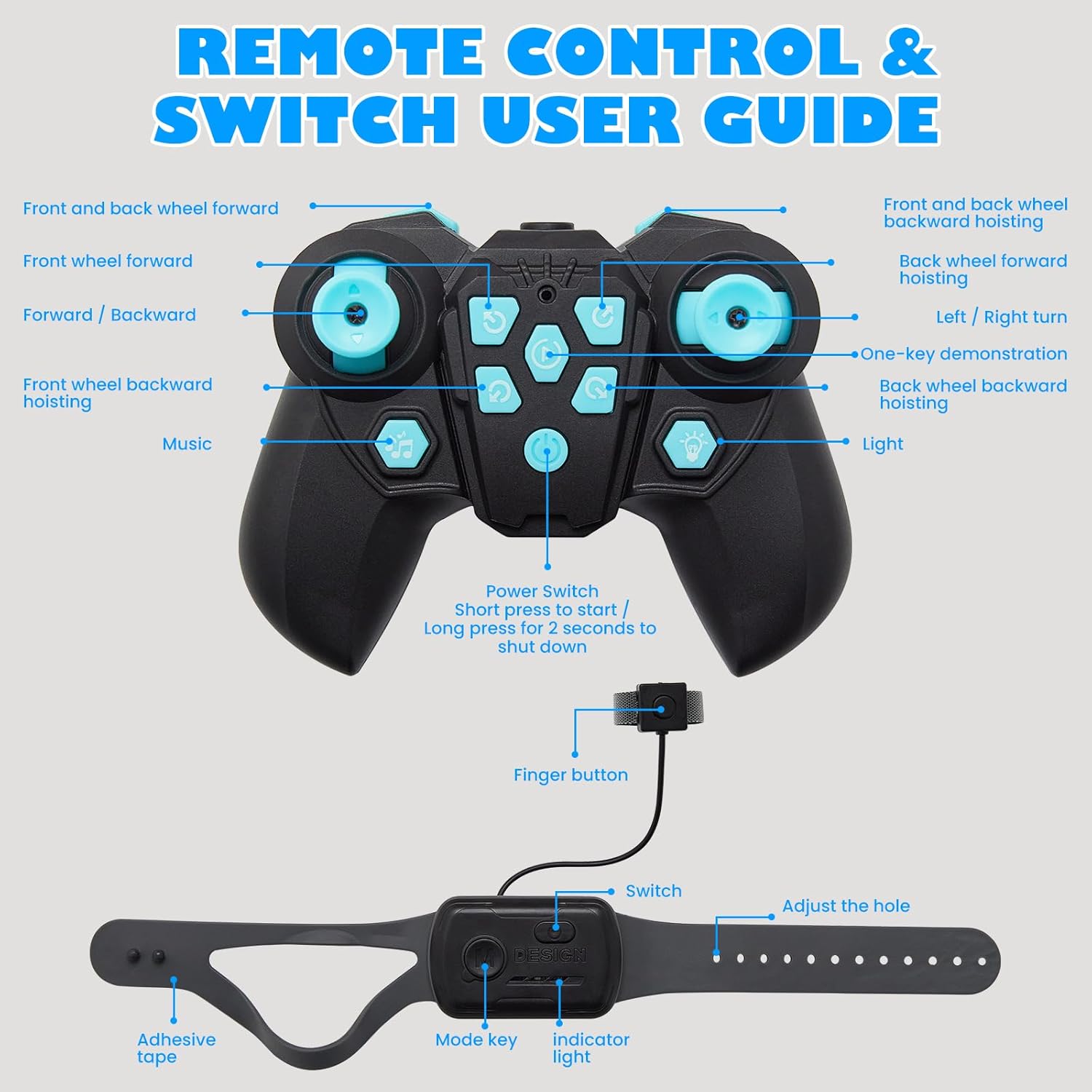
- Joystick gòch: Controls forward/backward movement and turning.
- Joystick dwat: Controls sideways movement and rotation.
- Bouton Fonksyon: Activate specific stunts, sound effects, and LED eye changes.
- One-Key Demo: Press to activate pre-programmed stunt sequences.
2. Gesture Sensing Wristband Operation
Wear the wristband on your hand. The robot dog will respond to your hand gestures, allowing for hands-free control. Tilt your hand forward, backward, left, or right to control movement. Specific gestures may activate stunts or modes.

3. Dynamic Action Modes and LED Eyes
The robot dog features 8 dynamic action modes, including combat stance, stealth crawl, speed dash, handstands, and spins. These modes are often accompanied by three interactive sound effects. The RGB LED eyes can change colors, adding to the robot's expressive capabilities.

Antretyen
- Netwayaj: Wipe the robot dog and controllers with a soft, dry cloth. Do not use water or chemical cleaners.
- Swen batri:
- Always remove batteries if the toy will not be used for an extended period.
- Sere pil yo nan yon kote ki fre, sèk.
- Pa ekspoze pil nan tanperati ekstrèm oswa limyè solèy la dirèk.
- Dispose of depleted batteries responsibly according to local regulations.
- Depo: Store the robot dog and its accessories in a clean, dry environment away from direct sunlight and extreme temperatures.
Depanaj
| Pwoblèm | Kòz posib | Solisyon |
|---|---|---|
| Robot dog does not turn on. | Batri a fèb oswa li pa byen enstale. | Charge the robot dog's battery. Ensure the battery is inserted with correct polarity. |
| Remote control or wristband not responding. | Controller batteries are low or not paired. | Replace batteries in the remote control. Ensure both the robot dog and controller are powered on and within range for pairing. |
| Robot dog moves erratically or not as expected. | Entèferans oswa batri ki fèb. | Ensure no other 2.4GHz devices are causing interference. Recharge the robot dog's battery. |
| Sound effects or LED eyes not working. | Function not activated or low battery. | Press the correct function button on the remote. Recharge the robot dog's battery. |
Espesifikasyon
- Dimansyon pwodwi: 9.84 x 6.29 x 6.69 pous
- Pwa atik: 1.9 liv
- Nimewo Modèl: TOY2503
- Manifakti a laj rekòmande: 6 - 18 ane
- Batri: 2 pil ityòm-ion (enkli)
- Frekans kontwòl: 2.4GHz
- Manifakti: SIMREX
Garanti ak sipò
For warranty information and customer support, please refer to the official SIMREX websit la oubyen kontakte sèvis kliyan yo dirèkteman. Ou kapab vizite tou SIMREX Store on Amazon pou plis detay sou pwodwi a ak opsyon pou kontakte nou.


