1. Entwodiksyon
This manual provides detailed instructions for the operation and maintenance of your Monster Open Touch Pro 100 Wireless Earbuds. Please read this manual thoroughly before use to ensure proper functionality and to maximize your listening experience.
2. Pake kontni
Verifye ke tout atik yo prezan nan pakè ou a:
- Monster Open Touch Pro 100 Wireless Earbuds (Left and Right)
- Charging Case with Touch Screen
- Kab chaje USB (Kalite-C)
- Manyèl Itilizatè (dokiman sa a)
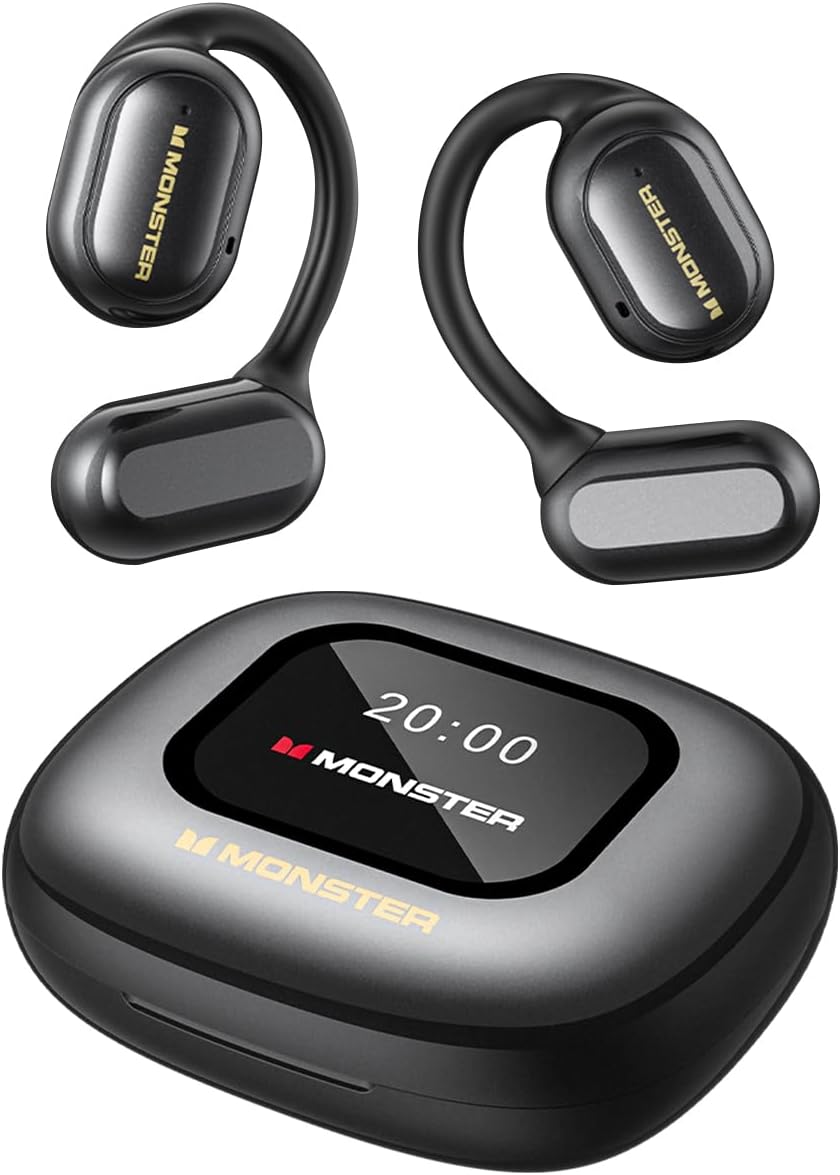
Image: The Monster Open Touch Pro 100 wireless earbuds and their charging case, illustrating the complete product package.
3. Pwodwi souview
3.1 Konpozan ekoutè yo
- Konsepsyon zòrèy louvri: Pèmèt ou pran konsyans de anviwònman an.
- Kwòk pou zòrèy: Ergonomic curved design for secure and comfortable wear.
- 16.2mm chofè dinamik: For clear sound quality.
- Mikwofòn: For Environmental Noise Cancellation (ENC) during calls.
- Kontak chaje: Pou chaje andedan ka a.
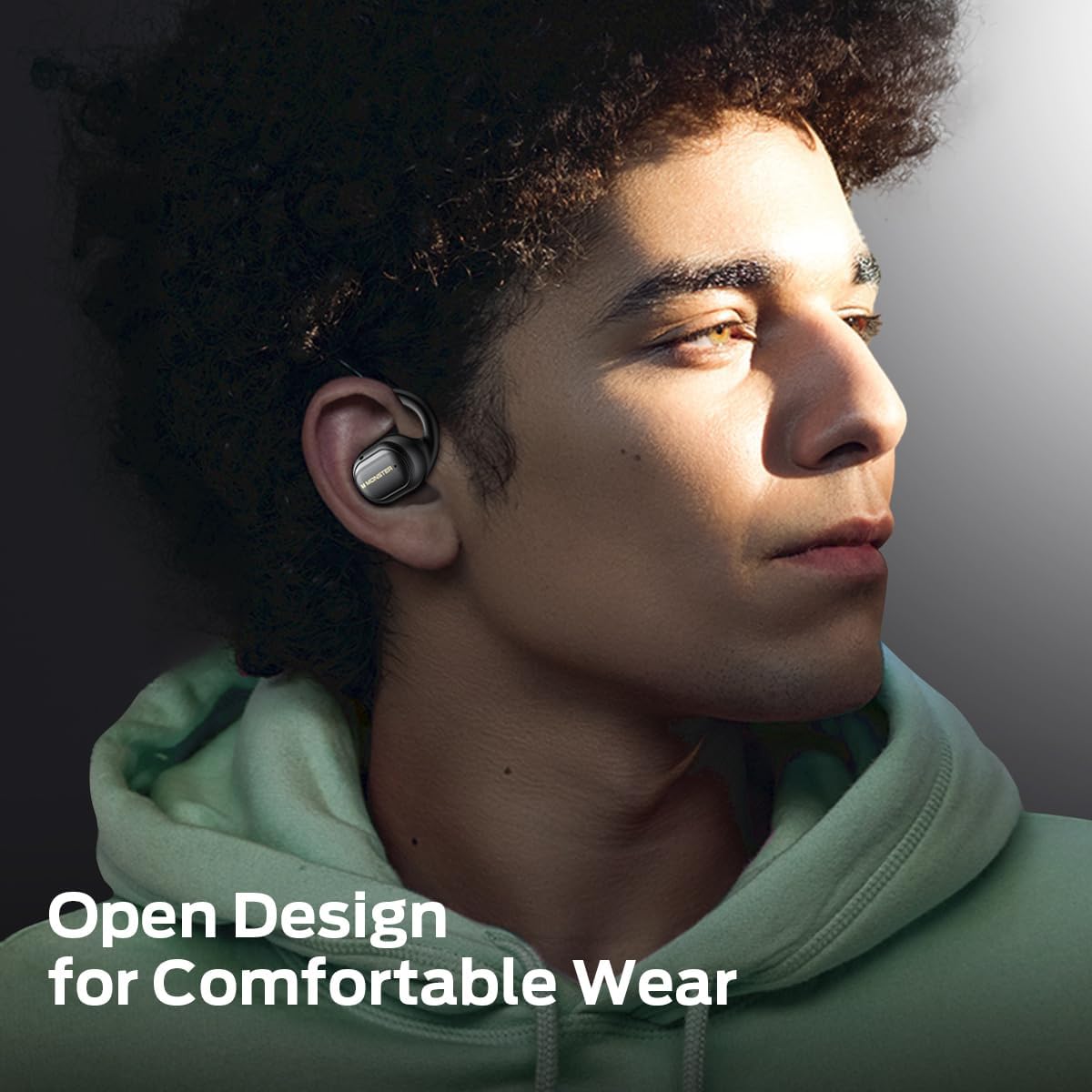
Image: A man wearing the Monster Open Touch Pro 100 earbud, demonstrating its open-ear design and comfortable fit.
3.2 Charging Case Features
- LED Full-Color Smart Touch Screen: For control over music, settings, and more.
- TF Kat plas: Supports independent MP3 playback (TF card not included).
- USB-C chaje pò: For recharging the case.

Image: The Monster Open Touch Pro 100 charging case displaying its LED full-color smart touch screen, showing various control options.
4. Enstalasyon
4.1 Premye chaj
Before first use, fully charge the earbuds and the charging case. Place the earbuds into the charging case and connect the USB-C cable to the charging port on the case, then connect the other end to a USB power source (e.g., computer, wall adapter).
The LED screen on the charging case will indicate the charging status. A full charge typically takes approximately 1.5-2 hours for the case and earbuds.
4.2 Limen/Etenyen
- Pouvwa sou: Louvri bwat chaje a. Ekoutè yo ap limen otomatikman epi antre nan mòd koneksyon.
- Pouvwa Off: Mete ekoutè yo tounen nan bwat chaje a epi fèmen kouvèti a. Y ap dekonekte epi etenn otomatikman.
4.3 Bluetooth Pairing
- Ensure the earbuds are charged and powered on (open the charging case).
- Sou aparèy ou an (telefòn entelijan, tablèt, òdinatè pòtab), aktive Bluetooth.
- Chèche pou available Bluetooth devices and select "Monster Open Touch Pro 100".
- Once connected, the earbuds will indicate successful pairing, and the device will show them as connected.
The earbuds will automatically attempt to reconnect to the last paired device when removed from the case.
5. Operasyon Enstriksyon
Kontwòl taktil ekoutè 5.1
The earbuds feature touch-sensitive areas for controlling playback and calls:
- Jwe/Poz: Yon sèl klike sou nenpòt ekoutè G/D.
- Pwochen chante: Double klike sou ekoutè dwat la.
- Chante Previous: Triple click on the Left earbud.
- Reponn apèl: Double click on either L/R earbud.
- Rele Rele: Kenbe peze pandan 3 segonn sou nenpòt ekoutè G/D.
- Aktive Asistan Vwa: Kenbe peze pandan 2 segonn sou nenpòt ekoutè G/D.

Image: A visual guide to the touch controls on the Monster Open Touch Pro 100 earbuds, detailing actions for play/pause, track skipping, call management, and voice assistant activation.
5.2 Charging Case Touch Screen Functions
The full-color touch screen on the charging case provides advanced controls:
- Kontwòl Lekti Mizik: Play, pause, skip tracks, adjust volume directly from the screen.
- Mòd EQ: Select from multiple equalizer presets (e.g., Rock and Roll, Pop, Normal, Jazz, Classic) to customize your audio experience.
- Chanje lang: Change the system language of the case interface.
- Panno kamera: Use the case as a remote shutter button for your smartphone camera.
- Jwenn ekoutè mwen an: Locate misplaced earbuds by activating an audible signal.
- Anviwònman: Jwenn aksè nan paramèt adisyonèl aparèy la.

Image: The Monster Open Touch Pro 100 charging case screen displaying the language selection interface, allowing users to switch between languages.

Image: The Monster Open Touch Pro 100 charging case screen displaying various equalizer modes such as Rock and Roll, Pop, Normal, Jazz, and Classic.
5.3 Independent MP3 Mode (TF Card)
The charging case features a TF card slot, allowing the earbuds to function as an independent MP3 player without requiring a connected phone or network.
- Insert a TF card (not included) with your music files into the designated slot on the charging case.
- On the touch screen, navigate to the "SD Music" option.
- Select and play your desired music directly from the TF card.
Note: Hot-swapping of the TF card is not supported. Ensure the device is powered off or in a safe state before inserting or removing the TF card.

Image: The Monster Open Touch Pro 100 charging case with a TF card being inserted, highlighting its independent MP3 playback capability.
6. Antretyen
6.1 Netwayaj
- Siye ekoutè yo ak bwat chaje a ak yon twal mou, sèk, epi ki pa gen pousyè.
- Pa sèvi ak pwodui netwayaj abrazif, alkòl, oswa solvan chimik.
- Keep charging contacts clean and dry to ensure proper charging.
6.2 Rezistans dlo
The earbuds are rated IPX5 waterproof, meaning they are protected against low-pressure water jets from any direction. This makes them suitable for workouts and light rain.
Important: The charging case is NOT waterproof. Avoid exposing the charging case to water or moisture.

Image: A woman exercising while wearing the Monster Open Touch Pro 100 earbuds, illustrating their IPX5 waterproof performance against sweat and light moisture.
6.3 Depo
Lè w pa ap itilize ekoutè yo, sere yo nan bwat chaj yo pou pwoteje yo epi asire yo rete chaje. Sere yo nan yon kote ki fre epi sèk, lwen tanperati ekstrèm.
NAN. Depanaj
| Pwoblèm | Kòz posib | Solisyon |
|---|---|---|
| Ekoutè pa asosye | Earbuds not in pairing mode; Bluetooth off on device; out of range. | Ensure case is open and earbuds are powered on. Turn Bluetooth off and on on your device. Move closer to your device. |
| Pa gen son nan ekoutè | Volim nan twò ba; ekoutè yo pa konekte; medya a an poz. | Increase volume on device and earbuds. Reconnect earbuds. Check media playback status. |
| Ka chaje pa chaje | Cable not connected properly; faulty cable/adapter; dirty charging port. | Ensure USB-C cable is securely connected. Try a different cable or power adapter. Clean the charging port gently. |
| Ekoutè yo pa chaje nan ka a | Earbuds not seated correctly; dirty charging contacts. | Adjust earbuds in case to ensure proper contact. Clean earbud and case charging contacts. |
| Manyen ekran pa reponn | Temporary software glitch; low battery. | Restart the charging case (if possible, by closing and reopening). Ensure the case is sufficiently charged. |
8. Espesifikasyon
| Karakteristik | Detay |
|---|---|
| Non modèl | Monster Open Touch Pro 100 |
| Koneksyon Teknoloji | San fil (Bluetooth) |
| Bluetooth vèsyon | 5.4 |
| Plasman Zòrèy | Louvri Zòrèy |
| Kalite chofè odyo | Chofè dinamik (16.2mm) |
| Karakteristik Kontwòl Bri | Anilasyon bri anviwònman an (ENC) |
| Metòd kontwòl | Manyen |
| Karakteristik espesyal | LED Full-Color Smart Screen, TF Card Support, IPX5 Waterproof (earbuds only) |
| Dire batri (ekoutè) | Jiska 8 èdtan (yon sèl chaj) |
| Tan total pou lekti | Jiska 30 èdtan (avèk chaje ka) |
| Materyèl | Silicone (ear hooks) |
| Pwa atik | 7.4 ons |
| Aparèy konpatib | Telefòn entelijan, òdinatè pòtab, tablèt, oratè entelijan |
9. Garanti ak sipò
Pou enfòmasyon sou garanti a ak sipò kliyan, tanpri al gade dokiman ki vini ak acha ou a oswa vizite sit ofisyèl Monster la. websit la. Kenbe prèv acha ou pou reklamasyon garanti.
Manifakti: Mons


