Entwodiksyon
Thank you for choosing the hOmeLabs 25 Pint Wi-Fi Dehumidifier. This manual provides essential information for the safe operation, maintenance, and troubleshooting of your new appliance. Designed for efficient moisture removal in spaces up to 3,500 sq ft, this dehumidifier features Wi-Fi smart control, quiet operation, and flexible drainage options to enhance your indoor environment.
Enstriksyon Sekirite Enpòtan
Please read all instructions carefully before using the dehumidifier. Failure to follow these instructions may result in electric shock, fire, or serious injury.
- Toujou branche dezumidifikatè a nan yon priz elektrik ki gen koneksyon ak tè.
- Pa opere inite a si kòd elektrik la oswa ploge domaje.
- Ensure the unit is placed on a level, stable surface to prevent tipping.
- Pa bloke antre oswa sòti lè yo. Kenbe omwen 8 pous espas toutotou aparèy la.
- Debranche dezimidifikatè a anvan ou netwaye li, deplase li, oswa fè nenpòt antretyen.
- Pa sèvi ak aparèy la nan zòn kote yo estoke likid oswa gaz ki ka pran dife.
- Aparèy sa a se pou itilizasyon rezidansyèl sèlman.
- Kenbe timoun ak bèt kay lwen aparèy la pandan l ap fonksyone.
Pwodwi souview
Familiarize yourself with the components of your hOmeLabs dehumidifier.

The hOmeLabs 25 Pint Wi-Fi Dehumidifier shown alongside its blue and white product packaging, highlighting its compact design and brand.

An illustration showing the dimensions of the dehumidifier: 19.6 inches high, 12.2 inches wide, and 8.2 inches deep, emphasizing its compact form factor.

A close-up of the dehumidifier's control panel, displaying buttons for Wi-Fi, fan speed, timer, comfort mode, and indicators for tank full and filter status.

The dehumidifier positioned in a gym setting next to a yoga mat, illustrating its compact design and emphasizing its ultra-quiet operation at 47 dB.
Konpozan kle:
- Kontwòl Panel: Digital display and buttons for settings.
- Inlet/Sòti lè: Kote lè a antre epi sòti nan aparèy la.
- Tank dlo: Removable bucket for collected moisture.
- Priz drenaj kontinyèl: Pò pou konekte yon tiyo drenaj pou operasyon kontinyèl.
- Caster Wheels & Handle: Pou portabilite fasil.
- Filtre ou ka lave: Located at the back for air purification.
Enstriksyon Enstalasyon
- Debake: Retire dezumidifikatè a nan anbalaj li avèk prekosyon. Kenbe materyèl anbalaj yo pou depo oswa transpò pita.
- Plasman: Place the unit upright on a firm, level surface in the area where dehumidification is desired. Ensure there is at least 8 inches (20 cm) of space around all sides of the unit for proper airflow. Avoid placing it near heat sources or in direct sunlight.
- Koneksyon pouvwa: Plug the power cord into a grounded 110-120V/60Hz electrical outlet. The unit will beep once, and the display will light up.
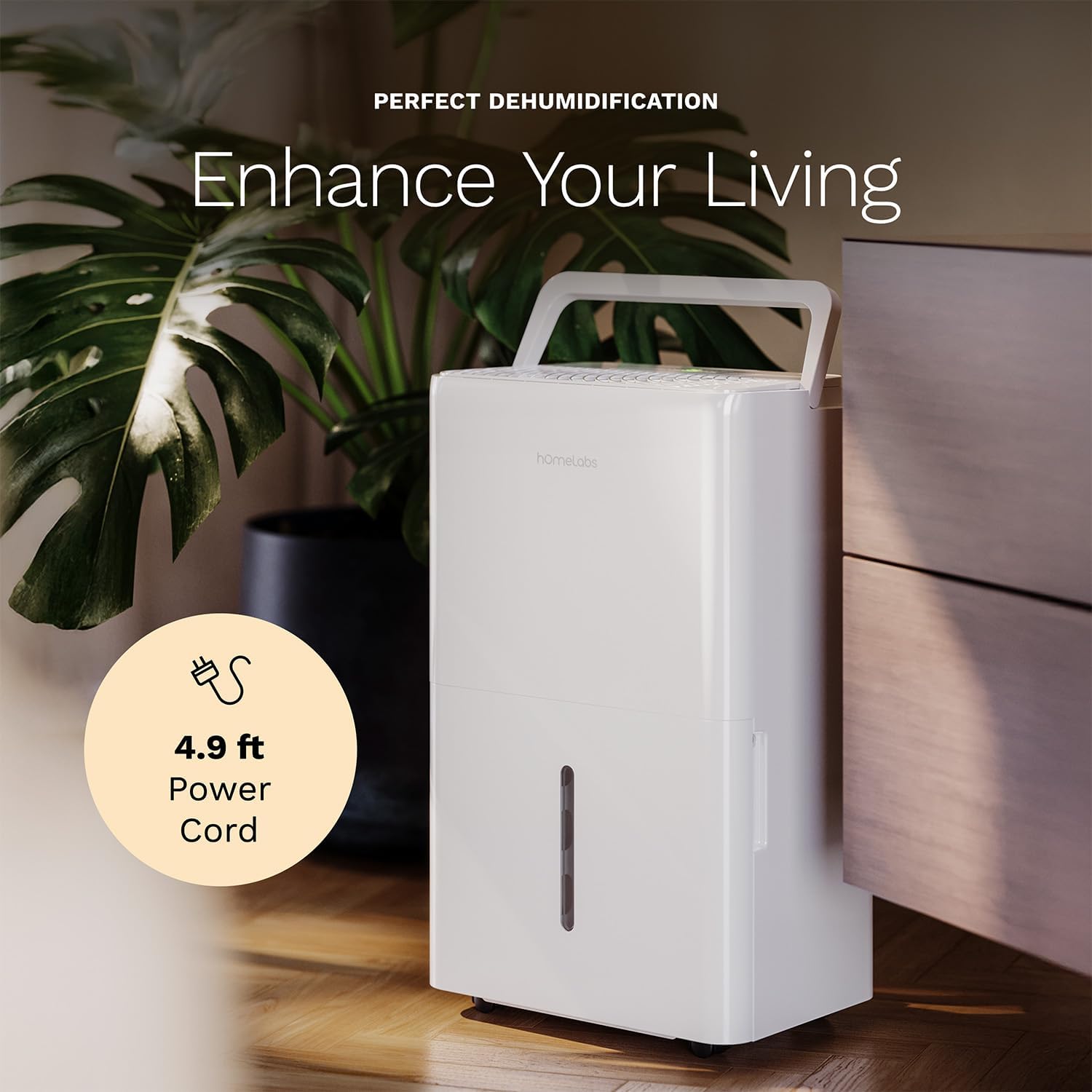
The dehumidifier positioned in a room, highlighting its 4.9 ft power cord for flexible placement.
- Drainage Option (Optional):

An image illustrating the two drainage options: using the built-in tank (manual emptying) or connecting a gravity drain hose for continuous drainage.
- Manyèl Drenaj: The unit will collect water in the internal tank. When the tank is full, the unit will automatically shut off and indicate "Tank Full". Empty the tank as described in the Maintenance section.
- Drenaj kontinyèl: For continuous operation without emptying the tank, attach the included drain hose to the continuous drain outlet. Ensure the hose is sloped downwards to a suitable drain (e.g., floor drain, large bucket) to allow gravity drainage.
Enstriksyon Operasyon
Fonksyon panèl kontwòl:
- Bouton pouvwa: Peze pou limen oswa etenn inite a.
- Bouton pou ajiste imidite (+/-): Adjust the desired humidity level from 35% to 85% relative humidity (RH) in 5% increments.
- Bouton vitès fanatik: Cycle through High, Medium, and Low fan speeds.
- Bouton revèy: Set a timer for automatic ON/OFF operation (1-24 hours).
- Comfort Mode Button: Activates a preset humidity level for optimal comfort.
- Bouton Wi-Fi: Activates Wi-Fi pairing mode.
Kontwòl entelijan Wi-Fi:
Your dehumidifier can be controlled remotely via Wi-Fi using a smartphone app, Google Assistant, or Alexa.

The dehumidifier shown with icons indicating compatibility with Google Home and Alexa, along with a smartphone icon representing app control for remote operation.
- Telechaje App: Download the hOmeLabs app from your smartphone's app store (iOS or Android).
- Peyaj: Follow the in-app instructions to pair your dehumidifier with your home Wi-Fi network. This typically involves pressing and holding the Wi-Fi button on the control panel until the indicator light flashes.
- Kontwòl Remote: Once paired, you can adjust settings, monitor humidity levels, and set schedules from anywhere using your smartphone.
Antretyen
Antretyen regilye asire pèfòmans optimal epi pwolonje dire lavi dezumidifikatè ou a.
Vide tank dlo a:
- When the water tank is full, the "Tank Full" indicator will illuminate, and the unit will stop operating.
- Rale tank dlo a avèk prekosyon soti nan devan aparèy la.
- Vide dlo ki ranmase a nan yon lavabo oswa nan yon drenaj.
- Glise tank vid la tounen nan aparèy la jiskaske li fè yon klik. Aparèy la ap rekòmanse fonksyone.
Netwaye filtè lè a:
The "Filter" indicator light will illuminate after 250 hours of operation, reminding you to clean the filter. Clean the filter every two weeks or more frequently depending on usage and air quality.
- Etenn dezumidifikatè a epi debranche li nan priz kouran an.
- Retire filtè lè a nan dèyè aparèy la.
- Lave filtè a avèk dlo tyèd savon. Rense l byen.
- Kite filtè a seche nèt nan lè a anvan ou reenstale li. Pa sèvi ak yon seche rad oswa chalè dirèk.
- Once the filter is reinstalled, press and hold the "Filter" button for 3 seconds to reset the filter timer.
Netwayaj jeneral:
- Siye eksteryè inite a ak yon mou, damp twal.
- Pa sèvi ak pwodui chimik ki fò, abrazif, oswa solvan.
- Netwaye tank dlo a regilyèman pou anpeche mwazi ak kanni grandi.
Depanaj
Gade seksyon sa a pou pwoblèm komen ak solisyon yo.
| Pwoblèm | Kòz posib | Solisyon |
|---|---|---|
| Dezumidifikatè a pa limen. | No power; Power cord not plugged in; Tank full. | Check power supply; Plug in power cord securely; Empty water tank. |
| Aparèy la ap mache men li pa kolekte dlo. | Humidity setting too high; Room temperature too low; Air filter clogged. | Lower desired humidity setting; Ensure room temperature is above 41°F (5°C); Clean air filter. |
| Inite a fè bwi. | Inite a pa nivo; Filtè lè a bouche; Vantilatè a bloke. | Place on a level surface; Clean air filter; Check for obstructions in fan area. |
| Pwoblèm koneksyon Wi-Fi. | Modpas Wi-Fi ki pa kòrèk; Routeur a twò lwen; Pwoblèm aplikasyon. | Verify Wi-Fi password; Move unit closer to router; Restart app/unit. |
Espesifikasyon
| Karakteristik | Detay |
|---|---|
| Mak | Laboratwa lakay |
| Non modèl | hOmelabs - Dehumidifier - 25 Pint - WIFI (HME0088) |
| Kapasite dezumidifikasyon | 25 Pints per Day (at 80°F, 60%RH) / MAX 64 Pints (at 95°F, 90%RH) |
| Zòn Kouvèti | Jiska 3,500 pye kare |
| Volim tank | 1 galon |
| Dimansyon pwodwi (D x W x H) | 8.2"D x 12.2"W x 19.6"H |
| Pwa atik | 27.1 liv |
| Mòd operasyon | Otomatik |
| Karakteristik espesyal | Kontwòl imidite reglabl, Degivraj otomatik, Retire imidite otomatik, Fèmen otomatik, Depo nan bokit, Afich dijital, Pòtab, Operasyon silansyeu, Tank detachable, Minutè, Filtè ou ka lave, Aktive Wi-Fi |
| Enèji Efikasite | Energy Star Most Efficient 2024 Certified |
Garanti ak sipò
Your hOmeLabs 25 Pint Wi-Fi Dehumidifier comes with a standard manufacturer's warranty. For detailed warranty information, please refer to the official warranty document provided with your purchase or visit the hOmeLabs websit.
Dokiman garanti: Telechaje Garanti a (PDF)
For technical support, troubleshooting assistance, or to inquire about replacement parts, please contact hOmeLabs customer service. Contact information can typically be found on the hOmeLabs websit la oubyen nan anbalaj pwodwi ou a.