Entwodiksyon
This manual provides detailed instructions for the setup, operation, maintenance, and troubleshooting of your toocki Flip Bluetooth 5.3 Wireless Earbuds, Model TTWS-YL02. Please read this manual thoroughly before using the product to ensure optimal performance and longevity.

Image: The toocki Flip Bluetooth 5.3 Wireless Earbuds, black, resting inside their open charging case. A small LED indicator is visible on the front of the case.
Kontni pake
Asire w tout atik yo prezan nan pakè a:
- toocki Flip Bluetooth 5.3 Wireless Earbuds (Left and Right)
- Ka chaje
- USB Chaje Kab
- Plizyè gwosè bouchon zòrèy (S, M, L)
- Manyèl itilizatè
Pwodwi souview
Familiarize yourself with the components of your earbuds.

Image: A detailed diagram highlighting various parts of the toocki Flip Wireless Earbuds and their charging case, including touch control area, microphone, charging contacts, and LED indicators.
- Earbud Touch Control Area: For managing playback, calls, and other functions.
- Mikwofòn: Entegre pou apèl ak asistan vwa.
- Kontak chaje: Located at the bottom of each earbud for charging within the case.
- Charging Case LED Indicator: Montre estati chaj ak nivo batri.
- USB-C chaje pò: Sitiye sou bwat chaje a.
Enstalasyon
1. Chaje ekoutè yo ak bwat la
Anvan premye itilizasyon an, chaje ekoutè yo ak bwat chaje a nèt.
- Mete ekoutè yo nan ka chaje a.
- Konekte kab chaje USB a nan pò chaje ki sou bwat la epi nan yon sous kouran.
- The LED indicator on the case will show charging status. Once fully charged, the indicator will change or turn off.

Image: An illustration showing the earbuds in their charging case, with a visual representation of the 4.5 hours of single-use battery life and the charging case capacity.
2. Pairing ak yon Aparèy
Ekoutè yo ap antre otomatikman nan mòd koneksyon lè yo retire yo nan bwat chaje a.
- Louvri bwat chaje a epi retire tou de ekoutè yo. Y ap limen otomatikman epi antre nan mòd koneksyon.
- Sou aparèy ou an (telefòn entelijan, tablèt, elatriye), aktive Bluetooth.
- Chèche pou "toocki Flip" (or similar name) in the list of available Bluetooth devices and select it to connect.
- Once connected, you will hear a confirmation tone, and the earbud indicator lights will turn off.
Rekonekte otomatik: After the initial pairing, the earbuds will automatically reconnect to the last paired device when removed from the case, provided Bluetooth is enabled on the device.

Image: A graphic illustrating the earbuds' compatibility with various devices (cell phones, tablets) and the auto-reconnect function shown with a smartphone's Bluetooth settings.
Enstriksyon Operasyon
The toocki Flip earbuds feature intuitive touch controls. The touch control area is located on the outer surface of each earbud.
Fonksyon Kontwòl Manyen

Image: A visual guide detailing the various touch control gestures for the earbuds, including play/pause, volume, call management, song switching, voice assistant, game mode, and reset.
| Fonksyon | Jès |
|---|---|
| Jwe/Poz Mizik | Double-tap Left or Right earbud |
| Volim leve | Single-tap Right earbud |
| Volim desann | Single-tap Left earbud |
| Next Song | Triple-tape dwa ekoutè |
| Previous Song | Twa-tape Goch ekoutè |
| Reponn/Ranke apèl | Double-tap Left or Right earbud |
| Rejte apèl | Long press Left or Right earbud for 2 seconds |
| Aktive Asistan Vwa | Four taps on the Right earbud |
| Mode jwèt On/Off | Long press Left earbud for 2 seconds to enter; long press again for 2 seconds to exit. |
| Headset Reyajiste | Tap the headset 7 times in a row |
Anile bri
The earbuds feature Hybrid Active Noise Cancellation (ANC) with AI, capable of reducing background noise by up to 99% (40dB depth, +4000Hz bandwidth).
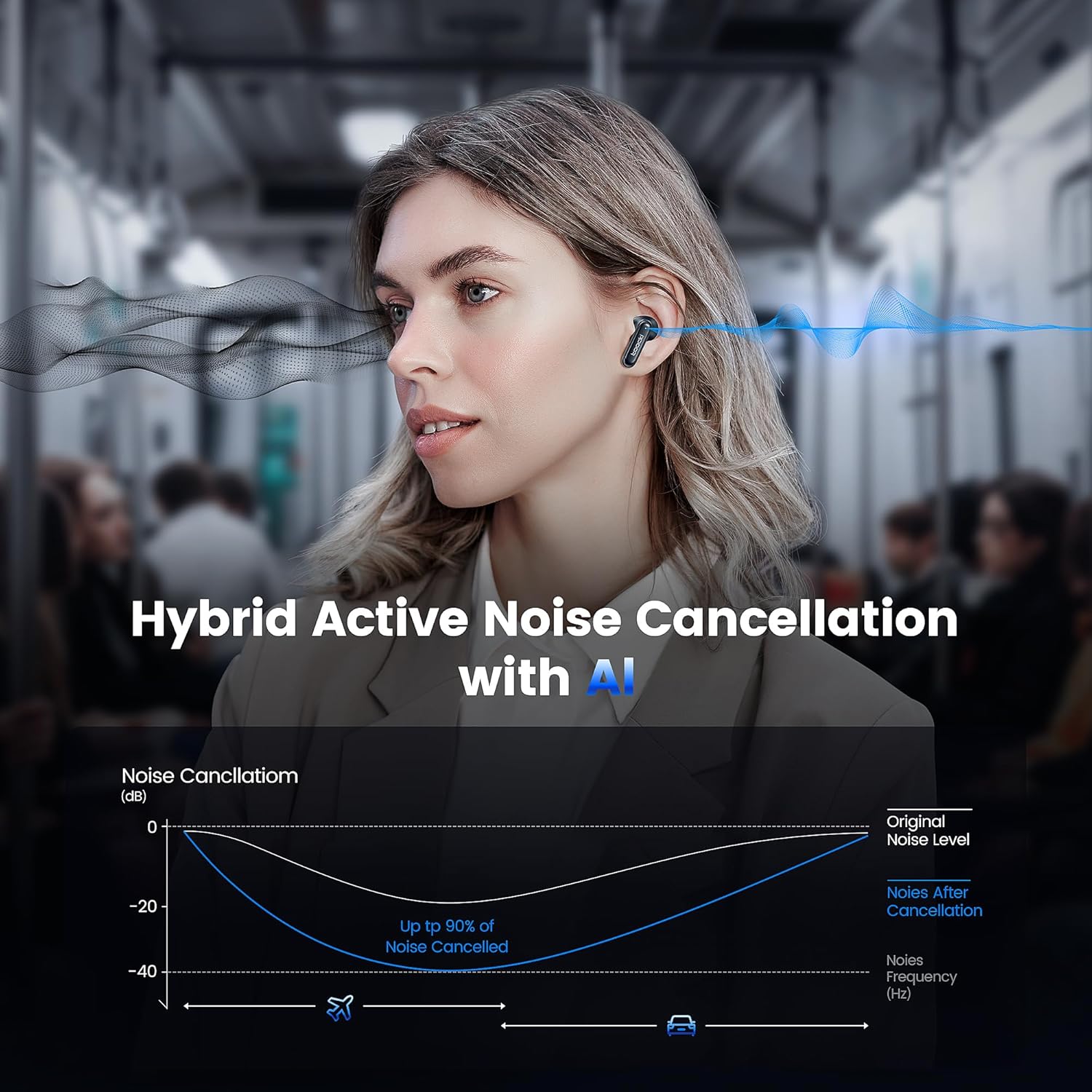
Image: A graph illustrating the effectiveness of Hybrid Active Noise Cancellation with AI, showing a significant reduction in noise levels across various frequencies, applicable in environments like airplanes and cars.
This technology is designed to enhance your listening experience by minimizing distractions from your surroundings, whether you are indoors, outdoors, or commuting.

Image: A person studying indoors with earbuds, illustrating how noise cancellation weakens sounds from turning books, air conditioners, and other machines.

Image: A person walking outdoors with earbuds, demonstrating the ability to block out crowd noise.

Image: A person commuting on public transport with earbuds, showing how noise cancellation blocks out airplane, high-speed train, and subway noise.
Jesyon Rele
The earbuds are equipped with 4 microphones and advanced algorithms to enhance call clarity, ensuring your voice is heard clearly even in noisy environments.

Image: A person smiling while holding a smartphone and wearing the earbuds, with an overlay indicating "4 Mic + AI Call Noise Cancellation" to highlight enhanced call quality.
Eksperyans son
Experience 360° panoramic sound with stereo dual-channel audio and 10mm drivers, delivering rich bass and clear treble for an immersive listening experience.
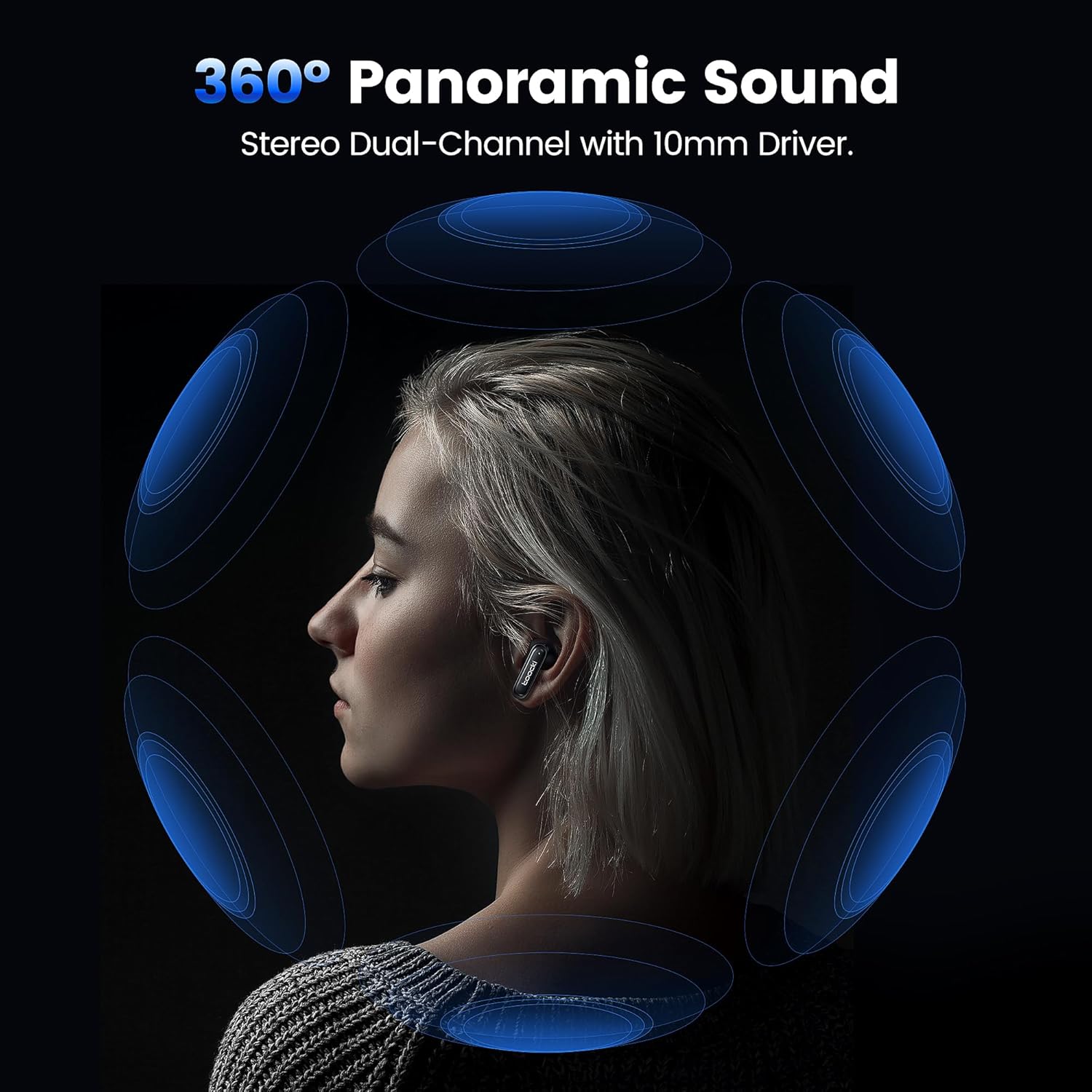
Image: A visual representation of 360° panoramic sound emanating from an earbud, with text indicating "Stereo Dual-Channel with 10mm Driver."

Image: A cutaway diagram of a 10mm moving coil unit, illustrating its internal components and emphasizing its role in delivering extraordinary sound performance with larger vibration area, pure bass, and treble.
Antretyen
Bon antretyen asire lonjevite ak pèfòmans optimal ekoutè ou yo.
- Netwayaj: Regularly clean the earbuds, especially the eartips and charging contacts, with a soft, dry, lint-free cloth. Do not use abrasive cleaners or solvents.
- Bout zòrèy: The earbuds come with multiple sizes of eartips (S, M, L). Choose the size that provides the best seal and comfort for your ears. This also helps with noise cancellation effectiveness.
- Depo: Lè w pa ap itilize ekoutè yo, sere yo nan bwat chaje yo pou pwoteje yo epi kenbe yo chaje.
- Rezistans dlo: The earbuds are waterproof. However, avoid prolonged exposure to water and ensure they are dry before placing them back in the charging case to prevent damage to the charging contacts.
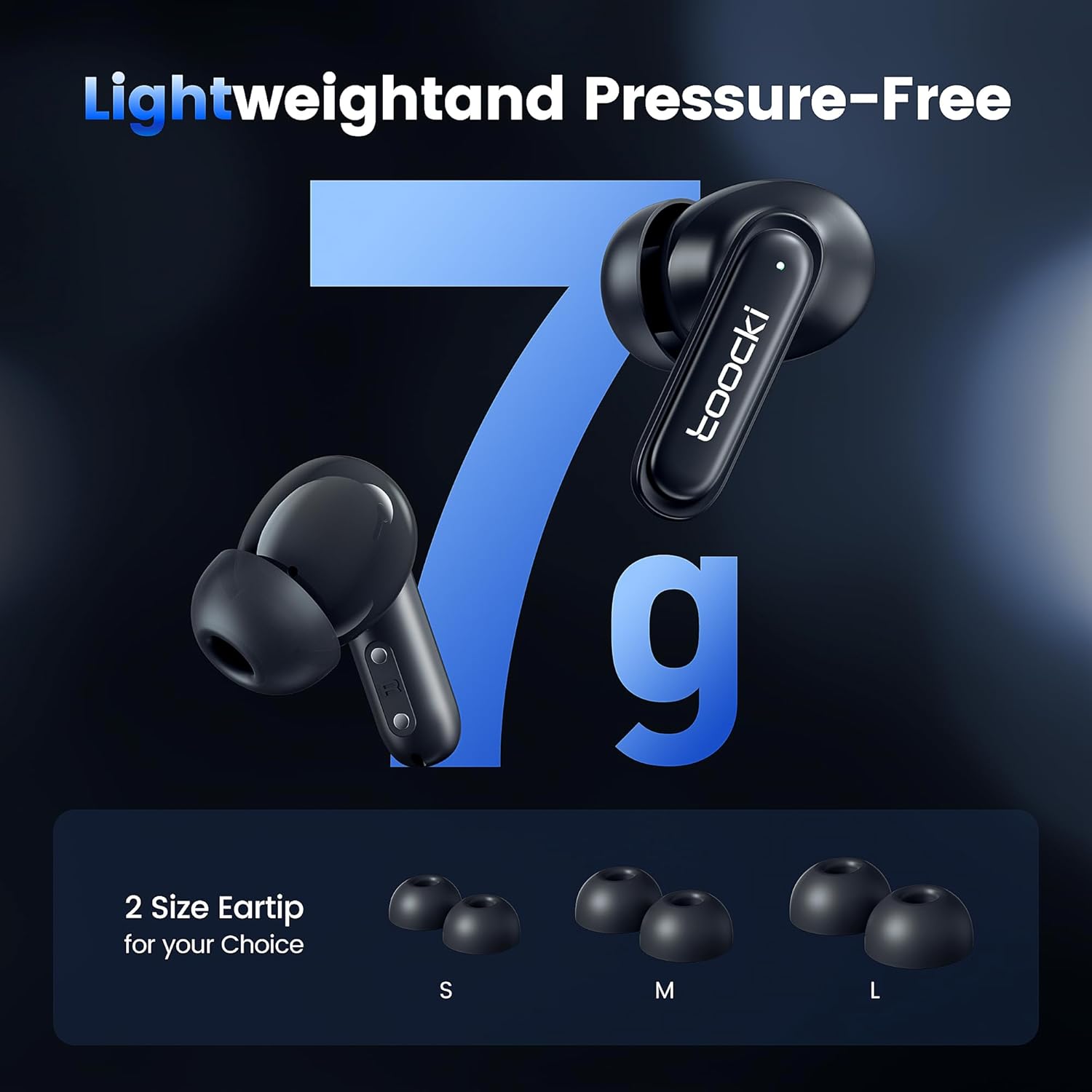
Image: The earbuds displayed alongside three pairs of eartips in small (S), medium (M), and large (L) sizes, emphasizing the lightweight design and choice of eartips for comfort.
Depanaj
Si ou rankontre pwoblèm, eseye solisyon sa yo:
- Ekoutè yo pa konekte:
- Asire ke tou de ekoutè yo chaje.
- Etenn Bluetooth sou aparèy ou an epi aktive l ankò.
- Forget the "toocki Flip" device from your device's Bluetooth settings and try pairing again.
- Perform a headset reset (tap 7 times in a row).
- Se yon sèl ekoutè k ap fonksyone:
- Asire ke tou de ekoutè yo chaje.
- Mete tou de ekoutè yo tounen nan bwat chaje a, fèmen kouvèti a, tann kèk segond, epi retire yo ankò.
- Eseye reset ekoutè yo.
- Volim ki ba oswa kalite son ki pa bon:
- Ajiste volim nan tou de sou aparèy ou an ak ekoutè yo.
- Ensure the eartips are properly seated in your ear to create a good seal. Try different eartip sizes.
- Netwaye tout debri ki sou oratè ekoutè yo ak bouchon zòrèy yo.
- Pwoblèm chaj:
- Tcheke kab chaje a ak adaptè kouran an. Eseye yon lòt kab oswa adaptè.
- Asire w ke kontak chaje yo sou tou de ekoutè yo ak sou bwat la pwòp epi pa gen okenn obstak.
Espesifikasyon
| Non modèl | TTWS-YL02 |
| Mak | tooki |
| Koneksyon Teknoloji | San fil (Bluetooth 5.3) |
| Plasman Zòrèy | Nan-zòrèy |
| Faktè fòm | Nan-zòrèy |
| Kontwòl bri | Active Noise Cancellation (up to 40dB depth, 99% background noise reduction) |
| Gwosè Chofè | 10mm |
| Playtime (Single Use) | Apeprè 4.5 èdtan |
| Chaje Ka Kapasite | 400mAh (estimated from image) |
| Metòd kontwòl | Manyen |
| Karakteristik espesyal | Fast Charging, Waterproof, 4 Microphones + AI for Call Noise Cancellation |
| Koulè | Nwa |
| Pwa (pa ekoutè) | Apeprè. 7g |
Garanti ak sipò
For warranty information or technical support, please refer to the documentation included with your purchase or contact toocki customer service through their official websit oswa revandè kote yo te achte pwodwi a.


