Entwodiksyon
This manual provides comprehensive instructions for the setup, operation, maintenance, and troubleshooting of your COLMI C8 MAX Smartwatch. Please read this manual carefully before using the device to ensure proper functionality and longevity.

Figi 1: The COLMI C8 MAX Smartwatch in gold with a beige strap, displaying the main watch face with fitness data and time.
1. Enstalasyon
1.1 Debalè ak Konpozan
Lè w ap ouvri pake a, asire w ke tout konpozan yo la:
- COLMI C8 MAX Smartwatch
- Replacement Strap (if included in your package)
- Chaje kab
- Manyèl Itilizatè (dokiman sa a)
1.2 Chaje Aparèy la
Before first use, fully charge your smartwatch. Connect the magnetic charging cable to the charging points on the back of the watch and plug the USB end into a standard USB power adapter (not included).
- Tan chaj: Apeprè 2 èdtan pou yon chaj konplè.
- Battery capacity: 250 mAh Lithium Polymer.
1.3 Limen/Etenyen
- Pou limen: Press and hold the side button until the COLMI logo appears.
- Pou etenn: From the watch face, swipe down to access quick settings, or navigate to 'Settings' > 'System' > 'Power Off'. Confirm your selection.
1.4 Enstalasyon ak koneksyon aplikasyon an
To unlock the full features of your COLMI C8 MAX Smartwatch, you need to install the companion application on your smartphone or tablet. The watch is compatible with both Android and iOS operating systems.
- Scan the QR code provided in the quick start guide or search for the official COLMI app in your device's app store (Google Play Store for Android, Apple App Store for iOS).
- Telechaje epi enstale aplikasyon an.
- Louvri app a epi swiv enstriksyon ki sou ekran an pou kreye yon kont oswa konekte.
- Aktive Bluetooth sou telefòn entelijan/tablèt ou.
- Nan aplikasyon an, ale nan seksyon koneksyon aparèy la epi chwazi "Ajoute Aparèy" oswa yon bagay ki sanble.
- The app will search for available devices. Select "COLMI C8 MAX" from the list.
- Confirm the pairing request on both your smartphone and the smartwatch. The watch utilizes Bluetooth 5.3 for stable connectivity.
2. Kijan pou itilize mont entelijan an
2.1 Ekspozisyon ak Navigasyon
The COLMI C8 MAX features a 1.93-inch IPS touchscreen with a resolution of 240 x 288 pixels, offering clear visuals and responsive touch control.
- Glise moute: Aksè a notifikasyon yo.
- Glise desann: Access quick settings (brightness, battery, DND, etc.).
- Glise agoch/dwat: Navigate through widgets and main functions (activity, heart rate, weather, etc.).
- Tape: Chwazi yon atik oubyen louvri yon aplikasyon.
- Peze bouton bò a: Retounen nan kadran mont lan oubyen ouvri meni aplikasyon an.
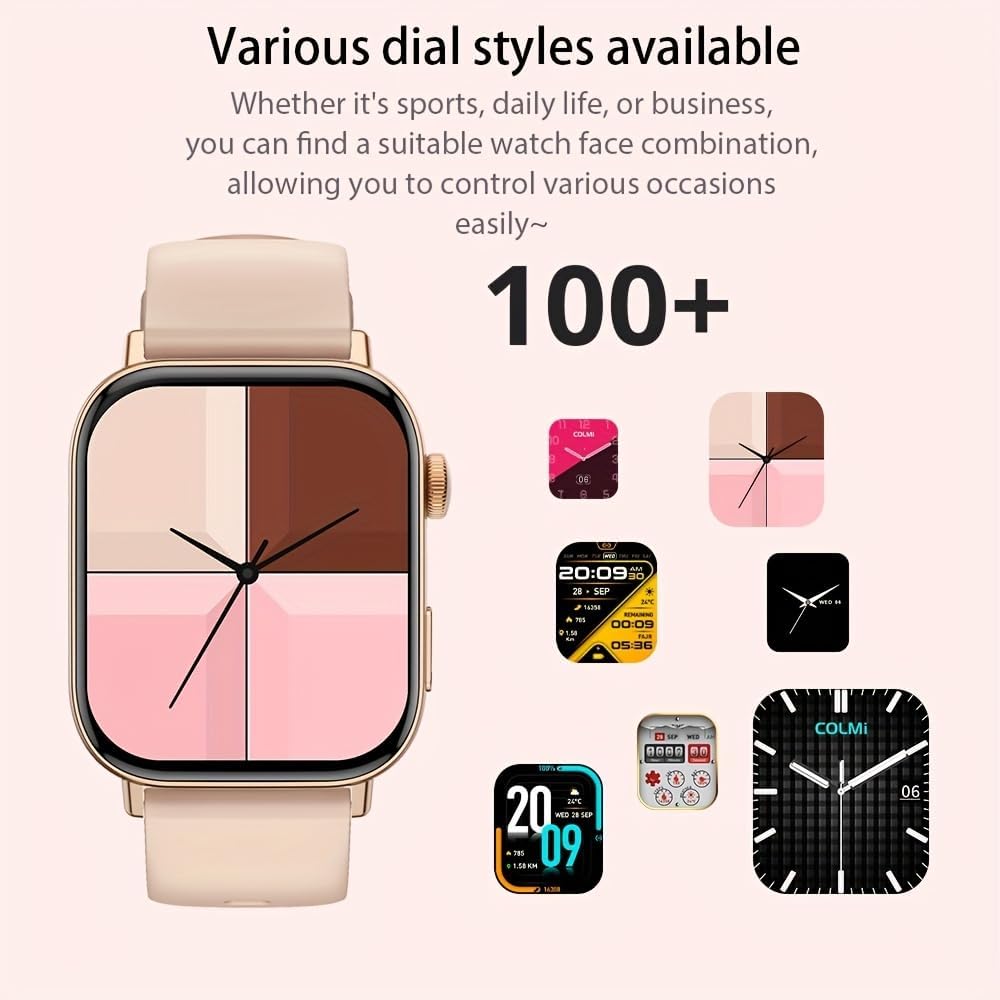
Figi 2: The smartwatch showcasing a selection of its over 100 available dial styles, allowing for personalization.
2.2 Core Features and Functions
The COLMI C8 MAX is equipped with a wide range of features to support your daily activities and health monitoring.
- Suivi Fòm: Monitor steps, distance, calories burned, and active minutes. Includes a pedometer, heart rate monitor, and multi-sport modes (over 100 sports modes available, including walking, running, cycling, football, basketball, table tennis, badminton, mountaineering, rope jumping).

Figi 3: The smartwatch highlighting its extensive range of over 100 sports tracking modes, suitable for various physical activities.
- Siveyans dòmi: Suivi modèl ak kalite dòmi.
- Kominikasyon:
- Apèl san fil: Make and receive calls directly from your wrist. Access recent calls, dial pad, and contacts.
- Notifikasyon mesaj: Receive alerts for SMS, WhatsApp, emails, and other social media applications (Facebook, Snapchat, Twitter, Telegram, Instagram, LinkedIn).

Figi 4: The smartwatch demonstrating its wireless calling feature, showing an incoming call notification on the display.

Figi 5: The watch's ability to synchronize information and notifications from a connected smartphone, including messages from WhatsApp and other platforms.
- Asistan vwa AI: Use voice commands to interact with your watch for tasks like making calls, checking weather, or playing music.

Figi 6: Illustration of the intelligent voice assistant function, showing examples of voice commands and responses on the watch screen.
- Lòt Karakteristik: Calendar, alarm clock, countdown timer, remote camera control, sedentary reminder, menstruation management.
3. Antretyen
3.1 Rezistans dlo (IP68)
The COLMI C8 MAX Smartwatch has an IP68 water resistance rating, meaning it is protected against dust ingress and can withstand immersion in water up to 1.5 meters for 30 minutes. It is suitable for daily use, hand washing, and light rain. However, it is not recommended for hot showers, saunas, or diving, as steam and hot water can compromise the seals.
3.2 Netwaye Smartwatch ou a
Pou kenbe aparans ak fonksyonalite aparèy ou an:
- Siye ekran an ak kò a ak yon twal mou ki pa gen pousyè.
- Pou pousyè tè ki difisil pou retire, yon ti kras dampRense twal la avèk dlo. Evite itilize pwodui chimik ki agresif oswa materyèl abrazif.
- Netwaye kontak chaj yo regilyèman pou asire yon chaj efikas.
- If the strap gets dirty, clean it according to its material type (e.g., silicone straps can be washed with mild soap and water).
3.3 Optimizasyon lavi batri a
The smartwatch offers a battery life of 5-10 days depending on usage, with an average life of 240 hours. To maximize battery life:
- Diminye klète ekran an.
- Dezaktive notifikasyon ki pa nesesè yo.
- Limit continuous heart rate monitoring if not required.
- Turn off "Always-On Display" if available.
NAN. Depanaj
If you encounter issues with your COLMI C8 MAX Smartwatch, refer to the following common problems and solutions:
| Pwoblèm | Solisyon posib |
|---|---|
| Mont lan pa limen. | Asire w ke mont lan chaje nèt. Konekte l nan plato a pou omwen 30 minit. |
| Pa ka konekte ak telefòn entelijan an. |
|
| Yo pa resevwa notifikasyon. |
|
| Done sou kondisyon fizik ki pa egzak. |
|
| Ekran an pa reponn. | Restart the watch by pressing and holding the side button until it reboots. |
4.1 Reset faktori
If problems persist, you may need to perform a factory reset. This will erase all data on the watch and restore it to its original settings. Navigate to 'Settings' > 'System' > 'Reset' or 'Factory Reset' on your smartwatch and confirm.
5. Espesifikasyon
| Karakteristik | Detay |
|---|---|
| Non modèl | C8 Maksimòm |
| Mak | COLMI |
| Ekspozisyon | 1.93-inch IPS Touchscreen, 240 x 288 pixels |
| Kapasite batri | 250 mAh Lityòm Polymère |
| Lavi batri | 5-10 days (typical usage), 240 hours average life |
| Rezistans dlo | IP68 |
| memwa | 128 MB Storage, 640 KB RAM |
| Koneksyon | Bluetooth 5.3 |
| Konpatibilite | Android & iOS Smartphones/Tablets |
| Dimansyon | 10 x 9 x 6.5 cm |
| Pwa | 200 g |
| Konpozan ki enkli | Smartwatch, User Manual |
6. Garanti ak sipò
The COLMI C8 MAX Smartwatch comes with a manufacturer's warranty. Please refer to the warranty card included in your product packaging for specific terms and conditions, including warranty duration and coverage details.
For technical support, product inquiries, or warranty claims, please contact COLMI customer service through their official website or the contact information provided in your product documentation. Ensure you have your product model number (C8 Max) and purchase details ready when contacting support.


