1. Entwodiksyon
The GOBOULT Crown R Pro 2 Smartwatch is designed to enhance your daily life with advanced features and health monitoring capabilities. It features a 1.43-inch HD AMOLED display, Bluetooth Calling 5.2, and a comprehensive health suite. This manual provides instructions for setup, operation, and maintenance of your smartwatch.

Image: The GOBOULT Crown R Pro 2 Smartwatch, showcasing konsepsyon elegant li yo ak ekran vibran li yo.
2. Ki sa ki nan bwat la
Tanpri verifye sa ki nan pake a lè w ap debale l:
- GOBOULT Crown R Pro 2 Smartwatch
- Chaje kab
- Manyèl itilizatè
- Kat Garanti
3. Kòmanse
3.1. Chaje Aparèy la
Before initial use, fully charge your smartwatch. Connect the magnetic charging cable to the charging points on the back of the watch and plug the USB end into a power adapter (not included) or a computer's USB port.
- Charging Time: Approximately 150 minutes for a full charge.
- Battery Life: Up to 7 days on a single charge, depending on usage.
3.2. Powering On / Off
- Pouvwa sou: Press and hold the side button for a few seconds until the GOBOULT logo appears.
- Pouvwa Off: Peze epi kenbe bouton bò a, answit chwazi opsyon 'Etenn' an sou ekran an.
3.3. Enstalasyon ak koneksyon aplikasyon an
To unlock the full potential of your smartwatch, download and install the companion application on your smartphone.
- Scan the QR code in the manual or search for the 'BoultFit' app (or similar, as specified in the included manual) on your smartphone's app store (Google Play Store or Apple App Store).
- Install the application and create an account or log in.
- Asire w ke Bluetooth aktive sou smartphone ou.
- Open the app, navigate to 'Device' or 'Add Device', and select 'GOBOULT Crown R Pro 2' from the list of available devices.
- Konfime demann koneksyon an sou tou de telefòn entelijan ou ak mont entelijan ou.
4. Smartwatch Features and Operation
4.1. Display and Watch Faces
The smartwatch features a 1.43-inch HD AMOLED display with 600 Nits brightness for clear visibility in various lighting conditions.
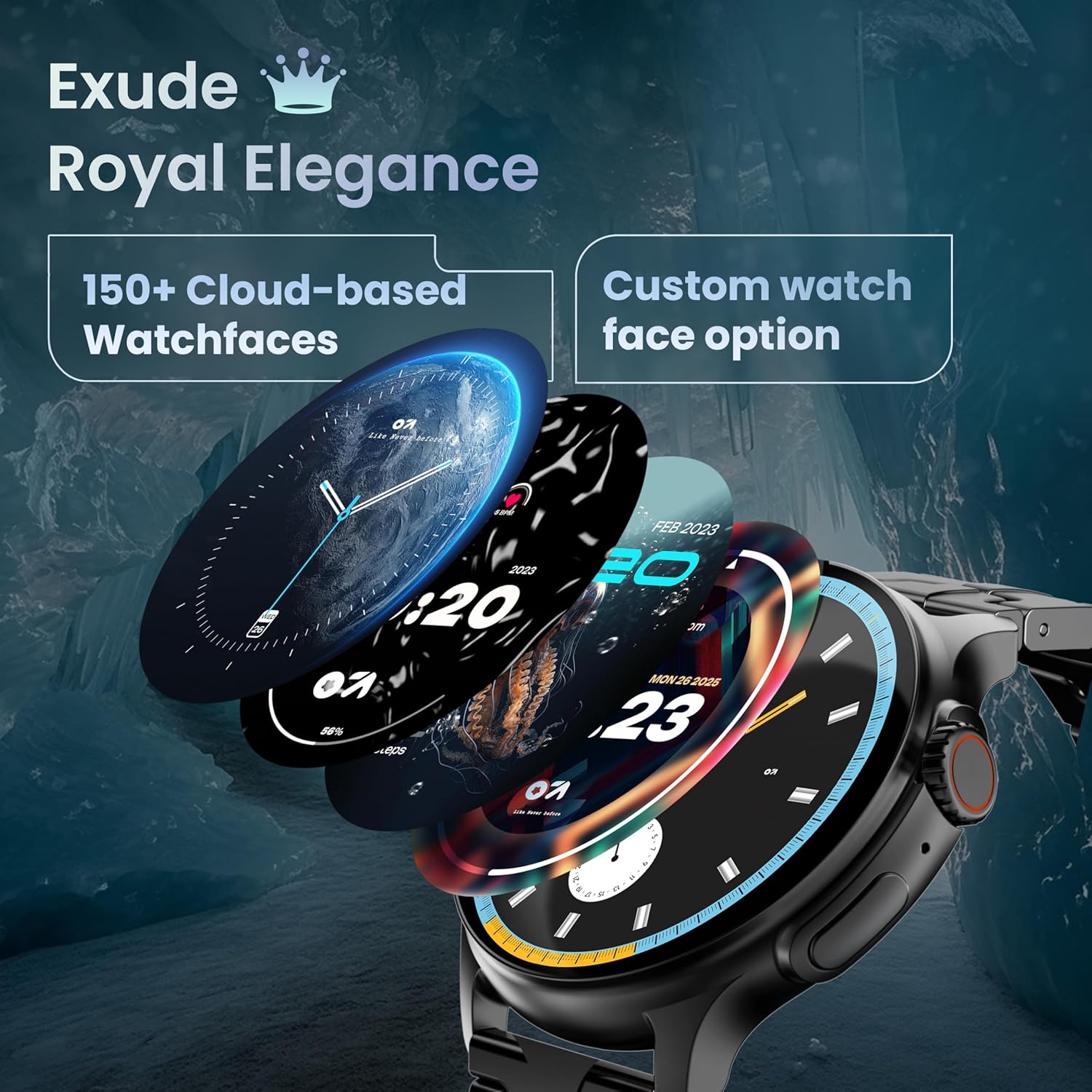
Image: A selection of over 150 watch faces available for customization.
- Chanje mont lan: Long-press the home screen to access watch face options. Swipe left or right to browse and tap to select. More watch faces are available through the companion app.
4.2. Navigasyon ak Kontwòl
Navigate the smartwatch interface using touch gestures and the functional 'Working Crown'.

Image: Detail of the working crown, used for navigation and customization.
- Glise desann: Access quick settings (e.g., brightness, DND, battery saver).
- Glise moute: View notifikasyon.
- Glise agoch/dwat: Access widgets and main features (e.g., activity, heart rate, weather).
- Kouwòn k ap travay: Rotate to scroll through menus or lists. Press to return to the home screen or confirm selections.
4.3. Apèl Bluetooth
The smartwatch supports Bluetooth Calling v5.2, allowing you to make and receive calls directly from your wrist.

Image: Illustration of the smartwatch's Bluetooth calling capabilities with integrated microphone and speaker.
- Reponn apèl: Tap the green phone icon on the screen when a call comes in.
- Fè apèl: Access the dial pad or contacts list from the smartwatch menu.
- Rejte apèl: Tape ikòn telefòn wouj la.
4.4. Mòd Espò
Track over 120 sports and fitness activities with detailed analytics.

Image: The smartwatch interface showing active sports tracking and various sports icons.
- Access the 'Sports' menu to select your desired activity.
- The watch will record data such as duration, calories burned, and heart rate during your workout.
4.5. Siveyans Sante
Monitor key health metrics in real-time.

Image: The health suite features, including heart rate, SpO2, and sleep monitoring.
- Monitè batman kè: Provides 24x7 heart rate tracking.
- Monitè Saturation Oksijèn nan San SpO2: Mezire nivo oksijèn nan san an.
- Siveyans dòmi: Suivi modèl ak kalite dòmi.
- Suivi Sik Règ Fi: Ede swiv epi predi sik règ yo.
- Tracker aktivite: Records steps, distance, and calories burned throughout the day.
- Fòmasyon souf: Egzèsis respirasyon gide pou detant.
4.6. Asistan Vwa IA
Control your smartwatch hands-free using voice commands.

Image: The AI voice assistant feature, activated by pressing a button for 3 seconds.
- Press the dedicated button (or specified gesture) for 3 seconds to activate the AI voice assistant.
- Use voice commands to ask questions, set reminders, or manage tasks.
4.7. Notifications and Utilities
Receive SMS and push notifications directly on your wrist. The smartwatch also includes useful utilities.

Image: The 'Find My Phone' feature, which causes the connected phone to ring or vibrate.
- Notifikasyon: Ensure notification permissions are enabled in the companion app for your desired applications.
- Kalkilatris: Access the calculator from the app menu for quick calculations.
- Jwenn telefòn mwen an: Use this feature from the smartwatch to make your connected phone ring or vibrate, helping you locate it.
4.8. Rezistans dlo ak pousyè (IP67)
The smartwatch is IP67 rated, providing protection against dust and temporary immersion in water.
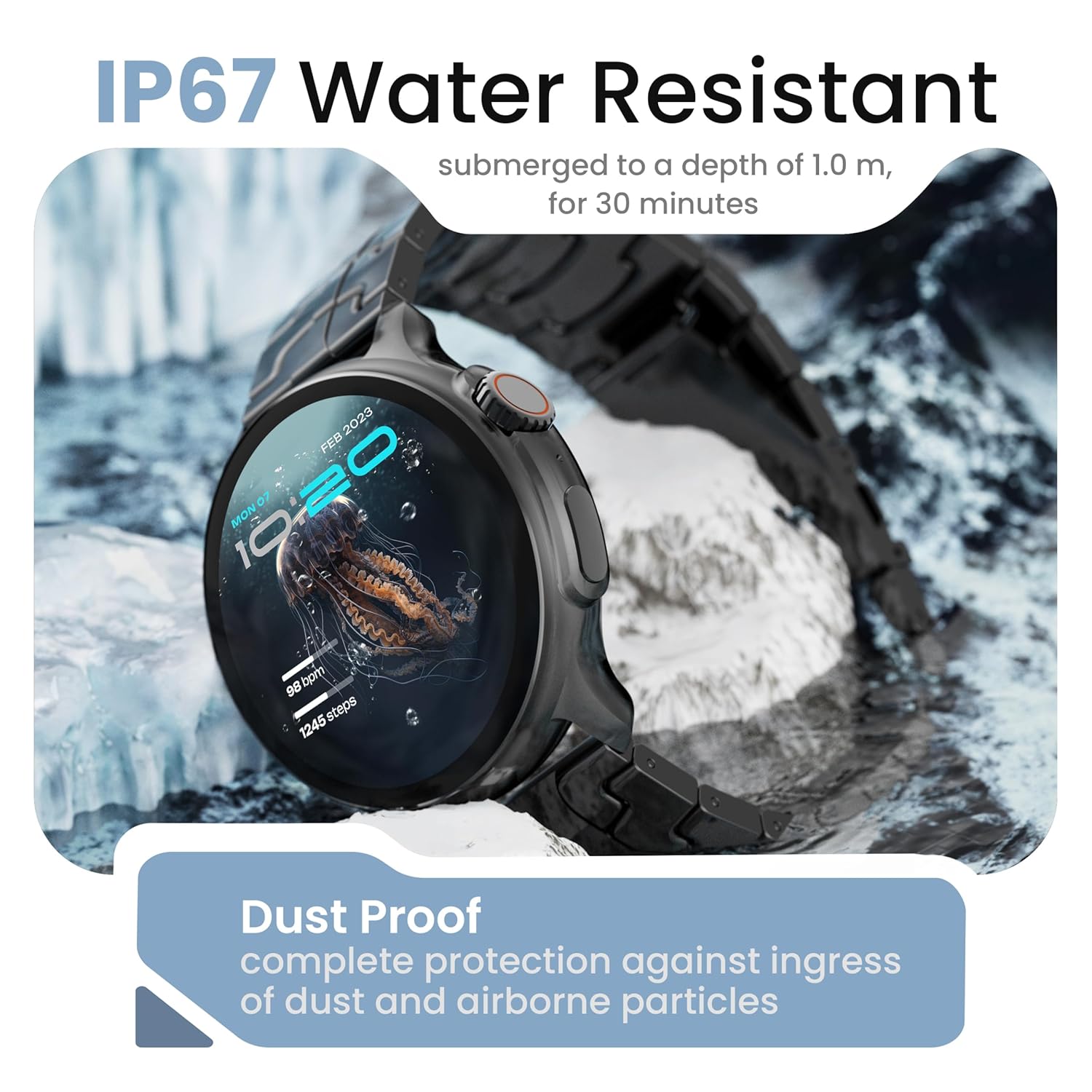
Image: The smartwatch demonstrating its IP67 water resistance, capable of being submerged up to 1 meter for 30 minutes.
- The device is resistant to sweat, splashes, and brief immersion in water up to 1 meter for 30 minutes.
- Avoid using the watch in hot water, saunas, or steam rooms.
- Do not press buttons while the watch is submerged.
5. Swen ak Antretyen
- Netwayaj: Wipe the watch and strap regularly with a soft, dry cloth. If necessary, use a slightly damp twal epi sèk byen.
- Evite pwodwi chimik yo: Pa sèvi ak pwodui chimik ki fò, solvan netwayaj, oswa detèjan fò, paske sa yo ka domaje fini ak sele mont lan.
- Depo: Sere smartwatch la nan yon kote ki fre, sèk lè li pa itilize.
- Chaje: Sèvi ak sèlman kab chaje yo bay la.
NAN. Depanaj
6.1. Smartwatch Not Turning On
- Asire w ke mont lan chaje nèt. Konekte l nan plato a pou omwen 30 minit.
- Press and hold the side button for an extended period (10-15 seconds) to force a restart.
6.2. Pa kapab konekte ak telefòn entelijan an
- Asire w ke Bluetooth aktive sou telefòn entelijan ou ak sou mont entelijan an.
- Make sure the smartwatch is within the Bluetooth range of your phone (typically 10 meters).
- Rekòmanse tou de smartphone ou ak smartwatch la.
- Efase kach Bluetooth la sou telefòn ou (si sa aplikab) epi eseye konekte ankò.
- Asire w aplikasyon konpayon an mete ajou ak dènye vèsyon an.
6.3. Done sou sante ki pa egzak
- Asire w ke mont lan byen sere sou ponyèt ou, ni twò sere ni twò lach.
- Netwaye detèktè yo ki sou dèyè mont lan.
- Evite twòp mouvman pandan mezi yo.
- Note that smartwatch health data is for reference only and should not be used for medical diagnosis.
6.4. Notifikasyon ki pa parèt
- Check if notification permissions are granted for the companion app and individual applications on your smartphone.
- Asire w ke mont entelijan an konekte ak telefòn ou atravè Bluetooth.
- Disable 'Do Not Disturb' mode on both your phone and smartwatch.
7. Espesifikasyon
| Mak | GOBOULT |
| Non modèl | R Pro 2 |
| Gwosè ekspozisyon | 1.43 pous |
| Kalite ekspozisyon | HD AMOLED |
| Klète | 600 Nit |
| Bluetooth vèsyon | 5.2 |
| Rezistans dlo | IP67 |
| Dire Batri (Mwayèn) | 7 Jou |
| Tan chaj batri | 150 minit |
| Sistèm operasyon | Android (konpatib) |
| Pwa atik | 56.5 g |
| Konpozan ki enkli | Mont entelijan, kab chaje, manyèl itilizatè, kat garanti |
8. Garanti ak sipò
8.1. Enfòmasyon sou Garanti
Your GOBOULT Crown R Pro 2 Smartwatch comes with a standard manufacturer's warranty. Please refer to the included Warranty Card for specific terms, conditions, and duration of the warranty.
8.2. Sipò pou Kliyan
For any product-related queries, technical assistance, or warranty claims, please contact GOBOULT customer support through the following channels:
- Websit: Visit the official GOBOULT websit pou FAQ ak resous sipò.
- Imèl: Refer to your warranty card or the official websit pou adrès imel sèvis kliyan.
- Telefòn: Contact numbers may be available on the official GOBOULT website or warranty card.
Please have your product model number (R Pro 2) and purchase details ready when contacting support.


