Entwodiksyon
The infiniity DM56 Sport Smartwatch is designed to enhance your active lifestyle by providing comprehensive fitness and health tracking capabilities. Featuring a vibrant 1.43-inch AMOLED HD display, built-in GPS, and extensive health monitoring, this smartwatch is a reliable companion for both daily wear and rigorous activities. This manual provides essential information for setting up, operating, and maintaining your DM56 smartwatch.
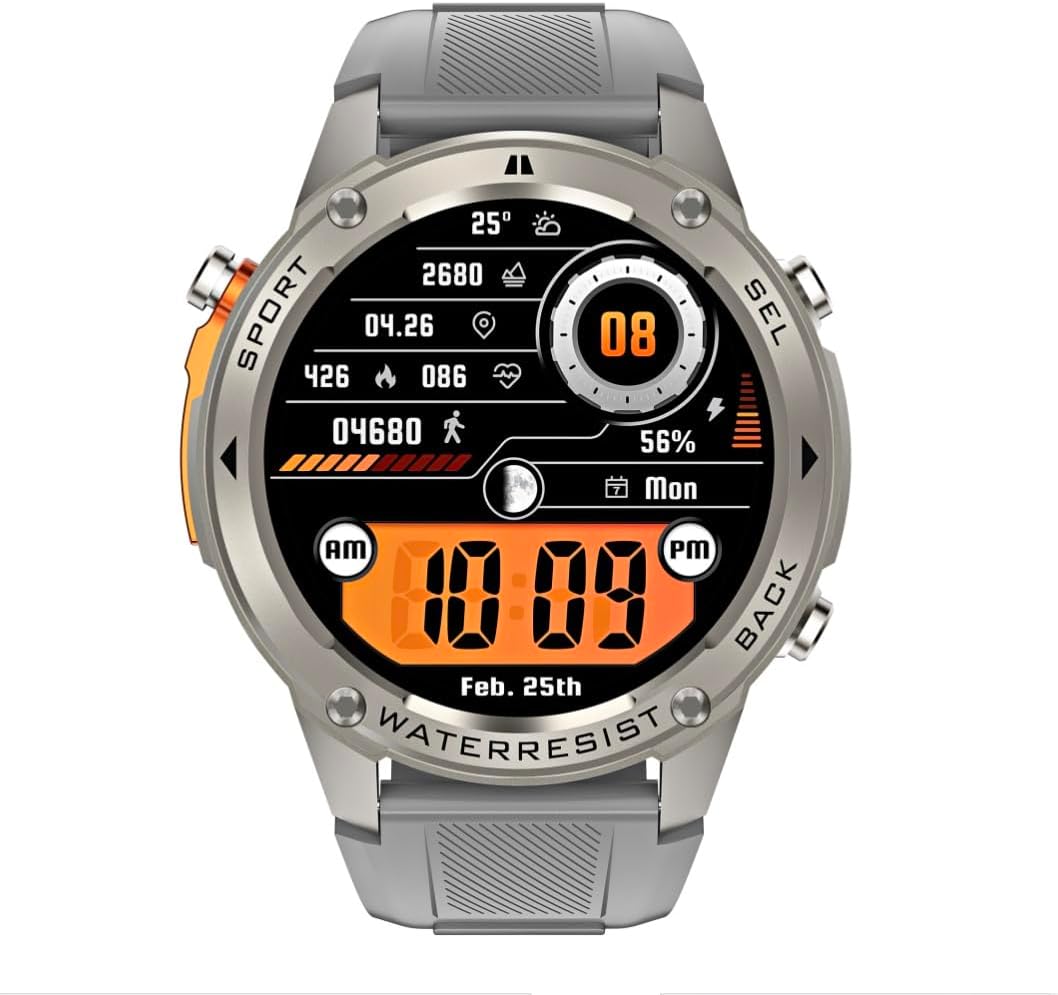
Imaj: Devan view of the infiniity DM56 Sport Smartwatch, displaying a digital watch face with time, date, activity data, and battery level. The watch features a silver bezel and a light grey silicone strap.
Enfòmasyon sou Sekirite
- Pa eseye demonte oswa modifye aparèy la. Sa ka anile garanti a epi lakòz domaj.
- Kenbe aparèy la lwen tanperati ekstrèm, limyè solèy dirèk, ak likid koroziv.
- Evite ekspoze aparèy la a gwo enpak oswa tonbe.
- Konsilte yon pwofesyonèl medikal anvan ou kòmanse nenpòt nouvo pwogram egzèsis, sitou si ou gen pwoblèm sante ki egziste deja.
- The device is 5ATM waterproof, suitable for swimming and showering, but not for diving or high-pressure water activities.
- Use only the provided charging cable and a compatible power adapter (5V, 0.5A) to prevent damage.
Ki sa ki nan bwat la
- infiniity DM56 Sport Smartwatch
- Chaje kab
- Manyèl Itilizatè (dokiman sa a)
Enstalasyon
1. Chaje mont entelijan an
Before first use, fully charge your DM56 smartwatch. Connect the magnetic charging cable to the charging contacts on the back of the watch and plug the USB end into a power source (e.g., computer USB port or a 5V/0.5A USB power adapter).

Imaj: Dèyè view of the DM56 smartwatch, highlighting the optical heart rate sensor and magnetic charging contacts. The watch features a light grey silicone strap.
The watch display will show the charging status. A full charge typically takes approximately 2 hours.
2. Enstalasyon ak koneksyon aplikasyon an
To unlock the full functionality of your DM56 smartwatch, you need to download and install the companion application on your smartphone.
- Telechaje App a: Chèche pou the "infiniity Fit" app (or similar, check packaging for exact name) in the Apple App Store (for iOS 11 and above) or Google Play Store (for Android 5.0 and above).
- Kreye kont: Louvri aplikasyon an epi swiv enstriksyon ki sou ekran an pou kreye yon nouvo kont itilizatè oubyen konekte si ou deja genyen youn.
- Pèmèt Bluetooth: Asire w ke Bluetooth aktive sou smartphone ou.
- Pè aparèy: In the app, navigate to the "Device" or "Add Device" section. The app will scan for available smartwatches. Select "DM56" from the list of discovered devices.
- Konfime pè: Yon demann koneksyon ka parèt sou telefòn ou ak mont entelijan an. Konfime koneksyon an sou tou de aparèy yo.
- Ranpli Enstalasyon: Once paired, the app will guide you through initial settings such as personal profile, notification preferences, and health monitoring permissions.
Enstriksyon Operasyon
1. Navigasyon debaz
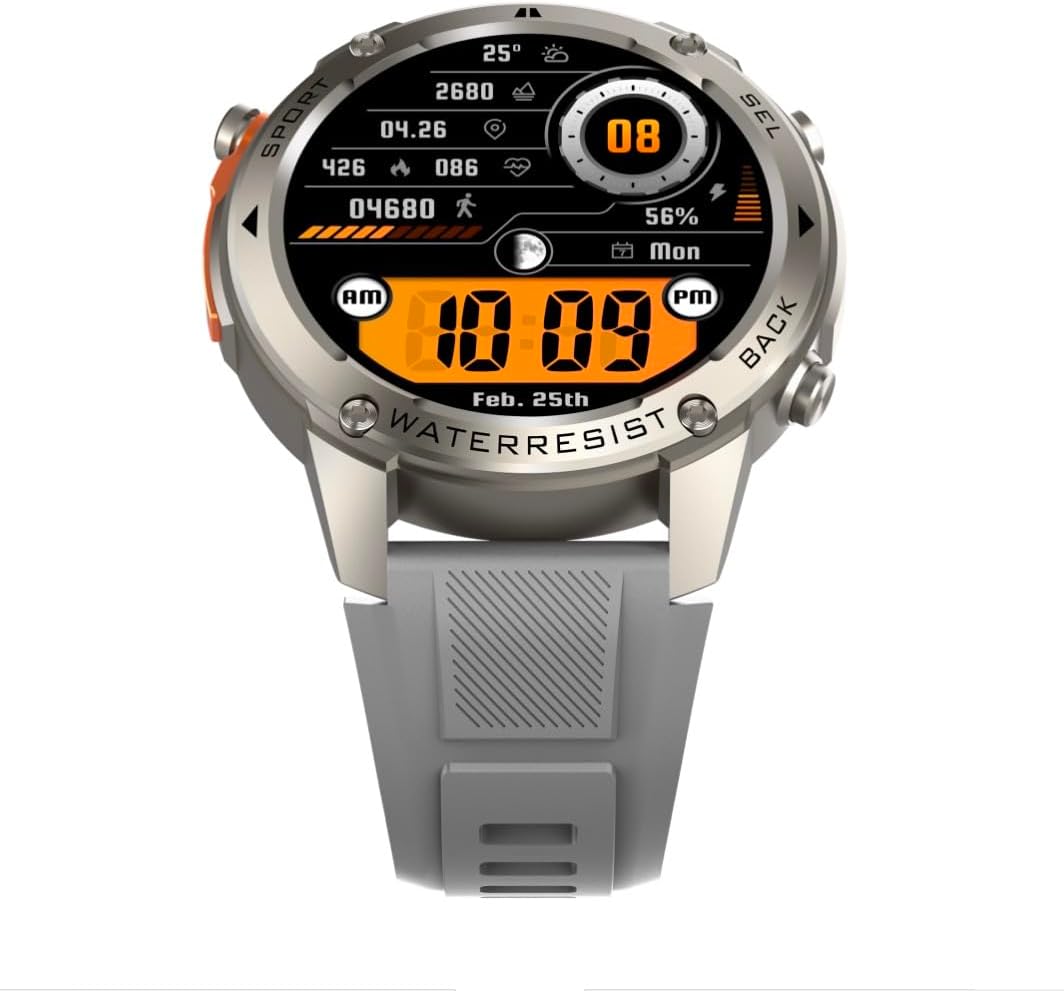
Imaj: Devan view of the DM56 smartwatch, showcasing its 1.43-inch AMOLED display with a digital watch face showing time, date, steps, heart rate, and battery level. The watch has a silver bezel and light grey strap.
- Ekran tactile: Swipe left/right to navigate between main screens (e.g., activity, heart rate, weather). Swipe up to access notifications. Swipe down to access quick settings. Tap to select an item or enter a menu.
- Bouton bò: The DM56 features multiple physical buttons.
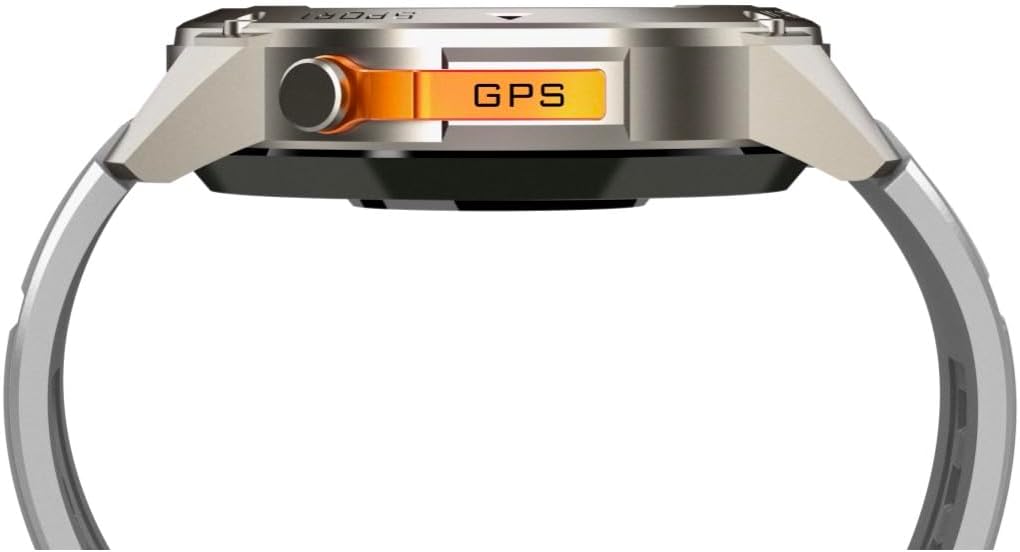
Imaj: Bò kote view of the DM56 smartwatch, highlighting the orange "GPS" button on the right side of the watch case. This button is used for quick access to GPS functions or sport modes.
- Bouton Pouvwa/Akèy: Typically located on the top right. Press to wake/sleep the screen, or long-press to power on/off. From any screen, press to return to the watch face.
- Sport/GPS Button: Often highlighted (e.g., orange). Press to quickly launch sport modes or activate GPS.
- Select/Back Buttons: Used for navigating menus, confirming selections, or going back to the previous screen. Refer to the on-screen prompts for specific button functions.
2. Karakteristik ekspozisyon
The 1.43-inch AMOLED display offers vibrant colors and deep blacks. It supports an Always-On Display (AOD) mode, allowing you to see the time and essential information without raising your wrist or tapping the screen. AOD settings can be configured in the companion app.
3. Siveyans Sante
The DM56 smartwatch is equipped with the VC30F sensor for comprehensive health tracking:
- Siveyans batman kè: Continuous heart rate tracking provides insights into your cardiovascular health. View done an tan reyèl sou mont lan oubyen tandans detaye nan aplikasyon an.
- Siveyans oksijèn nan san (SpO2): Mezire nivo saturasyon oksijèn nan san ou.
- Siveyans dòmi: Suivi dòmi ou otomatikmantages (deep, light, REM) and provides a sleep quality score.
- Suivi estrès: Li kontwole nivo estrès ou pandan tout jounen an.
- Pedomètr: Li konte pa ou fè chak jou, distans ou fè, ak kalori ou boule.
Note: Health monitoring data is for reference only and should not be used for medical diagnosis or treatment.
4. Mòd Espò ak GPS
The DM56 supports over 170 sports modes, with 14 built-in modes and the ability to add more via the app. It features L1+L5 dual-frequency GPS and multi-system positioning (GPS, GLONASS, BDS, Galileo, NAVIC, QZSS) for accurate outdoor activity tracking.
- Kòmanse yon antrennman: Press the Sport/GPS button or navigate to the "Workout" menu on the watch. Select your desired activity (e.g., Outdoor Running, Cycling).
- Akizisyon GPS: For outdoor activities, ensure you are in an open area for faster GPS signal acquisition. The watch will indicate when GPS is ready.
- During Workout: The watch will display real-time metrics such as duration, distance, pace, heart rate, and calories burned.
- Ending a Workout: Press the appropriate button or swipe on the screen to pause or end the workout. Confirm to save the data. Detailed workout summaries are available in the app.
5. Smart Notifications and Calls
Once paired with your smartphone, the DM56 can receive notifications for calls, SMS messages, and various apps. You can answer or reject calls directly from the watch.
- Enabling Notifications: Configure which app notifications you wish to receive in the companion app settings.
- ViewNotifikasyon yo: Swipe up on the watch face to view dènye notifikasyon yo.
- Reponn/Rejte Apèl: When an incoming call arrives, tap the green icon to answer or the red icon to reject. The watch uses its built-in microphone and speaker for calls.
6. Rezistans dlo (5ATM)
The DM56 has a 5ATM waterproof rating, meaning it can withstand water pressures equivalent to a depth of 50 meters. It is suitable for swimming in pools or shallow water, showering, and daily use. It is not recommended for diving, snorkeling, or high-speed water sports.
- Pa opere bouton anba dlo.
- Apre ou fin ekspoze mont lan nan dlo sale, rense l avèk dlo fre epi seche l byen.
Antretyen
- Netwayaj: Regilyèman netwaye ka mont lan ak braslè ak yon mou, damp cloth. For the charging contacts and sensors on the back, use a dry cotton swab to remove any dust or debris.
- Ranplasman senti: The silicone straps are replaceable. Refer to the quick-release pins on the underside of the strap for removal and attachment.
- Mizajou lojisyèl: Periodically check the companion app for firmware updates. Updates often include performance improvements, bug fixes, and new features. Ensure your watch is sufficiently charged before starting an update.
- Depo: If storing the watch for an extended period, charge it to about 50% and store it in a cool, dry place.
Depanaj
| Pwoblèm | Solisyon posib |
|---|---|
| Mont lan pa vle limen. | Asire w ke mont lan chaje nèt. Konekte l ak kab chaje a ak yon sous kouran pou omwen 30 minit. |
| Pa ka konekte ak telefòn entelijan an. |
|
| Notifikasyon yo pa resevwa. |
|
| Done sou sante ki pa egzak. |
|
| GPS signal acquisition is slow. |
|
Espesifikasyon
| Karakteristik | Detay |
|---|---|
| Non modèl | DM 56 |
| Mak | Enfini |
| Ekspozisyon | 1.43 Inches AMOLED, 466x466 pixels |
| Detèktè | Heart Rate (VC30F), Accelerometer (STK8321), Magnetometer (Compass), Barometer+Altitude (SPL07-03) |
| Koneksyon | Bluetooth 5.3 |
| Kapasite batri | 500 mAh (Ityòm Ion) |
| Nivo ki enpèmeyab | 5ATM (jiska 50 mèt) |
| GPS | Built-in GPS (L1+L5 dual-frequency), Multi-System Positioning (GPS, GLONASS, BDS, Galileo, NAVIC, QZSS) |
| Konpatibilite | Android 5.0+ and iOS 11 and above |
| Karakteristik espesyal | AMOLED toujou sou ekspozisyon |
| Pwa atik | 0.65 ons |
| Dimansyon pake | 4.25 x 4.25 x 2.8 pous |
Garanti ak sipò
For warranty information and technical support, please refer to the official Infinity websit la oubyen kontakte sèvis kliyan yo dirèkteman. Kenbe resi acha w la kòm prèv acha pou reklamasyon garanti.
Manifakti: Infiniity


