Entwodiksyon
This user manual provides detailed instructions for the Reacher R9BT-RA-DE, a versatile 4-in-1 device designed for convenience and functionality. It integrates a 15W magnetic wireless charger, a digital alarm clock with natural sound options, an FM radio with 40 presets, and a 10W Bluetooth 5.3 speaker. Please read this manual thoroughly to ensure proper setup, operation, and maintenance of your device.

Image: The Reacher R9BT-RA-DE highlighting its four core functionalities: wireless charging, Bluetooth speaker, FM radio, and alarm clock, presented as a stylish clock.
Pwodwi souview
The Reacher R9BT-RA-DE is engineered to simplify your daily routine by combining multiple essential functions into one elegant unit. Its design features a grey textile body with a wood-look top panel, suitable for various interior styles.
Karakteristik kle:
- 15W Magnetic Wireless Charging: Fast and secure charging for compatible smartphones, especially iPhone 12-16 series with magnetic alignment.
- Revèy dijital: Features a dimmable LED display (0-100%), 12/24-hour format, 6 natural alarm sounds (bird, sea, beep, wind chimes, piano, radio), and a 9-minute snooze function.
- Radyo FM: Stable reception (87.5-108 MHz) with an extendable antenna, supporting up to 40 preset stations and both manual and automatic tuning.
- Oratè Bluetooth 5.3: 10W stereo speakers deliver 360° sound, offering stable connection up to 10 meters for streaming music and podcasts. Automatic time synchronization upon phone connection.
- Konsepsyon itilizatè-zanmitay: Intuitive button layout on the top panel and rotary controls on the back for volume and display brightness.

Image: The Reacher R9BT-RA-DE in operation, showing a smartphone wirelessly charging on its magnetic pad and the digital clock display.
Enstalasyon
1. Debalaj ak plasman:
- Ak anpil atansyon retire aparèy la nan anbalaj li yo.
- Place the device on a stable, flat surface, such as a bedside table or office desk.
- Asire bon jan vantilasyon alantou aparèy la.
2. Koneksyon pouvwa:
- Connect the provided power cable to the DC input port on the back of the device.
- Branche lòt bout kab kouran an nan yon priz miray estanda.
- The display will illuminate, indicating the device is powered on.
3. Anviwònman Tan Inisyal:
- Upon initial power-on, the time may need to be set manually or will synchronize automatically when connected via Bluetooth to a smartphone.
- Refer to the "Alarm Clock and Display" section for manual time adjustment instructions.
Enstriksyon Operasyon
1. Chaje san fil:
- Place your Qi-compatible smartphone (e.g., iPhone 12-16 series) on the magnetic charging pad located on the top surface of the device.
- The strong magnet will automatically align your phone for optimal charging.
- Charging will begin automatically. The device supports up to 15W fast charging.
- Ensure your phone case is compatible with MagSafe and is not thicker than 8mm for efficient charging.
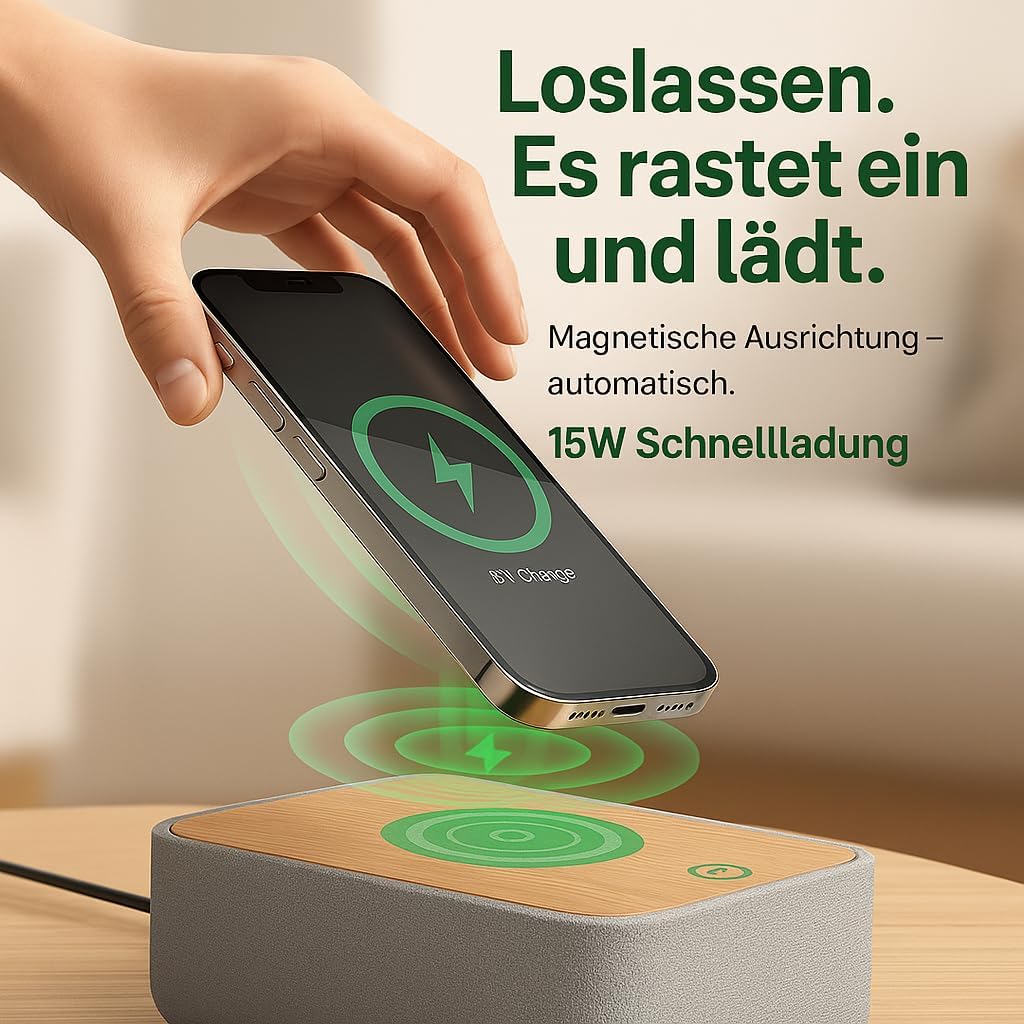
Image: Illustrates the magnetic alignment feature for wireless charging, showing a phone being placed on the charging pad.

Image: Demonstrates the 15W fast wireless charging capability of the device.
2. FM Radyo:
- Extend the antenna located at the back of the device for optimal reception.
- Peze a FM bouton an pou chanje nan mòd radyo FM.
- Akor otomatik: Peze epi kenbe la Eskane button (or similar, refer to device buttons) to automatically scan and save available stations (up to 40 presets).
- Manyèl akor: Sèvi ak la Tune +/- buttons (or rotary knob) to manually adjust the frequency (87.5-108 MHz).
- Chwazi Prereglaj: Sèvi ak la Preset +/- bouton pou chanje estasyon ki anrejistre yo.
- Adjust the volume using the rotary knob on the back of the device.

Image: Visual guide to the FM radio features, showing options for manual and automatic tuning, and the capacity for 40 preset stations.
3. Bluetooth Speaker:
- Peze a Bluetooth button to enter Bluetooth pairing mode. The Bluetooth icon on the display will flash.
- On your smartphone or other Bluetooth-enabled device, search for "R9BT-RA-DE" (or similar device name) in the Bluetooth settings.
- Select the device to pair. Once connected, the Bluetooth icon will stop flashing and remain solid.
- You can now stream audio from your connected device.
- The device features 10W stereo speakers for 360° sound and Bluetooth 5.3 for stable connection up to 10 meters.
- When connected, the device may automatically synchronize its time with your phone.
- Adjust the volume using the rotary knob on the back of the device (30 volume levels available).
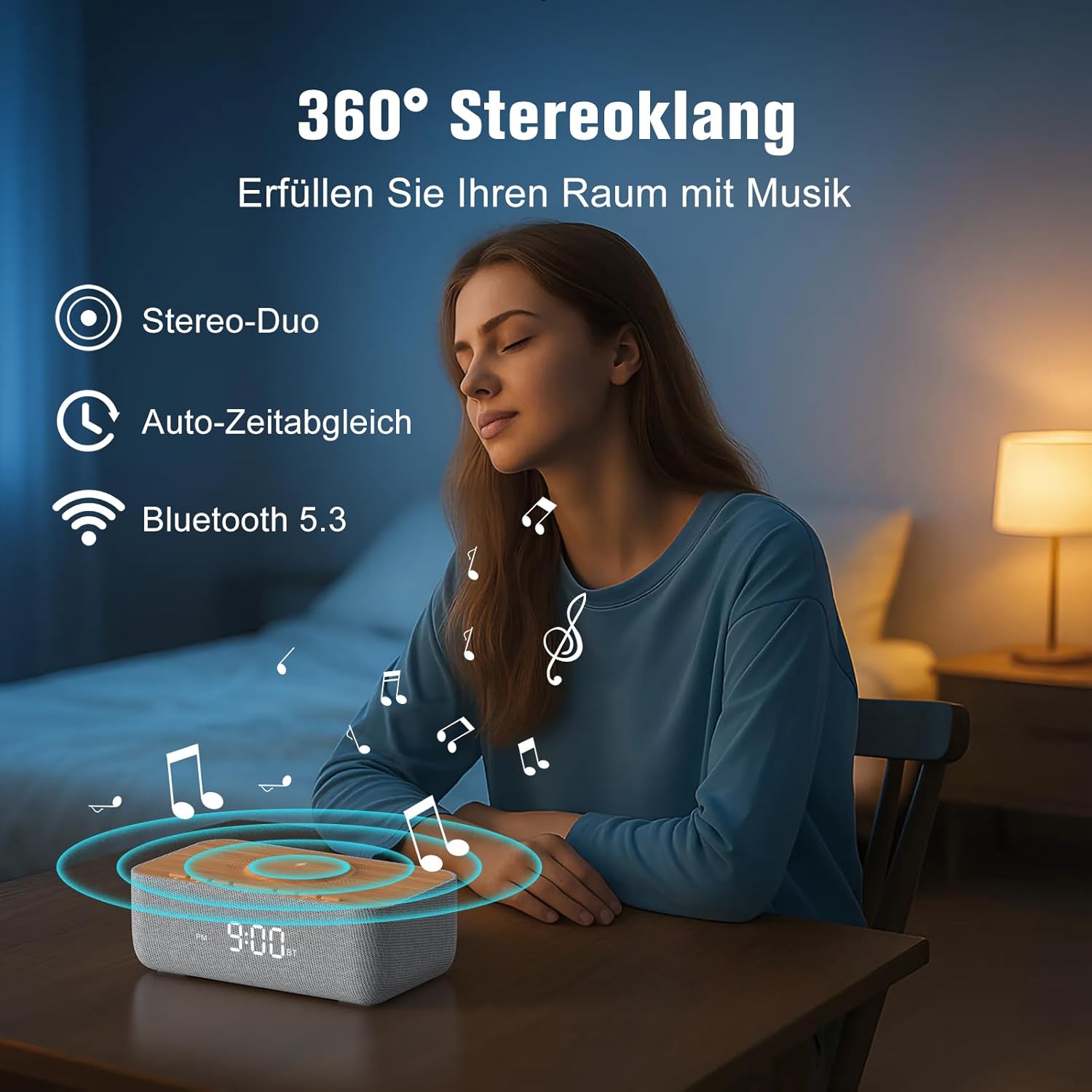
Image: Depicts the device's 360-degree stereo sound capability, Bluetooth 5.3 connectivity, and automatic time synchronization.
4. Alarm Clock and Display:
- Mete tan: Peze a Tan Mete bouton. Sèvi ak la +/- buttons to adjust hours and minutes. Press Tan Mete ankò pou konfime.
- Fòma 12/24 èdtan: Peze a 12/24H button to switch between 12-hour (with AM/PM indicator) and 24-hour formats.
- Mete Alam: Peze a Alam Mete bouton. Sèvi ak +/- pou mete lè alam lan. Peze Alam Mete again. Then, use +/- to select one of the 6 alarm tones (bird, sea, beep, wind chimes, piano, or FM radio). Press Alam Mete pou konfime.
- Aktive / Dezaktive Alam: Peze a Alam sou / Off button to toggle the alarm. An alarm icon will appear on the display when active.
- Fonksyon Snooze: Lè alam la son, peze la Snooze button (usually a large button on top) to temporarily silence it for 9 minutes.
- Sispann Alam: To turn off the alarm for the day, press any button other than Snooze.
- Ekspozisyon klète: Use the rotary knob on the back of the device to adjust the LED display brightness from 0% (off) to 100%.

Image: Illustrates the 0-100% dimmable LED display, showing how the brightness can be adjusted.
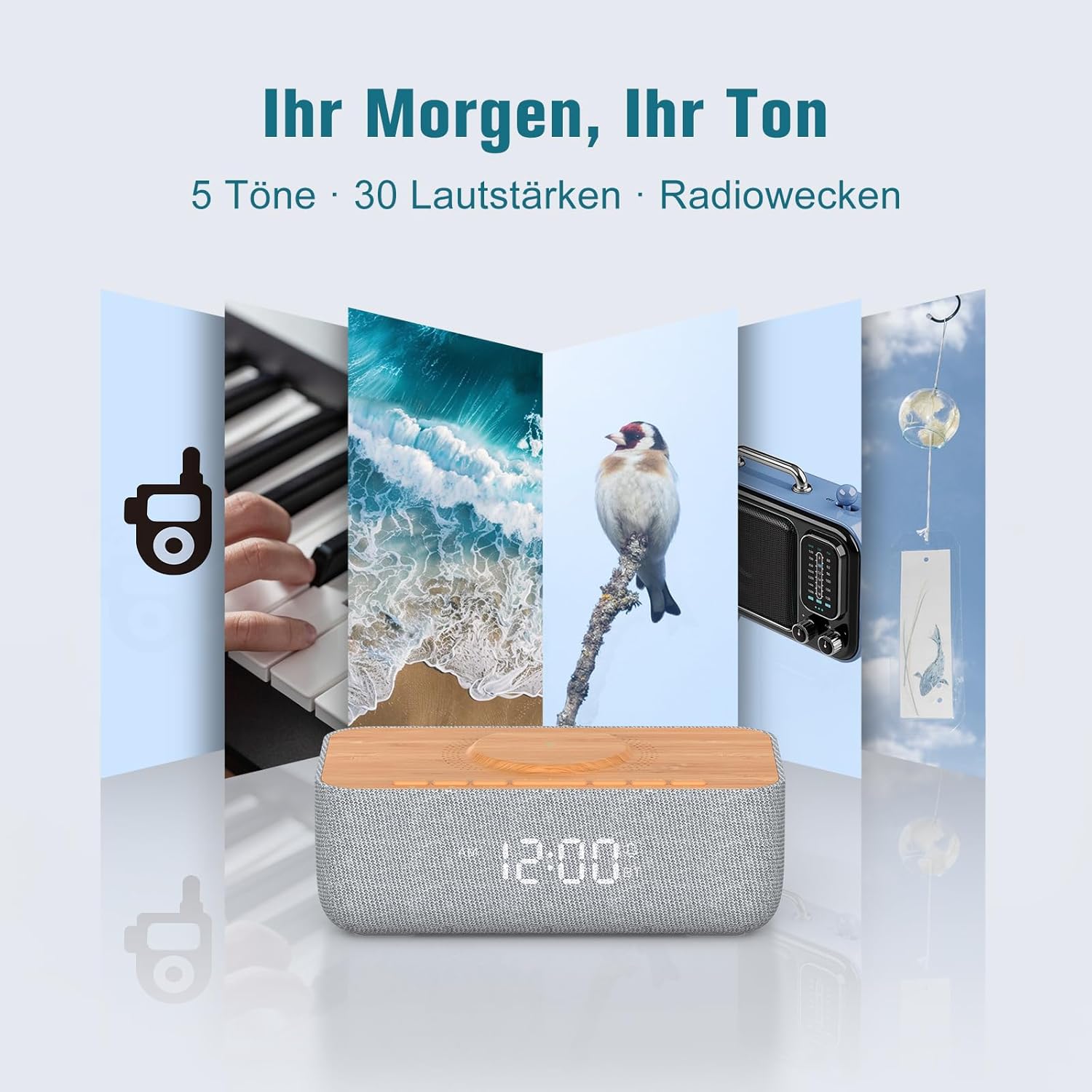
Image: Displays the variety of alarm tones, including natural sounds and FM radio, available on the device.
Antretyen
- Netwayaj: Use a soft, dry cloth to wipe the device. Do not use liquid cleaners or abrasive materials.
- Depo: If storing the device for an extended period, unplug it from the power source and store it in a cool, dry place.
- Evite dlo: This device is for indoor use only and is not waterproof. Keep it away from water and high humidity.
- Pwovizyon pou pouvwa: Sèlman sèvi ak adaptè kouran ki vini ak li a oswa yon ekivalan sètifye.
Depanaj
| Pwoblèm | Kòz posib | Solisyon |
|---|---|---|
| Aparèy pa limen. | Power cable not connected or power outlet not working. | Ensure the power cable is securely connected to both the device and a functional power outlet. |
| Chaje san fil la pa fonksyone. | Phone not Qi-compatible, misaligned, or phone case too thick. | Ensure your phone supports Qi wireless charging. Realign the phone on the charging pad. Remove thick phone cases (over 8mm) or non-MagSafe cases. |
| Resepsyon radyo FM ki fèb. | Antenna not extended or environmental interference. | Fully extend the FM antenna. Try repositioning the device or antenna for better signal. |
| Bluetooth pa konekte. | Device not in pairing mode, out of range, or already connected to another device. | Ensure the device is in Bluetooth pairing mode (flashing icon). Move your phone closer. Disconnect from other Bluetooth devices. |
| Alarm volume too low/high. | Volume not adjusted correctly. | Adjust the volume using the rotary knob on the back of the device. Note that some alarm tones may have a gradual volume increase. |
| Ekran an twò klere/fèb. | Paramèt klète a bezwen ajisteman. | Use the rotary knob on the back of the device to adjust the display brightness. |
Espesifikasyon
| Mak | REACHER |
| Nimewo Modèl | R9BT-RA-DE |
| Koulè | Gri / Brown |
| Dimansyon pwodwi (L x W x H) | 25 x 12.5 x 8.05 cm |
| Pwa atik | 700 gram |
| Wireless Chaje Sòti | Jiska 15W |
| Wireless Chaje konpatibilite | Qi-compatible smartphones, iPhone 12-16 series (magnetic alignment) |
| Gamme frekans radyo FM | 87.5 - 108 MHz |
| Prereglaj radyo FM | Jiska 40 estasyon |
| Bluetooth vèsyon | 5.3 |
| Gamme Bluetooth | Jiska 10 mèt |
| Sòti Oratè | 10W Stereo |
| Kalite ekspozisyon | Dijital dirije |
| Ekspozisyon klète | 0-100% Dimmable |
| Ton Alam | 6 (Bird, Sea, Beep, Wind Chimes, Piano, FM Radio) |
| Duration Snooze | 9 minit |
| Sous pouvwa | Kab elektrik |
| Materyèl ankadreman | Wood (top panel) |
| Batri enkli | Non |
Garanti ak sipò
For warranty information and customer support, please refer to the documentation included with your purchase or visit the official REACHER website. If you encounter any issues not covered in this manual, please contact REACHER customer service for assistance.
Product is certified CE and RoHS compliant, with integrated overcurrent and short-circuit protection.


