Entwodiksyon
Thank you for choosing the COLBOR CF5 Portable Fog Machine. This compact and powerful device is designed to create atmospheric effects for various applications, including photography, stage performances, parties, cosplay, streaming, and weddings. With its advanced features like adjustable smoke density, RGB lighting, and flexible design, the CF5 offers precise control and versatility. This manual provides essential information for safe and effective operation, setup, maintenance, and troubleshooting. Please read it thoroughly before using the product.

Figure 1: COLBOR CineFlare CF5 Portable Fog Machine, designed for atmosphere creation.
Enfòmasyon sou Sekirite
To ensure safe operation and prevent damage to the device or injury, please adhere to the following safety guidelines:
- Sèvi ak sèlman food-grade plant glycerin fog liquid with the CF5. Using other liquids may damage the machine or produce harmful fumes.
- Do not block the air vents or smoke outlet during operation.
- The machine generates heat during operation. Avoid touching the smoke outlet directly to prevent burns.
- Ensure adequate ventilation in the operating area.
- Kenbe aparèy la lwen dlo ak lòt likid. Pa sèvi avè l nan kondisyon mouye.
- Sere aparèy la nan yon kote ki fre, sèk lè li pa itilize.
- Kenbe lwen timoun ak bèt kay.
- Pa eseye demonte oswa repare aparèy la tèt ou. Kontakte pèsonèl kalifye pou sèvis.

Figure 2: The CF5 uses food-grade plant glycerin, ensuring safe and odorless fog production.
Kontni pake
Lè w ap ouvri pake a, verifye si tout atik ki nan lis anba a yo la epi yo an bon eta:
- COLBOR CF5 Portable Fog Machine
- Kontwòl Remote
- Tib fleksib
- Kouvèti bouch
- Various Adapters/Nozzles
- USB Chaje Kab
- Ka pote
- Fog Liquid (sampboutèy la)
- Manyèl Itilizatè (dokiman sa a)

Figure 3: All components included with the COLBOR CF5 Portable Fog Machine.
Pwodwi souview
The COLBOR CF5 features a compact and ergonomic design with key components for versatile operation.
- Adjustable Body: The main body can be adjusted up to 60 degrees, allowing precise direction of smoke flow for various angles, including low-angle effects.
- Prize lafimen: Where the fog is emitted. Equipped with a magnetic RGB light ring.
- Kontwòl Panel: Features buttons for power, density adjustment, fan speed, and cycle settings. Includes a display screen for current settings.
- Fog Liquid Chamber: 12 ml capacity for fog liquid.
- USB-C pò: Pou chaje batri entèn lan.
- Magnetic Fan: Built-in fan with adjustable speed (3 settings) to shape smoke flow.

Figure 4: The CF5's foldable body allows for flexible smoke direction.

Figure 5: Integrated RGB light and adjustable fan for enhanced effects.
Enstalasyon
- Chaje aparèy la: Before first use, fully charge the COLBOR CF5 using the provided USB-C cable. The battery indicator on the display will show charging status.
- Fill Fog Liquid:
- Locate the fog liquid chamber.
- Carefully pour the food-grade plant glycerin fog liquid into the chamber, ensuring not to overfill the 12 ml capacity.
- Securely close the chamber cap.
- Tache Pwodwi (Si ou vle):
- For broader smoke dispersion or specific effects, attach the flexible tube or desired nozzle adapter to the smoke outlet.
- The nozzle cover can be used for specific directional control.

Figure 6: External accessories for varied smoke dispersion.
Enstriksyon Operasyon
- Limen/Etenyen: Press and hold the power button on the control panel to turn the device on or off.
- Adjust Smoke Density:
- The CF5 offers 25 levels of smoke density adjustment.
- Use the '+' and '-' buttons on the control panel to increase or decrease the smoke output intensity.
- The current density level will be displayed on the screen.
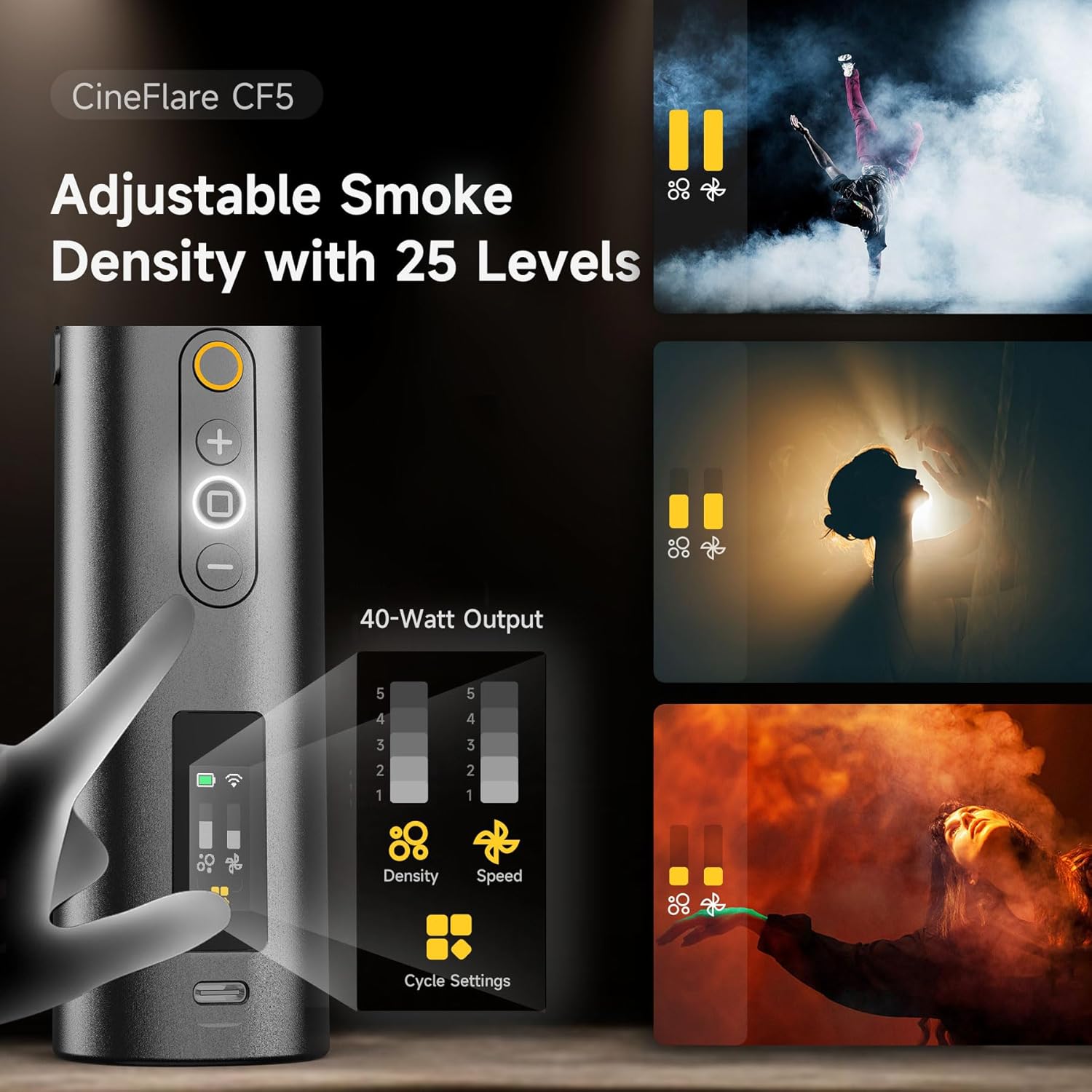
Figure 7: Control panel for adjusting smoke density and fan speed.
- Ajiste vitès fanatik:
- The built-in magnetic fan has 3 adjustable speed settings.
- Use the dedicated fan speed button (if available, or cycle through settings using a multi-function button) to change the fan speed. This affects how the smoke disperses.
- Control RGB Light:
- The 360-degree RGB light ring can add color to your smoke effects.
- Refer to the on-screen menu or dedicated light button to cycle through colors or adjust brightness.
- Operasyon Remote Control:
- The included remote control allows wireless operation up to 10 meters.
- Use the remote to power on/off, adjust smoke density, and control other settings from a distance.
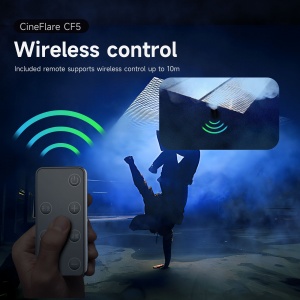
Figure 8: Wireless remote control for convenient operation.
- Custom Smoke Settings:
- The CF5 supports custom settings for continuous smoke duration, interval timing, and the number of smoke bursts.
- Access these settings via the control panel's menu or dedicated cycle settings button.
- The device can maintain continuous maximum smoke output for up to 10 minutes.

Figure 9: Advanced settings for precise smoke control.
Antretyen
- Netwayaj: Regularly wipe the exterior of the machine with a soft, dry cloth. Do not use abrasive cleaners or solvents.
- Fog Liquid Chamber: If the machine will not be used for an extended period, empty the fog liquid chamber and run the machine briefly to clear any remaining liquid from the internal pump and heater.
- Depo: Store the COLBOR CF5 in its carrying case in a cool, dry place, away from direct sunlight and extreme temperatures.
Depanaj
| Pwoblèm | Kòz posib | Solisyon |
|---|---|---|
| Pa gen pwodiksyon lafimen |
|
|
| Weak smoke output |
|
|
| Remote kontwòl pa travay |
|
|
Espesifikasyon
| Karakteristik | Detay |
|---|---|
| Modèl | CF5 |
| Sortie pouvwa | 40 Watts |
| Fog Liquid Capacity | 12 ml |
| Smoke Density Levels | 25 nivo |
| Anviwònman vitès fanatik | 3 nivo |
| Adjustable Body Angle | Jiska 60 degre |
| Remote Control Range | Jiska 10 mèt |
| Kalite batri | Lityòm Ion (enkli) |
| Pwa atik | 2 liv |
| Dimansyon pake | 11.59 x 5.5 x 3.7 pous |
Garanti ak sipò
COLBOR products are manufactured to high-quality standards. For information regarding warranty coverage, please refer to the warranty card included with your product or visit the official COLBOR websit.
For technical support, troubleshooting assistance, or inquiries about replacement parts, please contact COLBOR customer service through their official channels.
- Official COLBOR Websit: www.colborlight.com
- Magazen Amazon: Visit the COLBOR Store on Amazon


