Entwodiksyon
Welcome to the user manual for your Hiwill Nimbus A512 5.1.2ch Dolby Atmos Soundbar. This advanced home theater system is designed to deliver an immersive audio experience with its 11-driver configuration, including up-firing and side-firing speakers, and a powerful 6.5-inch wireless subwoofer. This manual provides comprehensive instructions for setup, operation, maintenance, and troubleshooting to help you maximize your soundbar's performance.

The Hiwill Nimbus A512 soundbar system, featuring the main soundbar unit, a wireless subwoofer, and two wired rear surround speakers, integrated into a modern living room setup with a large television, demonstrating its comprehensive home theater capabilities.
Ki sa ki nan bwat la
Tanpri verifye ke tout konpozan sa yo enkli nan pake ou a:
- Inite ba son
- Wireless 6.5-inch Subwoofer
- Wired Surround Speakers (x2)
- HDMI ARC kab
- Digital Optical Kab
- Stereo 3.5mm a 3.5mm Audio Kab
- Kontwòl Remote
- Mi ki monte Twous
- Manyèl Itilizatè (dokiman sa a)
- Pouvwa kab
Gid Enstalasyon
1. Plasman
Optimal placement of your soundbar system is crucial for the best audio experience. Consider the following:
- Ba son: Place the soundbar centrally below your TV, ensuring it is not obstructed. It can be wall-mounted or placed on a TV tabletop.
- Subwoofer san fil: Position the subwoofer on the floor, ideally near the front of the room or beside your couch. Its wireless connectivity offers flexibility.
- Oratè antoure dèyè: Place the two wired rear surround speakers behind your primary listening position, facing towards you. These speakers are designed to enhance ambient sounds and special effects.
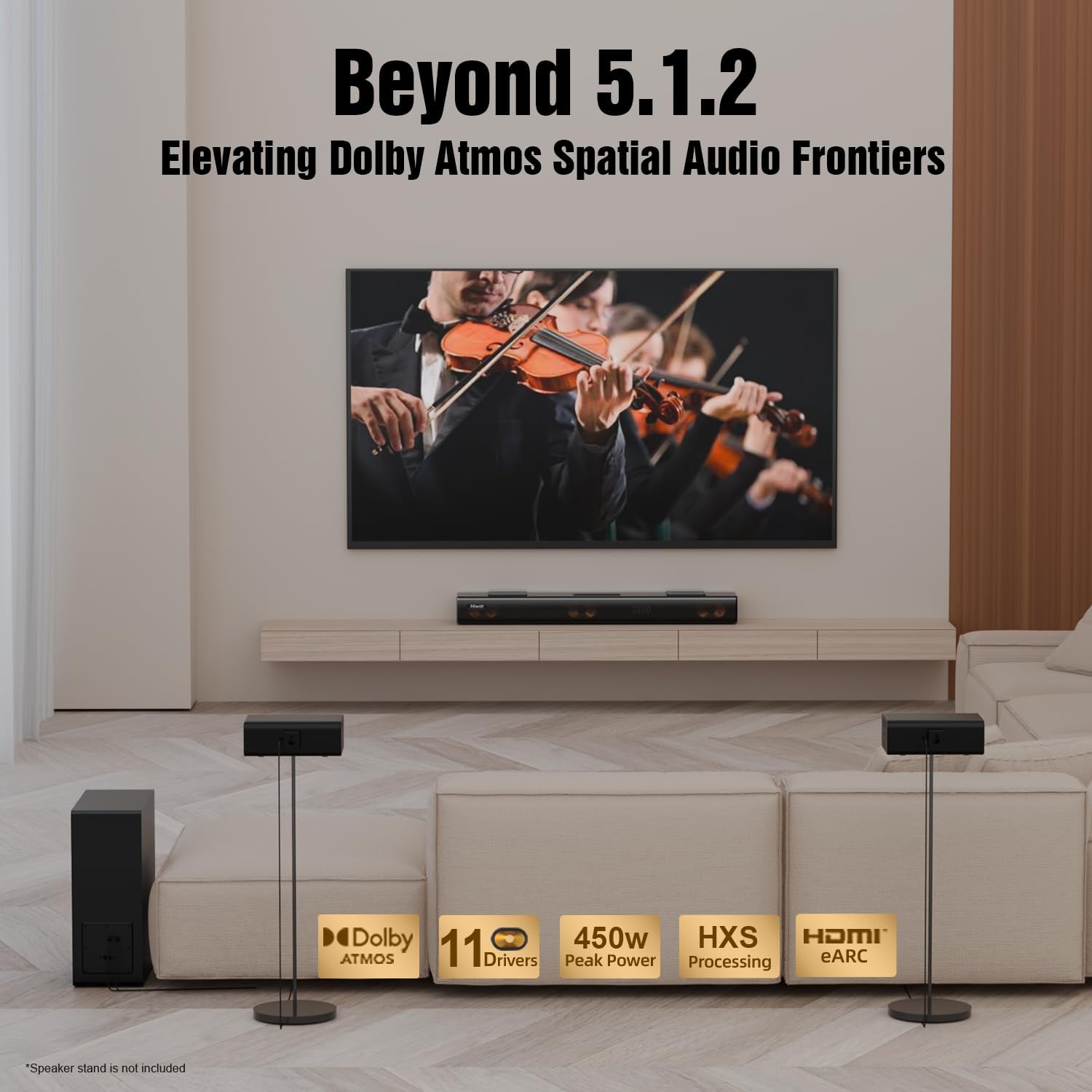
An illustration of the Hiwill Nimbus A512 sound system setup in a living room, demonstrating the placement of the soundbar, wireless subwoofer, and two rear surround speakers to achieve a 'Beyond 5.1.2' immersive audio experience with Dolby Atmos.
2. Koneksyon
Connect your soundbar to your television or other audio sources using the provided cables. HDMI eARC/ARC is recommended for optimal performance, especially for Dolby Atmos content.
- HDMI eARC/ARC: Connect the HDMI ARC cable from the soundbar's eARC/ARC port to your TV's HDMI ARC/eARC port. This allows for high-quality audio transmission and TV remote control of the soundbar.
- Optik: For TVs without HDMI ARC, use the Digital Optical Cable to connect the soundbar's OPTICAL port to your TV's optical output.
- AUX: Use the 3.5mm audio cable for connecting devices with a 3.5mm audio output.
- USB: Insert a USB flash drive for firmware updates or playing compatible audio files.
- Bluetooth: For wireless audio streaming from mobile devices, select the Bluetooth input mode on the soundbar.

A comparison table outlining the best connection methods for your soundbar, detailing audio quality, Dolby Atmos support, and recommended ratings for HDMI eARC, HDMI ARC, Optical, Bluetooth, and AUX connections.

A detailed table explaining the key differences between HDMI eARC and HDMI ARC, providing insights into bandwidth, audio format support, channel capabilities, audio quality, latency, and compatibility requirements.
Itilizasyon Soundbar ou a
Key Features and Audio Technologies
- Dolby Atmos: Experience immersive spatial audio with a three-dimensional sound field, allowing sound to come from various directions.
- Hiwill HXS-Processing: Our next-generation technology designed for crystal-clear vocals and vivid audio details, enhancing dialogue clarity.
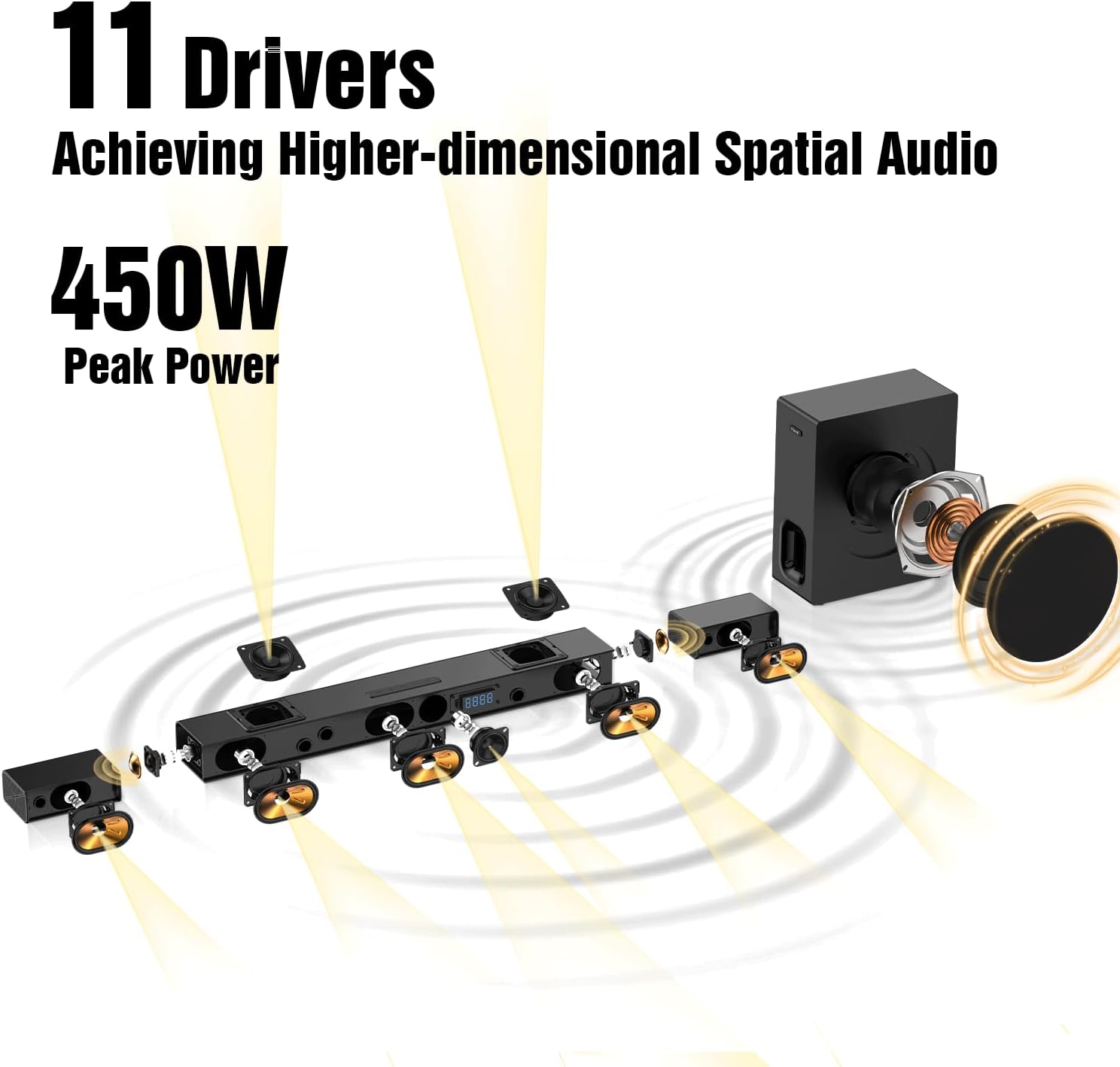
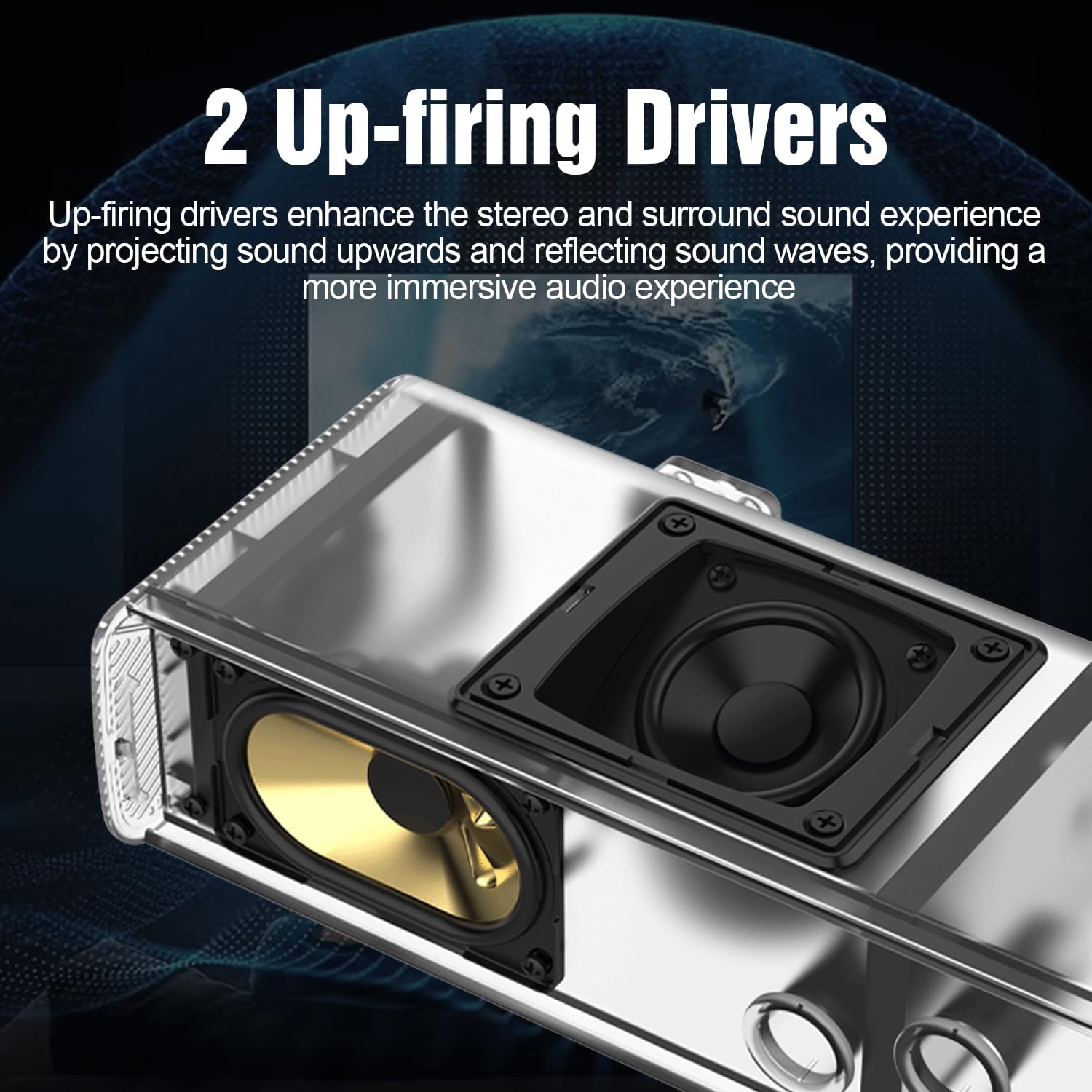
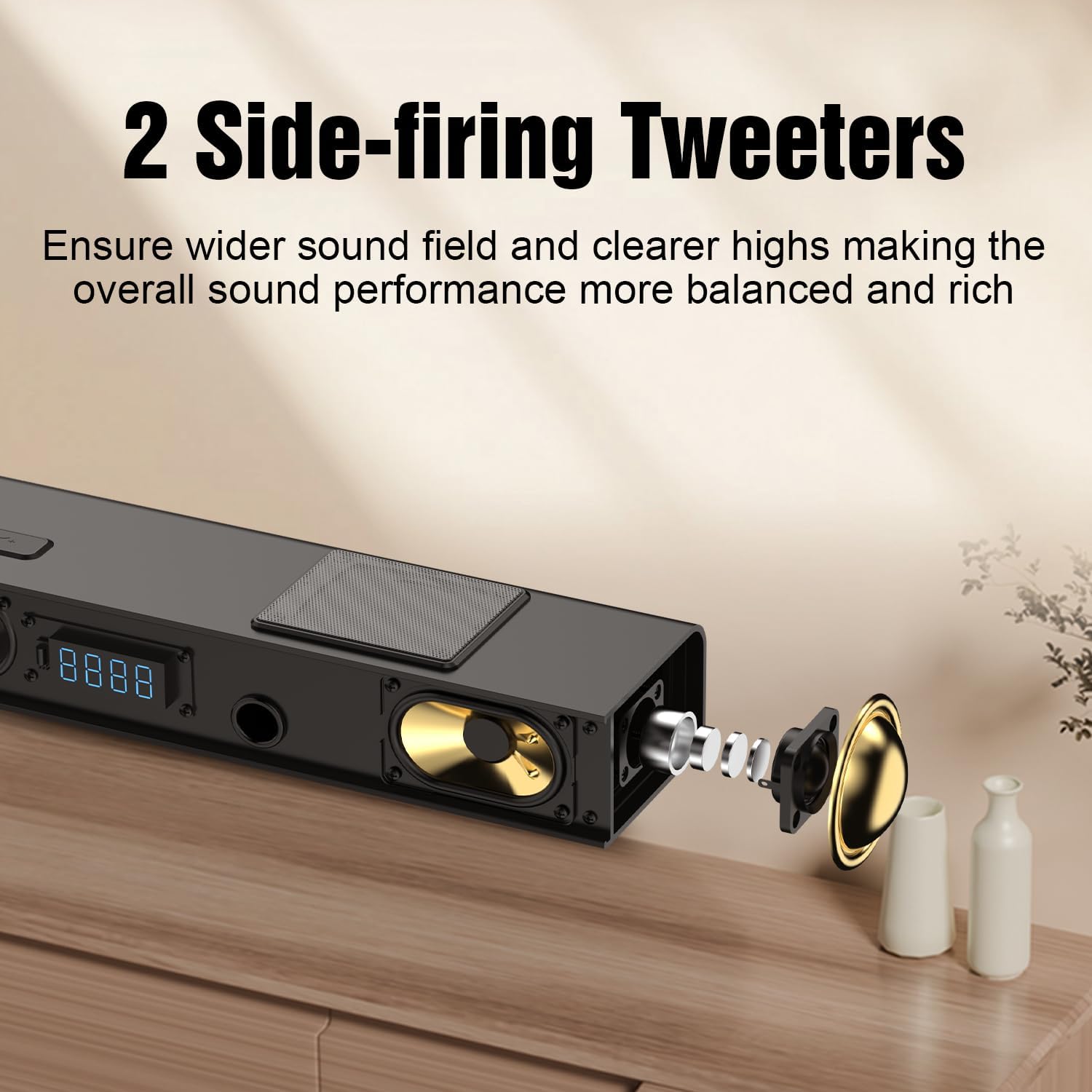
- 11-Driver System: The soundbar features 4 front drivers, 2 rear drivers, 2 up-firing drivers, and 2 side-firing tweeters, working with the 6.5" wireless subwoofer for a comprehensive soundstage.
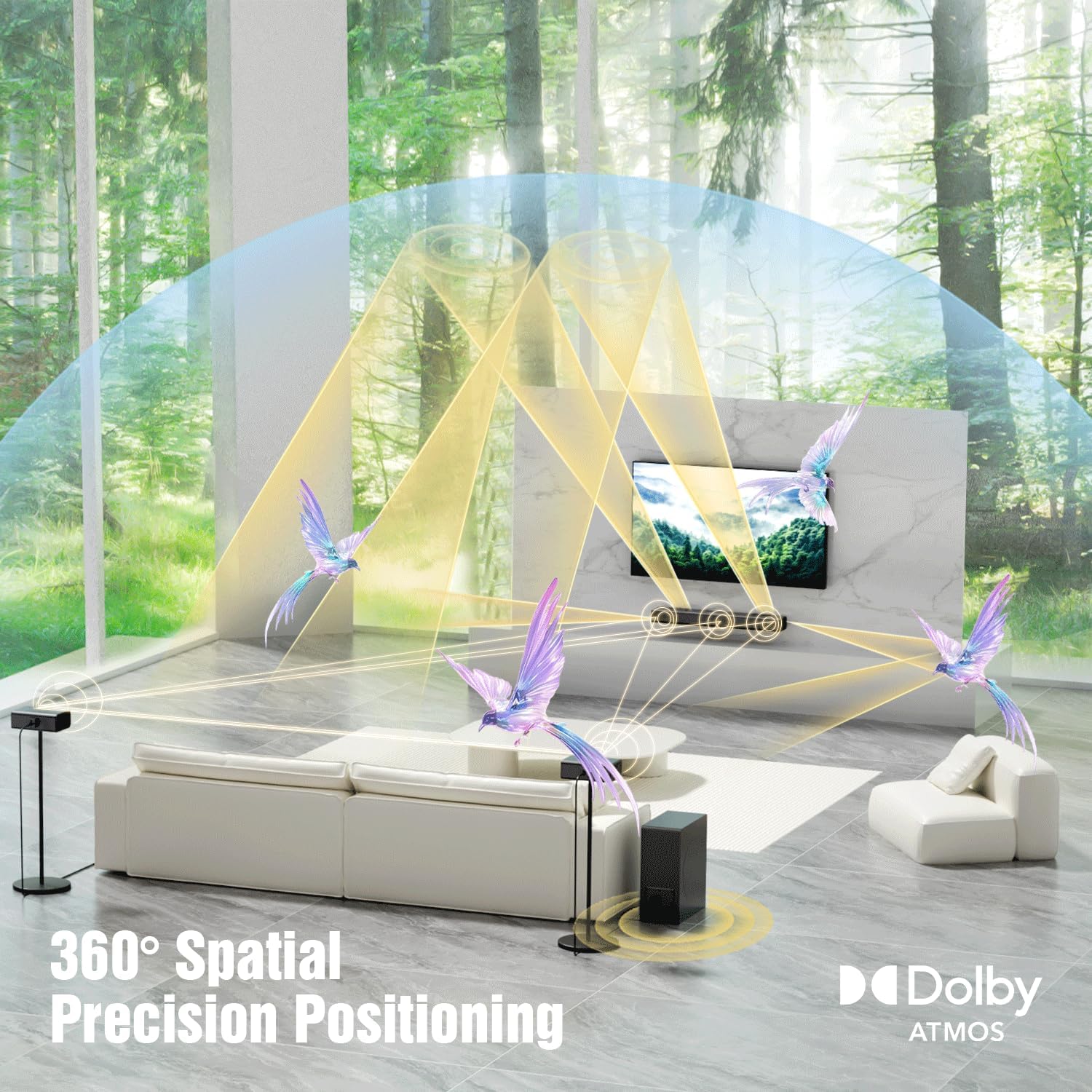
An animated graphic demonstrating the 360-degree spatial precision positioning achieved with Dolby Atmos technology, illustrating how sound emanates from the soundbar and rear speakers to create an enveloping audio experience.
An exploded diagram showcasing the internal components of the Hiwill Nimbus A512 soundbar, detailing its 11 drivers and the separate 6.5-inch wireless subwoofer, emphasizing the 450W peak power for high-dimensional spatial audio.
Yon fèmen view of the Hiwill soundbar highlighting its two up-firing drivers, which project sound upwards to reflect off the ceiling, enhancing the stereo and surround sound experience for a more immersive audio.
A detailed image of the Hiwill soundbar's side-firing tweeters, shown with an exploded view of their internal components, illustrating how they contribute to a wider sound field and clearer highs for a balanced and rich audio performance.
A visual of two wired rear surround speakers from the Hiwill Nimbus A512 system, positioned behind a couple on a couch, highlighting their role in creating a 360-degree cinematic sound experience with 12 levels of independent volume adjustment.

The 6.5-inch wireless subwoofer of the Hiwill Nimbus A512 system, shown positioned next to a couch, is optimized to efficiently reproduce low-frequency sounds, delivering powerful and deep bass for an impactful and engaging audio experience.
Remote Control and Adjustments
Use the included remote control to manage your soundbar's settings:
- Kontwòl Volim: Adjust the overall system volume.
- Seleksyon Antre: Switch between HDMI eARC/ARC, Optical, AUX, USB, and Bluetooth inputs.
- Ajisteman Bass: Control the intensity of the subwoofer's bass output.
- Rear Speaker Volume: Independently adjust the volume of the rear surround speakers (12 levels available).
- Mòd EQ: Select from various equalizer presets for different content types (e.g., Movie, Music, News).
Antretyen
To ensure the longevity and optimal performance of your Hiwill soundbar system, follow these maintenance guidelines:
- Netwayaj: Sèvi ak yon twal mou epi sèk pou siye ba son an, subwoofer la, ak oratè yo. Evite itilize pwodui netwayaj likid oswa materyèl abrazif.
- Vantilasyon: Ensure proper airflow around all components to prevent overheating. Do not block ventilation openings.
- Anviwònman: Keep the system away from direct sunlight, heat sources, excessive dust, and moisture.
- Pouvwa: Unplug the system from the power outlet during lightning storms or when unused for extended periods.
Depanaj
If you encounter any issues with your soundbar, refer to the following common problems and solutions:
| Pwoblèm | Kòz posib / Solisyon |
|---|---|
| Pa gen Son |
|
| Subwoofer / Rear Speakers Not Connecting |
|
| Sound Distortion / Poor Quality |
|
| Display Brightness Too High |
|
Mizajou Mizajou Gid
Hiwill is committed to providing continuous firmware updates to enhance performance and introduce new features. Follow these steps to update your soundbar's firmware:
Official Hiwill video guide demonstrating the universal firmware upgrade process for their soundbars, including steps for downloading the firmware, preparing a USB drive, and initiating the update.
Firmware Update Steps:
- Etap 1: Telechaje mikrolojisyèl
Telechaje dènye firmwèr la file (egzanp,spupdate.bin) and place it in the root directory of a USB flash drive. Ensure the USB drive is formatted correctly (FAT32). - Step 2: Prepare Soundbar
Turn the soundbar on (or restart it) and switch its input mode to USB. - Step 3: Insert USB Drive
Insert the USB flash drive containing the firmware file into the USB port on the back of the soundbar. - Step 4: Initiate Update
Using the remote control, press and hold the [Jwe/Poz] button. Continue holding until a number is displayed on the soundbar's screen. The numbers will count up (e.g., 19, 29, 39, ... 99). - Etap 5: Konplete
When "HI" appears on the soundbar's display, it indicates that the firmware update is successful.
Apre Enstalasyon:
After the firmware update is complete, unplug the soundbar's power supply. Wait for a few seconds, and then plug it back in. This ensures the firmware is fully applied and the installation is successful.
TV Audio Settings After Upgrade:
After the upgrade, it is crucial to check your TV's audio output settings and set it to 'PASSTHROUGH' for optimal performance, especially for Dolby Atmos content. If 'PASSTHROUGH' is not available, look for 'Bitstream' or 'Auto'.
General Path: TV Settings > Sound > Audio Processing > Select "Off" > Digital Audio Output > Select "Passthrough".
Finally, restart the soundbar to enjoy the upgraded sound!

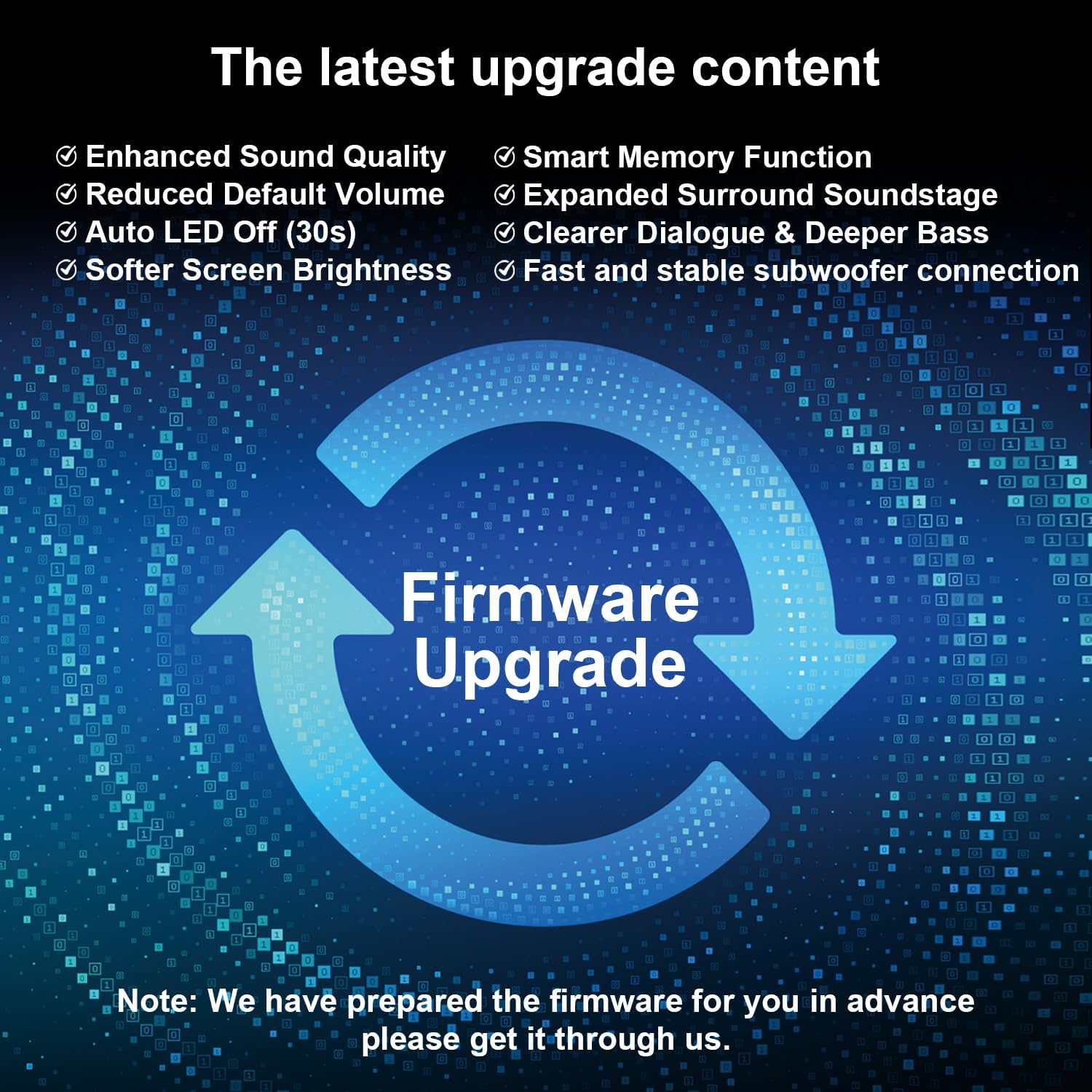
A visual representation of the firmware upgrade cycle, highlighting key improvements such as enhanced sound quality, smart memory function, expanded surround soundstage, clearer dialogue, deeper bass, reduced default volume, auto LED off, softer screen brightness, and fast/stable subwoofer connection.
Espesifikasyon
| Karakteristik | Detay |
|---|---|
| Non modèl | AT-S512W |
| Kalite Oratè | Ba son |
| Konfigirasyon chanèl son antoure | 5.1.2 |
| Oratè maksimòm pwodiksyon pouvwa | 450 Watts |
| Koneksyon Teknoloji | Auxiliary, Bluetooth 5.3, USB, Optical, HDMI eARC/ARC |
| Audio Sòti Mode | Surround, 3D Spatial Audio |
| Teknoloji kominikasyon san fil | Bluetooth |
| Teknoloji Koneksyon Subwoofer | San fil |
| Subwoofer Dyamèt | 6.5 pous |
| Metòd kontwòl | Remote |
| Dimansyon pwodwi | 4.65"D x 23.23"W x 2.28"H |
| Pwa atik | 16.96 liv |
| Kalite aliye | Wall-mounted, or placed on a TV tabletop |
| Manifakti | Hiwill |
| Peyi orijin | Lachin |
| Dat Premye Disponib | 20 janvye 2025 |
Garanti ak sipò
Your Hiwill Nimbus A512 Soundbar comes with a Garanti limite. For specific warranty terms and conditions, please refer to the warranty card included in your product packaging or contact Hiwill customer support.
For technical assistance, troubleshooting beyond this manual, or to obtain the latest firmware updates, please contact Hiwill Technologies Inc. directly. Our support team is dedicated to providing you with the best possible experience.
Enfòmasyon pou kontakte: Please refer to the official Hiwill website or your product packaging for the most up-to-date contact details.


