Entwodiksyon
Thank you for choosing the Hiwill Dolby Atmos 5.1CH Sound Bar System. This manual provides essential information for setting up, operating, and maintaining your new audio system. Please read it thoroughly before use to ensure optimal performance and safety.
This system is designed to transform your home entertainment with immersive sound, offering crystal-clear dialogue and precise spatial audio, ideal for movies, games, and music. It features Dolby Atmos for a theater-like experience and includes a powerful subwoofer and two wired rear speakers for true surround sound.
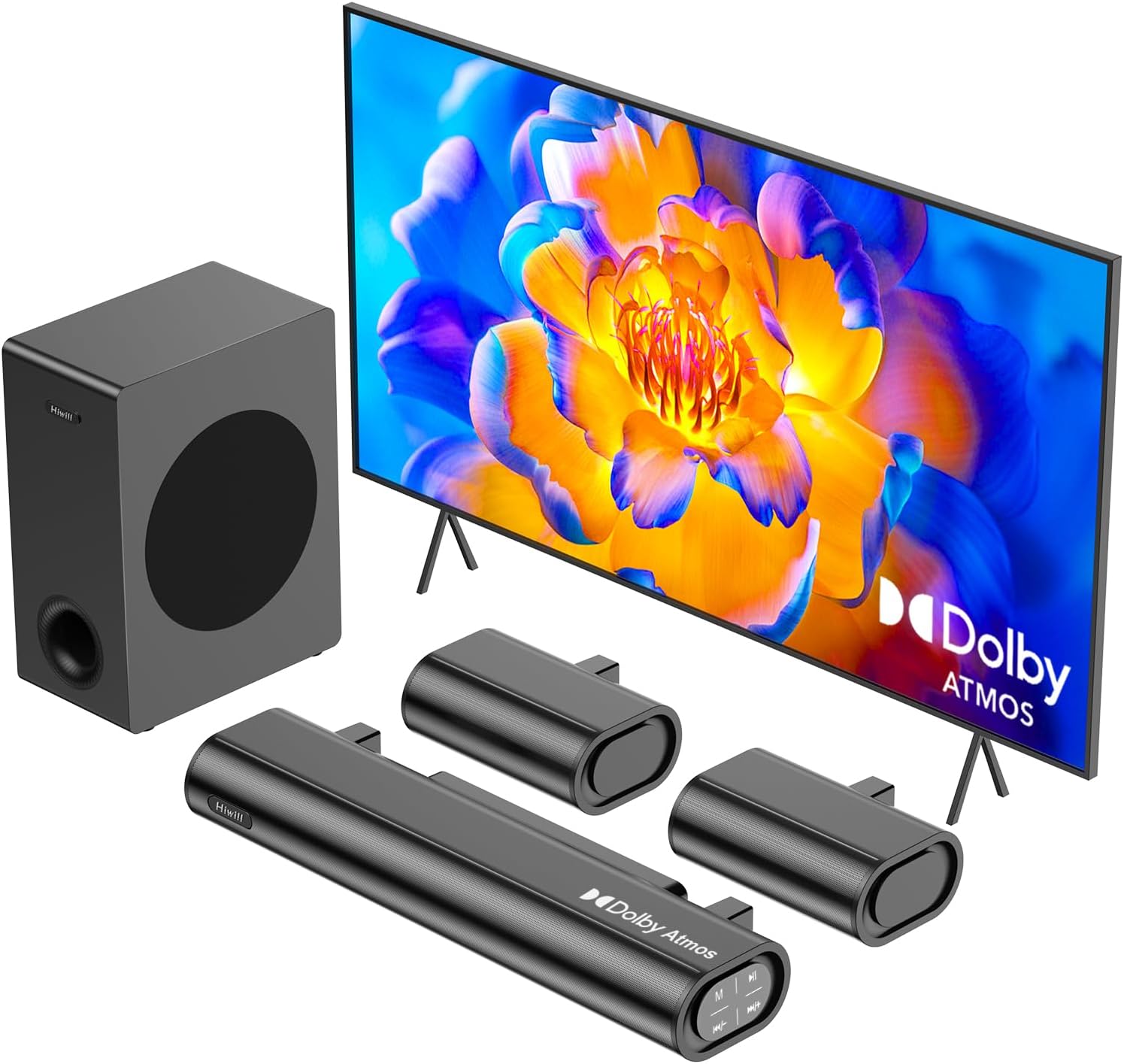
Figure 1: Hiwill Dolby Atmos 5.1CH Sound Bar System components.
Ki sa ki enkli
Please check the contents of your package. If any items are missing or damaged, contact Hiwill customer support.
- Ba son
- Filè Subwoofer
- Wired Surround Speakers (x2)
- HDMI eARC kab
- Digital Optical Kab
- Stereo 3.5mm a 3.5mm Audio Kab
- Kontwòl Remote
- Remote Control Batteries (One Set)
- Mi ki monte Twous
- Manyèl Itilizatè (dokiman sa a)
- Pouvwa kab
Pwodwi souview
Konpozan kle
- Ba son: The main unit housing the front channels and central processing.
- Subwoofer filaire: Provides deep bass frequencies for enhanced audio immersion. Features a 5.25-inch woofer.
- Wired Surround Speakers: Two compact speakers designed to deliver rear channel audio, creating a true 5.1 surround sound experience. Connect via 7-meter cables.
Pò Koneksyon
The soundbar offers various connectivity options:
- HDMI eARC/ARC: For high-quality audio transmission, including Dolby Atmos.
- Optik: Digital audio input for compatible devices.
- Bluetooth 5.3: Wireless connection for streaming audio from mobile devices.
- AUX: Analog audio input using a 3.5mm cable.
- USB: Pou mizajou firmwèr oswa lekti medya (tcheke karakteristik espesifik modèl la).

Figure 2: System setup illustrating 5.1ch 3D Surround Sound.

Figure 3: Remote Control for comprehensive system management.
Gid Enstalasyon
1. Plasman fizik
Pou yon pèfòmans odyo optimal, konsidere direktiv plasman sa yo:
- Ba son: Place the soundbar centrally below your TV. Ensure no objects obstruct the front of the soundbar.
- Subwoofers: Position the subwoofer on the floor, ideally in a corner or near a wall for enhanced bass.
- Moun ki pale dèyè: Place the two wired rear speakers behind your primary listening position. The included 7-meter cables provide flexibility. For rooms 10㎡ or larger, RCA extension cables (not included) may be needed.

Figure 4: Recommended rear speaker placement for optimal surround sound.
2. Koneksyon Konpozan yo
Connect the soundbar, subwoofer, and rear speakers as follows:
- Connect the wired subwoofer to the soundbar using the dedicated subwoofer cable.
- Connect the two wired rear speakers to the soundbar using their respective 7-meter cables.
- Choose your preferred audio input connection to your TV or other source device:
- HDMI eARC/ARC (Recommended for Dolby Atmos): Connect the HDMI eARC cable from the soundbar's HDMI eARC/ARC port to your TV's HDMI eARC/ARC port. Ensure your TV's audio output is set to external speakers and eARC/ARC is enabled.
- Optik: Connect the Digital Optical Cable from the soundbar's Optical port to your TV's Optical Digital Audio Out port.
- AUX: Connect the Stereo 3.5mm to 3.5mm Audio Cable from the soundbar's AUX port to your device's audio output.
- Bluetooth: For wireless connection, refer to the "Operating" section for pairing instructions.
- Connect the Power Cable to the soundbar and then to a power outlet.

Figure 5: Best Connection Methods and their characteristics.
Enstriksyon Operasyon
Operasyon debaz
- Limen/Etenyen: Press the power button on the remote control or the soundbar.
- Kontwòl Volim: Use the VOL+ and VOL- buttons on the remote to adjust the master volume.
- Bèbè: Peze bouton Mute a sou telekòmand lan pou fèmen odyo a pou yon ti tan.
Seleksyon Antre
Press the "INPUT" button on the remote control to cycle through available input sources (HDMI eARC/ARC, Optical, Bluetooth, AUX, USB).
Pè Bluetooth
- Switch the soundbar to Bluetooth mode using the "INPUT" button. The display will indicate "BT".
- On your mobile device, enable Bluetooth and search for "Hiwill A51".
- Select "Hiwill A51" to pair. Once connected, the soundbar will indicate successful pairing.
Mòd Son (EQ)
The system offers versatile EQ modes to optimize your listening experience:
- PureSound: For a natural, uncolored audio experience.
- fim: Amelyore klète dyalòg ak efè sinematik.
- Mizik: Optimize odyo pou lèktur mizik.
- Nouvèl: Focuses on vocal clarity for news and talk shows.
Press the corresponding EQ mode buttons (Movie, Music, News) on the remote. For PureSound, select the "EQ" button.
Adjusting Bass, Treble, and Surround Sound
Use the dedicated buttons on the remote control to fine-tune your audio:
- Ajisteman Bass: Use "BAS+" and "BAS-" buttons to increase or decrease bass levels.
- Treble Ajisteman: Use "TRE+" and "TRE-" buttons to increase or decrease treble levels.
- Rear Speaker Volume: Use "R.VOL+" and "R.VOL-" buttons to adjust the volume of the rear surround speakers independently (12-level adjustment).

Figure 6: Bass adjustment and subwoofer detail.
Figure 7: Treble adjustment and remote control layout.
Antretyen
To ensure the longevity and optimal performance of your Hiwill soundbar system, follow these maintenance guidelines:
- Netwayaj: Use a soft, dry cloth to clean the surfaces of the soundbar, subwoofer, and speakers. Do not use liquid cleaners or abrasive materials, as they may damage the finish.
- Vantilasyon: Asire w ke gen bon vantilasyon toutotou tout konpozan yo. Pa bloke okenn ouvèti vantilasyon.
- Pouvwa: Dekonekte kab kouran an nan priz miray la si ou pa pral itilize sistèm nan pou yon peryòd tan pwolonje.
- Anviwònman: Evite ekspoze sistèm nan nan tanperati ekstrèm, imidite, pousyè, oswa limyè solèy dirèk.
Depanaj
Si ou rankontre pwoblèm ak sistèm soundbar ou a, gade pwoblèm ak solisyon komen sa yo:
| Pwoblèm | Kòz posib | Solisyon |
|---|---|---|
| Pa gen Son |
|
|
| Pa gen bas ki soti nan subwoofer la |
|
|
| No Sound from Rear Speakers |
|
|
| Pairing Bluetooth echwe |
|
|
| Son defòme |
|
|
If the problem persists after trying these solutions, please contact Hiwill customer support for further assistance.
Espesifikasyon teknik
| Non modèl | A51 |
| Kalite Oratè | Soundbar with Wired Subwoofer and Wired Surround Speakers |
| Konfigirasyon chanèl son antoure | 5.1 |
| Oratè maksimòm pwodiksyon pouvwa | 380 Watt (pik) |
| Woofer Dyamèt | 5.25 pous |
| Repons Frekans | 45 Hz |
| Koneksyon Teknoloji | HDMI eARC/ARC, Optical, Bluetooth 5.3, AUX, USB |
| Metòd kontwòl | Kontwòl Remote |
| Dimansyon pwodwi (Soundbar) | 16.93"D x 4.45"W x 2.36"H |
| Pwa atik | 11 liv (5 kilogram) |
| Sous pouvwa | Fil elektrik |
| Karakteristik espesyal | Dolby Atmos Surround System, HXS Processing (ClearVoice Technology), Adjustable Bass/Treble/Surround, Multiple EQ Modes |

Figure 8: High-quality speaker materials including aluminum-magnesium alloy and copper shorting ring.
Garanti ak sipò
Garanti limite
The Hiwill Dolby Atmos 5.1CH Sound Bar System comes with a limited warranty. Please refer to the warranty card included in your package for detailed terms and conditions, including coverage period and limitations. Keep your purchase receipt as proof of purchase for warranty claims.
Sipò pou Kliyan
For technical assistance, troubleshooting, or warranty inquiries, please contact Hiwill customer support. You can find contact information on the Hiwill official websit la oubyen sou kat garanti a.
Mizajou mikrolojisyèl: New firmware with personalized memory function and improved performance may be available. Contact Hiwill support to inquire about and apply the latest firmware updates.

Figure 9: Benefits of firmware upgrades.


