1. Entwodiksyon
Thank you for choosing the Hiwill HiElite A41 4.1 Dolby Atmos Soundbar System. This manual provides essential information for setting up, operating, and maintaining your new sound system. Please read it thoroughly before use to ensure proper functionality and to maximize your audio experience.
The HiElite A41 is designed to deliver a vast and immersive soundstage, featuring 4.1 channel audio with Dolby Atmos for a truly three-dimensional spatial sound experience. With 300W peak power, a dedicated 5.25-inch wired subwoofer, and two wired front surround speakers, it transforms your living space into a home cinema. Advanced features like HXS-Processing ClearVoice and adjustable bass/treble controls ensure crystal-clear dialogues and rich, powerful sound.

Image 1.1: Hiwill HiElite A41 Soundbar System components including the soundbar, subwoofer, and two surround speakers, positioned in front of a television.
2. Pake kontni
Tanpri tcheke pake a pou atik sa yo:
- Ba son
- Filè Subwoofer
- 2 x Wired Front Surround Speakers
- Adaptè pouvwa
- Kab Stereo 3.5mm
- HDMI ARC kab
- Kab optik
- Kontwòl Remote
- 2 pil AAA (pou kontwòl remote)
- Mi twous aliye
- Manyèl itilizatè
3. Gid Enstalasyon
3.1 Plasman
For optimal sound performance, place the soundbar centrally below your TV. Position the wired front surround speakers to the left and right of your viewing area, ideally at ear level. The subwoofer can be placed on the floor near the soundbar, ensuring it has enough space for proper bass dispersion.

Image 3.1: Diagram illustrating the recommended placement of the soundbar, subwoofer, and two front surround speakers for an optimal 4.1 channel Dolby Atmos experience.
3.2 Konekte eleman yo
- Connect Surround Speakers: Connect the two wired front surround speakers to the corresponding ports on the soundbar.
- Konekte subwoofer: Connect the wired subwoofer to the dedicated subwoofer output port on the soundbar.
- Koneksyon pouvwa: Connect the power adapter to the soundbar's DC input and then plug it into a wall outlet.
3.3 Connecting to Your TV/Device
The HiElite A41 offers multiple connectivity options:
- HDMI eARC (Rekòmande): For the best audio quality, especially with Dolby Atmos content, connect the soundbar to your TV's HDMI eARC/ARC port using the provided HDMI cable. Ensure your TV's audio output is set to HDMI ARC/eARC.
- Optik: Connect the soundbar to your TV's optical output using the optical cable. Select 'Optical' input on the soundbar.
- AUX: Use the 3.5mm stereo cable to connect the soundbar to your device's audio output. Select 'AUX' input on the soundbar.
- Bluetooth 5.3: For wireless connection, select 'Bluetooth' input on the soundbar. Pair with your smartphone, tablet, or other Bluetooth-enabled device.

Image 3.2: Illustration of the two wired front speakers mounted on a wall, enhancing the sound experience.
4. Operasyon Enstriksyon
4.1 Kontwòl
Ou ka kontwole ba son an avèk bouton ki sou inite a oswa avèk telekòmand ki vini ak li a.
Bouton ba son an:
- Pouvwa: Turn the soundbar On/Off.
- Antre: Cycle through input modes (eARC, Optical, Bluetooth, AUX, USB).
- Volim +/-: Ajiste volim mèt la.
- Jwe/Poz: Kontwole lèktur medya (mòd Bluetooth/USB).
Kontwòl Remote:
The remote control provides full functionality, including power, input selection, volume, mute, sound modes, and bass/treble adjustments.

Image 4.1: Remote control for the HiElite A41, showing options for adjusting sound profiles and bass/treble levels.
4.2 Mòd son
Optimize your listening experience with three preset equalizer modes:
- Mòd nouvèl: Enhances vocal clarity for dialogues and news broadcasts.
- Mode fim: Provides a dynamic and immersive soundstage, ideal for films and gaming.
- Mòd Mizik: Delivers balanced and rich audio reproduction for music.
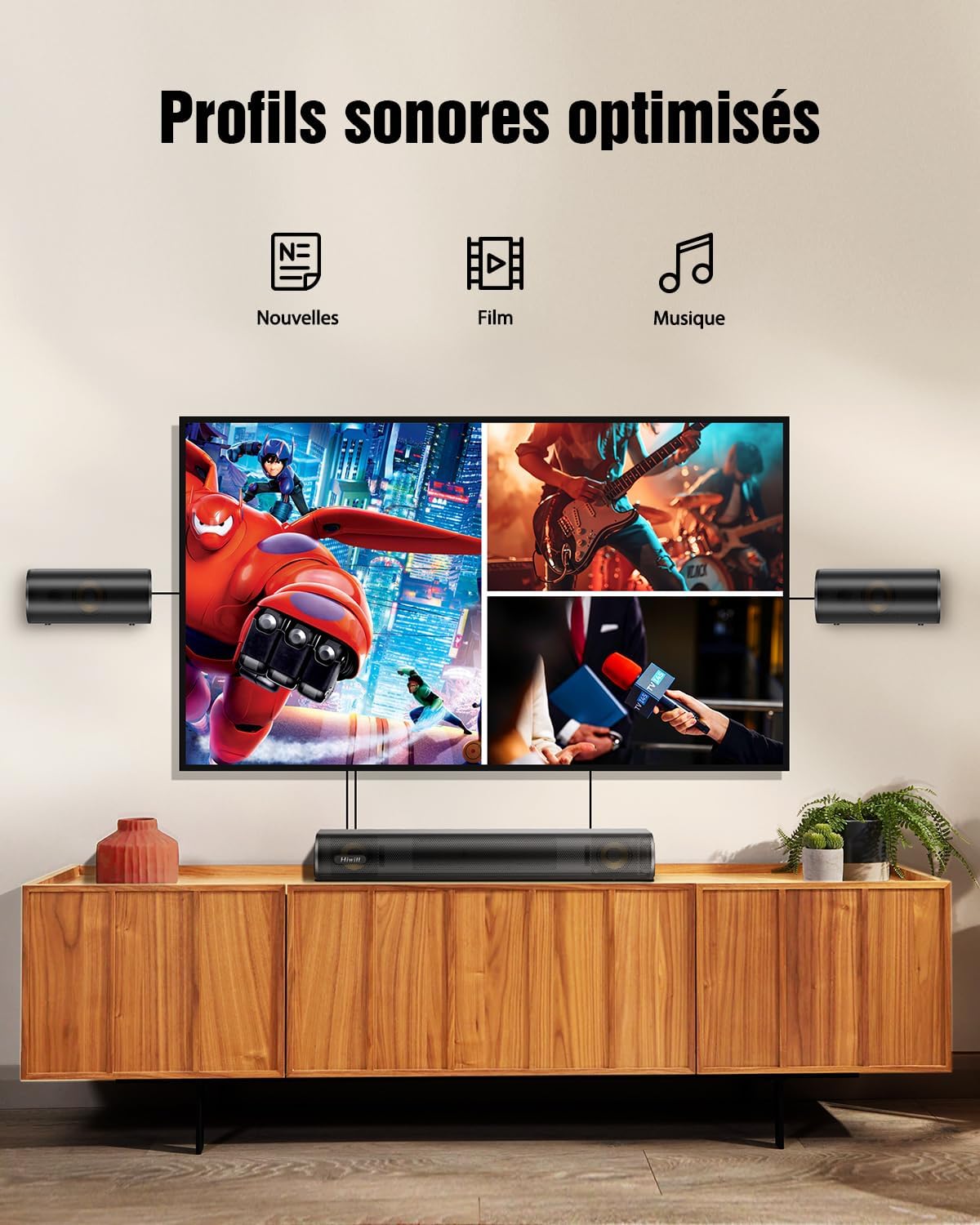
Image 4.2: Visual representation of optimized sound profiles for News, Movie, and Music content.
4.3 Ajisteman Bas ak Treble
Customize your audio further by adjusting the bass and treble levels using the remote control. This allows you to tailor the sound to your personal preference and room acoustics.

Image 4.3: Adjustable bass feature, allowing users to customize low-frequency output.

Image 4.4: Adjustable treble feature, enhancing clarity and detail in high frequencies.
4.4 Dolby Atmos
The HiElite A41 supports Dolby Atmos, providing a multi-dimensional sound experience where sound moves around you in three-dimensional space. For Dolby Atmos content, ensure your source device (TV, Blu-ray player, streaming box) is also configured to output Dolby Atmos via HDMI eARC.

Image 4.5: Illustration of superior precision in creating three-dimensional soundscapes with Dolby Atmos.

Image 4.6: Dolby Atmos certification, signifying high-quality immersive audio.
5. Antretyen
5.1 Netwayaj
To clean the soundbar and speakers, use a soft, dry cloth. Do not use liquid cleaners or aerosol sprays, as they may damage the finish or internal components. Ensure the unit is unplugged before cleaning.
5.2 Depo
Si w ap sere soundbar la pou yon bon bout tan, debranche l nan priz kouran an epi sere l nan yon kote ki fre epi sèk, lwen limyè solèy dirèk ak tanperati ekstrèm.
NAN. Depanaj
| Pwoblèm | Kòz posib | Solisyon |
|---|---|---|
| Pa gen pouvwa | Kab kouran an pa konekte; priz kouran an pa fonksyone. | Asire w kab kouran an byen konekte. Eseye yon lòt priz kouran. |
| Pa gen son | Yo chwazi move antre; volim nan twò ba; kab yo pa byen konekte. | Select the correct input mode. Increase volume. Check all audio cables. Ensure TV audio output is correctly configured (e.g., HDMI ARC/eARC enabled). |
| Remote kontwòl pa travay | Pil yo fin dechaje; gen yon blokaj ant telekòmand lan ak ba son an. | Replace batteries. Remove any obstructions. Ensure remote is pointed at the soundbar's sensor. |
| Pwoblèm appariement Bluetooth | Soundbar not in pairing mode; device too far. | Ensure soundbar is in Bluetooth mode and ready for pairing. Move device closer to the soundbar. Forget the device on your Bluetooth list and try pairing again. |
| Son defòme | Volim nan twò wo; bon jan kalite sous odyo a pa bon. | Reduce volume. Try a different audio source. Check cable connections for damage. |
7. Espesifikasyon
- Non modèl: HiElite A41
- Mak: Hiwill
- Kalite oratè: Soundbar with Wired Subwoofer and 2 Wired Front Surround Speakers
- Konfigirasyon chanèl son antoure: 4.1
- Maksimòm pouvwa Sòti Oratè: 300 Watts
- Repons frekans: 45Hz - 20kHz
- Koneksyon Teknoloji: HDMI eARC, Bluetooth 5.3, Optical, AUX
- Audio Sòti Mode: Dolby Atmos
- Karakteristik espesyal: Dolby Atmos enabled, Aluminum-Magnesium alloy diaphragms, HarmonicX Sound (HXS-Processing), Adjustable Bass and Treble
- Aparèy konpatib: Telefòn entelijan, Tablèt, Televizyon
- Dimansyon pwodwi (L x W x H): Soundbar: 41.6 x 11.3 x 6 cm; Surround Speakers: 16 x 11.3 x 6 cm; Subwoofer: 13.5 x 30 x 43.8 cm
- Pwa atik: 5 Kilogram
- Kalite kontwolè: Bouton, Remote Control
- Manifakti: Hiwill
- Peyi orijin: Lachin
7.1 Speaker Technology
The HiElite A41 features high-quality speaker components designed for superior audio performance:
- Aluminum-Magnesium Alloy Diaphragms: These advanced diaphragms offer exceptional sensitivity, delivering richer bass and purer treble compared to traditional paper cones.
- High-Quality Copper Rings: Each driver includes a high-quality copper ring to improve audio clarity, reduce distortion, and stabilize the magnetic field for deeper bass and crisper highs.
- HXS-Processing ClearVoice: Hiwill's exclusive HarmonicX Sound processing enhances voices and refines sound details for clear dialogues and immersive surround sound.

Imaj 7.1: Detaye view of the speaker components, highlighting the aluminum-magnesium alloy diaphragm and high-quality copper ring.

Imaj 7.2: Entèn view of the 5.25-inch wired subwoofer, designed for powerful and deep bass.
8. Garanti ak sipò
8.1 Garanti manifakti a
The Hiwill HiElite A41 Soundbar System comes with a Garanti manifakti 2 zan apati dat acha a. Garanti sa a kouvri domaj nan materyèl ak nan fabrikasyon anba itilizasyon nòmal. Tanpri konsève prèv acha ou pou reklamasyon garanti.
8.2 Sipò pou Kliyan
For technical assistance, warranty claims, or any questions regarding your Hiwill product, please contact Hiwill Technologies Inc. customer support. Refer to the contact information provided on the product packaging or the official Hiwill websit.
Nòt: Firmware updates may be available upon request to enhance performance and features. Please contact customer support for details.

Image 8.1: Information regarding potential firmware upgrades for enhanced features and performance.


