1. Entwodiksyon
This manual provides detailed instructions for the safe and effective operation of your FOXWELL Y400 Articulating Borescope Camera. Please read this manual thoroughly before using the device to ensure proper functionality and to prevent damage. This industrial-grade endoscope is designed for precise visual inspection in hard-to-reach areas, ideal for automotive, HVAC, plumbing, and general industrial applications.
2. Pwodwi souview
The FOXWELL Y400 is a high-performance articulating borescope featuring a slim 6.2mm probe with 220° mechanical articulation, an HD CMOS camera, and a vivid IPS display. It is built for durability with IP67 waterproofing and overheat protection, making it suitable for demanding environments. The device includes a 32GB internal storage for capturing photos and videos with audio.
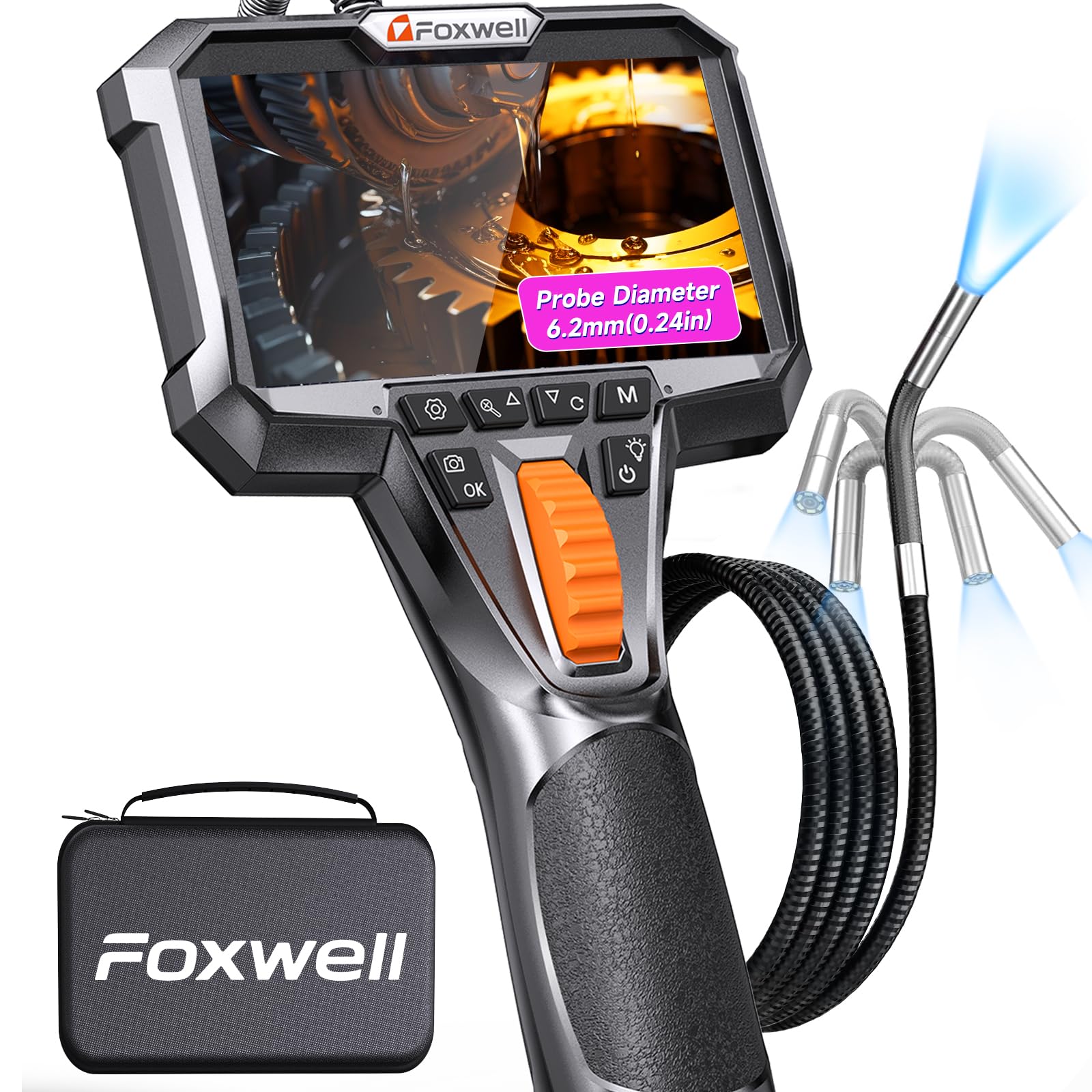
Figure 1: FOXWELL Y400 Articulating Borescope Camera with its flexible probe and integrated display unit.
Karakteristik kle:
- Ultra-Slim 6.2mm Probe: Designed for accessing narrow spaces like spark plug wells, injector bores, and HVAC channels without disassembly.
- Mechanical 220° Articulation: Offers precise, no-lag control over the camera's viewing angle for multi-directional inspection.
- HD CMOS Imaging & Vivid IPS Screen: Delivers clear visuals with a wide 90° Field of View (FOV) and 6-level adjustable LEDs for optimal visibility in various conditions.
- Ultra-Clarity Zoom System: Provides 2x and 4x magnification for detailed examination of fine defects.
- Konstwiksyon nan klas endistriyèl: IP67-rated probe is waterproof, oil-proof, and dust-proof. Features smart overheat protection.
- All-Day Power & 32GB Storage: Up to 5-7 hours of continuous runtime and ampespas depo pou foto ak videyo.
3. Ki sa ki nan bwat la
Lè w ap debale, tanpri asire w ke tout atik ki nan lis anba a yo la epi yo an bon kondisyon:
- 1x Y400 Articulating Borescope Unit
- 1x 2-in-1 Charging and Data Transfer Cable (USB Type-C)
- 1x Carrying Case Bag
- 1x Manyèl Itilizatè a

Figure 2: The FOXWELL Y400 borescope unit and its included accessories neatly stored in the carrying case.
4. Enstalasyon
- Chaje aparèy la: Before first use, fully charge the borescope using the provided USB Type-C cable and a compatible power adapter (not included). The battery indicator on the screen will show charging status.
- Mete kat MicroSD: The device comes with a built-in 32GB storage. If you need to replace or access the card, locate the MicroSD card slot on the side of the display unit.
- Pouvwa sou: Press and hold the power button (usually marked with a power icon) to turn on the device. The display will illuminate, showing the live camera feed.
5. Operasyon Enstriksyon
5.1. Probe Articulation
The Y400 features a 220° mechanical articulation for precise control of the probe's tip. Use the orange jog wheel on the handle to steer the camera left or right, allowing you to navigate around obstacles and view different angles within confined spaces.

Figure 3: The borescope probe demonstrating its 220-degree articulation capability, allowing multi-angle inspection.
5.2. Ajisteman Limyè LED yo
The probe is equipped with 6 adjustable LED lights to illuminate dark inspection areas. Press the light button (usually marked with a light bulb icon) to cycle through different brightness levels (Low, Medium, High, Off) to achieve optimal visibility and reduce glare.

Figure 4: The borescope probe submerged in water, highlighting its IP67 waterproof rating and adjustable LED lights.
5.3. Fonksyon Zoom
To examine details more closely, use the zoom buttons (usually marked with magnifying glass icons or up/down arrows) to switch between 2x and 4x magnification. This allows for clearer identification of small cracks, leaks, or carbon buildup.

Figure 5: The borescope display illustrating the multi-zoom feature, showing magnified views of internal engine components.
5.4. Kaptire Imaj ak Videyo
The Y400 allows you to capture high-definition photos and videos with audio. Press the camera icon button to take a photo or the video camera icon button to start/stop video recording. All media is saved to the internal 32GB storage.
5.5. Screen Rotation and Settings
The IPS display offers clear viewing. You can rotate or invert the screen display using the designated buttons (often marked with rotation arrows) to match your viewing orientation. Access the settings menu (gear icon) to adjust language, date/time, automatic shut-down, resolution (FHD 1920x1080), date label, recording options, and sound settings.

Figure 6: The borescope's IPS HD screen displaying a clear image, with control buttons for various functions including settings and media capture.
6. Antretyen
6.1. Netwaye Sond lan
The probe is IP67 waterproof, oil-proof, and dust-proof. After each use, especially in dirty or oily environments, gently wipe the probe with a soft, damp cloth. For stubborn grime, use a mild cleaning solution. Ensure the probe is dry before storage.
6.2. Pwoteksyon Surchof
The Y400 features a smart safety system that automatically shuts down the camera probe if its temperature exceeds 70°C (158°F) to prevent damage. Allow the device to cool down before resuming operation in high-temperature environments.
6.3. Swen batri
To prolong battery life, avoid fully discharging the device frequently. Charge the battery regularly, even if not in use for extended periods. Store the device in a cool, dry place.
NAN. Depanaj
- Aparèy la pa vle limen: Ensure the battery is sufficiently charged. Connect to the charger and try again.
- Pa gen imaj sou ekran an: Check if the probe is securely connected. Restart the device.
- Image is blurry or dark: Adjust the LED light brightness. Clean the camera lens on the probe tip. Ensure the object is within the optimal focus range (0.5-1.6 meters for Y400).
- Probe articulation is stiff: Ensure no debris is obstructing the articulation mechanism. Do not force the probe.
- Cannot save photos/videos: Check if the 32GB internal storage is full. Delete unnecessary files or transfer them to another device.
8. Espesifikasyon
| Karakteristik | Spesifikasyon |
|---|---|
| Nimewo Modèl | FOXWELL Y400 |
| Dyamèt sonde | 0.24 pous (6.2mm) |
| Atikilasyon | 220° Mechanical 2-Way |
| Ekspozisyon | IPS HD ekran |
| Rezolisyon Capture Videyo | 720p (FHD 1920x1080 for photos) |
| Dirije Limyè | 6-level Adjustable LEDs |
| Zoom | 2x, 4x Magnification |
| Depo | 32GB Internal (TF Card) |
| Lavi batri | 5-7 hours continuous runtime |
| Evalyasyon ki enpèmeyab | IP67 (probe) |
| Pwoteksyon Surchof | Auto-shutdown above 70°C (158°F) |
| Pwa atik | 2.27 liv |
| Dimansyon pake | 12.48 x 8.66 x 3.15 pous |
9. Garanti ak sipò
FOXWELL stands behind its products with comprehensive support:
- 1-Year Quality Backup: Kouvri domaj fabrikasyon epi asire fyab pwodwi a.
- 30-Day Return/Replace: For any issues within the first 30 days of purchase.
- Sipò teknik pou tout lavi: Access to expert assistance for the lifespan of your product.
For further assistance, please visit the official FOXWELL websit oswa kontakte sipò kliyan.
10. Videyo pwodwi
Watch this official product video to see the FOXWELL Y400 Articulating Borescope Camera in action:
Video 1: Explore the Hidden. Fix with Precision! - An official FOXWELL video showcasing the Y400 borescope's features and applications.


