1. Entwodiksyon
This manual provides instructions for the installation, use, and maintenance of your MoKo 18mm Soft Silicone Quick Release Watch Band. This replacement band is designed for comfort and durability, offering a secure fit for compatible Garmin smartwatches.

Image 1: A black MoKo 18mm silicone watch band attached to a smartwatch, showcasing konsepsyon li.
2. Konpatibilite
The MoKo 18mm Quick Release Watch Band is compatible with the following Garmin smartwatch models:
- Garmin Forerunner 265S
- Garmin Forerunner 255S
- Garmin Forerunner 255S Music
- Garmin Vivoactive 4S
- Garmin Venu 4 41mm
- Garmin Venu 3S
- Garmin Venu 2S
- Garmin Vivomove 3S
- Garmin Move 3S
- Garmin Active S
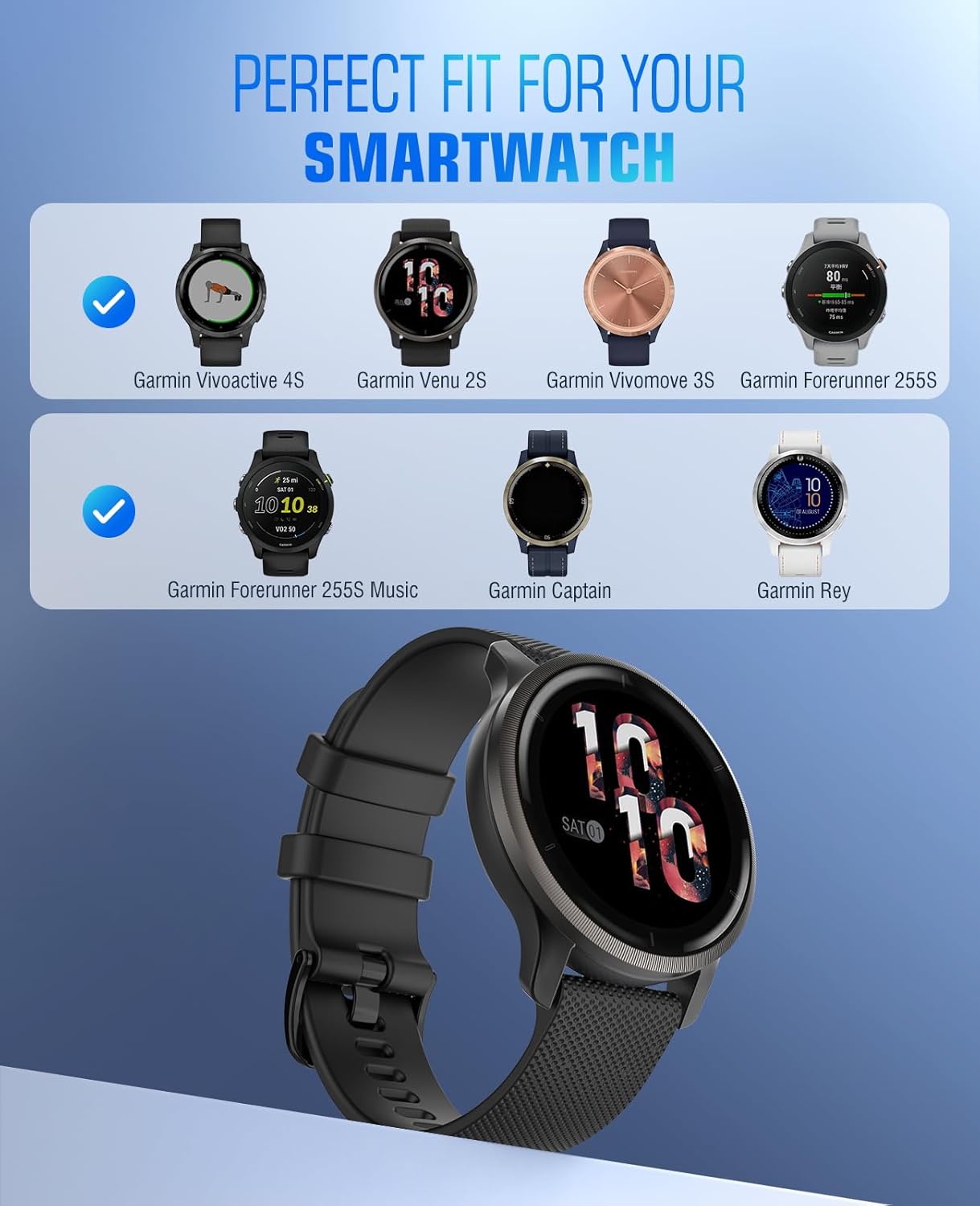
Image 2: An image illustrating the compatibility of the 18mm watch band with Garmin Vivoactive 4S, Venu 2S, Vivomove 3S, Forerunner 255S, Forerunner 255S Music, Garmin Captain, and Garmin Rey models.
3. Pwodwi Features
3.1 Materyèl
The replacement straps are constructed from soft and durable silicone, providing a smooth finish suitable for active use. Metal components, including the buckle, are made from premium stainless steel.

Image 3: An image highlighting the properties of the silicone material: safe and non-toxic, flexible, and waterproof.
3.2 Konsepsyon
The band features an air-permeable design with multiple perforations, allowing for increased airflow to keep your wrist comfortable and cool during wear.

Image 4: A visual representation of the watch band's air-permeable design, indicating how it allows for increased airflow to keep the wrist cool.
3.3 Buckle and Retainer Rings
An innovative pin-and-tuck closure system ensures a clean and secure fit. The classic metal clasp is designed for easy locking and unlocking, complemented by double retainer rings to keep the excess strap neatly in place.

Imaj 5: Yon imaj detaye view of the classic metal buckle and the double retainer rings, designed for a secure fit.
3.4 Longè reglabl
The strap includes multiple precision-cut holes, allowing for easy adjustment to fit wrist circumferences between 5.1 inches (130mm) and 7.8 inches (190mm).

Image 6: A diagram illustrating the adjustable wrist circumference range of the watch band, accommodating wrists from 5.5 inches (139.7mm) to 8.7 inches (221mm).
4. Setup: Installation and Removal
The watch band features a quick-release mechanism for easy installation and removal without the need for tools.
- Pou Enstale: Locate the quick-release pin on the back of the watch band. Push the pin inwards, align the band with the watch lug, and release the pin to secure it. Ensure the pin is fully seated in the lug hole.
- Pou retire: Push the quick-release pin inwards and gently pull the band away from the watch lug.

Image 7: A close-up image demonstrating how to push the quick-release pin to detach or attach the watch band.

Image 8: A close-up image showing the process of inserting the quick-release pin into the watch lug for secure attachment.
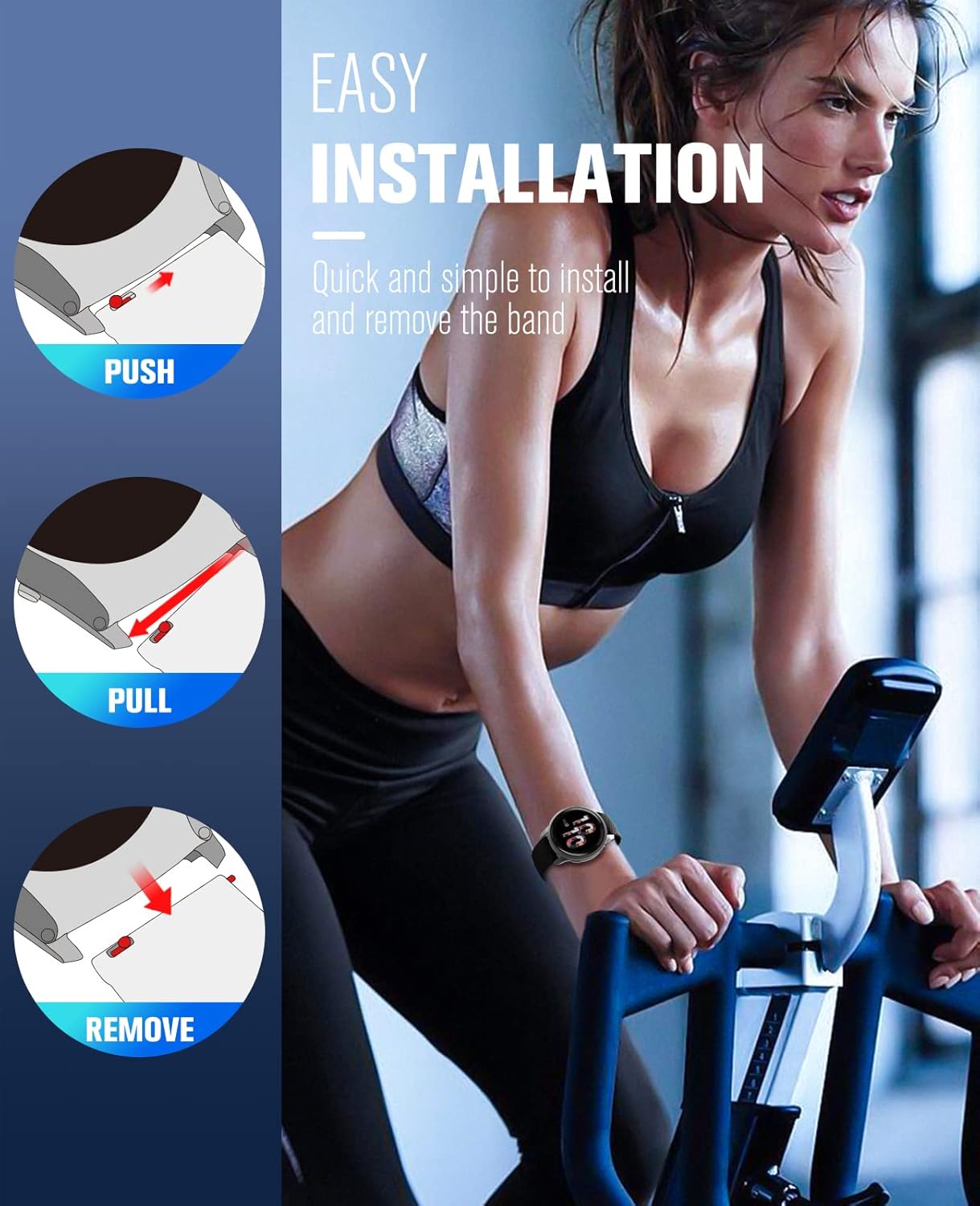
Image 9: A visual guide showing the simple three-step process to install and remove the quick-release watch band: push the pin, pull to align, and remove/insert.
5. Opere
Once installed, adjust the watch band to a comfortable fit on your wrist using the available holes and the pin-and-tuck closure. Ensure the band is snug enough for accurate sensor readings from your smartwatch, but not so tight as to restrict circulation or cause discomfort.
6. Antretyen
To ensure the longevity and hygiene of your silicone watch band, follow these care instructions:
- Netwayaj: Regularly clean the band with mild soap and water. Rinse thoroughly and dry with a soft cloth.
- Evite pwodwi chimik piman bouk: Do not expose the band to strong chemicals, solvents, or abrasive cleaners, as these can damage the silicone material.
- Depo: Store the band in a cool, dry place away from direct sunlight when not in use to prevent material degradation.
- Enspeksyon: Periodically inspect the band and buckle for any signs of wear or damage.
NAN. Depanaj
7.1 Band Not Fitting
If the band does not fit your wrist comfortably, ensure you have selected the correct size (18mm) for your smartwatch model. The band is adjustable within a range of 5.1"-7.8" (130mm-190mm) circumference. If your wrist falls outside this range, the band may not be suitable.
7.2 Difficulty Installing/Removing
Ensure the quick-release pin is fully retracted when attempting to insert or remove the band. Apply gentle pressure and ensure proper alignment with the watch lugs. If the pin does not retract smoothly, check for any obstructions.
7.3 Iritasyon po
While the silicone material is designed to be safe and non-toxic, some individuals may experience irritation. Ensure the band is kept clean and dry. If irritation persists, discontinue use and consult a healthcare professional.
8. Espesifikasyon

Image 10: A diagram showing the dimensions of the 18mm watch band, including the buckle width (0.71 inches), short strap length (3.23 inches), and long strap length (4.21 inches).
| Karakteristik | Detay |
|---|---|
| Band Lajè | 18 millimeters (0.71 inches) |
| Materyèl | Soft Silicone (Band), Premium Stainless Steel (Metal parts) |
| Kalite agraf | Metal clasp with pin-and-tuck closure |
| Sikonferans ponyèt | 5.1"-7.8" (130mm-190mm) |
| Konpatibilite | Garmin Vivoactive 4S, Venu 4 41mm, Venu 3S, Venu 2S, Forerunner 265S, 255S, 255S Music, Vivomove 3S, Move 3S, Active S |
9. Garanti ak sipò
For warranty information or product support, please refer to the seller's policy on the platform where the product was purchased. Keep your purchase receipt as proof of purchase.


