Entwodiksyon
Mèsi pou acha aasing the Jectse Digital Camera. This compact and portable camera is designed to capture high-quality photos and videos, offering features such as 5K video resolution, 80MP photo resolution, and 18X digital zoom. This manual provides detailed instructions on how to set up, operate, and maintain your camera to ensure optimal performance and longevity.
Enfòmasyon sou Sekirite
- Pa ekspoze kamera a nan dlo oswa imidite twòp.
- Evite lage kamera a oswa sibi gwo enpak.
- Keep the camera away from direct sunlight and high temperatures.
- Sèvi sèlman ak kab chaje ak adaptè kouran ki espesifye a.
- Do not attempt to disassemble or repair the camera yourself. Contact customer support for assistance.
- Kenbe lwen timoun piti yo.
Kontni pake
Tanpri verifye ke tout atik yo prezan nan pakè ou a:
- 1 x Jectse Digital Camera
- 1 x tip-C chaje kab
- 1 x braslè men
- 1 x manyèl itilizatè
- Note: Small Memory Card is not included.

Image: The Jectse Digital Camera shown alongside its included Type-C charging cable and hand strap, illustrating the complete package contents.
Pwodwi souview
Familiarize yourself with the various parts and controls of your Jectse Digital Camera.

Imaj: Devan view of the Jectse Digital Camera, highlighting the lens and flash.

Imaj: Dèyè view of the Jectse Digital Camera, showing the 2.8-inch display screen and control buttons.
Konpozan kle:
- Lantiy: F/2.2 f=3.83mm wide angle lens with 18X digital zoom capability.
- Flash: Flash entegre pou kondisyon ki pa twò klere.
- Ekspozisyon ekran: 2.8-inch screen for framing shots and reviewkontni.
- W/T Key: Used for zooming in (W) and out (T).
- Shutter Key: Press to capture photos or start/stop video recording.
- OK/Mode Button: Confirms selections and switches between modes.
- Bouton meni: Aksè a paramèt ak opsyon kamera a.
- Bouton DISP: Changes display information on the screen.
- Lòj batri: Houses the built-in 750mAh rechargeable battery.
- Kalite-C Port: Pou chaje kamera a.
- Plas pou kat memwa: Supports Small Memory Cards up to 256GB (not included).
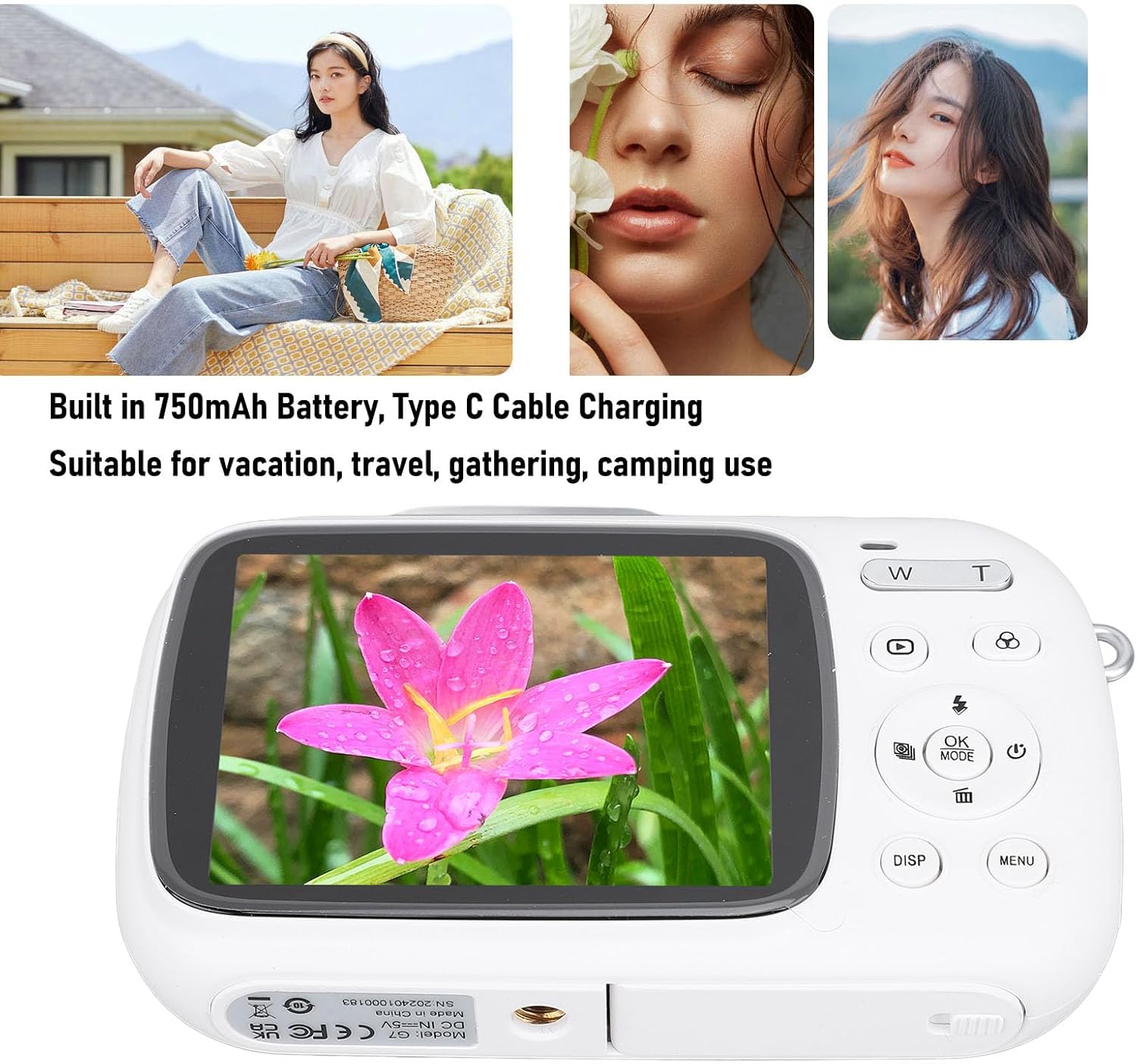
Image: Visual representation of key camera features including 80MP photo pixels, 5K HD video recording, 18X digital zoom, auto focusing, beauty filter, smiling selfie, continuous photo taking, built-in flash, and 2.8-inch display.
Enstalasyon
1. Chaje batri a
The camera has a built-in 750mAh rechargeable lithium-ion battery. Before first use, ensure the battery is fully charged.
- Connect the provided Type-C charging cable to the camera's Type-C port.
- Konekte lòt bout kab la nan yon adaptè kouran USB (pa enkli) oubyen nan yon pò USB òdinatè.
- The charging indicator light will illuminate. Charging typically takes about 3 hours.
- Yon fwa li fin chaje nèt, limyè endikatè a ka chanje oswa etenn. Dekonekte kab la.
2. Mete yon kat memwa
A Small Memory Card (up to 256GB) is required to store photos and videos. It is not included in the package.
- Locate the memory card slot on the side or bottom of the camera.
- Insert the Small Memory Card into the slot with the metal contacts facing the correct direction (refer to the diagram near the slot if available).
- Pouse kat la dousman jiskaske li fè yon klik pou l antre nan plas li.
- To remove the card, push it in again until it springs out slightly, then pull it out.
3. Mete braslè men an
Attach the included hand strap to prevent accidental drops.
- Thread the thin loop of the hand strap through the strap eyelet on the camera body.
- Pass the larger end of the strap through the loop you just created and pull tight to secure it.
Enstriksyon Operasyon
1. Powering On / Off
- To power on, press and hold the Power button (usually marked with a circle and a vertical line).
- Pou etenn li, peze epi kenbe bouton Pouvwa a ankò jiskaske ekran an etenn.
2. Pran foto
- Turn on the camera. It will typically default to photo mode. If not, press the MÒD button to switch to photo mode.
- Frame your shot using the 2.8-inch display screen.
- Sèvi ak la W/T keys to zoom in or out (18X digital zoom).
- Peze a Panno key halfway down to focus (if applicable).
- Peze a Panno key fully down to capture the 80MP photo.
3. Anrejistreman videyo
- Turn on the camera. Press the MÒD button to switch to video recording mode.
- Frame your video using the display screen.
- Peze a Panno key to start recording 5K video. A recording indicator will appear on the screen.
- Peze a Panno kle ankò pou sispann anrejistreman.
4. Using Special Functions
The camera offers several creative functions:
- Continuous Photography: Allows you to take multiple photos in quick succession. Access this setting via the MENI.
- Time Lapse Photography: Captures images at set intervals to create a time-lapse video. Configure in MENI.
- Videyo Loop: Records video in segments, overwriting older footage when the memory card is full. Useful for continuous recording.
- Liy konpozisyon: Displays grid lines on the screen to help with framing and composition. Toggle with DISP button or in MENI.
- Rekonesans vizaj: Automatically detects and focuses on faces in the frame. Enable/disable in MENI anviwònman.
- Bati-an Flash: The flash will automatically activate in low-light conditions or can be manually controlled via the flash button or MENI.
5. Lekti ak Re-anrejistremanview
- Peze a Lektur button (often indicated by a triangle icon) to enter playback mode.
- Sèvi ak bouton direksyon yo pou navige nan foto ak videyo ou yo.
- Peze OK pou view a video or zoom into a photo.
- Peze a Lektur bouton an ankò pou sòti nan mòd lekti a.
Antretyen
Netwaye kamera a
- Use a soft, lint-free cloth to wipe the camera body. Do not use liquid cleaners or solvents.
- For the lens and screen, use a specialized lens cleaning cloth or air blower to remove dust. Avoid touching the lens directly with your fingers.
- Asire w kamera a etenn anvan ou netwaye li.
Depo
- Sere kamera a nan yon kote ki fre epi sèk, lwen limyè solèy dirèk ak tanperati ekstrèm.
- Si w ap sere l pou yon peryòd pwolonje, asire w ke batri a chaje pasyèlman (anviwon 50%) epi rechaje l chak kèk mwa pou kenbe l an bon eta.
Depanaj
| Pwoblèm | Kòz posib / Solisyon |
|---|---|
| Kamera a pa limen. |
|
| Pa ka pran foto/anrejistre videyo. |
|
| Imaj yo flou. |
|
| Lavi batri a kout. |
|
Espesifikasyon
| Karakteristik | Detay |
|---|---|
| Materyèl pwodwi | ABS |
| Rezolisyon videyo | 5K (Maximum), 15FPS |
| Rezolisyon foto | 80MP (Maximum) |
| Lantiy | F/2.2 f=3.83mm Wide Angle Lens |
| Zoom dijital | 18X |
| Ekspozisyon ekran | 2.8 pous |
| Depo | Small Memory Card, up to 256GB (not included) |
| Batri | 750mAh Lithium Ion Battery (built-in) |
| Port chaje | Kalite-C |
| Tan pou chaje | Apeprè. 3 èdtan |
| Tan andirans | Approx. 2 hours (usage dependent) |
| Pwa atik | 9.1 ons |
| Nimewo Modèl | Jectsesikcd0et3w-11 |
Garanti ak sipò
Jectse products are manufactured to the highest quality standards. For information regarding warranty coverage, technical support, or service inquiries, please refer to the contact information provided with your purchase or visit the official Jectse websit.
Tanpri kenbe prèv ou achte pou reklamasyon garanti.