1. Entwodiksyon
This manual provides essential information for the proper installation, operation, and maintenance of your LaView 2K Solar Camera Outdoor Wireless Security System. Please read this manual thoroughly before using the product to ensure optimal performance and safety. This system includes four (4) 2K QHD wireless cameras with integrated solar panels for continuous power.
2. Pwodwi souview
LaView 2K Solar Camera is a high-performance outdoor security solution designed for ease of use and comprehensive surveillance. Key features include:
- 2K QHD & Color Night Vision: Captures ultra-clear color images day and night.
- 100% Wireless & Solar-Powered: Eliminates wiring and manual recharging.
- Panoramik 360° ak enklinezon 120°: Provides full coverage with no blind spots.
- Smart PIR Detection: Reduces false alarms by accurately detecting people, vehicles, and pets.
- De-fason Audio: Enables communication with visitors or deterring intruders.
- IP65 Rezistan a move tan: Ki fèt pou reziste kondisyon deyò ki difisil.
- Pataj plizyè itilizatè: Supports up to 20 simultaneous viewèr.
- Konpatibilite lakay entelijan: Travay ak Amazon Alexa ak Google Assistant.

Figure 1: LaView 2K Solar Camera Outdoor Wireless Security System (4 Pack)
3. Ki sa ki nan bwat la
La ouView 2K Solar Camera system includes the following components:
- 4 x LaView 2K Solar Camera Bodies
- 4 x Solar Panels (integrated or separate, depending on model variant)
- Mounting Hardware (screws, anchors, mounting brackets)
- USB-C Chaje Kab
- Gid demaraj rapid / Manyèl itilizatè

Figure 2: Typical box contents for LaView 2K Solar Camera.
4. Enstalasyon
4.1 Initial Camera Setup
- Chaje kamera a: Fully charge the camera battery using the provided USB-C cable before installation.
- Telechaje App a: Download and install the "WansView Cloud" app from your smartphone's app store (available for Android and iOS).
- Pouvwa sou: Open the waterproof cover on the bottom of the camera. Press and hold the power button for approximately 5 seconds until you hear a chime and the camera begins its self-test rotation.
- Peyaj: Louvri Wans yoView Cloud app, create an account, and log in. Tap the "+" or "Add Device" button. The app should automatically detect nearby devices via Bluetooth. Follow the in-app instructions to complete the pairing process. Ensure your smartphone is connected to a 2.4GHz Wi-Fi network.
4.2 Enstalasyon Fizik
- Chwazi yon kote: Select an outdoor location with good Wi-Fi signal strength and sufficient sunlight exposure for the solar panel. The camera is IP65 weatherproof.
- Monte kamera a: Use the provided mounting template to mark drill holes on your wall. Drill holes, insert anchors, and secure the camera's mounting bracket with screws. Attach the camera body to the bracket.
- Monte panèl solè a: If the solar panel is separate, mount it in a location that receives maximum direct sunlight throughout the day. Connect the solar panel cable to the camera's 5V charging port.
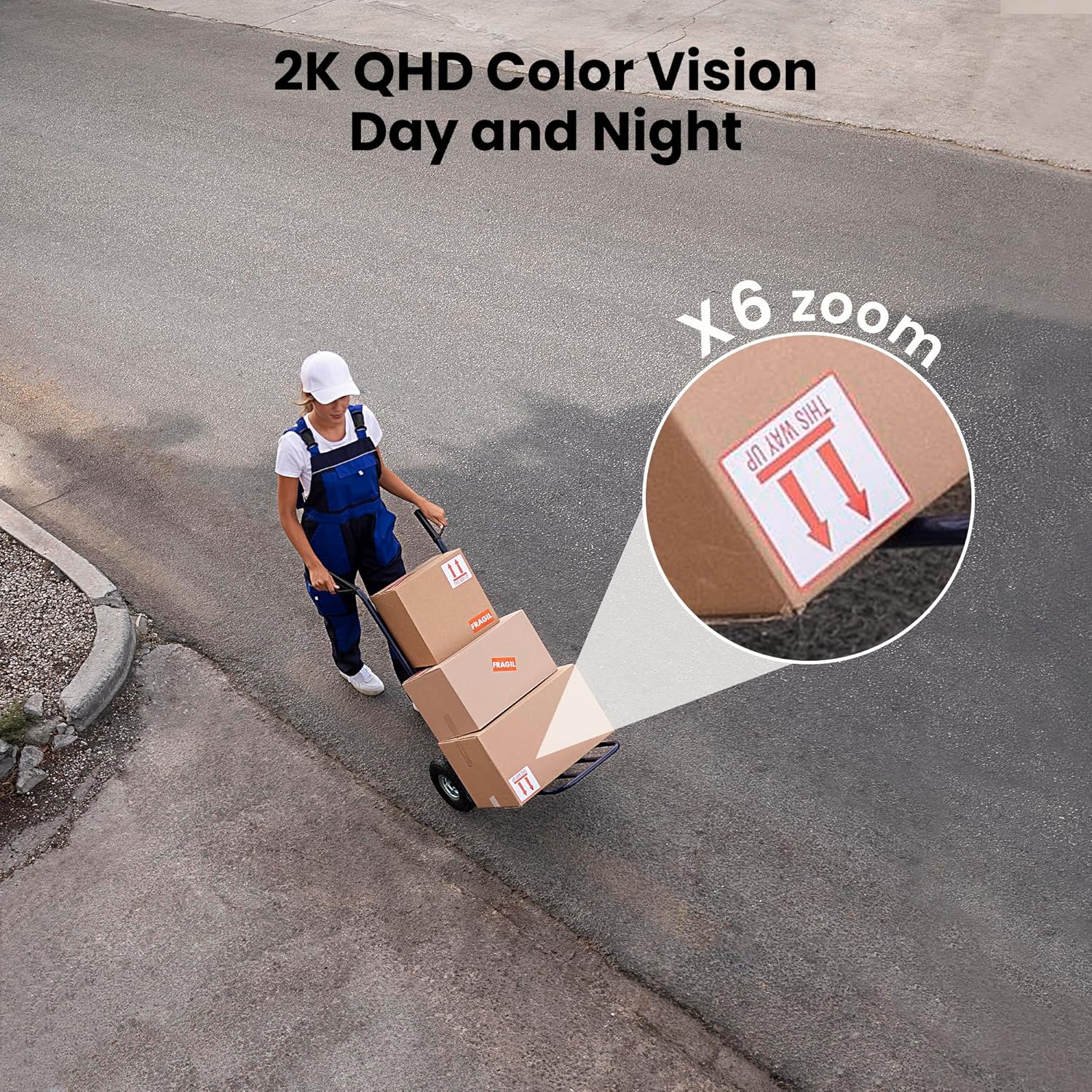
Figure 3: Flexible installation options for the LaView 2K Solar Camera.
5. Operasyon Enstriksyon
5.1 Viv View ak Kontwòl Kamera
- Louvri Wans yoView Cloud app to access the live feed from your camera.
- Use the on-screen controls to pan the camera 360° horizontally and tilt it 120° vertically for full coverage.
- Sèvi ak fonksyon zoom dijital 6X la pou view details in the 2K QHD resolution.

Figure 4: Control 360° pan and 120° tilt directly from your phone.
5.2 Kalite Videyo ak Vizyon Lannwit
- The camera provides 2K QHD video resolution for clear images.
- Vizyon lannwit koulè: With an F/1.6 aperture, the camera captures clear color images even in low-light conditions.
- Vizyon lannwit enfrawouj: For complete darkness, the camera automatically switches to infrared mode for black and white video.
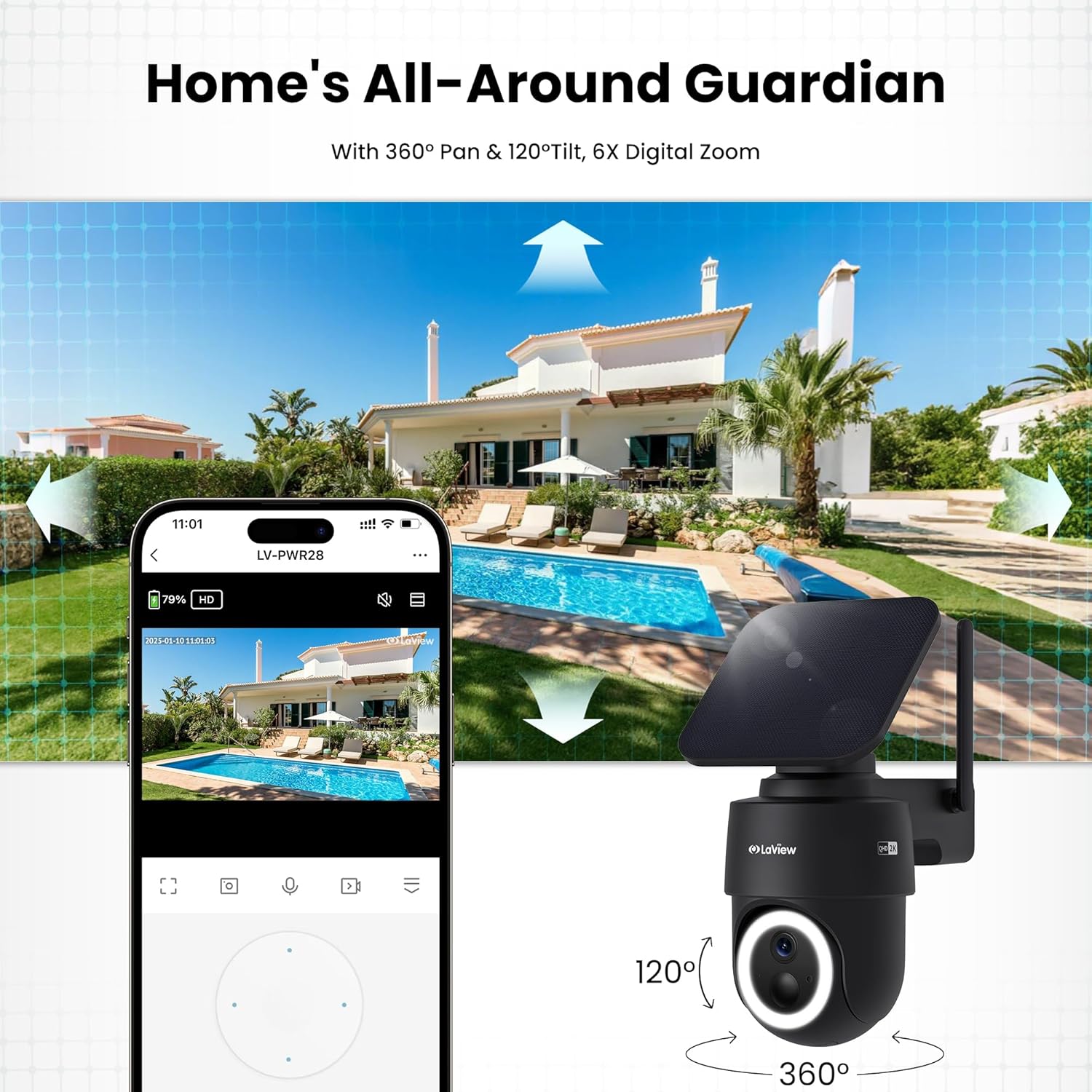
Figure 5: Experience 2K QHD color vision day and night with 6X zoom.
5.3 Deteksyon Mouvman ak Alèt
- PIR Deteksyon: The advanced PIR sensor and intelligent algorithms accurately detect human, vehicle, and pet motion, reducing false alarms.
- Zòn personnalisable: Set specific detection sensitivity and zones within the app.
- Avètisman enstantane: Receive push notifications on your smartphone when motion is detected.
- Siren and Spotlight: Configure the camera to trigger a siren and spotlight upon motion detection for deterrence.

Figure 6: Auto-record on motion detection, capturing movement paths for clear activity tracking.
5.4 Odyo De-fason
- Use the microphone and speaker in the app to communicate with anyone near the camera.

Figure 7: Stay connected with two-way talk functionality.
5.5 Opsyon Depo
- Kat mikwo SD: Insert a Micro SD card (up to 256GB, not included) into the designated slot for local storage of recordings.
- Depo nwaj: Optional cloud storage is available with a 30-day free trial. A subscription is required for continued cloud service.

Figure 8: Dual storage options: Micro SD card and Cloud Storage.
5.6 Entegrasyon Kay Entelijan
- The camera is compatible with Amazon Alexa and Google Assistant. Follow the instructions in your smart home app to connect the camera.

Figure 9: Works with smart home devices like Amazon Alexa and Google Assistant.
6. Antretyen
6.1 Batri Chaje
- The integrated solar panel continuously charges the camera's rechargeable battery. Ensure the solar panel is clean and free from obstructions for optimal charging.
- If necessary, the camera can also be charged directly via the USB-C port using the provided cable.
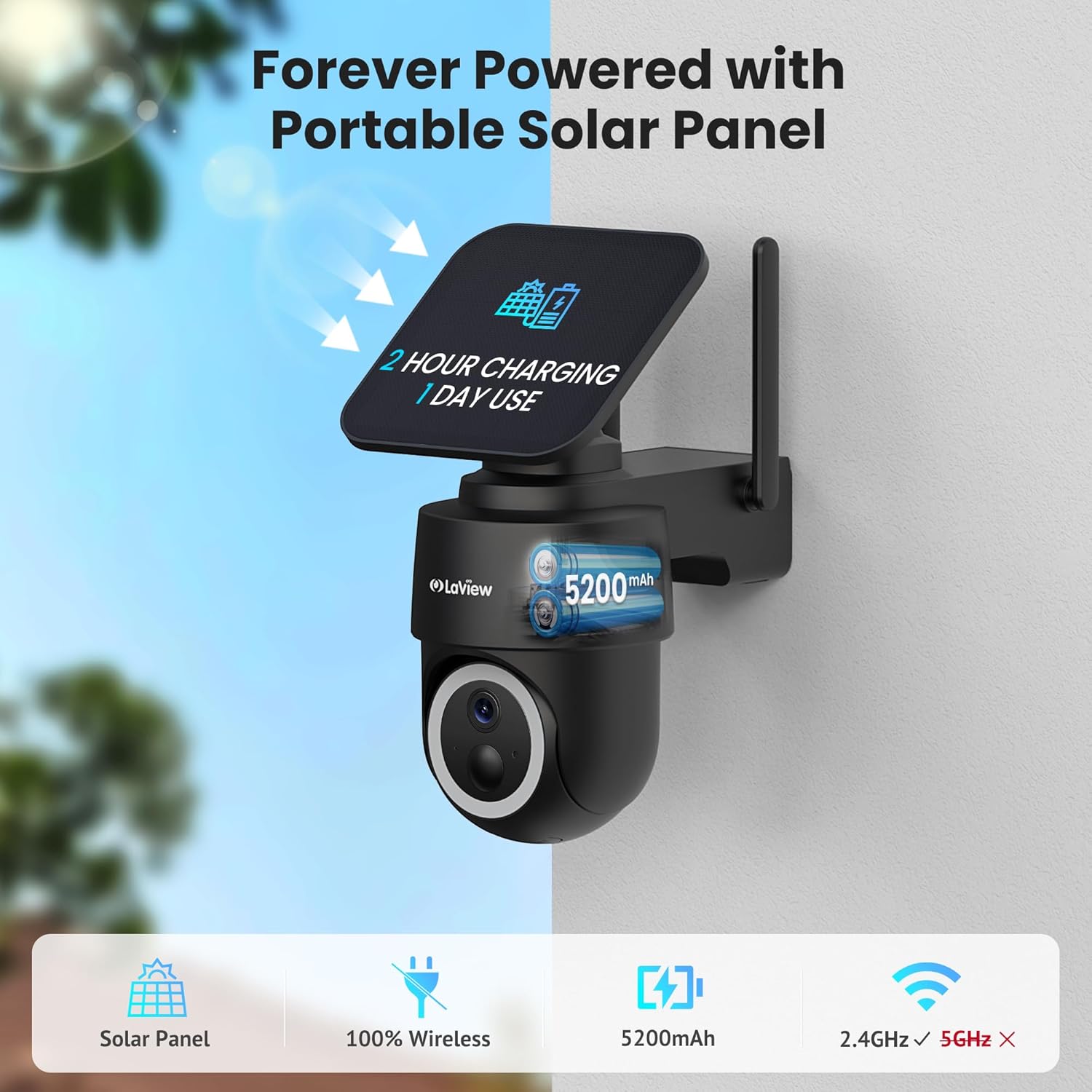
Figure 10: Forever powered with portable solar panel.
6.2 Rezistans move tan
- The camera has an IP65 weatherproof rating, protecting it from dust and water jets. It operates in temperatures from 14°F to 122°F (-10°C to 50°C).

Figure 11: IP65 Weatherproof design for all conditions.
6.3 Netwayaj
- Netwaye lantiy kamera a ak panèl solè a regilyèman avèk yon twal mou.amp cloth to ensure clear image quality and efficient charging.
NAN. Depanaj
- Kamera pa konekte ak Wi-Fi: Ensure your Wi-Fi network is 2.4GHz. Reboot your router and smartphone. Reset the camera by holding the reset button for 5 seconds until you hear a chime, then attempt pairing again.
- Fo Alam Souvan: Adjust the PIR detection sensitivity and customize detection zones within the app to minimize unwanted alerts from non-relevant motion sources.
- Kalite imaj pòv: Asire w ke lantiy kamera a pwòp epi li pa gen okenn obstak. Tcheke fòs siyal Wi-Fi a.
- Batri pa chaje: Verify the solar panel is receiving direct sunlight and is free from dirt or obstructions. Ensure the solar panel cable is securely connected to the camera.
8. Espesifikasyon
| Non modèl | LV-PWR28Q-B-4PK |
| Itilizasyon Andedan kay la / Deyò | Deyò |
| Sous pouvwa | Solè Powered |
| Pwotokòl Koneksyon | Wi-Fi (2.4GHz sèlman) |
| Rezolisyon Capture Videyo | 2K QHD (3K mentioned in specs, but 2K QHD in features) |
| Kalite kontwolè | Amazon Alexa |
| Kalite aliye | Mi mòn |
| Rating ki enpèmeyab | IP65 |
| Tanperati Fonksyònman | 14 ° F a 122 ° F (-10 ° C a 50 ° C) |
| Dimansyon atik (L x W x H) | 10 x 13 x 9 pous |
| Pwa atik | 7.88 liv |
| UPC | 192728016859 |
9. Garanti & Sipò
- Garanti ranplasman 1 an: La ouView 2K Solar Camera system is covered by a 1-year replacement warranty.
- Sipò teknik pou tout lavi: LaView offers lifetime technical support via phone for prompt and reliable solutions.
- 1-on-1 Customer Service: Dedicated customer service is available for personalized assistance.

Figure 12: LaView provides comprehensive after-sales support.


