1. Entwodiksyon
This manual provides comprehensive instructions for the safe and effective use of your Artfone Smart_500 Smartphone. Please read this manual thoroughly before operating the device and retain it for future reference. The Artfone Smart_500 is designed with ease of use in mind, featuring large icons, a clear display, and essential functions for communication.
2. Aparèy souview
Familiarize yourself with the components of your Artfone Smart_500 smartphone.

Imaj 2.1: Devan ak dèyè view of the Artfone Smart_500 smartphone placed in its charging dock. The front displays a simplified interface with large icons for Phone, Contacts, Camera, and Photos. The back shows the camera module and the SOS button.

Image 2.2: Multiple views of the Artfone Smart_500 smartphone, illustrating its front, back, and side profiles. This provides a comprehensive look at the device's physical design and button placement.
Konpozan kle:
- Ekspozisyon Devan: 5-inch IPS screen for clear viewing ak entèraksyon.
- Bouton fizik: Dedicated buttons for call answer/end, volume control, and power.
- Bouton SOS: Located on the rear for emergency alerts.
- Kamera: Rear 13MP camera with LED flash, Front 5MP camera.
- Pò chaje: Pò USB-C anba a.
- Estasyon chaje: Included for convenient desktop charging.
3. Enstalasyon
3.1 Enstalasyon Kat SIM ak Kat Mikwo SD
- Power off the device completely.
- Locate the SIM/Micro SD card tray on the side of the phone.
- Sèvi ak zouti ejèksyon SIM ki vini ak li a pou ouvri plato a.
- Carefully place your Nano-SIM card(s) and/or Micro SD card into the designated slots. Ensure correct orientation.
- Dousman pouse plato a tounen nan telefòn nan jiskaske li fè yon klik.
3.2 Premye pouvwa sou
- Peze epi kenbe bouton Pouvwa a (anjeneral sou bò dwat la) jiskaske ekran an limen.
- Swiv enstriksyon ki parèt sou ekran an pou w konplete konfigirasyon inisyal la, tankou seleksyon lang lan, koneksyon Wi-Fi a, ak konfigirasyon kont Google la.
3.3 Chaje Aparèy la
The Artfone Smart_500 can be charged using the included USB-C cable or the charging station.
- Sèvi ak estasyon chaj la: Place the phone into the charging station, ensuring the charging contacts align. The phone will indicate that it is charging.
- Sèvi ak USB-C kab: Connect the USB-C cable to the phone's charging port and the other end to a compatible power adapter.
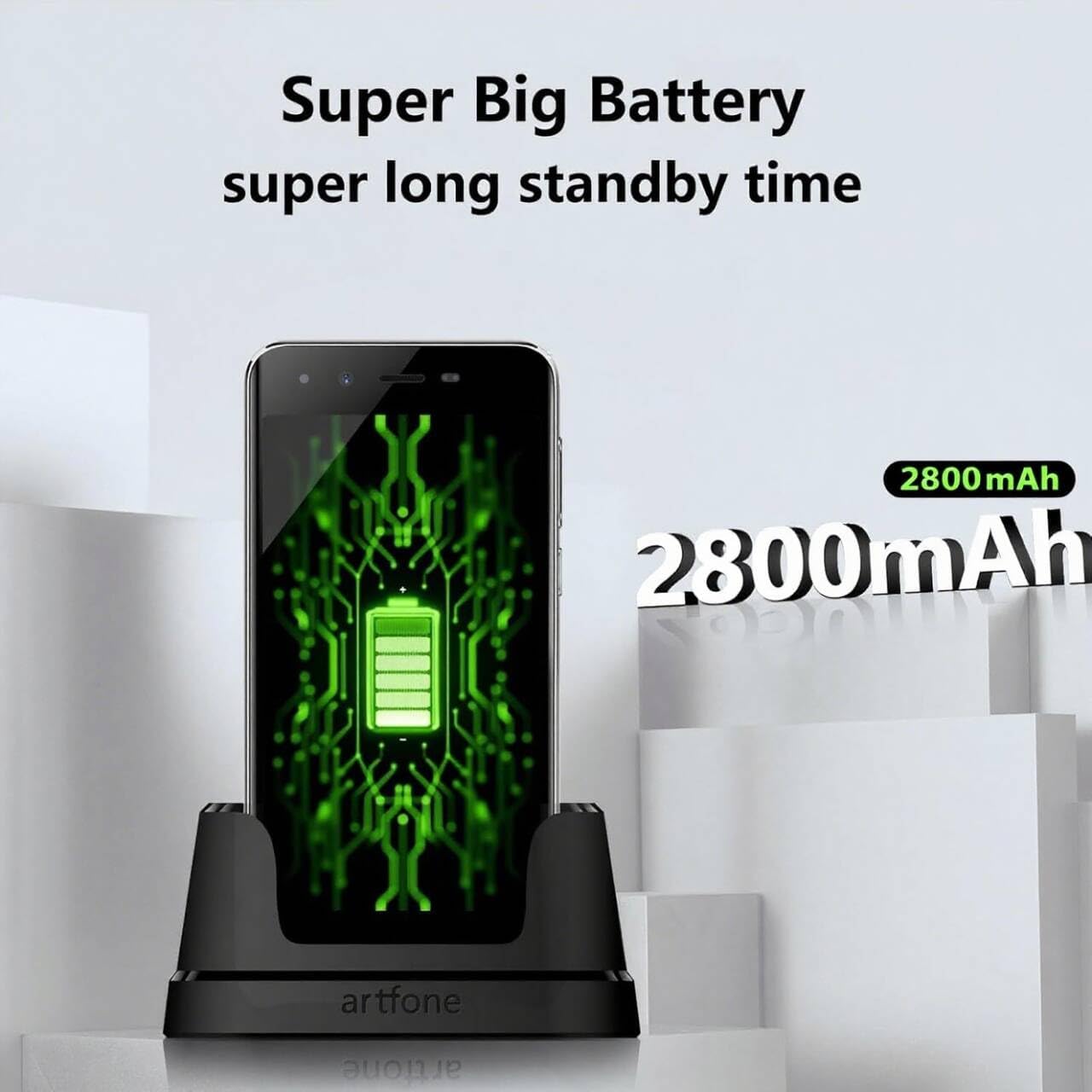
Image 3.1: The Artfone Smart_500 smartphone in its charging dock, displaying a battery icon on the screen. Text indicates 'Super Big Battery' and 'super long standby time', highlighting the device's 2550mAh battery capacity.
4. Operasyon debaz
4.1 Navigasyon
- Ekran manyen: Tap icons to open applications, swipe to navigate between screens.
- Ekran Kay: Features large, easy-to-identify icons for common functions like Phone, Contacts, Camera, and Photos.
- Bouton tounen: Retounen nan ekran anvan an.
- Bouton Aplikasyon Dènye: Montre dènyèman itilize aplikasyon yo.
4.2 Fè ak Resevwa Apèl
- Fè yon apèl: Tap the 'Phone' icon, enter the number using the large keypad, then tap the green call button.
- Resevwa yon apèl: When a call comes in, tap the green 'Answer' button on the screen or press the dedicated answer button.
- Fini yon apèl: Tap the red 'End Call' button on the screen or press the dedicated end call button.
4.3 Kontak
- Ajoute yon Kontak: Tap the 'Contacts' icon, then tap the '+' or 'Add New Contact' button. Enter the contact's name and phone number, then save.
- Calling a Contact: Tap the 'Contacts' icon, select the desired contact, then tap the phone icon next to their name.
4.4 Mesaj
- Tap the 'Messages' icon (if available on home screen, otherwise find in app drawer).
- Tap 'Start new chat' or the '+' icon.
- Enter the recipient's number or select from contacts, then type your message and tap 'Send'.
4.5 Kamera
The Artfone Smart_500 features a 13MP rear camera and a 5MP front camera.

Image 4.1: A hand holding the Artfone Smart_500 smartphone, with text emphasizing its 13-megapixel camera for high-definition photography.
- Tap the 'Camera' icon on the home screen.
- Dirije kamera a sou sijè w la.
- Tap the shutter button on the screen to take a photo.
- Use the LED flash in low-light conditions.
4.6 Fonksyon Ijans SOS
The SOS button is a critical safety feature for emergencies.

Image 4.2: A visual representation of the SOS button located on the back of the Artfone Smart_500 smartphone. The diagram illustrates how pressing this button can alert pre-set emergency contacts such as family members (daughter, son, spouse), a doctor, or first responders.
- Konfigirasyon Kontak SOS yo: Navigate to the SOS settings in the phone's menu to add up to 5 emergency contact numbers.
- Aktive SOS la: In an emergency, press and hold the SOS button on the back of the phone.
- The phone will automatically call the pre-set emergency numbers one by one until a connection is made.
- Simultaneously, an emergency SMS message, including your location, will be sent to these contacts.
5. Karakteristik avanse
5.1 Sistèm operasyon Android 12
Your Artfone Smart_500 runs on Android 12, providing access to a wide range of applications and features.
- Google Play Store: Access the Play Store to download additional applications such as WhatsApp, social media, and utility tools.
- Navigasyon Entènèt: Use the pre-installed browser to access the internet.
- Miltimedya: View videos, photos, and listen to music.
5.2 Koneksyon

Image 5.1: A prominent 4G logo positioned above the Artfone Smart_500 smartphone, which displays a strong 4G signal indicator. This highlights the device's 4G connectivity for high-definition voice calls and faster internet.
- 4G/3G/2G: Supports various cellular networks for reliable communication.
- 4G VoLTE: Ensures high-quality voice calls with reduced background noise.
- Wi-Fi: Konekte sou rezo san fil pou jwenn aksè a entènèt.
- Bluetooth: Pair with wireless headphones or other Bluetooth devices.
6. Antretyen
6.1 Swen Batri
- To prolong battery life, avoid exposing the phone to extreme temperatures.
- Charge the battery regularly, but avoid leaving it fully charged or fully depleted for extended periods.
- Use only the original charger and charging station provided with the device.
6.2 Netwayaj
- Siye ekran an ak kò a ak yon twal mou ki pa gen pousyè.
- Evite itilize pwodwi chimik piman bouk oswa materyèl abrazif.
NAN. Depanaj
Pwoblèm komen ak solisyon:
- Telefòn nan pa limen: Asire w batri a chaje. Konekte l nan plato a epi eseye ankò.
- Move kalite apèl: Check network signal strength. Ensure VoLTE is enabled in settings if available.
- Applications freezing: Close background applications. Restart the phone.
- Batri a vide byen vit: Reduce screen brightness. Close unused apps. Check battery usage in settings to identify power-hungry apps.
- Bouton SOS la pa fonksyone: Verifye ke kontak ijans yo byen configuré nan paramèt SOS yo.
Si pwoblèm yo pèsiste, tanpri kontakte sèvis kliyan.
8. Espesifikasyon
| Karakteristik | Spesifikasyon |
|---|---|
| Non modèl | SMART_500 |
| Sistèm operasyon | Android 12.0 |
| Ekspozisyon | Ekran taktil IPS 5 pous |
| Processeur | 1.5 GHz Quad-Core (MTK 6739WW) |
| RAM | 3 GB |
| Depo Entèn | 32 GB (Expandable via Micro SD) |
| Kamera dèyè | 13 MP ak flach LED |
| Kamera devan | 5 MP |
| Kapasite batri | 2550 mAh Lityòm-ion |
| Tan sibstiti | 50-80 hours (average) |
| Tan pale | 5-6 hours (average) |
| Koneksyon | 4G, 3G, 2G (4G VoLTE) |
| Port chaje | USB Kalite-C |
| Karakteristik espesyal | SOS Button, Charging Station, Large Icons, High Volume |

Image 8.1: A visual representation of the phone's internal platform, highlighting the MTK 6739WW processor, 32GB of ROM (internal storage), and 3GB of RAM.
9. Garanti ak sipò
For warranty information and customer support, please refer to the documentation included in your product packaging or visit the official Artfone website. Information regarding spare parts availability and software updates is not available at this time.
Manifakti: artfone


