1. Entwodiksyon
This manual provides detailed instructions for the setup, operation, and maintenance of your ATTACK SHARK X98PRO Wireless Mechanical Keyboard. The X98PRO features tri-mode connectivity (Bluetooth, 2.4GHz wireless, USB-C wired), hot-swappable switches, a customizable TFT screen, and a multi-function CNC knob, designed for both gaming and productivity across various operating systems.
2. Pake kontni
- ATTACK SHARK X98PRO Mechanical Keyboard
- USB-C to USB-A Braided Cable
- 2.4GHz Wireless Reseptè
- Keycap Puller
- Chanje Puller
- Manyèl Itilizatè (dokiman sa a)
3. Keyboard Layout and Components
The X98PRO features a compact 98-key layout, integrating a numeric keypad while maintaining a smaller footprint than a full-size keyboard. Key components include:
- 1.14-inch TFT Screen: Located above the numeric keypad, this screen displays various information and allows for customization.
- CNC Multi-Function Knob: Positioned next to the TFT screen, this knob controls volume, brightness, RGB effects, and connection modes.
- USB-C pò: For wired connection and charging.
- 2.4GHz Wireless Receiver Storage: Typically located in a dedicated slot on the keyboard for safekeeping.


4. Enstalasyon
4.1. Chaje klavye a
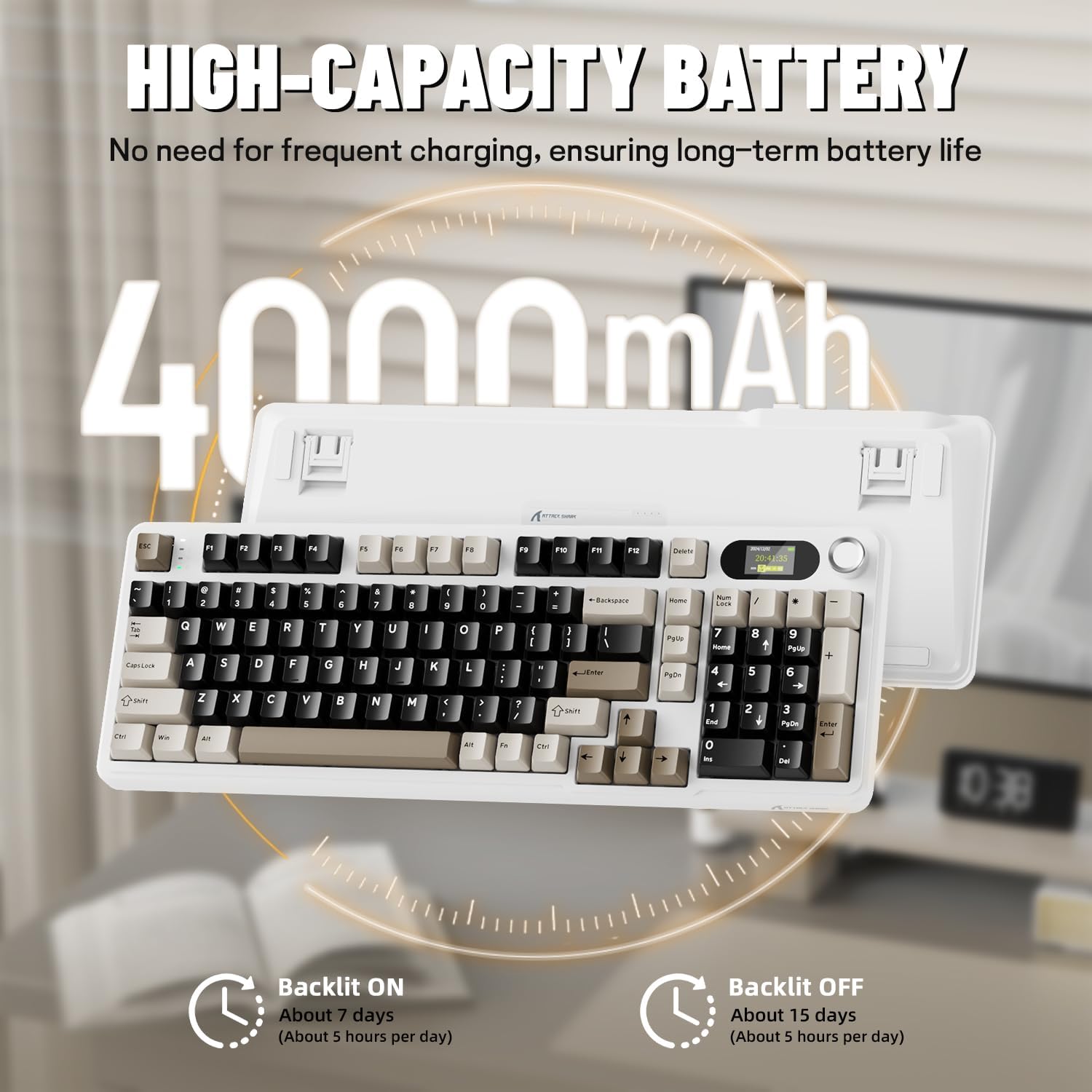
Before first use, it is recommended to fully charge the keyboard. Connect the provided USB-C cable to the keyboard's USB-C port and the other end to a USB-A power source (e.g., computer, wall adapter). The TFT screen will indicate charging status. The keyboard features a 4000mAh battery for extended wireless use.
4.2. Mòd Koneksyon
The X98PRO supports three connection modes:
- Mòd USB-C filaire: Konekte klavye a dirèkteman ak aparèy ou a avèk kab USB-C a. Mòd sa a chaje klavye a tou.
- 2.4GHz Wireless Mode:
- Insert the 2.4GHz wireless receiver into an available USB port on your computer.
- Switch the keyboard's mode selector to 2.4G. The keyboard should automatically connect.
- Mòd Bluetooth 5.0: The keyboard can pair with up to three Bluetooth devices.
- Switch the keyboard's mode selector to Bluetooth.
- Peze epi kenbe Fn + 1, Fn + 2, oswa Fn + 3 for 3-5 seconds until the indicator light flashes, indicating pairing mode.
- On your device (PC, Mac, Tablet), search for Bluetooth devices and select "ATTACK SHARK X98PRO" to pair.
- Pou chanje ant aparèy Bluetooth ki asosye yo, peze Fn + 1, Fn + 2, oswa Fn + 3 yon ti tan.

4.3. Konfigirasyon Inisyal (Web-based Driver)
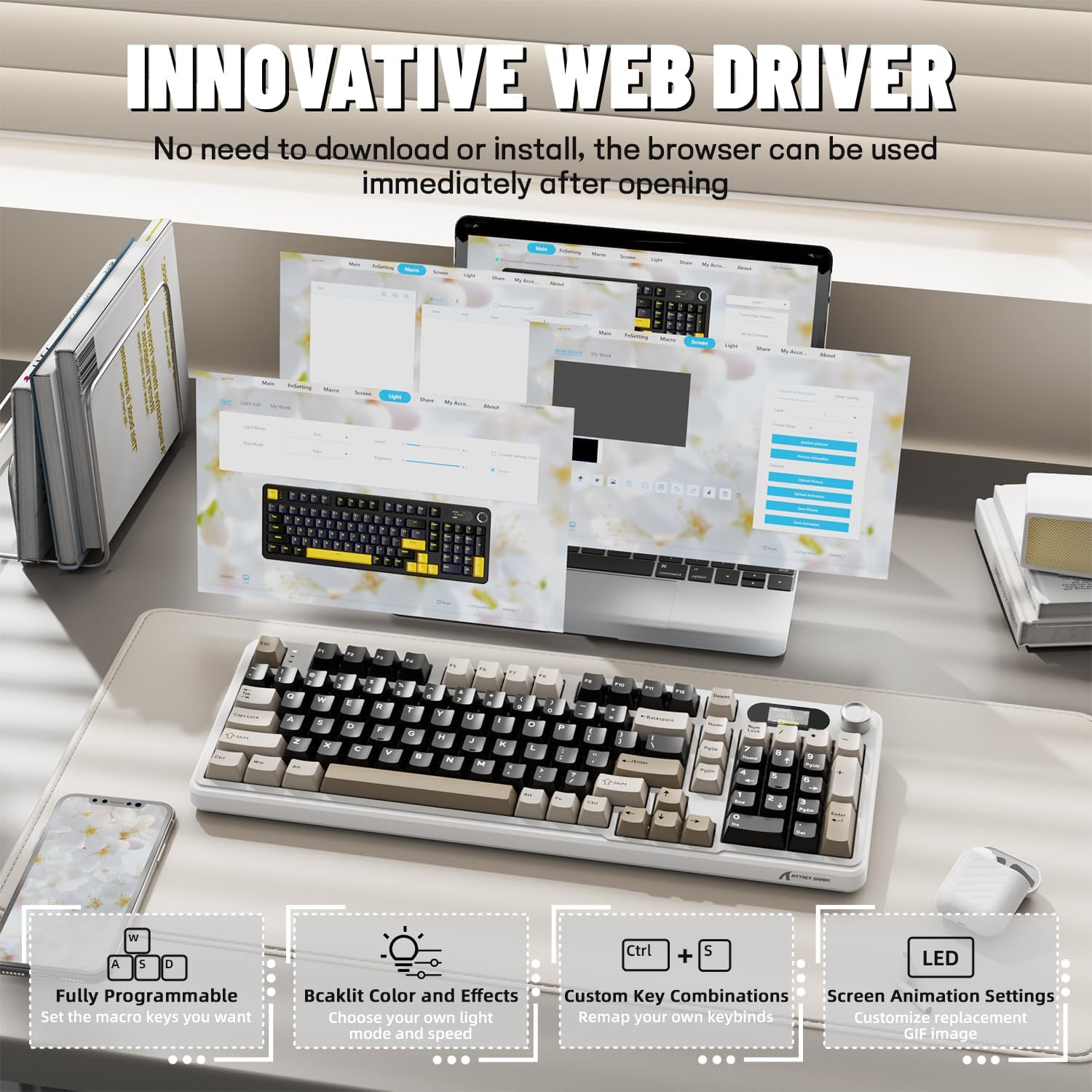
The X98PRO utilizes an intuitive web-based driver for advanced customization. This allows you to edit, upload, and switch display content for the TFT screen, customize RGB lighting, remap keys, and set macros without installing dedicated software. Access the official ATTACK SHARK websit pou la web driver interface.
5. Operasyon Enstriksyon
5.1. TFT Screen Functions
The 1.14-inch TFT screen can display various information:
- Estati sistèm: Connection mode (wired, 2.4G, BT1/2/3), operating system (Win/Mac).
- Lavi batri: Real-time battery level.
- Tan: Tan aktyèl la.
- GIF pèsonalize: Upload personalized animations via the web chofè.
To navigate the TFT screen menu, rotate the CNC knob to scroll through options and press the knob to confirm a selection.
5.2. CNC Multi-Function Knob
The CNC knob provides intuitive control over several keyboard features:
- Kontwòl Volim: By default or after switching, rotate to adjust system volume.
- Kontwòl klète: Ajiste klète ekleraj.
- RGB Effects: Cycle through different RGB lighting effects.
- Koneksyon mòd: Switch between wired, 2.4GHz, and Bluetooth modes.
To switch the knob's function (e.g., between volume and RGB control), press Fn + Bouton (press the knob down).
5.3. RGB ekleraj
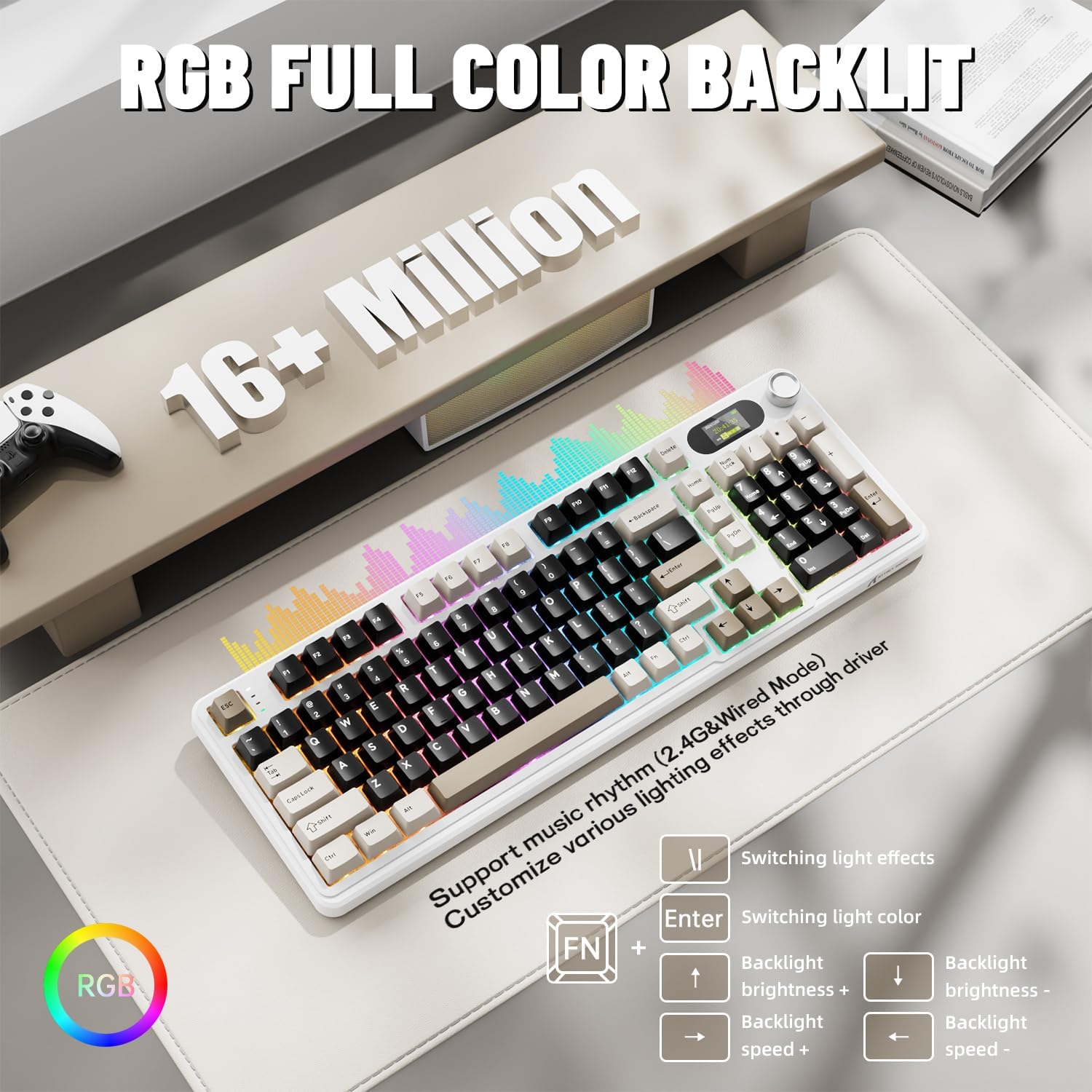
The X98PRO features full RGB backlighting with multiple effects. Control options include:
- Chanje efè limyè: Peze Fn + Antre.
- Switching Light Color: Peze Fn + \|.
- Klate ekleraj: Peze Fn + Flèch moute (increase) or Fn + Flèch desann (diminisyon).
- Vitès ekleraj: Peze Fn + Flèch Goch (diminye) oswa Fn + flèch dwat (increase).
Further customization of RGB lighting, including per-key lighting and custom profiles, is available through the web-based driver.
5.4. Switch ki ka ranplase a cho
The X98PRO features a hot-swappable PCB, allowing you to easily change mechanical switches without soldering. It is compatible with most 3-pin and 5-pin mechanical switches.
- Using the provided switch puller, carefully grip the switch and pull it straight up to remove it.
- Aliyen broch nouvo switch la ak twou ki sou PCB a. Asire w broch yo dwat.
- Gently press the new switch into place until it clicks. Do not force it.

6. Antretyen
6.1. Netwayaj
- Dekonekte klavye a nan tout sous kouran anvan ou netwaye li.
- Sèvi ak yon zouti pou rale bouchon kle pou retire bouchon kle yo pou yon netwayaj byen pwòp.
- Wipe the keyboard surface with a soft, damp twal. Evite pwodwi chimik piman bouk yo.
- Sèvi ak lè konprese pou retire pousyè ak debri ki ant kle yo.
6.2. Switch and Keycap Replacement
Refer to Section 5.4 for instructions on replacing switches. Keycaps can be removed using the provided keycap puller and replaced with compatible sets.
NAN. Depanaj
- Klavye a pa reponn: Ensure the keyboard is charged. Check the connection mode (wired, 2.4G, BT) and ensure it matches your device. For 2.4GHz, ensure the receiver is properly inserted. For Bluetooth, re-pair if necessary.
- TFT screen not updating/syncing: Ensure the keyboard is connected to a device. For time synchronization or custom GIFs, use the web-based driver.
- Kout lavi batri: Ensure the keyboard is fully charged. Reduce backlight brightness or disable RGB effects to conserve battery.
- Kle yo pa anrejistre: If a specific key is not working, try removing and re-inserting its switch. If the issue persists, consider replacing the switch.
- Customization issues: Ensure you are using the official web-based driver. Clear browser cache or try a different browser if experiencing issues.
8. Espesifikasyon
| Mak | ATAK REKEN |
| Modèl | X98Pro |
| Koneksyon Teknoloji | 2.4GHz, Bluetooth 5.0, USB-C Wired |
| Deskripsyon klavye | Mekanik |
| Chanje Kalite | Linear (Blueberry switches) |
| Cho-Swappable | Yes (3-pin and 5-pin compatible) |
| Kapasite batri | 4000mAh |
| Karakteristik espesyal | Customizable TFT Display, Multi-Function CNC Knob, RGB Backlit, Gasket Mount |
| Aparèy konpatib | Laptop, PC, Tablet (Windows, Mac, Linux) |
| Dimansyon | 16.4 x 5.8 x 1.8 pous (apeprè) |
| Pwa atik | 2.9 liv |
9. Garanti ak sipò
For warranty information and technical support, please refer to the official ATTACK SHARK websit la oubyen kontakte sèvis kliyan yo. Kenbe resi acha w la pou reklamasyon garanti.


