Entwodiksyon
The HMD Pulse Pro is an advanced unlocked smartphone designed for global use, featuring a powerful 50 MP dual rear camera and an equally impressive 50 MP front camera. It runs on Android 14, offers extended battery life, and boasts a repair-at-home design for user convenience. This manual provides essential information for setting up, operating, maintaining, and troubleshooting your device.
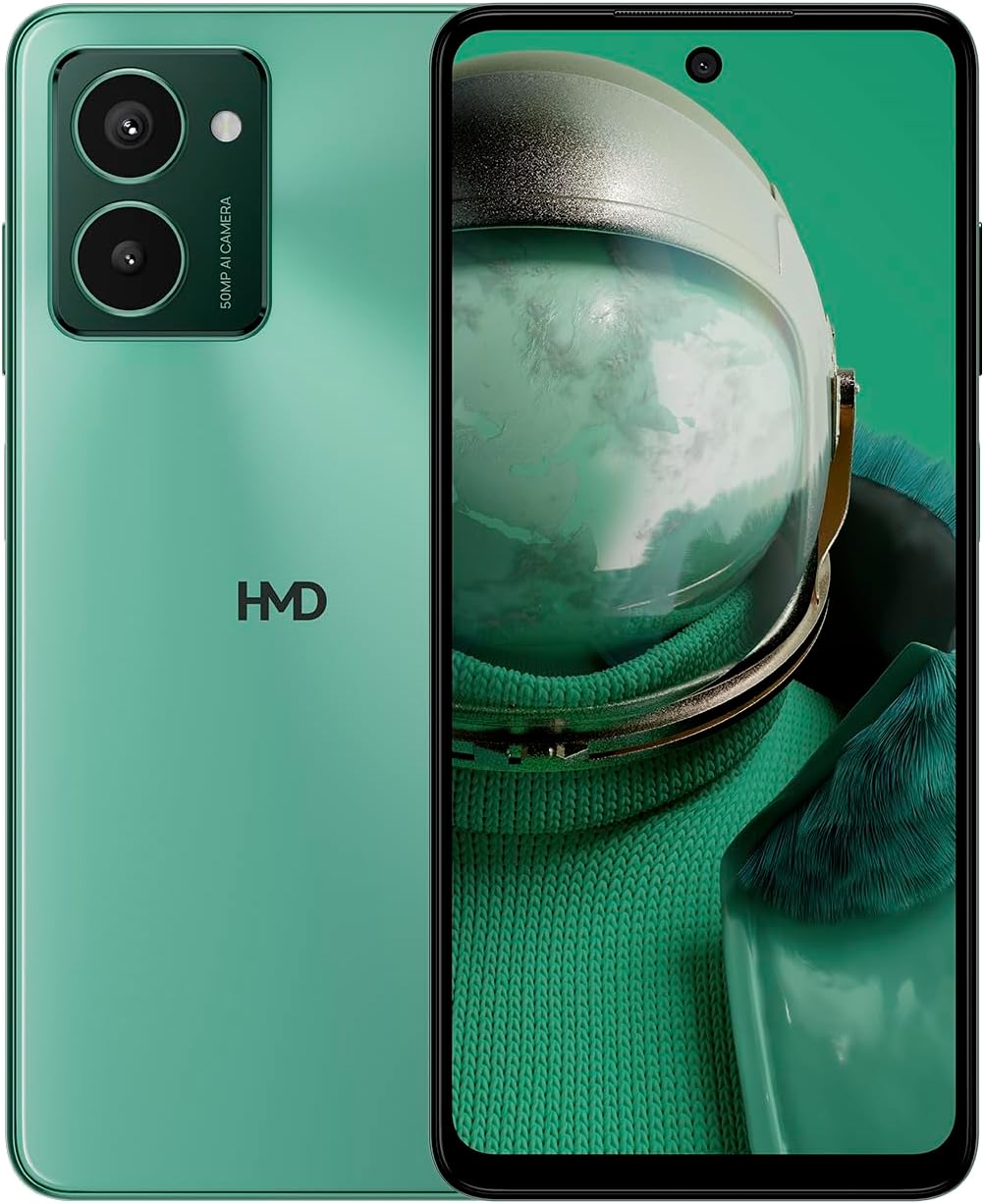
The HMD Pulse Pro smartphone in Glacier Green, showcasing its sleek design and dual camera system on the rear, alongside its vibrant display.
Karakteristik kle:
- Striking design with refined lines and a cutting-edge aesthetic.
- Equipped with 50 MP rear and 50 MP front cameras for balanced and high-quality photography.
- Innovative selfie gesture function for easier and more dynamic self-portraits.
- Extended battery life providing up to 59 hours of usage on a single charge.
- International version, unlocked for compatibility with various carriers worldwide.
Ki sa ki nan bwat la
Upon unboxing your HMD Pulse Pro, please ensure all the following items are present:
- HMD Pulse Pro Smartphone
- USB kab
- Zouti pou retire plato SIM lan
- Quick Start Guide (may be separate or integrated)
Enstalasyon
1. Premye Chajman
Before first use, it is recommended to fully charge your HMD Pulse Pro. Connect the provided USB cable to the phone's charging port and the other end to a compatible USB power adapter (not always included) or a computer USB port. The device supports fast charging.
2. Mete Kat SIM ak Kat MicroSD
The HMD Pulse Pro supports dual SIM cards and expandable memory via a microSD card.
- Jwenn plato SIM lan sou kote telefòn ou an.
- Insert the SIM tray ejector tool into the small hole next to the tray and gently push until the tray pops out.
- Place your Nano-SIM cards into the designated slots. Ensure the gold contacts are facing down.
- If using a microSD card for additional storage, place it into its dedicated slot on the tray.
- Pouse plato a tounen nan telefòn nan ak anpil atansyon jiskaske li fè yon klik.
3. Limen ak Inisyal Konfigirasyon
Press and hold the Power button until the HMD logo appears. Follow the on-screen instructions to complete the initial setup, including language selection, Wi-Fi connection, Google account setup, and security settings.
Enstriksyon Operasyon
Navigasyon debaz
- Ekran tactile: Navigate by tapping, swiping, pinching, and spreading on the 6.65-inch display.
- Bouton pouvwa: Peze pou reveye/dòmi ekran an. Peze epi kenbe pou etenn oswa rekòmanse.
- Bouton Volim: Ajiste volim medya a, volim apèl la, ak volim notifikasyon an.
Itilizasyon Kamera
The HMD Pulse Pro features a 50 MP dual rear camera and a 50 MP front camera, enhanced with AI capabilities.

A user demonstrating the innovative selfie gesture feature of the HMD Pulse Pro, allowing for hands-free photo capture.

Yon fèmen view of the HMD Pulse Pro's 50 MP front-facing camera, highlighting its AI-powered capabilities for enhanced selfies.
- Lanse Kamera: Tap the Camera app icon or use a quick gesture (if enabled in settings).
- Lè w ap pran foto: Tap the shutter button. Use pinch-to-zoom for optical or digital zoom.
- Selfie Gestures: Utilize pre-defined hand gestures to trigger the front camera shutter without touching the screen. Refer to the in-app camera settings for available gestures.
- Mòd: Switch between various modes like Portrait, Night, Panorama, and Video.
Jesyon batri
The HMD Pulse Pro is equipped with a 5000 mAh battery, offering up to 59 hours of usage.

Two HMD Pulse Pro smartphones standing upright, with text emphasizing the impressive battery life of up to 59 hours.
- Chaje: Use the provided USB cable. A full charge takes approximately 2.5 hours.
- Ekonomize batri: Enable Battery Saver mode in Settings > Battery to extend usage time.
- Optimizing Usage: Reduce screen brightness, disable unused connectivity (Bluetooth, Wi-Fi, GPS), and close background apps to conserve battery.
Antretyen
Netwayaj aparèy ou an
To keep your HMD Pulse Pro in optimal condition:
- Sèvi ak yon twal mou ki pa gen pousyè pou siye ekran an ak kò a.
- Evite itilize pwodui chimik ki agresif, pwodui netwayaj abrazif, oswa espre ayewosòl.
- The device is water resistant; however, avoid submerging it in water.
Mizajou lojisyèl
Tcheke epi enstale mizajou lojisyèl regilyèman pou asire aparèy ou an gen dènye karakteristik yo, patch sekirite yo, ak amelyorasyon pèfòmans yo. Ale nan Anviwònman > Sistèm > Mizajou sistèm.
Jesyon Depo
With 256 GB of internal storage, you have ample space. However, regularly manage your files and apps to maintain performance. You can also expand storage using a microSD card.
Depanaj
This section addresses common issues you might encounter with your HMD Pulse Pro.
| Pwoblèm | Solisyon posib |
|---|---|
| Aparèy la pa vle limen | Ensure the battery is charged. Connect to a charger for at least 30 minutes. Try holding the Power button for 10-15 seconds. |
| Aplikasyon yo ap plante oswa yo bloke | Clear the app's cache (Settings > Apps > [App Name] > Storage > Clear cache). Restart the phone. Update the app or the phone's software. |
| Pòv lavi batri | Check background app usage (Settings > Battery). Reduce screen brightness. Disable unused connectivity features (Wi-Fi, Bluetooth, GPS, NFC). Enable Battery Saver mode. |
| Pa ka konekte ak Wi-Fi/Bluetooth | Toggle Wi-Fi/Bluetooth off and on. Restart your phone and the router/device. Forget the network/device and reconnect. |
| Kat SIM pa detekte | Ensure the SIM card is correctly inserted in the tray. Restart the phone. Check with your carrier for network issues. |
Reset faktori
Si pwoblèm pèsiste, li ka nesesè pou fè yon reset faktori. Avètisman: Sa ap efase tout done ki sou telefòn ou an. Fè yon kopi done enpòtan yo anvan ou kontinye.
- Ale nan Anviwònman > Sistèm > Opsyon Reyajiste.
- Chwazi "Efase tout done yo (reyajisteman faktori)".
- Konfime desizyon w lan epi antre kòd PIN/modèl/modpas ou si yo mande w.
- Telefòn nan ap rekòmanse epi li pral kòmanse pwosesis reset la.
Espesifikasyon
Detailed technical specifications for the HMD Pulse Pro smartphone:

The HMD Pulse Pro highlighting its stylish and cutting-edge design, dual SIM support, and 6.56" HD+ HID display with a 90Hz refresh rate. Note: While the image mentions 8GB/128GB, this specific model features 8GB RAM and 256GB internal storage.
| Karakteristik | Detay |
|---|---|
| Non modèl | Pulse Pro (TA-1606) |
| Sistèm operasyon | Android 14 |
| Gwosè ekspozisyon | 6.65 pous |
| Rezolisyon | 720 x 1612 |
| Rafrechisman pousantaj | 90 Hz |
| Memwa RAM | 8 GB |
| Kapasite Depo | 256 GB (Ekspandab) |
| Kamera dèyè | 50 MP Kamera Doub |
| Kamera devan | 50 MP |
| Kapasite batri | 5000 mAh |
| Tan pou chaje | Apeprè. 2.5 èdtan |
| CPU vitès | 1.6 GHz |
| Koneksyon | Bluetooth, Wi-Fi, USB, NFC |
| Karakteristik espesyal | Sipò pou chaje rapid, Doub SIM, Memwa ekspansif, GPS entegre, Rezistan a dlo |
| Dimansyon | 6.43 x 2.95 x 0.34 pous |
| Pwa atik | 0.249 ons (7.06 gram) |
| Audio Jack | 3.5 mm |
| Koulè | Glacier Green |
Garanti ak sipò
Manifakti garanti
Your HMD Pulse Pro smartphone is covered by a manufacturer's warranty against defects in materials and workmanship. The specific terms and duration of the warranty may vary by region. Please refer to the warranty card included with your product or visit the official HMD websit pou enfòmasyon detaye sou garanti.
Sipò pou Kliyan
For technical assistance, troubleshooting beyond this manual, or warranty claims, please contact HMD customer support. You can typically find contact information (phone numbers, email, support portals) on the official HMD websit la oubyen atravè seksyon sipò nan paramèt aparèy ou an.
Resous sou entènèt: For the latest FAQs, software downloads, and support articles, visit the official HMD support page. (Specific URL not provided in input, so a generic statement is used).


