1. Entwodiksyon
Thank you for choosing the PERLEGEAR PGFS14W TV Stand. This manual provides essential information for the safe and correct assembly, operation, and maintenance of your new TV stand. Please read these instructions carefully before installation and keep them for future reference.
This freestanding TV stand is designed to accommodate most 30-60 inch flat-panel TVs, offering flexibility with its hidden casters, adjustable height, swivel, and tilt functions. Its sleek design integrates well into various living spaces.
2. Enfòmasyon sou Sekirite
AVÈTISMAN:
This TV stand poses a risk of tipping if not used correctly. It features hidden casters, so please handle with care during movement. Ensure correct assembly and usage to prevent accidents. Always verify that your TV's weight and VESA pattern are within the stand's specifications before installation.
Do not exceed the maximum load capacity of 40 kg (88 lbs). Overloading can result in serious injury or product damage.
Kenbe timoun yo lwen zòn asanblaj la. Ti pyès yo ka reprezante yon danje toufe.
3. Pake kontni
Please check that all components are present and undamaged. If any parts are missing or defective, contact customer service immediately.
- Plak Baz la
- Kolòn sipò
- TV Mounting Support
- Adjustable Media Shelf
- Hidden Casters (pre-installed or to be installed)
- Twous pyès ki nan konpitè (vis, rondelles, espasè, zouti)
- Manyèl Enstriksyon

4. Espesifikasyon
| Karakteristik | Spesifikasyon |
|---|---|
| Nimewo Modèl | PGFS14W |
| Gwosè televizyon konpatib | 30 - 60 pous |
| Kapasite chaj maksimòm | 40 kg (88 liv) |
| VESA konpatibilite | 75x75mm rive 400x400mm |
| Ajisteman Wotè | 8 levels (tool-free adjustment for TV bracket) |
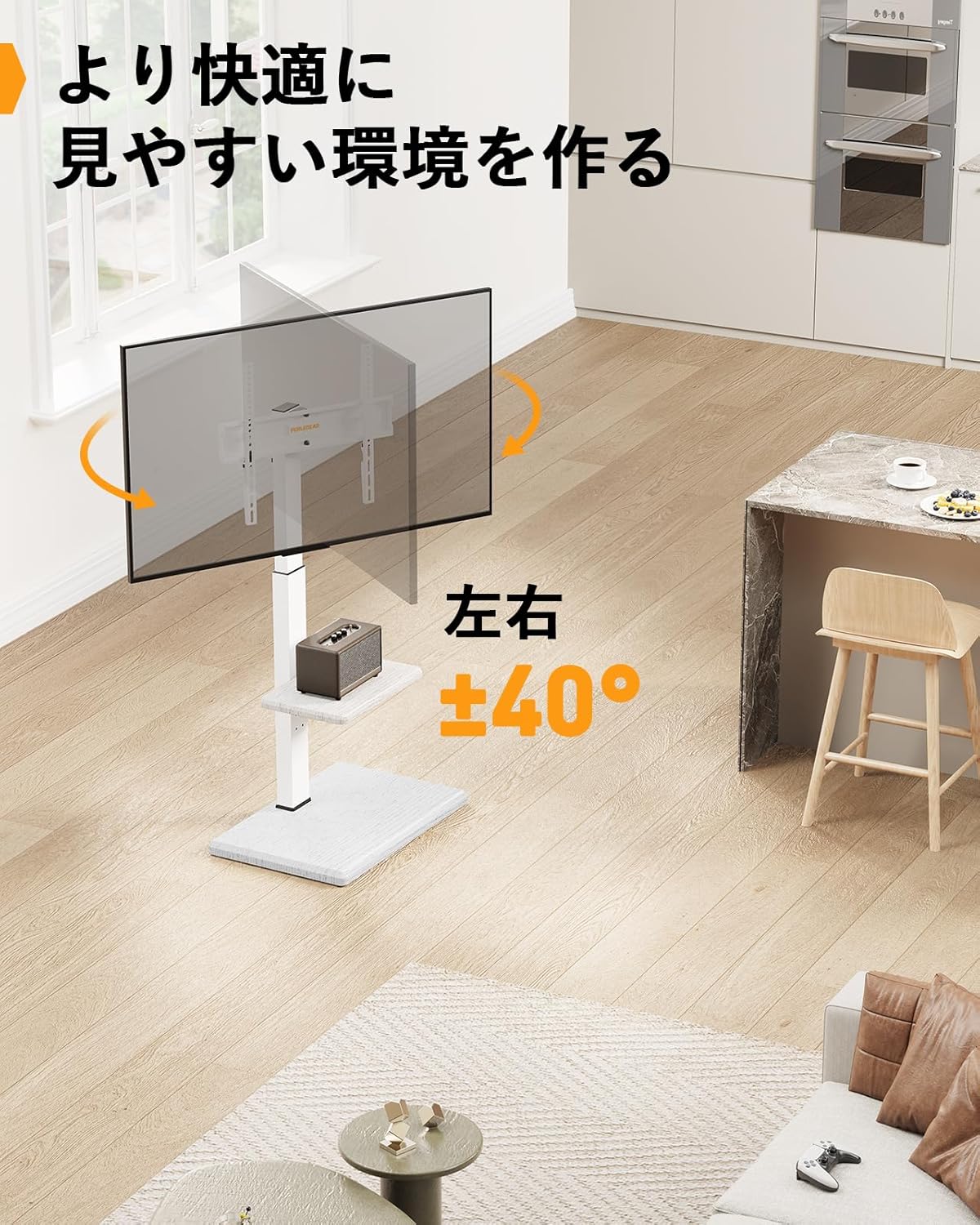
| Swivel Angle | ± 40 degre |
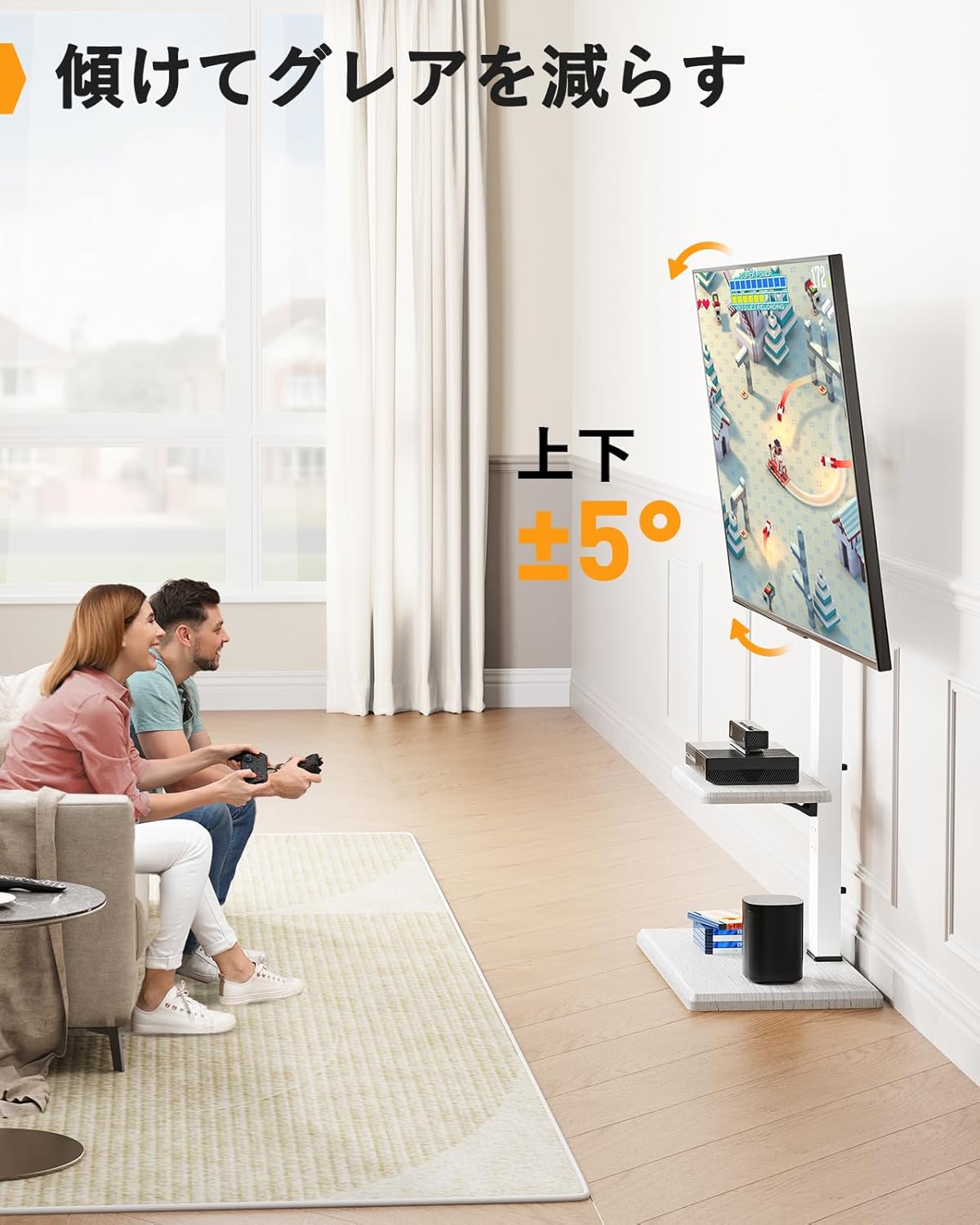
| Panche Angle | ± 5 degre |
| Dimansyon pwodwi (LxWxH) | 35 x 55 x 128 cm (13.8 x 21.7 x 50.4 pous) |
| Pwa pwodwi | 8.5 kg (18.7 liv) |
| Koulè | White (Wood Grain Finish) |

5. Enstriksyon Enstalasyon
Swiv etap sa yo ak anpil atansyon pou yon bon asanblaj. Li rekòmande pou gen de moun pou sèten etap, sitou lè w ap monte televizyon an.
- Rasanble baz la: Attach the support column to the base plate using the provided screws and tools. Ensure all connections are secure.
- Enstale etajè medya a: Secure the adjustable media shelf to the support column at your desired height. This shelf can be repositioned later if needed.
- Mete sipò televizyon yo sou televizyon an: Identify the correct screws, washers, and spacers for your TV's VESA mounting holes. Attach the TV mounting brackets to the back of your TV. Ensure they are level and securely fastened.
- Monte televizyon an sou yon sipò: With assistance, carefully lift your TV and hook the TV brackets onto the mounting plate of the stand. Secure the TV to the stand using the safety screws or locking mechanisms provided.
- Jesyon kab: Utilize the cable management clips or channels on the support column to organize and conceal TV and device cables for a tidy appearance.

6. Operasyon Enstriksyon
The PERLEGEAR PGFS14W TV Stand offers several adjustment features for optimal viewing konfò.
6.1 Ajisteman Wotè
The TV mounting bracket allows for 8 levels of height adjustment. To adjust the height, remove the TV from the stand (with assistance), reposition the TV brackets on the support column to the desired height, and then re-mount the TV. The media shelf can also be adjusted independently.

6.2 Fonksyon Pivote
The TV can be swiveled up to ±40 degrees left or right. Gently push the TV to the desired angle. This allows for flexible viewsoti nan diferan pozisyon nan yon chanm.
6.3 Panche Fonksyon
The TV can be tilted up to ±5 degrees vertically. This feature helps reduce glare and optimize viewing angles. Loosen the tilt adjustment knobs on the TV brackets, adjust to the desired angle, and then tighten the knobs securely.
6.4 Mobility with Hidden Casters
The stand is equipped with hidden casters on the base, allowing for easy movement of the TV stand. To move the stand, ensure the TV is securely mounted and any cables are managed to prevent snagging. Gently push the stand to its new location. For stationary use, ensure the casters are locked if they have a locking mechanism, or position the stand carefully to prevent unintended movement.

7. Antretyen
Antretyen regilye asire lonjevite ak fonksyònman an sekirite nan sipò televizyon ou an.
- Netwayaj: Wipe the stand with a soft, dry cloth. Avoid abrasive cleaners or solvents that may damage the finish.
- Tcheke Materyèl: Tcheke tout vis ak koneksyon yo detanzantan pou asire yo rete sere epi byen fèm. Sere yo ankò si sa nesesè.
- Enspeksyon Roulèt: Ensure casters are free of debris and roll smoothly. Clean as needed.
NAN. Depanaj
Si ou rankontre nenpòt pwoblèm ak sipò televizyon ou an, gade pwoblèm ak solisyon komen sa yo:
- Kanpe a santi l enstab:
- Ensure all screws are tightened according to the assembly instructions.
- Verify the TV weight does not exceed the maximum load capacity.
- Place the stand on a flat, level surface.
- Difficulty adjusting height/swivel/tilt:
- For height adjustment, ensure the TV is removed before repositioning the brackets.
- For tilt adjustment, ensure the knobs are loosened before adjusting and tightened afterward.
- Ensure no cables are obstructing movement.
- Rou yo pa woule byen:
- Check for debris (hair, dust) caught in the casters and clean them.
- Ensure the floor surface is clean and free of obstructions.
If problems persist, please contact PERLEGEAR customer support.
9. Garanti ak sipò
PERLEGEAR stands behind the quality of its products. This TV stand comes with a standard manufacturer's warranty. For detailed warranty information, please refer to the warranty card included with your purchase or visit the official PERLEGEAR websit.
For technical support, missing parts, or any questions regarding your PERLEGEAR PGFS14W TV Stand, please contact our customer service team:
- Imèl: support@perlegear.com
- Websit: www.perlegear.com
Please have your model number (PGFS14W) and purchase date ready when contacting support.


