1. Entwodiksyon
This manual provides essential information for the safe and effective use of the ETURBEV ZL3C ZL-3C Rectifier. This device is designed to convert alternating current (AC) input into direct current (DC) output, specifically for brake power supply applications. Please read these instructions thoroughly before installation and operation to ensure proper functionality and safety.
2. Pwodwi souview
The ZL3C ZL-3C Rectifier is a compact and efficient component for industrial and automotive applications requiring a stable DC power source from an AC supply. Its robust design ensures reliable performance. The product is designed to handle a wide input voltage range and provide a suitable DC output for brake systems.
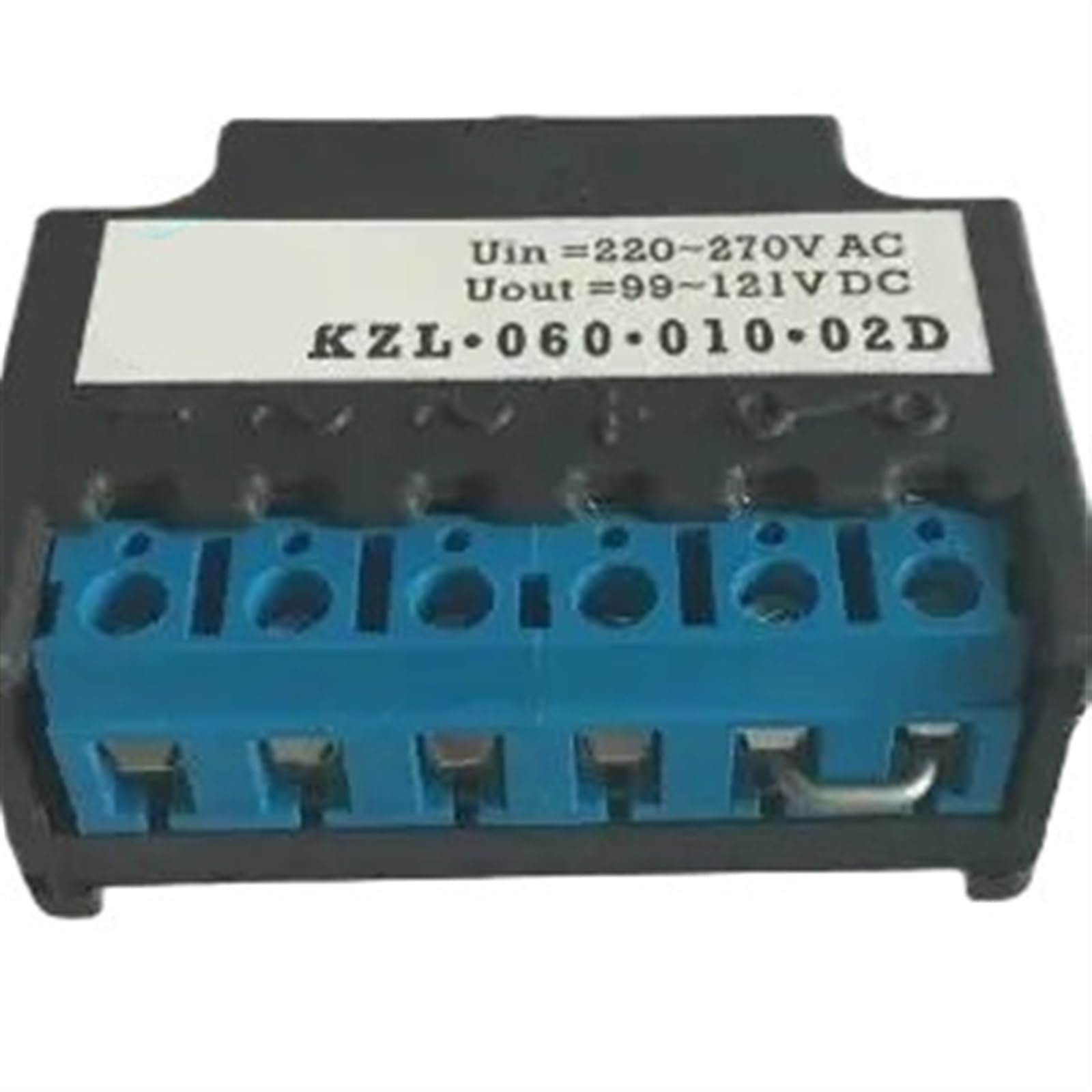
Figi 2.1: Jeneral view of a rectifier unit. Note: Labels on this example image may show specifications different from the ZL3C model.

Figi 2.2: Side view of a rectifier unit. This image provides an example of how specifications might be labeled on a rectifier. The actual specifications for the ZL3C model are detailed in Section 3.
3. Espesifikasyon
| Paramèt | Valè |
|---|---|
| Modèl | ZL-3C |
| Mak | ETURBEV |
| Antre Voltage (AC) | 0 ~ 480V AC |
| Sòti Voltage (DC) | 0 ~ 216V DC |
| Fonksyon | Brake power supply |
| Pwa atik | 1.76 ons |
| Dimansyon pake | 1.18 x 0.79 x 0.39 pous |
4. Enstalasyon ak Enstalasyon
Proper installation is crucial for the safe and efficient operation of the rectifier. Always ensure power is disconnected before beginning any installation work.
- Sekirite Premye: Disconnect all power to the circuit where the rectifier will be installed. Verify with a voltage tèsteur.
- Montaj: Securely mount the rectifier in a location that provides adequate ventilation and is protected from moisture, excessive heat, and vibration. Use appropriate fasteners for the mounting surface.
- Idantifye tèminal yo: Locate the AC input terminals and DC output terminals on the rectifier. These are typically labeled. Refer to the product diagram if available.
- Koneksyon Antre AC: Connect the AC power source wires to the designated AC input terminals. Ensure connections are tight and secure.
- Koneksyon Sòti DC: Connect the DC load (e.g., brake system) to the DC output terminals. Pay close attention to polarity (+ and -) to prevent damage to the load or rectifier.
- Verifye Koneksyon: Double-check all wiring for correctness, tightness, and insulation integrity.
5. Operasyon Enstriksyon
Once the rectifier is correctly installed and all connections are verified, it is ready for operation.
- Aplike pouvwa: Restore AC power to the circuit. The rectifier will immediately begin converting the AC input to DC output.
- Siveye: Observe the connected load (brake) to ensure it functions as expected. If possible, monitor the output voltage and current to confirm they are within the expected range for your application.
- Operasyon nòmal: The rectifier operates continuously when AC power is supplied. No user intervention is typically required during normal operation.
6. Antretyen
The ZL3C ZL-3C Rectifier is designed for minimal maintenance. However, periodic checks can help ensure its longevity and reliable performance.
- Enspeksyon vizyèl: Regularly inspect the rectifier for any signs of physical damage, discoloration, or loose connections.
- Lapwòpte: Keep the unit free from dust, dirt, and debris, which can impede heat dissipation. Use a soft, dry cloth for cleaning. Do not use liquid cleaners.
- Vantilasyon: Ensure that the mounting area remains clear and allows for adequate airflow around the rectifier to prevent overheating.
- Entegrite Koneksyon: Tcheke detanzantan pou wè si tout koneksyon elektrik yo rete sere epi byen fèm.
NAN. Depanaj
If you encounter issues with your ZL3C ZL-3C Rectifier, refer to the following troubleshooting guide:
| Pwoblèm | Kòz posib | Solisyon |
|---|---|---|
| Pa gen pwodiksyon DC | Pa gen kouran AC Fil elektrik ki lach oswa kòrèk Internal rectifier failure | Check AC power source and circuit breaker Verify all input and output connections Replace the rectifier if other checks fail |
| Incorrect DC Output Voltage | AC opinyon voltage outside specified range Overload on DC output | Verify AC input voltage is within 0-480V AC Reduce the load on the DC output |
| Rectifier Overheating | Ensifizan vantilasyon Twòp chaj | Asire bon jan sikilasyon lè toutotou inite a Check if the DC load exceeds the rectifier's capacity |
Si etap depanaj yo pa rezoud pwoblèm nan, kontakte sèvis kliyan.
8. Garanti ak sipò
For warranty information or technical support regarding your ETURBEV ZL3C ZL-3C Rectifier, please refer to the purchase documentation or contact your vendor. Keep your purchase receipt as proof of purchase.


