1. Entwodiksyon
This user manual provides comprehensive instructions for the setup, operation, maintenance, and troubleshooting of your Thomson 27-inch QHD Gaming Monitor (Model: M27QG5Y14). This monitor is designed to deliver a superior visual experience with its QHD resolution, 180Hz refresh rate, and IPS panel technology, making it ideal for gaming and multimedia applications.

Imaj 1.1: Devan view of the Thomson 27-inch QHD Gaming Monitor, showcasing its sleek design and display area.
2. Enfòmasyon sou Sekirite
Tanpri li tout enstriksyon sekirite yo ak anpil atansyon anvan ou itilize monitè a. Kenbe manyèl sa a pou referans pita.
- Sous pouvwa: Sèvi sèlman ak adaptè kouran ki vini ak monitè a. Asire w ke priz kouran an byen konekte ak tè a.
- Vantilasyon: Pa bloke ouvèti vantilasyon yo. Kite ase espas otou monitè a pou bon sikilasyon lè a ka anpeche li chofe twòp.
- Likid ak imidite: Kenbe monitè a lwen dlo, lapli, oswa imidite twòp. Pa mete objè ki plen likid sou monitè a.
- Netwayaj: Disconnect the power cable before cleaning. Use a soft, dry cloth. Do not use liquid cleaners or aerosol cleaners.
- Plasman: Mete monitè a sou yon sifas ki plat e ki estab. Evite mete l anba limyè solèy dirèk oswa toupre sous chalè.
- Manyen: Manyen monitè a avèk prekosyon. Evite lage l oswa sibi gwo chòk.
- Sèvis: Pa eseye fè reparasyon monitè a tèt ou. Konfye tout antretyen bay pèsonèl sèvis kalifye.
3. Pake kontni
Verifye ke tout atik yo prezan nan pakè a. Si gen nenpòt atik ki manke oswa ki domaje, kontakte machann ou an.
- Thomson 27-inch QHD Gaming Monitor
- Sipò Monitè (Baz ak Kou)
- Adaptè kouran ak kab kouran
- HDMI kab
- DisplayPort (DP) Cable (may vary by region)
- Kab USB-B pou USB-A (pou fonksyonalite sant USB)
- Manyèl Itilizatè (dokiman sa a)
- Vis pou asanble kanpe
4. Enstalasyon
4.1. Asanblaj Sipò Monitè a
- Retire monitè a nan anbalaj li avèk prekosyon epi mete l fas anba sou yon sifas mou epi pwòp pou evite li reyur.
- Attach the stand neck to the monitor panel using the provided screws.
- Attach the stand base to the stand neck and secure it with the designated screw.
- Once assembled, carefully lift the monitor and place it on a stable desk or table.

Image 4.1: Monitor dimensions and stand assembly overview. The monitor measures approximately 61 cm wide, 54 cm high (with stand), and 24 cm deep (with stand).
4.2. Konekte monitè kè bebe a
Konekte kab ki nesesè yo nan pò antre monitè a. Gade imaj ki anba a pou wè kote pò yo ye.
- Koneksyon pouvwa: Connect the power adapter to the "DC IN" port on the monitor, then plug the power cable into a power outlet.
- Videyo Antre:
- Connect an HDMI cable from your computer's graphics card to an "HDMI 2.1" port on the monitor.
- Alternatively, connect a DisplayPort (DP) cable from your computer's graphics card to a "DP 1.2" port on the monitor.
- USB Hub: To enable the monitor's USB 3.0 ports, connect a USB-B cable from the "USB 3.0 B" port on the monitor to a USB-A port on your computer.
- Sòti odyo: Connect headphones or external speakers to the "Earphone Plug" (3.5mm audio jack) for audio output.

Image 4.2: Rear panel of the monitor displaying the various input and output ports for connectivity.
4.3. Ajisteman ergonomik
Sipò monitè a pèmèt plizyè ajisteman pou optimize ou viewkonfò:
- Enklinezon: Adjust the screen's vertical angle (up or down).
- Swivel: Rotate the screen horizontally (left or right).
- Pivote: Thorne ekran an 90 degre pou mòd pòtrè viewing.
- Ajisteman wotè: Leve oswa bese monitè a nan nivo je ou prefere a.
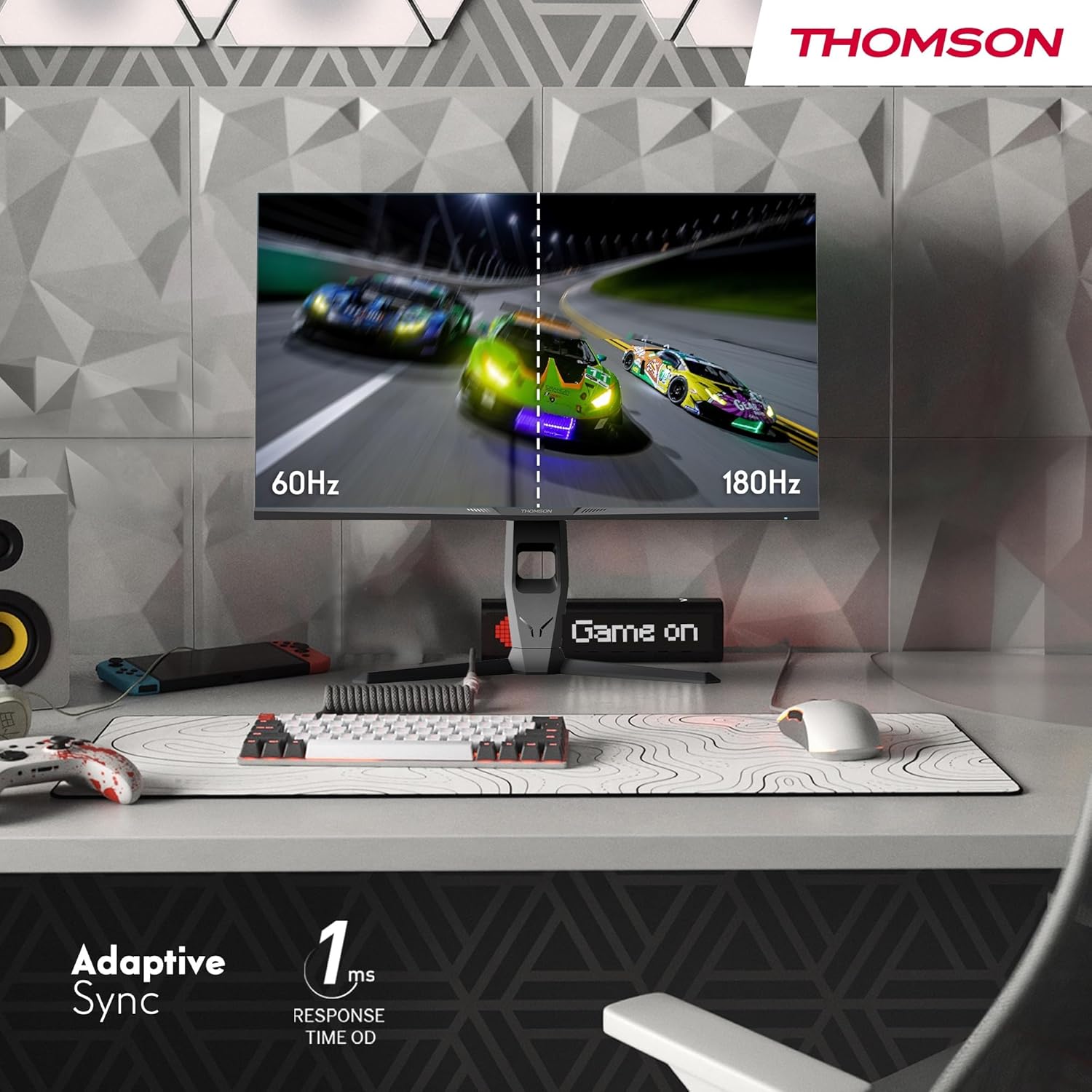
Image 4.3: Demonstrations of the monitor's ergonomic capabilities, including tilt, swivel, and pivot for optimal viewang ing.
4.4. Montaj VESA
The monitor is compatible with VESA 100x100mm mounting standards. To mount the monitor on a wall or an alternative stand, remove the original stand and attach the VESA-compatible mount (sold separately) using appropriate screws.
5. Operasyon Enstriksyon
5.1. Power On/Off
Press the power button, usually located on the back or bottom of the monitor, to turn it on or off. The power indicator light will illuminate when the monitor is on.
5.2. Meni sou ekran an (OSD).
The OSD menu allows you to adjust various monitor settings. Use the joystick or buttons (location may vary) on the monitor to navigate the menu.
- Anviwònman Foto: Ajiste klète, kontras, netteté, tanperati koulè, ak gama.
- Anviwònman koulè: Fine-tune RGB levels, saturation, and hue.
- Chwazi Antre: Chanje ant antre HDMI ak DisplayPort manyèlman.
- Odyo: Ajiste volim pou oratè entegre yo oswa pwodiksyon kas ekoutè a.
- Anviwònman OSD: Chanje lang OSD a, transparans lan, ak delè a.
- Gaming Settings: Access features like Adaptive Sync, response time (OD), and crosshair overlays.
5.3. Karakteristik jwèt yo
- Pousantaj rafrechisman 180Hz: Provides smoother motion and reduced input lag, especially beneficial for fast-paced games. Ensure your graphics card and cable support this refresh rate.
- 1ms Response Time (OD): Minimizes motion blur and ghosting for clear, crisp images during rapid movements.
- Adaptive Sync: Synchronizes the monitor's refresh rate with your graphics card's frame rate, eliminating screen tearing and stuttering. Enable this feature in the OSD menu and your graphics card control panel.

Image 5.1: Visual comparison illustrating the difference between 60Hz and 180Hz refresh rates, highlighting the smoother motion provided by the higher refresh rate, alongside the Adaptive Sync feature.
5.4. Karakteristik Swen Je
- Teknoloji anti-flicker: Reduces screen flickering, which can cause eye strain during prolonged use.
- Ba mòd limyè ble: Filters out harmful blue light emissions to protect your eyes and reduce fatigue. This mode can be activated through the OSD menu.
- Ekran Anti-Ekla: The matte screen surface minimizes reflections from ambient light, providing clear visuals without distraction.

Image 5.2: Depiction of the monitor's eye comfort features, including an anti-glare screen and technologies like Anti-Flicker and Low Blue Light for reduced eye strain.
5.5. RGB Ambient Lighting
The monitor features integrated RGB ambient lighting on the rear. This lighting can be customized via the OSD menu to enhance your gaming environment or match your setup's aesthetics.
6. Antretyen
6.1. Netwaye ki monitè kè bebe a
- Ekran: Siye ekran an dousman avèk yon twal mou ki pa gen pousyè. Pou mak ki difisil pou retire, siye l dousman.ampen the cloth with water or a specialized screen cleaner (ensure it's safe for LCD/IPS panels) and wipe gently. Never spray liquid directly onto the screen.
- Casing: Sèvi ak yon twal mou epi sèk pou siye monitè a.asing. Evite itilize pwodui netwayaj oswa solvan abrazif.
- Toujou dekonekte kab kouran an anvan ou netwaye li.
6.2. Depo
Si w ap sere monitè a pou yon peryòd pwolonje, dekonekte tout kab yo, mete l nan anbalaj orijinal li (si genyen), epi sere l nan yon kote ki fre epi sèk, lwen limyè solèy dirèk ak tanperati ekstrèm.
NAN. Depanaj
Seksyon sa a adrese pwoblèm komen ou ka rankontre. Si pwoblèm nan pèsiste, kontakte sèvis kliyan.
| Pwoblèm | Kòz posib | Solisyon |
|---|---|---|
| Pa gen pouvwa | Kab kouran an pa konekte; Priz kouran an gen pwoblèm; Monitè a etenn. | Ensure power cable is securely connected. Test the power outlet. Press the monitor's power button. |
| Pa gen siyal / Ekran vid | Video cable not connected; Incorrect input selected; Computer not outputting signal. | Check HDMI/DP cable connections. Select the correct input source via OSD. Ensure computer is on and outputting video. |
| Distorted image / Flickering | Incorrect resolution/refresh rate; Faulty cable; Graphics driver issue. | Set display resolution to 2560x1440 and refresh rate to 180Hz. Try a different video cable. Update graphics drivers. |
| Pa gen odyo ki soti nan oratè/kas ekoutè | Volume too low; Audio cable not connected; Incorrect audio output selected on PC. | Increase monitor volume via OSD. Ensure headphones/speakers are connected. Select monitor as audio output device in PC settings. |
8. Espesifikasyon
Detailed technical specifications for the Thomson M27QG5Y14 monitor.
| Karakteristik | Spesifikasyon |
|---|---|
| Mak | Thomson |
| Modèl | M27QG5Y14 |
| Gwosè ekran | 27 pous |
| Kalite Panel | IPS |
| Rezolisyon | 2560 x 1440 (QHD) |
| Rafrechisman pousantaj | 180 Hz |
| Tan repons | 1 Millisecond (OD) / 5 Milliseconds (GtG) |
| Klète | 350 Nit |
| Pwopòsyon kontras | 1200:1 |
| Viewing Ang | 178 Degrees (Horizontal/Vertical) |
| Gamut koulè | 120% sRGB |
| Sipò HDR | HDR10 (10-bit) |
| Adaptive Sync | Wi |
| Koneksyon | 2x HDMI 2.1, 1x DisplayPort 1.2, 1x USB 3.0 Type-B (upstream), 3x USB 3.0 Type-A (downstream), 1x Earphone Plug (3.5mm) |
| Oratè ki entegre yo | Yes (2x2W) |
| VESA Mount konpatibilite | 100x100mm |
| Dimansyon pwodwi (ak sipò) | 61 x 54 x 24 cm (W x H x P) |
| Pwa (ak kanpe) | 7.3 kg |
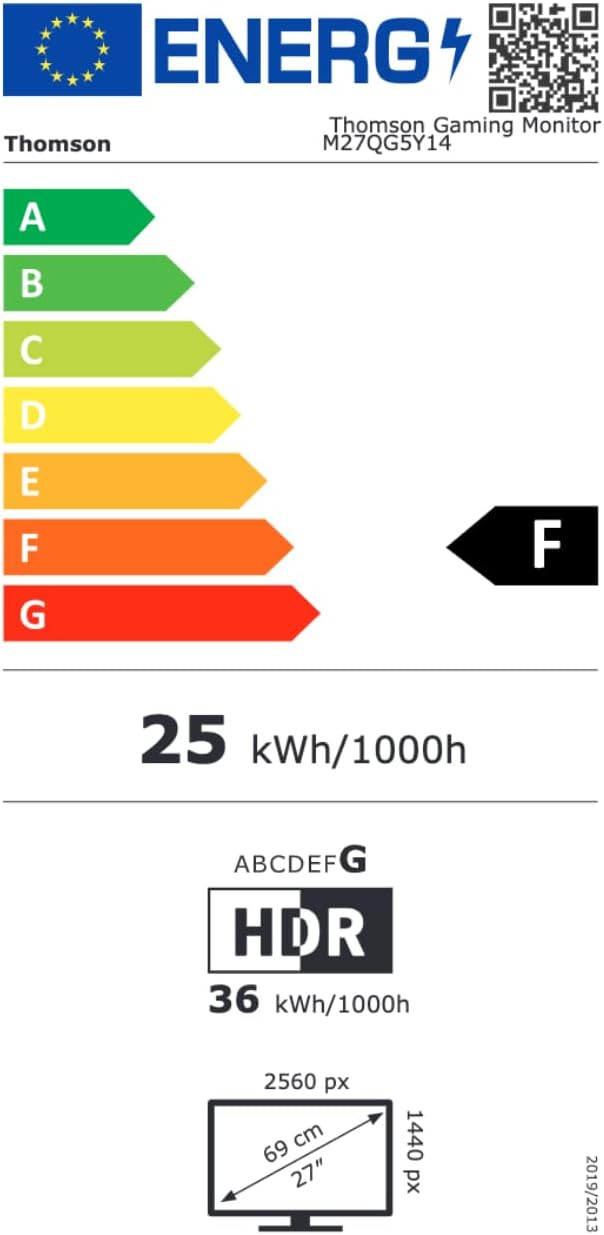
Image 8.1: EU Energy Label for the Thomson M27QG5Y14 monitor. For more details, visit the EPREL baz done.
9. Garanti ak sipò
Thomson products are designed for reliability and performance. This monitor typically comes with a 3-ane garanti apati dat acha a, ki kouvri domaj fabrikasyon. Tanpri konsève prèv acha ou pou reklamasyon garanti.
For technical assistance, troubleshooting beyond this manual, or warranty inquiries, please contact Thomson customer support or your local retailer. Refer to the official Thomson website or your product packaging for specific contact details.
You can also visit the official Thomson store on Amazon for more information: Thomson Store.


