1. Enfòmasyon enpòtan sou sekirite
Tanpri li tout enstriksyon sekirite yo ak anpil atansyon anvan ou itilize televizyon ou an. Kenbe manyèl sa a pou referans pita.
- Pa ekspoze televizyon an ak lapli oswa imidite.
- Asire bon vantilasyon alantou televizyon an.
- Pa bloke ouvèti vantilasyon yo ak bagay tankou jounal, nap, rido, elatriye.
- Pwoteje kòd kouran an pou yo pa mache sou oswa kwense.
- Dekonekte televizyon an pandan tanpèt zèklè oswa lè ou pa itilize li pou yon bon bout tan.
- Refere tout sèvis yo bay pèsonèl sèvis kalifye.
2. Ki sa ki nan bwat la
Verifye ke tout konpozan yo prezan nan anbalaj la:
- Thomson 43QG5C14 QLED Google Smart TV
- Kontwòl Remote
- Kòd pouvwa
- Central Stand (and screws for assembly)
- Manyèl Itilizatè (dokiman sa a)
- Batri pou kontwòl Remote
3. Enstalasyon
3.1 Tache kanpe la
Carefully place the TV screen-down on a soft, flat surface to prevent damage. Attach the central stand to the bottom of the TV using the provided screws. Ensure the stand is securely fastened.
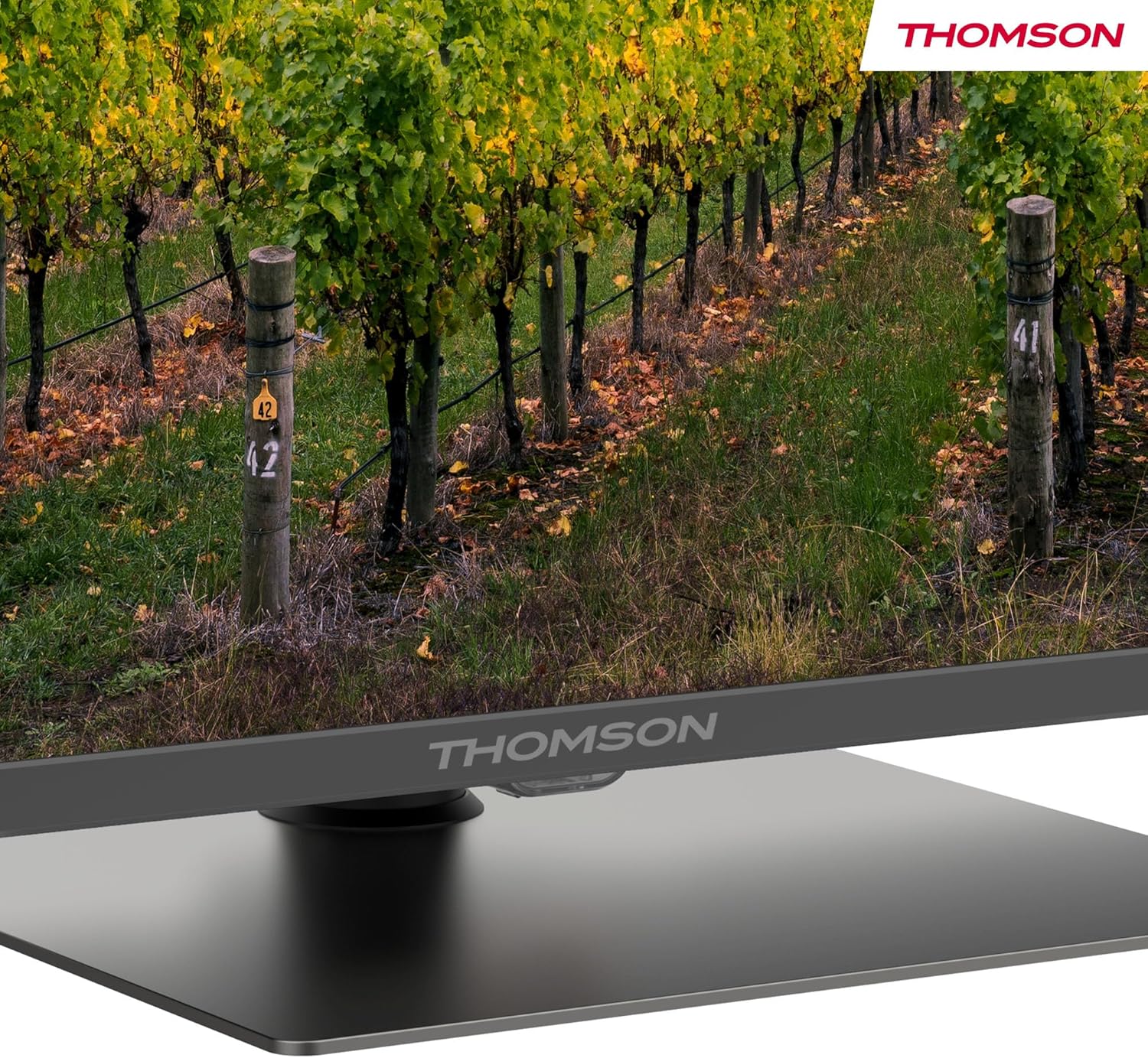
Yon detaye view of the central stand, featuring the Thomson branding.

This diagram provides the physical measurements of the television, including width, height, and depth, essential for placement and installation.
3.2 Montaj sou miray (opsyonèl)
If you choose to wall mount your TV, ensure you use a VESA-compatible wall mount kit (sold separately) and follow the instructions provided with the wall mount. Professional installation is recommended.
3.3 Konekte periferik
Connect your external devices such as set-top boxes, gaming consoles, or sound systems to the appropriate ports on the TV. The TV features multiple HDMI and USB ports, as well as a LAN connection.

This image details the available connection ports on the back of the television, including HDMI, USB, LAN, and antenna inputs.
3.4 Inisyal Enstalasyon
- Konekte fil elektrik la nan televizyon an ak yon priz kouran.
- Peze bouton pouvwa a sou kontwòl remote la oswa televizyon an pou limen li.
- Swiv enstriksyon ki sou ekran an pou chwazi lang ou, peyi ou, epi konekte ak rezo Wi-Fi ou a.
- Sign in with your Google account to access Google TV features and download apps.
4. Operasyon Enstriksyon
4.1 Kontwòl Remote
The included remote control provides easy access to all TV functions. It features backlit buttons for visibility in low light and dedicated buttons for popular streaming services.

The remote control features dedicated buttons for popular streaming services, a Google Assistant button for voice commands, and backlit keys for ease of use in low light.
4.2 Karakteristik Google TV yo
Your Thomson TV runs on Google TV, offering a personalized entertainment experience. Access over 400,000 movies and shows from various streaming services. Use the integrated Google Assistant for voice control and the built-in Chromecast to stream content from your smart devices.

This image demonstrates the voice control functionality, allowing users to operate the TV and search for content using spoken commands.

The Google TV home screen provides access to a wide range of streaming applications and personalized content recommendations.
4.3 Display Features: QLED, 4K UHD, HDR10
Experience vibrant and realistic colors thanks to QLED technology with Quantum Dots. The 4K UHD resolution delivers crystal-clear images, offering four times the detail of Full HD. HDR10 support ensures balanced brightness, rich contrast, and precise color reproduction.
4.4 Audio Features: Dolby Atmos
Enjoy a dynamic and immersive sound experience with Dolby Atmos technology, bringing cinematic audio directly to your living room.

This image illustrates the immersive audio experience provided by Dolby Atmos, showing sound waves emanating from the television.
4.5 Koneksyon
- Wi-Fi: Konekte ak rezo lakay ou pou jwenn aksè entènèt ak difizyon.
- Bluetooth 5.1: Konekte kas ekoutè san fil, ba son, oswa lòt aparèy Bluetooth.
- HDMI: Multiple HDMI ports (including HDMI 2.1 with eARC) for connecting various external devices.
- USB: USB 2.0 and USB 3.0 ports for media playback from USB drives.
- Triple Tuner: Integrated tuner for Cable (DVB-C), Satellite (DVB-S2), and Antenna (DVB-T2) reception.
- CI+: Common Interface Plus slot for conditional access modules (CAM) to view chanèl chiffres.
5. Antretyen
- Netwaye ekran an: Gently wipe the screen with a soft, lint-free cloth. For stubborn marks, use a screen-cleaning solution specifically designed for TVs.
- Netwaye kabinè a: Sèvi ak yon twal mou epi sèk pou netwaye kabinè televizyon an. Pa sèvi ak pwodui netwayaj abrazif oswa solvan.
- Mizajou lojisyèl: Ensure your TV's software is up to date for optimal performance and security. Updates can usually be found in the TV's settings menu.
NAN. Depanaj
Si w rankontre pwoblèm ak televizyon w lan, gade solisyon komen sa yo:
- Pa gen pouvwa: Check if the power cord is securely connected and the power outlet is working.
- Pa gen imaj/son: Verifye ke sous antre ki kòrèk la chwazi. Tcheke tout koneksyon kab yo.
- Remote pa travay: Ranplase pil yo. Asire w pa gen okenn obstak ant telekòmand lan ak televizyon an.
- Kalite imaj ki pa bon: Adjust picture settings (brightness, contrast, sharpness). Check antenna/cable connection.
- Pwoblèm Koneksyon Rezo: Restart your router. Reconnect the TV to the Wi-Fi network in the settings.
For further assistance, consult the full electronic manual or contact Thomson customer support.
7. Espesifikasyon
| Karakteristik | Spesifikasyon |
|---|---|
| Mak | Thomson |
| Nimewo Modèl | 43QG5C14 |
| Gwosè ekran | 43 pous (109 cm) |
| Teknoloji ekspozisyon | QLED |
| Rezolisyon | 4K UHD (3840 x 2160) |
| Rafrechisman pousantaj | 60 Hz |
| Karakteristik espesyal | QLED, Dolby Atmos, Dolby Vision, HDR10 |
| Sistèm operasyon | Google TV |
| Koneksyon | Bluetooth 5.1, HDMI, USB, Wi-Fi |
| Aspè rapò | 16:9 |
| Pwodwi Dimansyon (W x H x D) | 96 x 59 x 9 cm |
| Pwa | 12.5 kg |
Enèji Efikasite

The energy label indicates the television's energy efficiency class and annual energy consumption.
For detailed energy information, refer to the EPREL Product Data Sheet.
8. Garanti ak sipò
Your Thomson 43QG5C14 QLED Google Smart TV comes with a 3-ane garanti, ensuring clear images without dead pixels. This product is assembled in Europe, reflecting a commitment to quality.
For technical support, warranty claims, or additional information, please visit the official Thomson website or contact your local customer service.


