1. Entwodiksyon
This manual provides essential information for the safe and efficient operation of your THOMSON Wireless Bluetooth Speaker, model BG002-1. Please read this manual thoroughly before using the product and retain it for future reference. This speaker combines advanced audio technology with an artistic design, suitable for various indoor environments.
2. Pake kontni
Verifye ke tout atik ki nan lis anba a yo enkli nan pakè ou a. Si gen nenpòt atik ki manke oswa ki domaje, tanpri kontakte sèvis kliyan.
- THOMSON BG002-1 Wireless Bluetooth Speaker
- Kontwòl Remote
- Kalite-C chaje kab
- Manyèl Itilizatè (dokiman sa a)
3. Pwodwi souview
3.1 Eleman
The THOMSON BG002-1 speaker features a unique wall-mounted design with an art painting decoration. The audio system is engineered for clear sound reproduction.

Imaj: Dèyè view of the speaker, illustrating the four sound units.
- Sound Units: Equipped with 2 x 2.5-inch woofers and 2 x 2.5-inch tweeters for balanced audio output.
- Kontwòl Panel: Integrated buttons for basic functions (Power, Volume, Mode).
- Pò chaje: Pò tip C pou antre kouran.
- Pwen Montaj: Designed for secure wall installation.
3.2 Karakteristik kle

Imaj: Plis paseview of key features including Bluetooth 5.2, output power, remote control, Type-C charging, TWS function, and battery capacity.
- Bluetooth 5.2: Provides stable wireless connectivity with an effective range of up to 10 meters.
- Kalite son HiFi: Delivers clear audio with 3D surround sound effects.
- Batri entegre: Features a 6000 mAh Li-ion battery for portable use, offering approximately 8 hours of playback on a full charge.
- Fonksyon TWS: Supports True Wireless Stereo pairing for connecting two BG002-1 speakers for enhanced stereo sound.
- Kontwòl Remote: Pèmèt operasyon pratik a distans.
- Materyèl dirab: Constructed from solid wood and a colorfast mural, with a waterproof and dustproof canvas surface.
4. Enstalasyon
4.1 Premye chaj
Before first use, fully charge the speaker using the provided Type-C charging cable. Connect the cable to the speaker's charging port and a compatible USB power adapter (not included). The charging indicator will show the charging status.
4.2 Montaj mi
The speaker is designed for wall mounting. Ensure the chosen wall location is sturdy and can support the speaker's weight. Use appropriate mounting hardware (not included) and follow standard safety procedures for wall installation. Position the speaker at an optimal listening height for the best audio experience.
5. Operasyon Enstriksyon
5.1 Power On/Off
Press and hold the Power button on the speaker or the remote control to turn the speaker on or off. A sound indicator will confirm the action.
5.2 Bluetooth Pairing

Image: The speaker connecting wirelessly to various devices via Bluetooth 5.2.
- Limen oratè a. Li pral antre otomatikman nan mòd koneksyon Bluetooth, sa ap parèt ak yon LED k ap flache.
- Sou aparèy ou an (telefòn entelijan, tablèt, òdinatè pòtab, elatriye), aktive Bluetooth epi chèche aparèy ki disponib yo.
- Select 'THOMSON BG002-1' from the list of devices.
- Once connected, the LED indicator will stop flashing, and a confirmation sound will play.
Oratè a ap otomatikman eseye rekonekte ak dènye aparèy ki konekte a lè li limen.
Fonksyon 5.3 TWS (Vrè Stereo san fil)

Image: Two speakers wirelessly connected to form a stereo pair using TWS function.
To pair two BG002-1 speakers for a stereo experience:
- Asire w ke tou de oratè yo limen epi yo pa konekte ak okenn aparèy Bluetooth.
- On one speaker, press the TWS button (if available) or a designated pairing button. The speaker will enter TWS pairing mode.
- De oratè yo ap konekte otomatikman youn ak lòt. Yon son konfimasyon ap endike koneksyon TWS la reyisi.
- Once TWS is established, connect your device to one of the speakers via Bluetooth as described in section 5.2. Both speakers will then play audio in stereo.
5.4 Operasyon kontwòl Remote
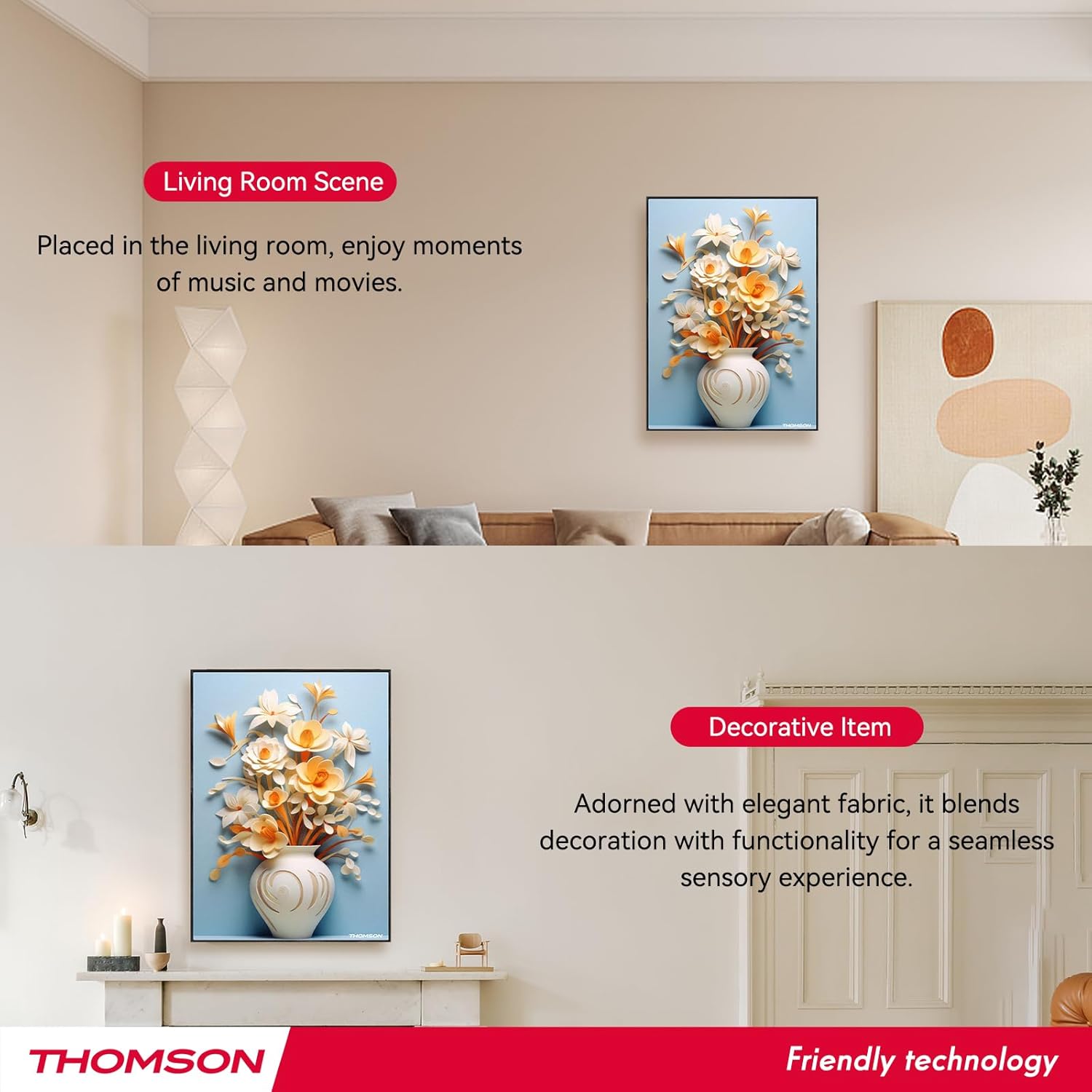
Image: Layout of the remote control with labeled functions.
Kontwòl remote la bay aksè pratik a plizyè fonksyon:
- Limen/Etenyen: Limen oswa etenn oratè a.
- Mòd: Switches between input modes (e.g., Bluetooth).
- Volim +/-: Ajiste volim odyo a.
- Track Previous/Next: Skips to the previous or next song.
- Jwe/Poz: Kòmanse oswa mete lekti odyo a sou poz.
- Mòd 3D: Activates or deactivates 3D surround sound.
- Mòd EQ: Chanje ant prereglaj egalizatè yo.
- Mòd TWS: Initiates TWS pairing (refer to section 5.3).
- Bèbè: Silenn oswa retire odyo a.
5.5 Chaje Oratè a

Image: Visual representation of the speaker's 6000mAh battery capacity.
When the battery is low, the speaker will provide a low battery reminder. Connect the Type-C charging cable to the speaker's charging port and a power source. The charging indicator will illuminate during charging and turn off or change color when fully charged. A full charge typically provides up to 8 hours of playback.
6. Antretyen
Pou asire lonjevite ak pèfòmans optimal oratè ou a, swiv gid antretyen sa yo:
- Netwayaj: The speaker's canvas surface is waterproof and dustproof. Wipe it gently with a soft, damp twal. Evite itilize pwodui chimik piman bouk oswa pwodui netwayaj abrazif.
- Depo: Lè w pa itilize oratè a pou yon bon bout tan, sere l nan yon kote ki fre epi sèk.
- Swen batri: To preserve battery life, avoid fully discharging the battery frequently. Charge the speaker regularly, even if not in active use.
- Kondisyon anviwònman: Evite ekspoze oratè a nan tanperati ekstrèm, limyè solèy dirèk, oswa imidite ki wo.
NAN. Depanaj
Si ou rankontre pwoblèm ak oratè ou a, gade pwoblèm ak solisyon komen sa yo:
- Pa gen pouvwa:
- Ensure the speaker is fully charged. Connect the Type-C charging cable and check if the charging indicator lights up.
- Press and hold the Power button for a few seconds. - Pa gen son:
- Check the volume level on both the speaker and your connected device.
- Ensure the speaker is correctly paired via Bluetooth (refer to section 5.2).
- Make sure the speaker is not muted. - Pwoblèm Bluetooth Pairing:
- Ensure the speaker is in pairing mode (flashing LED).
- Turn off Bluetooth on your device and turn it back on.
- Move your device closer to the speaker (within 10 meters).
- Disconnect the speaker from any other devices it might be paired with. - Echèk koneksyon TWS:
- Ensure both speakers are powered on and not connected to any other Bluetooth devices.
- Follow the TWS pairing steps carefully (refer to section 5.3).
- Try resetting both speakers and attempting TWS pairing again. - Kontwòl Remote pa travay:
- Check if the remote control's battery needs replacement.
- Ensure there are no obstructions between the remote and the speaker.
- Point the remote directly at the speaker's sensor.
Si pwoblèm nan pèsiste apre ou fin eseye solisyon sa yo, tanpri kontakte sèvis kliyan.
8. Espesifikasyon
| Karakteristik | Spesifikasyon |
|---|---|
| Non modèl | THOMSON wallmounted bluetooth speaker |
| Nimewo Modèl | BG002-1 |
| Kalite Oratè | Son antoure |
| Koneksyon Teknoloji | Bluetooth |
| Bluetooth vèsyon | 5.2 |
| Gamme Bluetooth | 10 mèt |
| Sous pouvwa | Batri Powered |
| Kapasite batri | 6000 mAh |
| Oratè maksimòm pwodiksyon pouvwa | 50 Watts |
| Woofer Dyamèt | 2.5 pous (x2) |
| Dyamèt tweeter | 2.5 pous (x2) |
| Dimansyon pwodwi | 18.11"D x 1.85"W x 12.99"H |
| Pwa atik | 8.53 liv (3.88 kilogram) |
| Metòd kontwòl | Remote |
| Èske enpèmeyab | Se vre |
| Kalite aliye | Mi mòn |
9. Garanti ak sipò
This THOMSON product comes with a Limited Warranty. For specific warranty terms and conditions, please refer to the documentation provided at the time of purchase or contact THOMSON customer support.
For technical assistance, troubleshooting, or warranty claims, please visit the official THOMSON website or contact their customer service department. Keep your purchase receipt as proof of purchase for warranty services.