Entwodiksyon
The NZXT Control Hub (Model: AC-CRFR1-B1) is designed to centralize and simplify the management of your PC's cooling fans and RGB lighting. This digital controller allows you to connect and customize multiple fans and RGB components, ensuring optimal performance and synchronized visual effects through the intuitive NZXT CAM software.
Enstalasyon
Kontni pake
- NZXT Control Hub (AC-CRFR1-B1)
- USB kab
- SATA pouvwa kab
- 3M Dual Lock Reclosable Fasteners
- Manyèl Itilizatè (dokiman sa a)
Etap enstalasyon yo
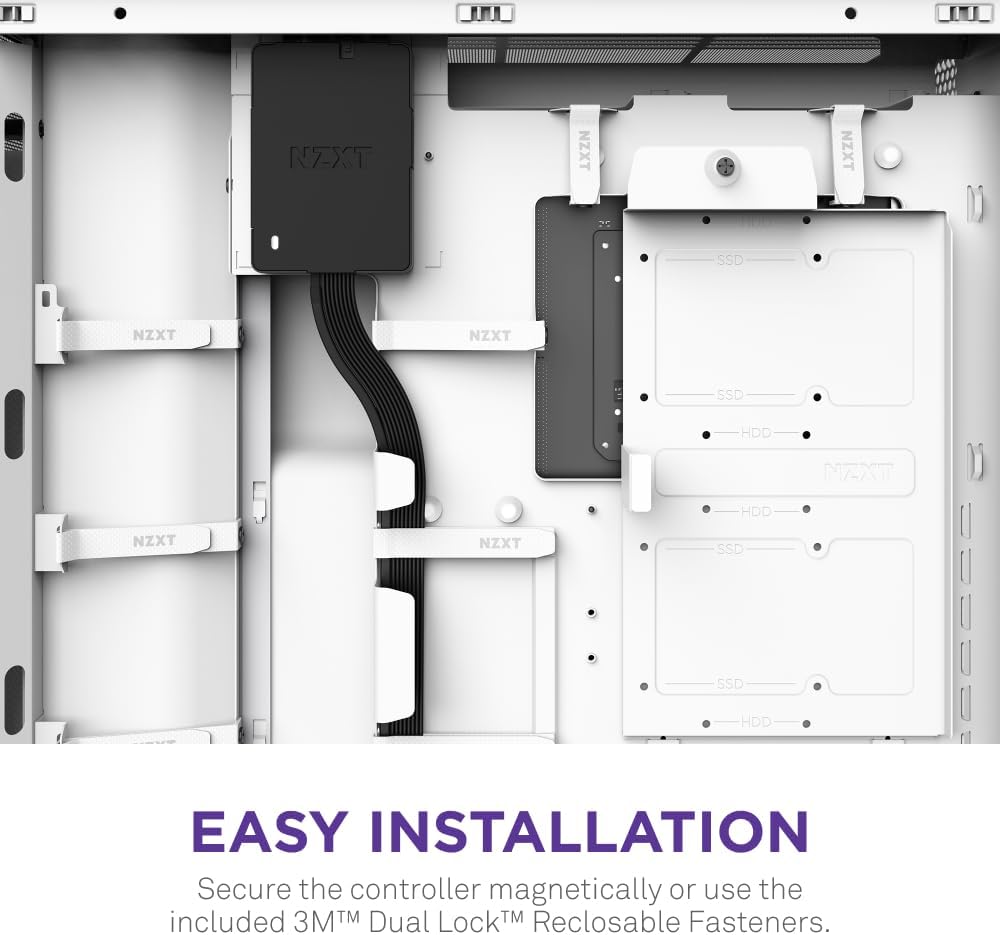
- Mounting the Control Hub: Secure the NZXT Control Hub inside your PC case. It features magnetic mounting for easy attachment to metal surfaces. Alternatively, use the included 3M Dual Lock Reclosable Fasteners for non-magnetic surfaces or additional security.
- Konekte pouvwa: Connect the provided SATA power cable from your power supply unit (PSU) to the Control Hub.
- Connecting to Motherboard: Connect the USB cable from the Control Hub to an available internal USB 2.0 header on your motherboard. This enables communication with the NZXT CAM software.
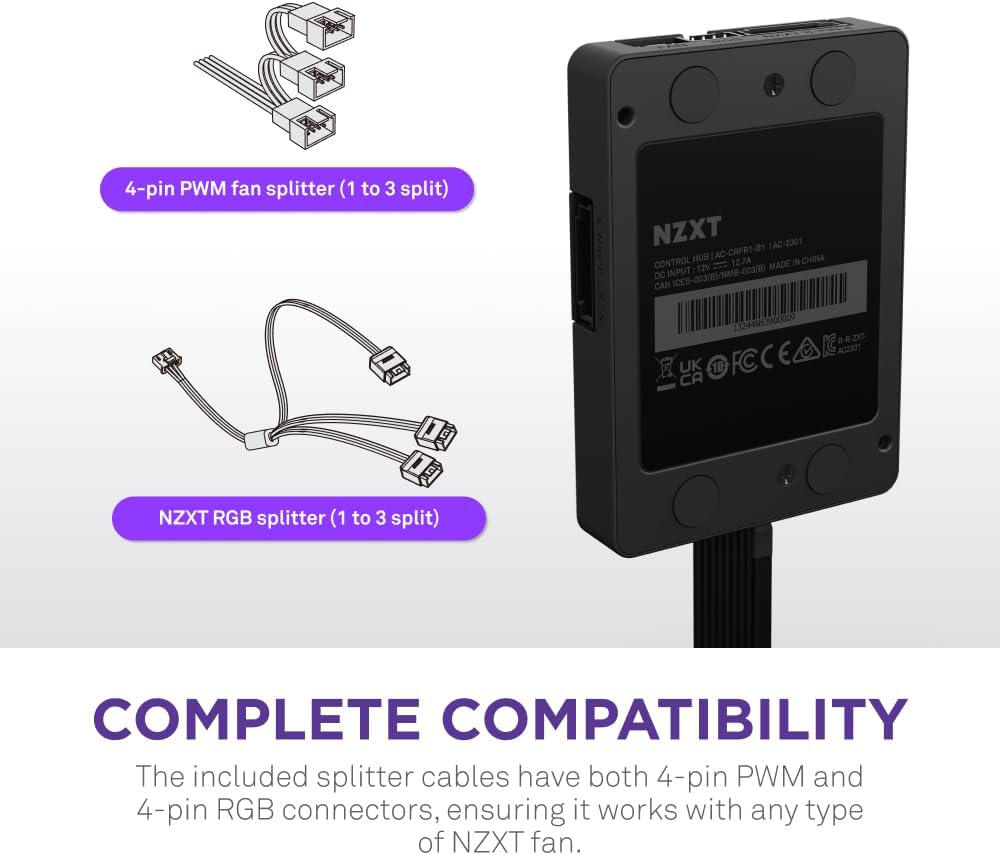
- Connecting Fans: The Control Hub supports up to five PWM fans. Connect your PWM fans to the designated FAN headers on the Control Hub. For NZXT Single-Frame Fans, utilize the 8-pin PWM and RGB combo headers for streamlined operation.
- Connecting RGB Components: Connect your NZXT RGB components (up to five) to the RGB headers on the Control Hub. This allows for synchronized lighting effects across your system.
Opere
NZXT CAM Software
The NZXT Control Hub is powered by the NZXT CAM software, which provides a comprehensive interface for managing your connected devices. Download and install the latest version of NZXT CAM from the official NZXT websit.
- Kontwòl fanatik: Within NZXT CAM, you can fine-tune the speeds of up to five PWM fans. This includes setting custom fan curves, selecting preset modes, and enabling Zero RPM mode for silent operation during low system loads.
- Ekleraj RGB: Personalize the RGB lighting effects on up to five NZXT RGB components. Choose from a variety of lighting modes, colors, and synchronize effects across all connected devices to create a cohesive system-wide aesthetic.
- Custom Profiles: Kreye epi sove pwofesyonèl pèsonalizefiles for different scenarios, such as gaming, productivity, or silent operation. NZXT CAM automatically detects each connected device, simplifying the configuration process.

Videyo pwodwi
Antretyen
To ensure the longevity and optimal performance of your NZXT Control Hub and connected components, regular maintenance is recommended:
- Retire pousyè: Periodically clean the Control Hub and surrounding areas within your PC case to prevent dust buildup, which can hinder airflow and component performance. Use compressed air or a soft brush.
- Jesyon kab: Ensure all cables connected to the Control Hub are securely fastened and properly routed to prevent accidental disconnections or interference with other components.
- Mizajou lojisyèl: Regularly check for and install updates for the NZXT CAM software. Updates often include performance improvements, bug fixes, and new features.
Depanaj
If you encounter issues with your NZXT Control Hub, consider the following troubleshooting steps:
- Pa gen pouvwa: Verify that the SATA power cable is securely connected to both the Control Hub and your PSU. Ensure your PSU is powered on.
- Fans/RGB Not Responding: Check all fan and RGB cable connections to the Control Hub. Ensure the USB cable is properly connected to the motherboard. Restart the NZXT CAM software or your PC.
- Software Not Detecting Hub: Confirm the USB cable connection. Try a different internal USB 2.0 header on your motherboard. Reinstall the NZXT CAM software.
- Inconsistent Lighting/Fan Speed: Ensure NZXT CAM software is running and configured correctly. Check for any conflicting software that might be attempting to control RGB or fan speeds.
Espesifikasyon
| Karakteristik | Detay |
|---|---|
| Mak | NZXT |
| Nimewo Modèl | AC-CRFR1-B1 |
| Pouvwa Connector Kalite | 8-Pin |
| Voltage | 12 Volts |
| Metòd refwadisman | Fanatik |
| Aparèy konpatib | Desktop |
| Pwa atik | 5.3 ons |
| Dimansyon pwodwi (LxWxH) | 3.94 x 2.76 x 0.63 pous |
Garanti ak sipò
NZXT provides comprehensive warranties and friendly, expert support for its products. For warranty details, technical assistance, or further inquiries, please visit the official NZXT support website or contact their customer service team. Ensure you have your product model number (AC-CRFR1-B1) and proof of purchase available when seeking support.


