Entwodiksyon
The GoveeLife Smart Humidifier 2 (Model H7145) is designed to enhance your indoor environment by providing optimal humidity levels. Featuring smart app and voice control, an automatic mode for precise humidification, and a large 6-liter capacity, this device offers convenience and comfort. It also includes a built-in RGB nightlight and an essential oil diffuser function.

Figure 1: GoveeLife Smart Humidifier 2 (H7145) with its digital display and accompanying smartphone app interface.
Enstalasyon
1. Plasman
Place the humidifier on a flat, stable surface away from walls or any major obstacles to ensure optimal mist distribution.
2. Ranpli ak dlo
The H7145 features a convenient top-fill design. Lift the top cover to access the water tank. Fill the tank with clean, distilled water, ensuring not to exceed the maximum fill line. The 6L tank allows for up to 60 hours of continuous operation.

Figure 2: Easy top-fill design for convenient water refilling.
3. App & Voice Control Setup
Download the Govee Home app from your smartphone's app store. Follow the in-app instructions to connect your humidifier to a 2.4GHz Wi-Fi network. Once connected, you can link it to Alexa or Google Assistant for voice control.

Figure 3: Remote control of the humidifier via the Govee Home app.
Video 1: Instructions on how to connect the GoveeLife H7145 Humidifier with Siri for voice control.
Enstriksyon Operasyon
1. Power On/Off
Press the power button on the device or use the Govee Home app to turn the humidifier on or off.
2. Mist Levels
The humidifier offers 9 adjustable mist levels. You can select your desired mist output via the control panel or the Govee Home app.
3. Auto Mode for Precise Humidification
Activate Auto Mode to allow the built-in high-precision sensor to maintain your desired humidity range. The humidifier will automatically adjust its operation to keep the environment comfortable. For more precise control, connect a GoveeLife Thermo-Hygrometer (not included).

Figure 4: Auto Mode ensures hassle-free comfort by maintaining ideal humidity levels.
4. RGB Nightlight
The integrated RGB nightlight offers adjustable colors and scenes to create a soothing ambiance. Control the nightlight settings through the Govee Home app.

Figure 5: Personalized RGB lights can be adjusted via the app to create various scenes.
5. Orè
Set personalized schedules for the humidifier's operation using the Govee Home app. This allows you to automate turning the device on/off or adjusting settings at specific times.

Figure 6: Custom and personalized schedules can be set through the app for effortless comfort.
6. Essential Oil Diffuser
Add a few drops of your preferred essential oil to the aroma pad located in the diffuser tray. The humidifier will then circulate a fragrant mist throughout the room.

Figure 7: Add essential oils to the aroma pad for a personalized ambiance.
7. Operasyon trankil
The humidifier operates at a low noise level of 26dB, ensuring a whisper-quiet environment ideal for sleep or focused activities.

Figure 8: Enjoy low noise and no light for a restful sleep.
8. Water Lack Alert
The device will send an alert to your Govee Home app when the water level is low, prompting you to refill the tank.
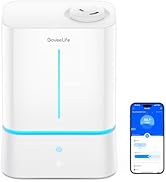
Figure 9: App notification for water lack alert.
Antretyen
Regular cleaning is essential to ensure optimal performance and longevity of your humidifier. It is recommended to clean the humidifier at least once a week, or as prompted by the app.
1. Pwosedi Netwayaj
- Debranche imidifikatè a: Always unplug the device from the power outlet before cleaning or refilling.
- Dlo Vide: Detach the water tank and base, and pour out any remaining water.
- Clean Tank and Base: Rinse the water tank and base with warm water. Use a soft damp twal pou siye baz la.
- Clean Nozzle and Droplet Collector: Detach the nozzle and droplet collector. Clean them with the included brush under running water.
- Clean Mist Tube and Atomizer: Use the included brush to clean the mist tube and the atomizer.
- Clean Aroma Pad Tray: Take out the aroma pad tray and clean it with water.
- Remonte: Once all components are clean and dry, reassemble the humidifier.
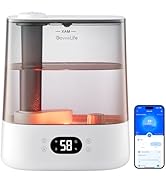
Figure 10: Use the provided brush for deep cleaning the humidifier base.
Video 2: Detailed instructions on how to clean the GoveeLife H7145 Humidifier.
2. Detartraj
If you notice mineral buildup (white powder residue), use a descaling solution or a mixture of white vinegar and water to clean the tank and base. Follow the descaling product's instructions or let the vinegar solution soak for 30 minutes before rinsing thoroughly.
Depanaj
- Pa gen vapè dlo: Ensure the water tank is properly seated and filled. Check if the device is powered on and the mist level is set.
- Bwouya fèb: Clean the atomizer and mist tube to remove any mineral buildup. Ensure the water level is sufficient.
- Aparèy pa konekte ak Wi-Fi: Confirm your Wi-Fi network is 2.4GHz. Ensure the humidifier is within range of your router. Restart the humidifier and your router, then try connecting again via the app.
- bri ki pa nòmal: Check for any foreign objects in the water tank or base. Ensure the humidifier is on a flat, stable surface.
- Flit dlo: Ensure all components are correctly assembled and the water tank is not overfilled.
Espesifikasyon
| Mak | GoveeLife |
| Non modèl | Smart Humidifier 2 (6L) |
| Nimewo Modèl Atik | H7145 |
| Kapasite | 6 lit |
| Kouvèti zòn etaj | 500 pye kare |
| Mòd operasyon | À |
| Metòd kontwòl | App |
| Karakteristik espesyal | Auto Shut Off, Digital Display, Low Water Indicator, Night Light, Timer |
| Pwa atik | 5.68 liv (2.58 kilogram) |
| Dimansyon pwodwi | 5.12"D x 11.42"W x 13.45"H |
| Kalite chanm | Chanm, Chanm Timoun, Salon, Garderi, Biwo |
| UPC | 810127738492 |
Garanti ak sipò
For any product-related inquiries, troubleshooting assistance, or warranty claims, please refer to the included Quick Start Guide or contact GoveeLife US Direct customer support. Keep your purchase receipt for warranty purposes.


